AI Portrait Generator
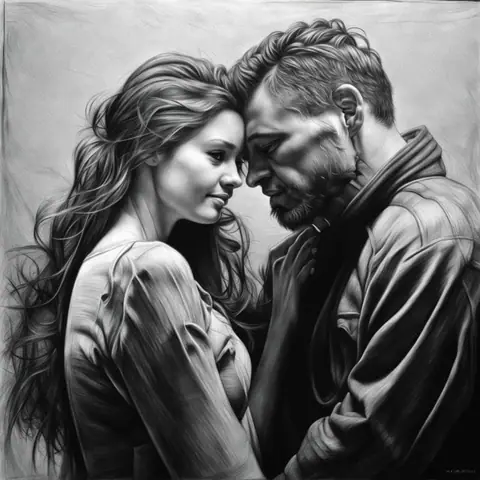
Idyllic's AI portrait generator creates custom portraits from a text description: studio-style headshots, profile avatars, oil-painting portraits and character art. Set the crop, expression, outfit, lighting and style, then change details by describing them. Characters keeps one face consistent across scenes, and Upscale takes finished portraits up to 8K for print.


- Price
- Free to start · 3 images a day
- Output
- HD images, upscale to 8K
- Models
- FLUX, Imagen 4, GPT Image, Seedream
- Commercial use
- Included on paid plans
- Prompt language
- Any language
Examples


How it works
Three steps from idea to finished image.
- 1
Describe the person
Give age range, hair, expression and clothing, plus the crop: headshot, head-and-shoulders, waist-up or full-length.
- 2
Choose style and light
Pick a look such as studio photo, 35mm film, oil painting, watercolor or anime, and name the light: window light, Rembrandt, golden hour.
- 3
Refine and upscale
Change one detail at a time, like "navy sweater instead of the blazer", and the face stays. Upscale the final portrait up to 8K.
Portrait styles
- Studio headshot: neutral grey backdrop, soft key light, shallow depth of field
- Oil painting: visible brushwork, Rembrandt lighting, dark background
- Watercolor: loose washes and white paper showing through
- Film photo: 35mm grain, natural window light, muted colors
- Anime or comic: clean lineart and cel shading
- Fantasy character: armor or cloak, dramatic rim light
Portrait prompt checklist
- Crop: headshot, head-and-shoulders, waist-up or full-length
- Angle: eye level, three-quarter view or profile
- Expression: calm, laughing, focused, skeptical
- Light: direction and quality, such as soft window light from the left
- Background: plain color, blurred office, library, forest
- Use: square for profile pictures, vertical for posters
Consistent faces and print-ready files
Characters keeps the same face across portraits, so a series or a cast of characters stays recognizable. Styles lets you use presets or train on your own references, and Upscale prepares files up to 8K for print.
Prompt ideas
Copy a prompt, or open it in Idyllic and make it yours.
professional studio headshot of a woman in her 40s, short grey hair, navy blazer, neutral grey backdrop, soft key light, shallow depth of field
oil painting portrait of an elderly fisherman, weathered face, knit cap, Rembrandt lighting, dark background, visible brushstrokes
watercolor portrait of a young man with curly hair and round glasses, loose washes, white paper texture, soft blue palette
35mm film portrait of a woman reading by a window, natural side light, muted warm colors, visible grain, head-and-shoulders
anime-style profile picture, young man with messy black hair and headphones, simple teal background, square crop
fantasy character portrait, dwarf blacksmith with a braided beard, leather apron, forge glow, dramatic rim light
corporate team portrait style, man in his 30s, light blue shirt, blurred modern office background, friendly smile, eye level
Renaissance-style portrait of a woman in a velvet gown, three-quarter view, sfumato shading, dark green background
Frequently asked questions
Is the AI portrait generator free?
Yes. You get 3 free images a day with no credit card. Paid plans are Plus ($10.50/month), Pro ($17.50/month) and Max ($33.25/month), billed yearly.
What can I make with it?
Headshots, profile pictures, painted portraits, character art and editorial portraits, in any style you describe.
Can I keep the same face across portraits?
Yes. Characters keeps one face consistent across scenes, outfits and styles.
Can I make a portrait in a specific art style?
Yes. Name the style in your prompt, choose a preset from Styles, or train a style on your own reference images.
Can I print my portrait?
Yes. Upscale enlarges any portrait up to 8K, which suits framed prints and posters.
Which AI models does it use?
You can choose FLUX, Imagen 4, GPT Image, Seedream or Nano Banana, all in one place.
Can I use the portraits commercially?
Yes, on paid plans, which include a commercial license and private mode. Free creations appear in the public gallery.



Your turn.
Free to start. No credit card.