Ready-made flow · Click-worthy 16:9 thumbnails with a bold hook
AI YouTube Thumbnail Generator
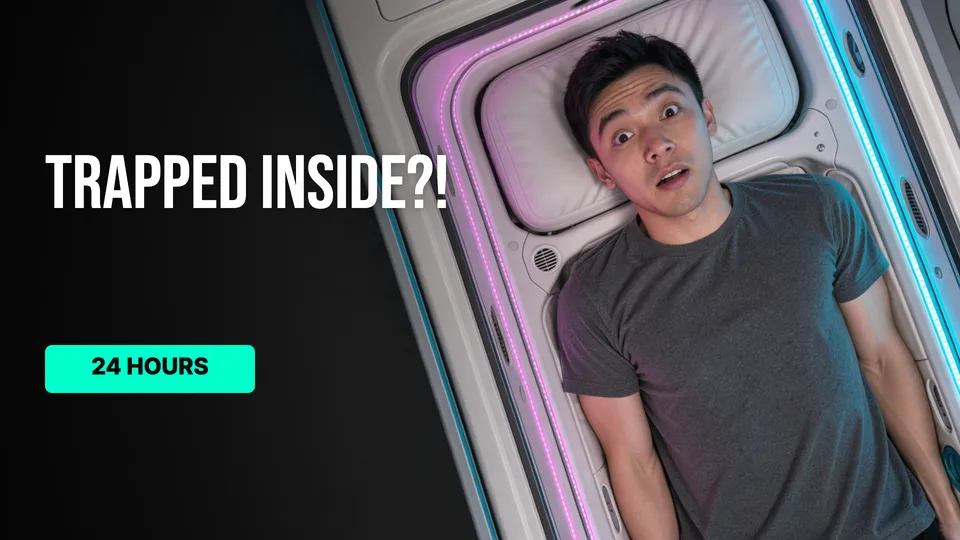
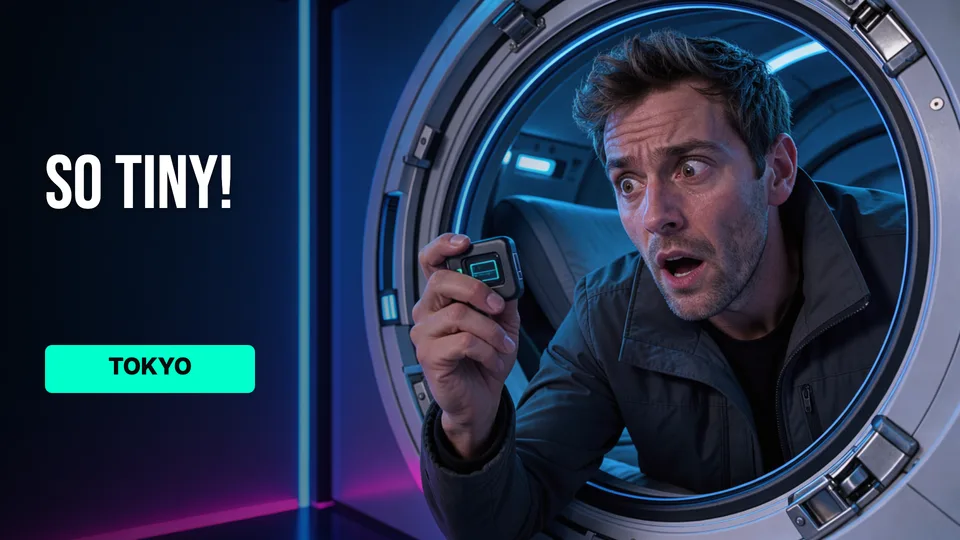
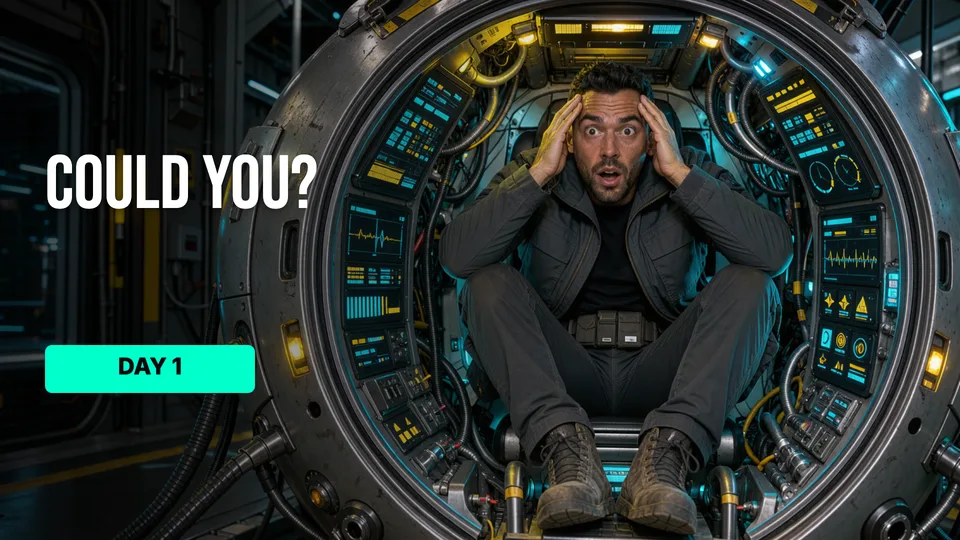
Idyllic's AI YouTube thumbnail generator turns one sentence about your video into three finished 16:9 thumbnails. Each has a striking image with a clear subject and big emotion, plus a short hook set in a heavy display font. Add your face and every version keeps it. Every word, font and layer stays editable, so a second version never means starting over.
- Size
- 1920×1080 PNG, 16:9
- You get
- 3 thumbnails + the artwork without text
- Image model
- FLUX 3
- Cost
- 36 credits for 3, on Plus and up
- Your face
- Optional, kept in every version
Real output · no retouching
One brief.
3 results.
- What is the video about?
- I spent 24 hours inside a Tokyo capsule hotel
- Channel type
- Vlog
How to make it
Four steps, about a minute of your time. These are real screens from the run above.
- 01
Say what the video is about
Write one line about the video, pick a channel type (vlog, gaming, finance, tech review and more), add your face or subject if you want it in the shot, and choose how many directions to make.
Open the flow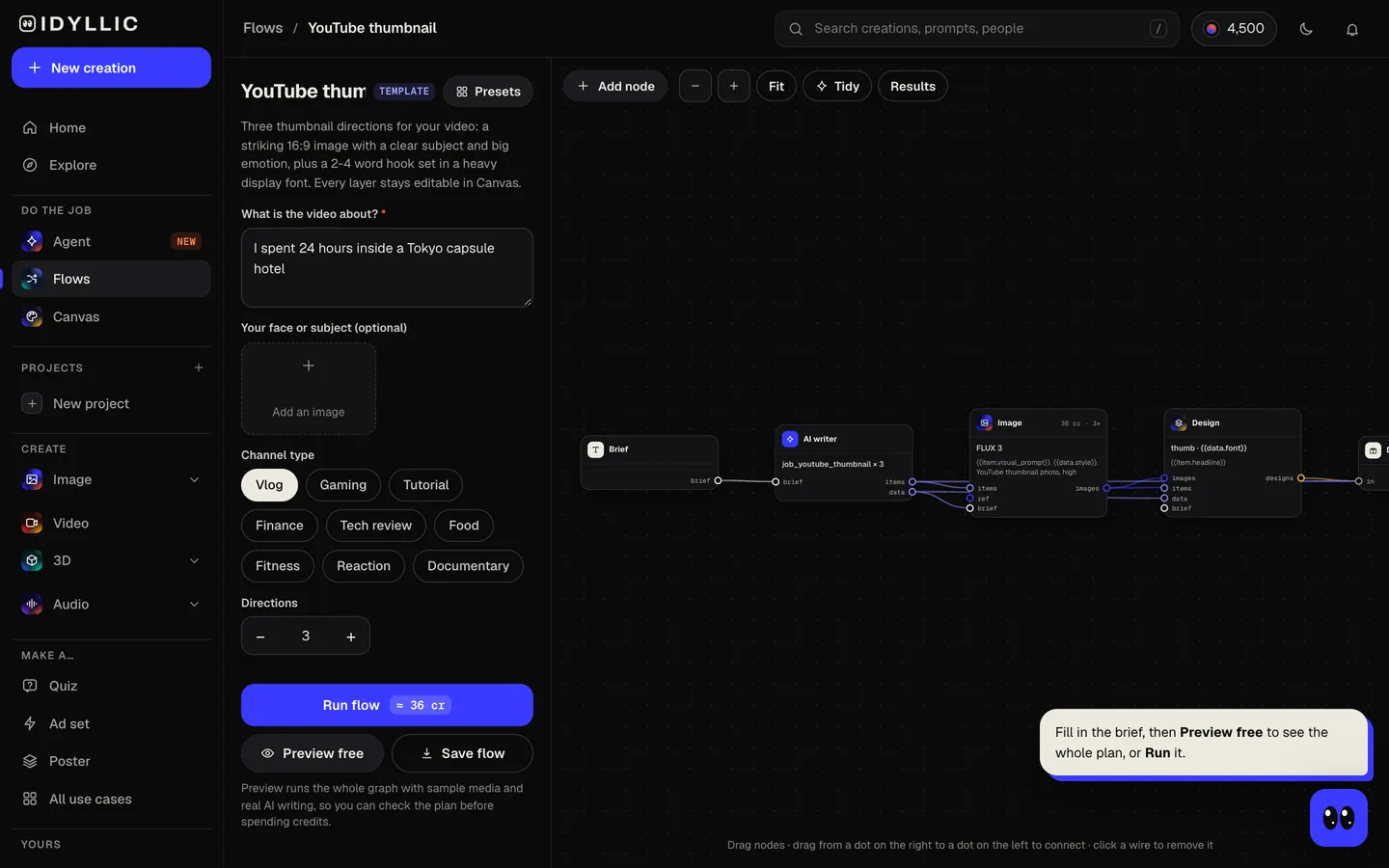
- 02
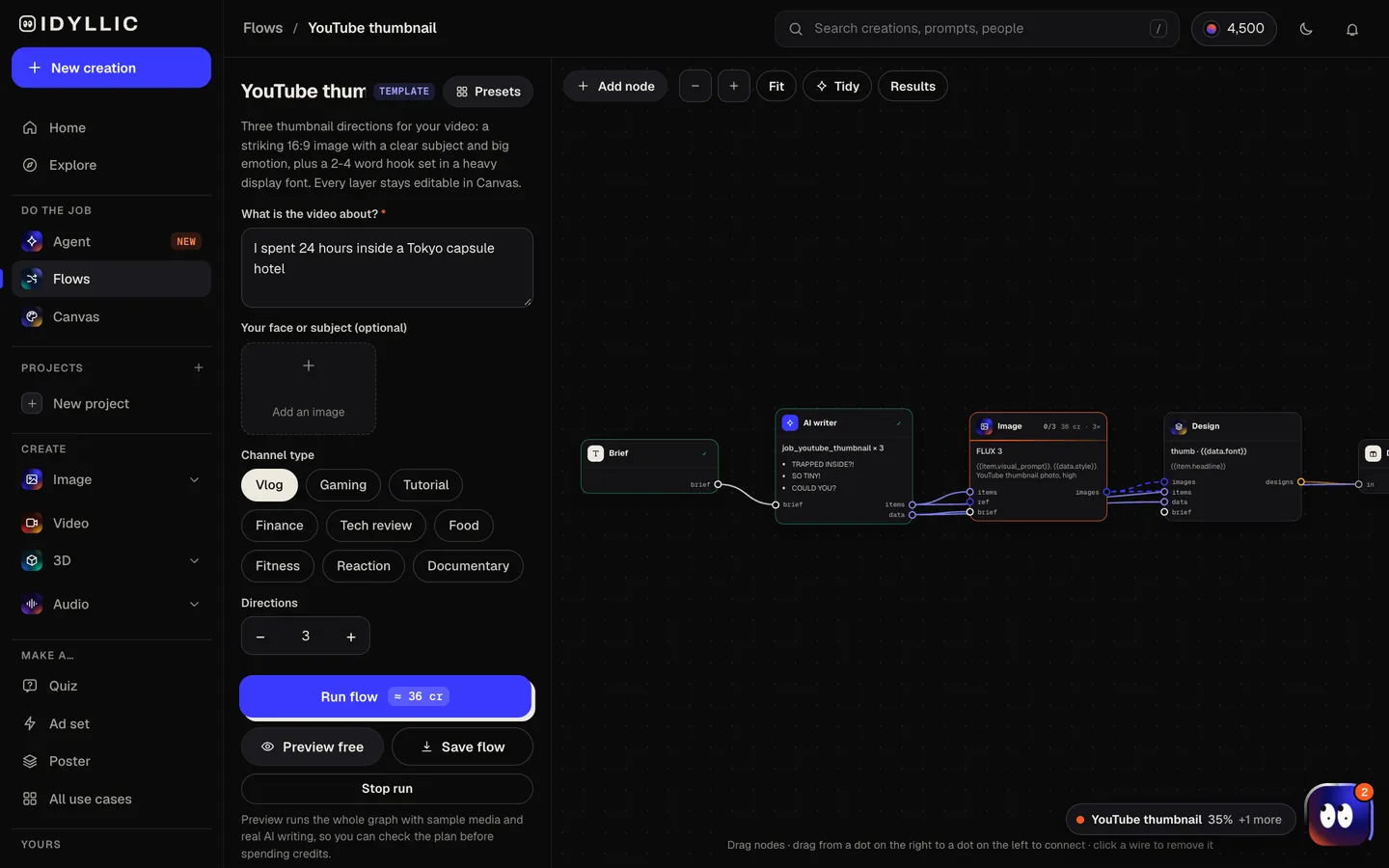
Let the flow design it
The AI writer plans each direction around a different idea (the moment, the result, the reaction, the contrast) and writes a 2-4 word hook. FLUX 3 makes each image, then Idyllic sets the hook in a heavy display font. Preview the whole flow free before you run it.
- 03
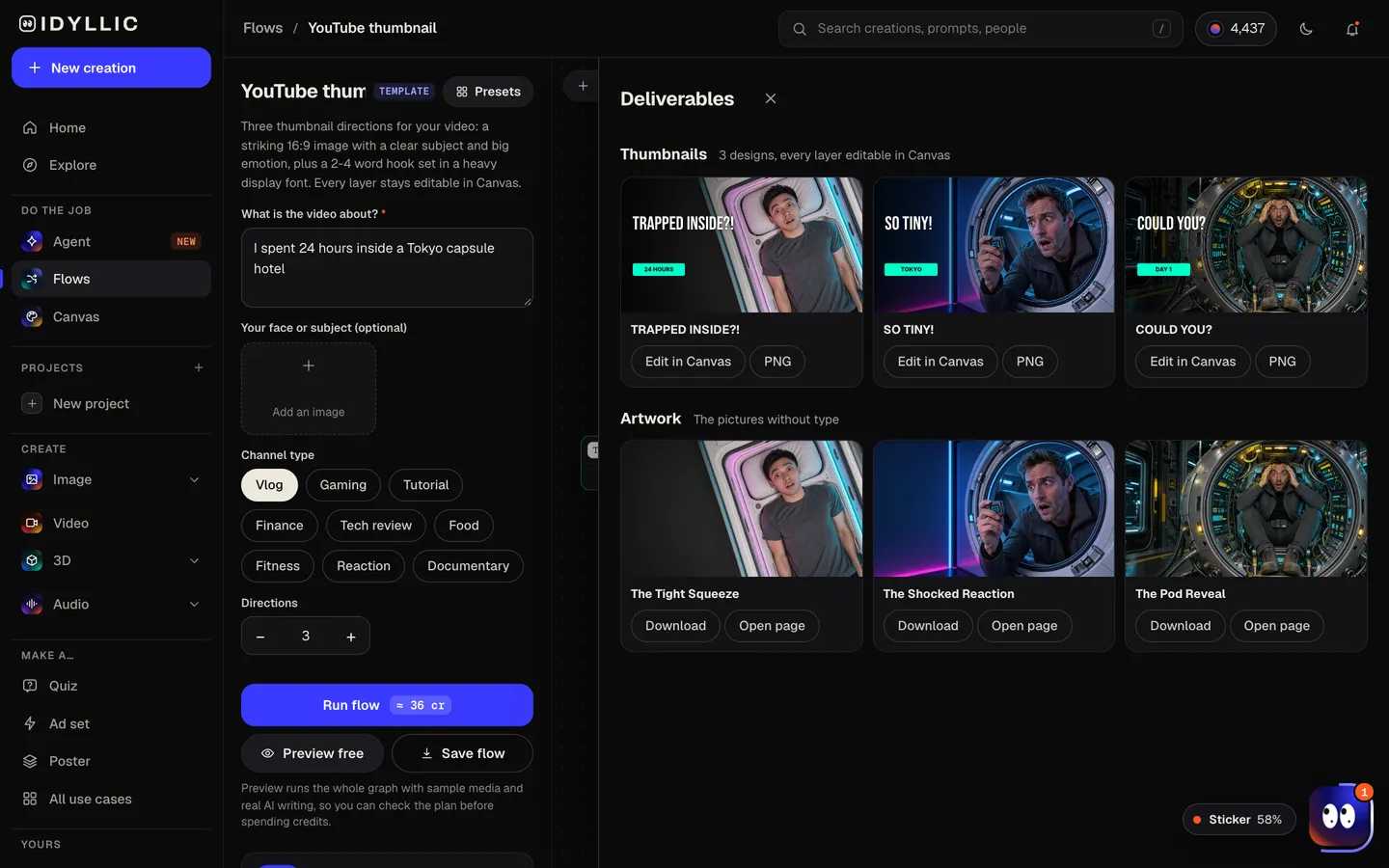
Compare the directions
Every thumbnail appears side by side, next to the artwork without text. Pick the one that reads fastest at a glance, or keep two to test against each other.
- 04
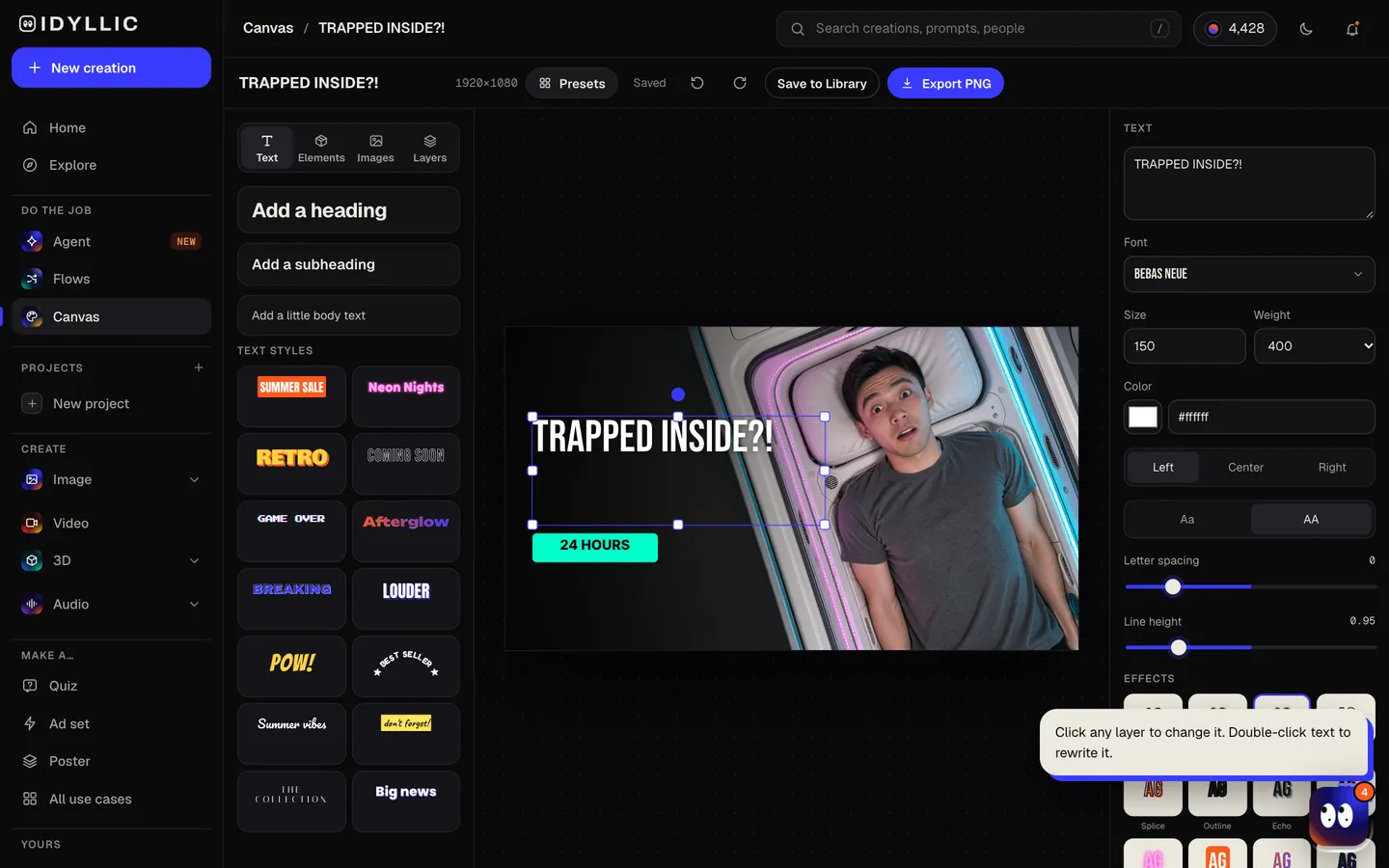
Edit in Canvas and download
Open a thumbnail in Canvas and change any word, font, outline, shadow or colour, move any layer, or select part of the image and change it. Then download a 1920×1080 PNG ready for YouTube.
Why it beats
a template
A designed thumbnail, not just a picture
You get the whole thumbnail: the image, the hook, the type and the layout. No blank canvas, no template hunting, no separate design tool.
Real text you can change
The hook is live type, not letters baked into the pixels. Fix a word, swap the font from 144 options, or add an outline, glow or 3D effect without making the image again.
Your face, kept
Upload a photo of yourself or your subject and every direction keeps it, so viewers recognise your channel from the thumbnail alone.
Three ideas, not three copies
Each direction takes a different angle on the same video, so you choose between real alternatives and can test the strongest against each other.
Planned for phone size
One clear subject on the right, high contrast and room on the left for big text: the layout is built to read on a small screen, where most thumbnails get judged.
Fix anything with AI edits
Select an area and describe a change, erase a distraction, remove the background or expand the frame, all inside Canvas.
What makes a YouTube thumbnail people click
- One subject, one idea. If it takes more than a second to read, it is too busy.
- Add to the title, don't repeat it. The hook should raise a question the title answers.
- Keep text to 2-4 words in a heavy font. It has to survive at phone size.
- Show a face with a clear emotion. Surprise, worry and delight read instantly.
- Use contrast: a bright subject on a simple, darker background, or the reverse.
- Keep the bottom-right corner clear. YouTube shows the video length there.
YouTube thumbnail size and specs
| Recommended size | 3840×2160 px | 16:9, YouTube's current recommendation |
|---|---|---|
| Minimum | 640 px wide | Keep the 16:9 ratio |
| Idyllic export | 1920×1080 px | 16:9 PNG, full HD |
| File type | JPG or PNG | Both accepted |
| File size | Under 50 MB | Uploading from a computer; 2 MB from the mobile app |
Idyllic designs at 1920×1080: 16:9, full HD and well above YouTube's minimum. Upload from a computer, where the limit is 50 MB; the YouTube mobile app caps video thumbnails at 2 MB.
Steal a brief
Each one opens the flow with the brief filled in. Change anything before you run it.
I tried living on $1 a day in New York for a week
I tested the five cheapest phones I could find online
Beating the final boss with only a wooden sword
How I paid off $40,000 of debt in two years
Building a tiny cabin in the woods for $2,000
Why most beginner gym routines stop working after three months
Reacting to my first YouTube video, eight years later
Inside the abandoned mall that still has power
Making restaurant-quality ramen at home in 30 minutes
Questions
Is the AI YouTube thumbnail generator free?
You can preview the whole flow free: the AI writer plans your real directions and hooks, shown with sample images. Making the final thumbnails is on Plus and up (from $10.50/mo, billed yearly) and costs 36 credits for three. The free plan also includes 3 free images a day in the image studio.
What size should a YouTube thumbnail be?
YouTube recommends 3840×2160 pixels at 16:9, with a minimum width of 640 pixels, as a JPG or PNG. Idyllic exports 1920×1080 PNGs: 16:9, full HD and well above the minimum.
Can the AI put text on my thumbnail?
Yes. The AI writer writes a 2-4 word hook and Idyllic sets it as real type on the design, not letters drawn into the image. Change the words, font, colour, outline or shadow in Canvas at any time.
Can I use my own face in the thumbnails?
Yes. Add a photo in the “your face or subject” field and every direction keeps it. A sharp, well-lit, front-facing photo gives the best likeness.
How many thumbnail versions should I make?
Three is a good default, because each one takes a different idea. You can make one to four per run. YouTube's Test & Compare lets you test up to three thumbnails on the same video.
What makes a good YouTube thumbnail?
One clear subject, a visible emotion, strong contrast and a 2-4 word hook that adds to the title instead of repeating it. It should read in under a second at phone size.
Can I write the prompt in Spanish or another language?
Yes. Prompts work in any language. If you want the hook in a different language from the one it comes out in, change the words in Canvas.
Can I use the thumbnails on a monetized channel?
Yes. Paid plans include a commercial license, so you can use your thumbnails on a monetized channel, for sponsors or in ads. Paid plans also include private mode.
Make something else
Everything you can make

Your turn.
Preview the whole flow free. No credit card.