Ready-made flow · HELLO my name is tags, one for every guest
Custom Nametag Generator
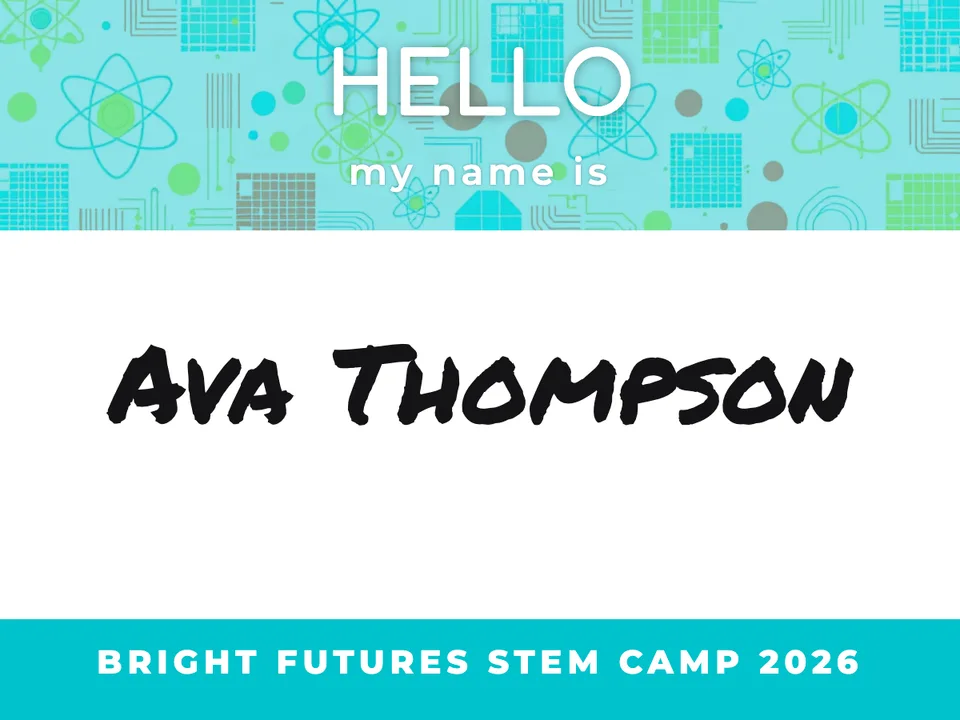
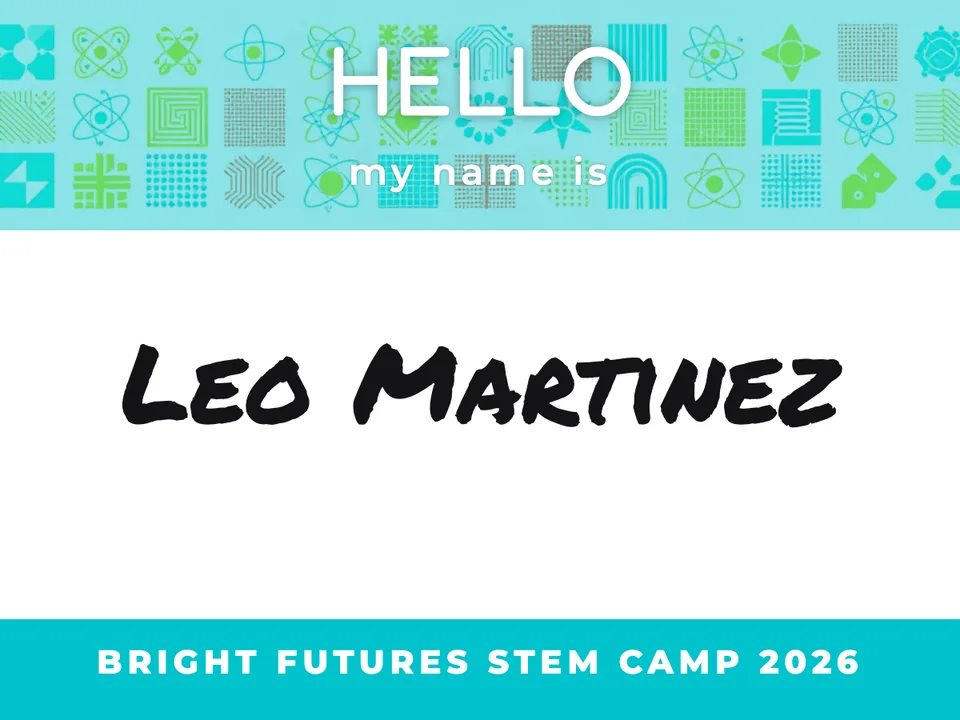
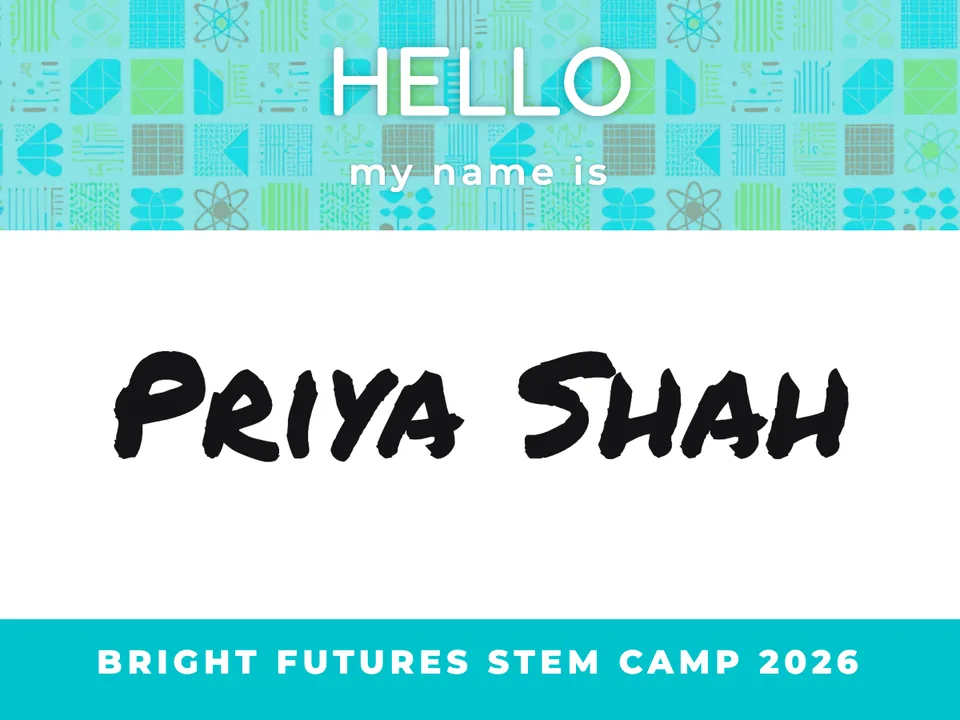
Idyllic's custom nametag generator makes a classic HELLO my name is tag for every guest. Type the event, paste the names, and each tag gets artwork in the top band, the name in big marker-style type and your event along the bottom, sized 4×3 in for badge holders. Leave the list empty for a set of tags to fill in. Edit any tag in Canvas and print.
- Size
- 4×3 in, 1200×900 px, up to 2400×1800
- You get
- Up to 12 tags, one per name
- Looks
- Bright, Playful, Corporate, Elegant, Retro, Nature
- Image model
- Z-Image Turbo
- Cost
- 12 credits for 6 tags, on Plus
Real output · no retouching
One brief.
3 results.
- Event or class
- Bright Futures STEM Camp 2026
- Names, one per line (optional)
- Ava Thompson Leo Martinez Priya Shah
- Look
- Bright
How to make it
Four steps, about a minute of your time. These are real screens from the run above.
- 01
Name the event
Type the event or class, like 'Bright Futures STEM Camp 2026', and paste the names one per line; the number of tags follows the list, up to 12. Leave the names empty for tags to fill in, then pick a look: Bright, Playful, Corporate, Elegant, Retro or Nature.
Open the flow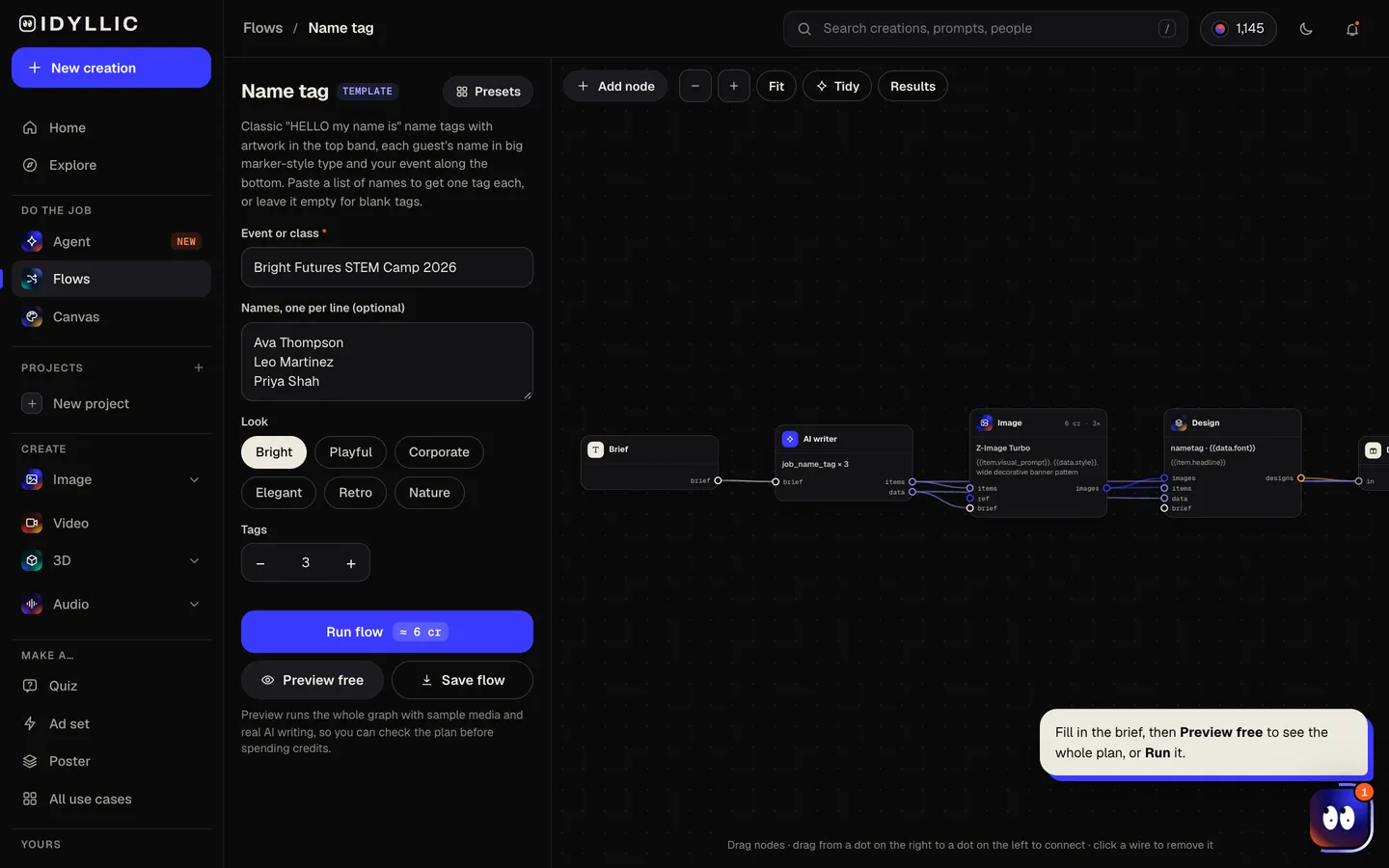
- 02
Watch the set get made
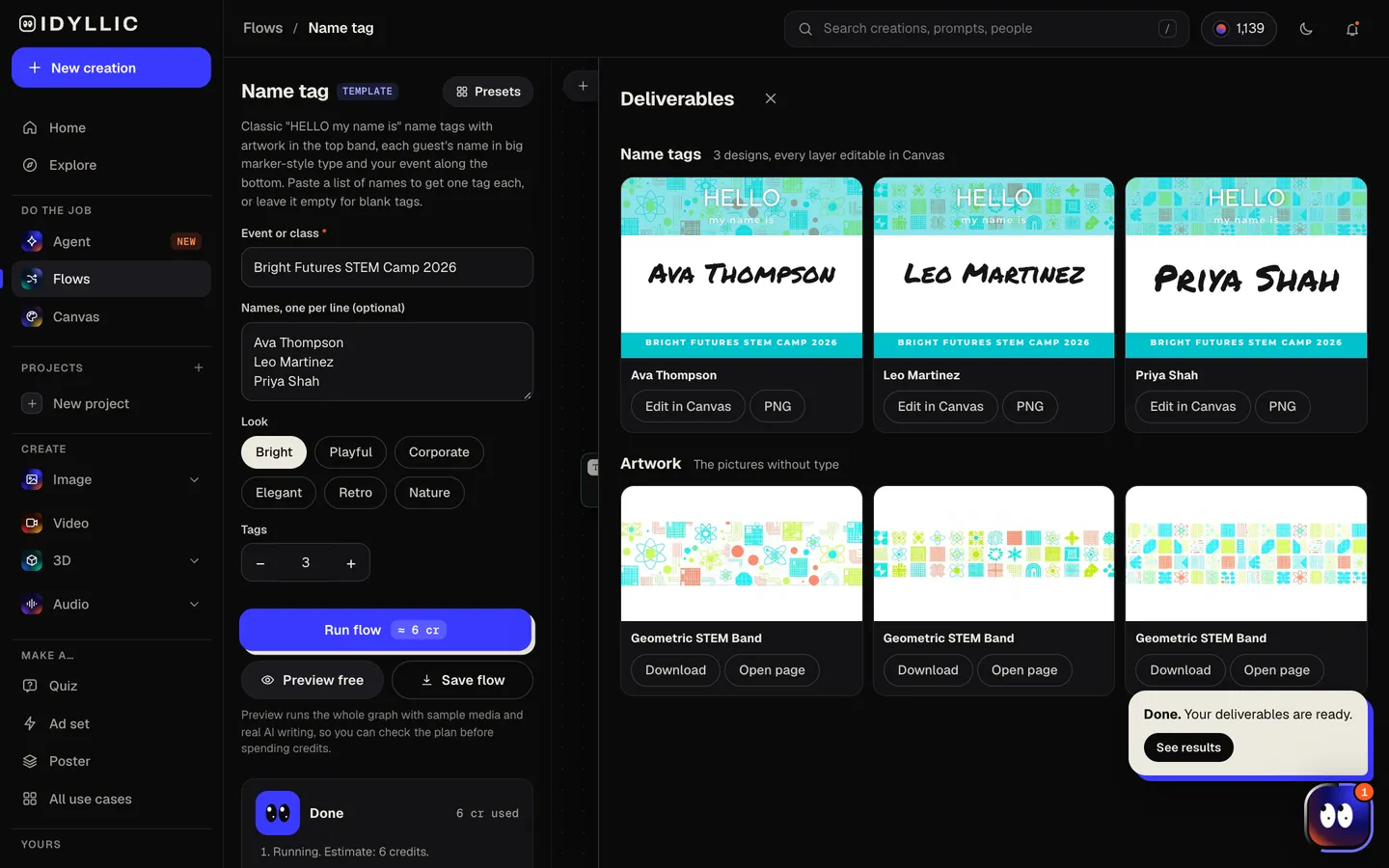
The AI writer puts each name on its own tag, exactly as written and in order, shortens a long event name for the footer, and plans the band artwork, matched across the set. Z-Image Turbo makes the artwork, then Idyllic sets HELLO, my name is and each name. Preview the plan free first.
- 03
See every tag
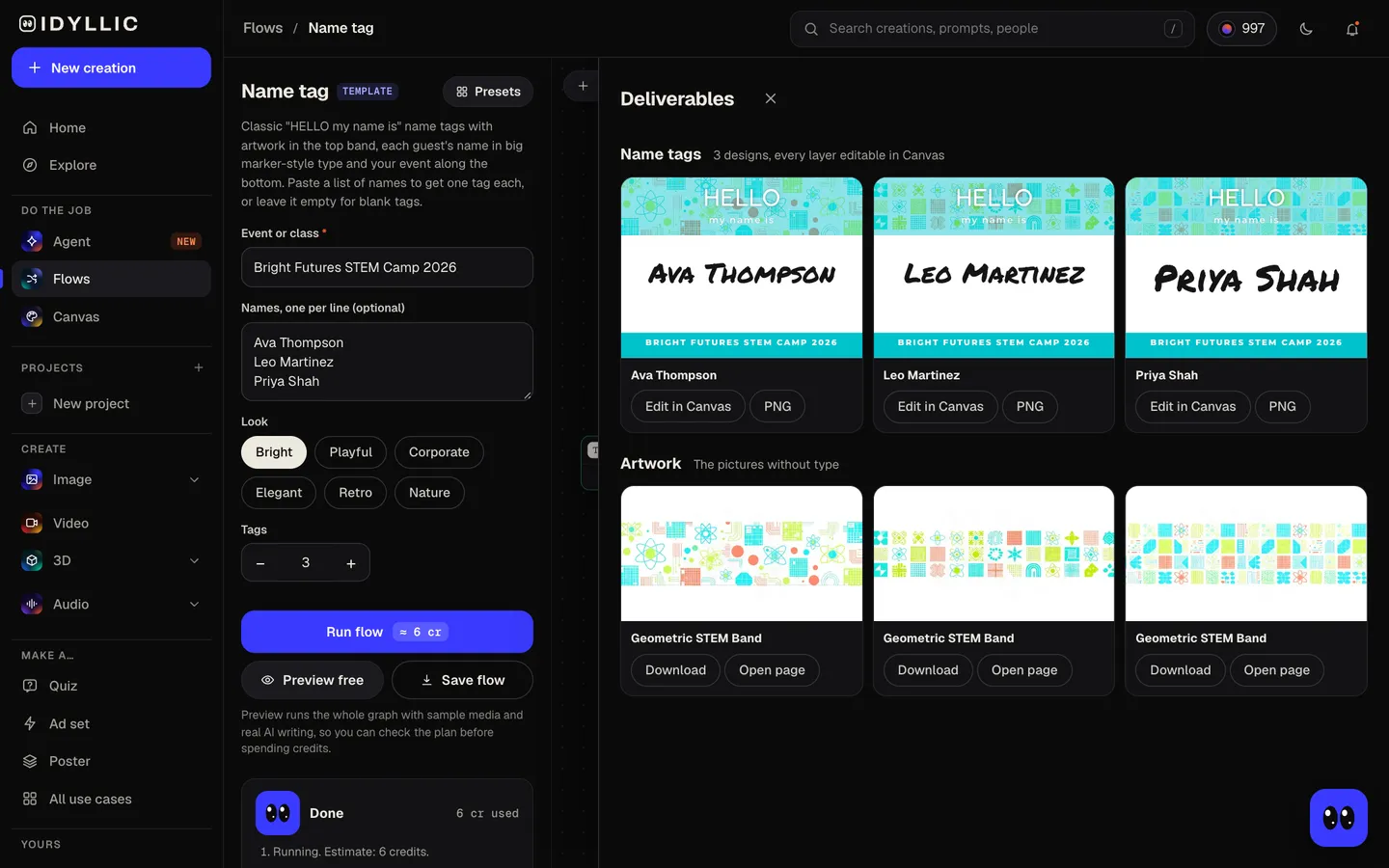
All the tags appear side by side, one per guest, next to the band artwork on its own.
- 04
Edit and print
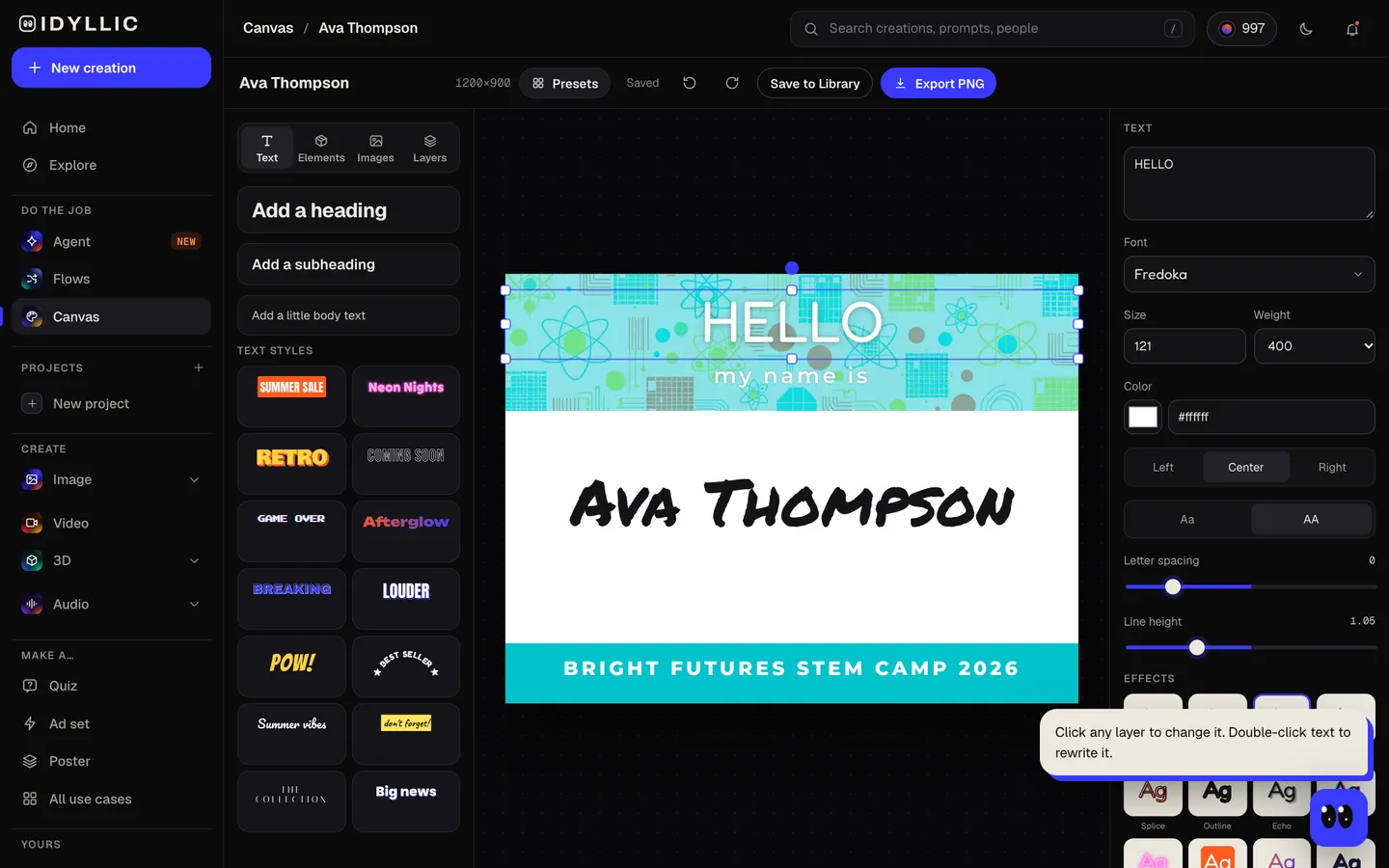
Open any tag in Canvas to fix a spelling, change the font or color or add your logo, then download the PNGs. At 1200×900 px, each is 4×3 in at 300 ppi, the size of a common badge-holder insert.
Why it beats
a template
One tag per name
Paste the guest list and every name gets its own tag, spelled exactly as you typed it, in order. Up to 12 per run.
The classic, done properly
HELLO in bold capitals, my name is beneath, the name in big marker-style type that reads across a room, and the event in a footer band.
Artwork that suits the event
The top band gets artwork for your event: confetti for a party, leaves for a garden club, a skyline for a conference. It stays the same across the set, so the tags match.
Six looks
Bright, Playful, Corporate, Elegant, Retro and Nature, from a kids' camp to a company offsite.
Sized for badge holders
1200×900 px is 4×3 in at 300 ppi, a common conference badge size. It also fits the classic 3⅜×2⅓ in sticker label with a thin margin.
Edit every layer
Canvas has 144 fonts and text effects. Swap the marker font, add a role or pronoun line, recolor the bands or upload your logo.
What makes a name tag people can read
- First name big. That is what people look for across the room.
- Add a second line only if it helps: a team, a role, a school.
- Keep contrast high: a dark name on a light ground.
- Check every spelling against the sign-up list before you print.
- Print a few spares for walk-ins and late sign-ups.
- For kids, add a grade or group color so helpers can sort them fast.
Name tag sizes
| Idyllic name tag | 1200×900 px, or 2400×1800 Large | 4:3 landscape, PNG; 4×3 in at 300 ppi |
|---|---|---|
| Badge-holder insert | 4×3 in | A common conference size; the design fits exactly |
| Sticker name label | 3⅜×2⅓ in | The classic adhesive size; the design fits with a thin margin at the sides |
| Small badge insert | 3½×2¼ in | Fits with a wider margin at the sides |
Print at 100% on card stock for badge holders, or on printable sticker sheets for peel-and-stick tags. Label sheets usually come with a template that sets the positions.
Steal a brief
Each one opens the flow with the brief filled in. Change anything before you run it.
Bright Futures STEM Camp 2026 for Ava Thompson, Leo Martinez and Priya Shah, bright look
Welcome back to Room 12, Ms. Patel's 2nd grade class, playful look
Northbridge Product Summit 2026, a two-day conference for 12 speakers, corporate look
Rivera family reunion at Lake Tahoe, summer 2026, nature look
Class of 2016 ten-year reunion, Westlake High, retro look
Ella and James's wedding welcome party, a garden evening, elegant look
First-week mixer for new hires at a design studio, bright look
Oak Hill Garden Club spring meeting, nature look
Saturday coding club for kids, 9 to 12, playful look
Questions
How can I create a custom nametag?
Type the event or class, paste the names one per line and pick a look. Idyllic makes one HELLO my name is tag per name, with artwork in the top band, and you can edit any tag in Canvas before you download and print.
Is the nametag generator free?
You can preview the whole flow free, with real AI writing and sample images. Running it for real is on Plus ($10.50 a month, billed yearly) and uses 12 credits for 6 tags. The free plan also includes 3 free images a day in the image studio.
What size is a name tag?
Common sizes are 4×3 in badge-holder inserts and 3⅜×2⅓ in adhesive labels. Idyllic tags are 1200×900 px, exactly 4×3 in at 300 ppi, with a Large export at 2400×1800 px. They also fit the sticker labels with a thin margin.
Can I make blank name tags?
Yes. Leave the names empty and each tag gets a 'Your Name' placeholder in the name spot. Delete it in Canvas for a tag to write on with a marker, or type a name in.
How many name tags can I make at once?
Up to 12 per run, one per name. For a bigger event, split the list across runs with the same event and look. The band artwork is made fresh each run, so compare the sets before you print.
What types of nametags can I create?
Anything with a guest list: conferences, classrooms, camps, reunions, weddings, mixers and club meetings. Pick Bright, Playful, Corporate, Elegant, Retro or Nature to set the tone.
Can I add my logo?
Yes. Open a tag in Canvas, upload your logo as a new layer and place it in the band or the footer. Remove its background there if it needs it.
Make something else
Everything you can make

Your turn.
Preview the whole flow free. No credit card.