Ready-made flow · Gig, festival and launch posters with real type
AI Event Poster Maker
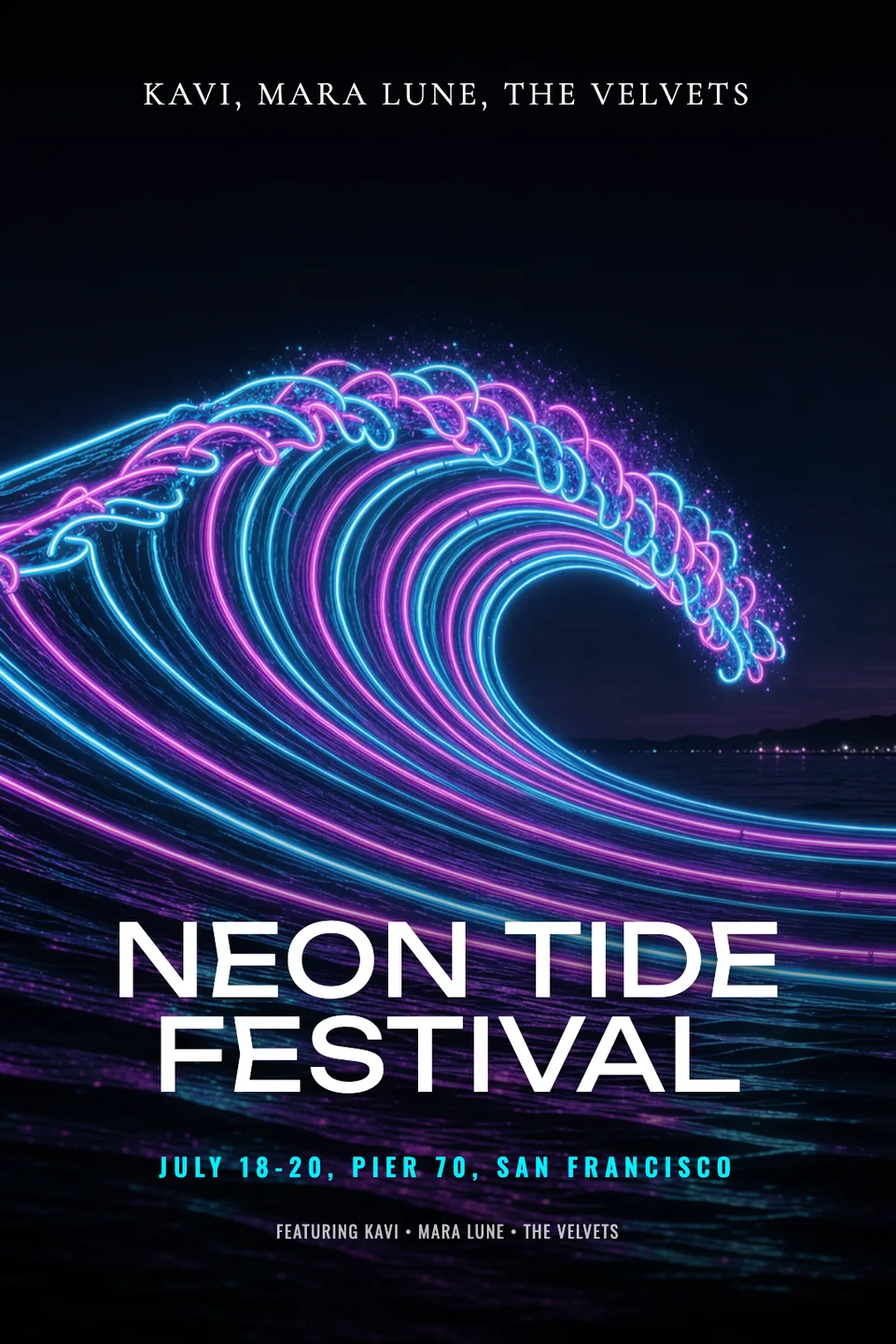
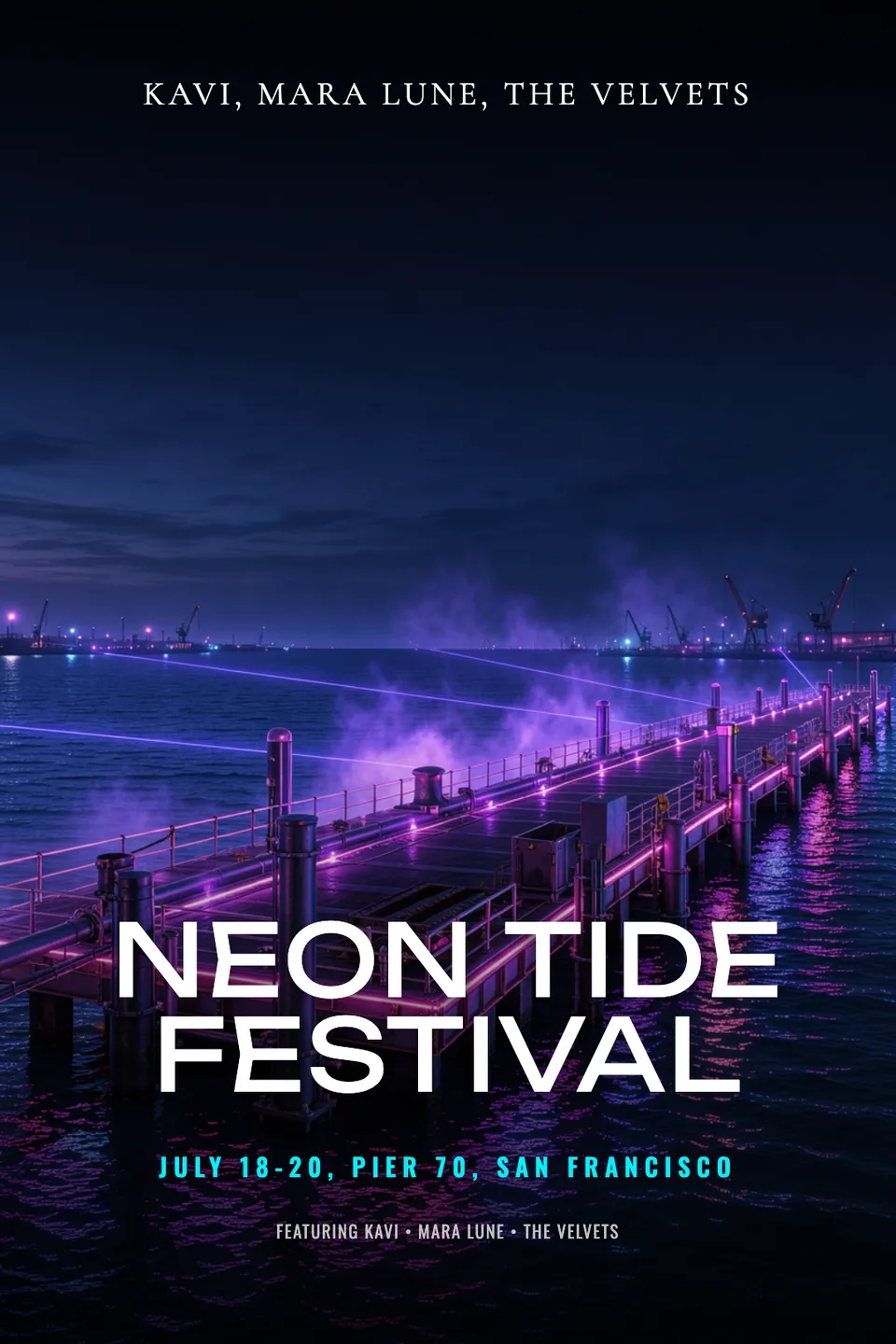
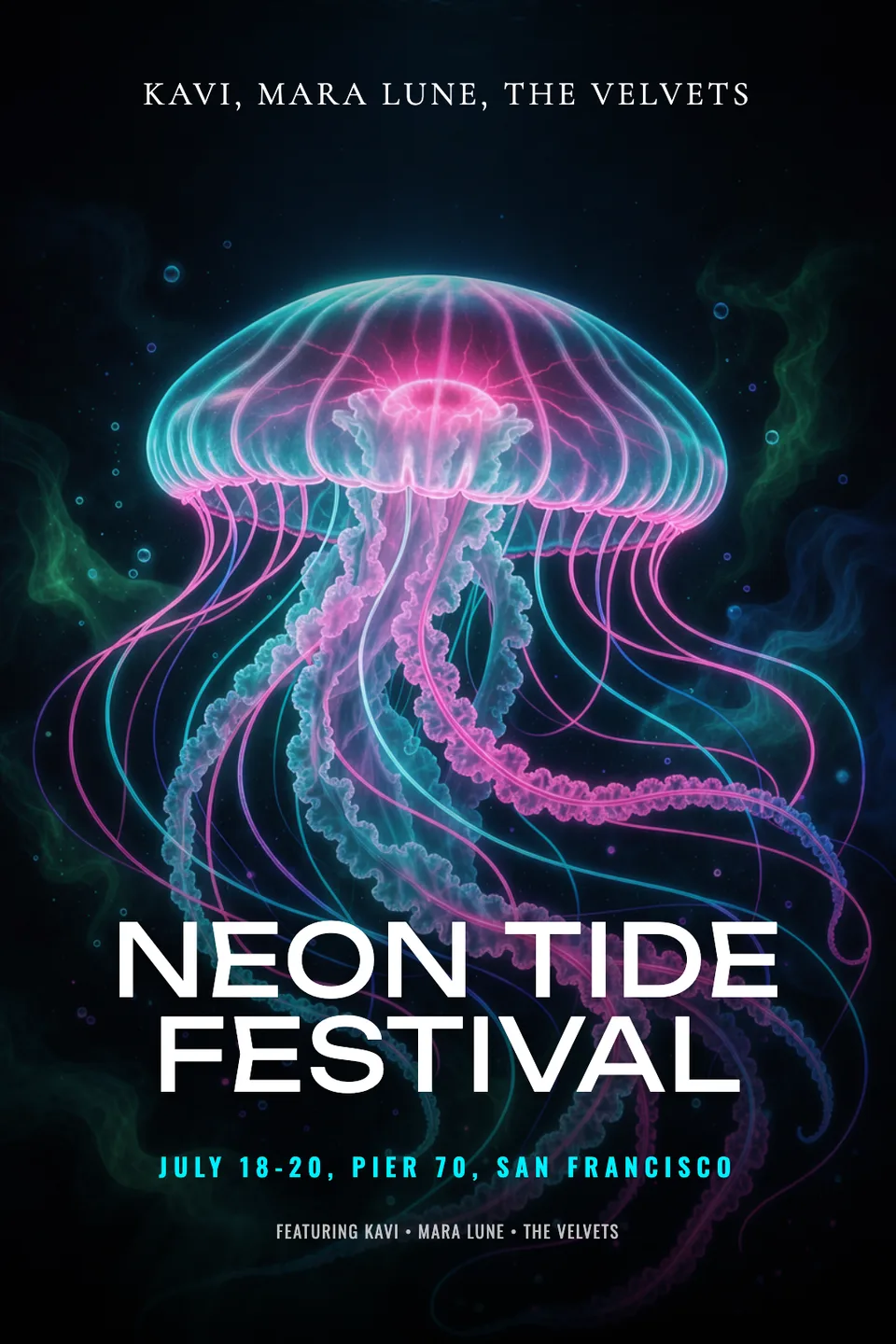
Idyllic's AI event poster maker turns an event name and a few details into finished 2:3 posters: bold key art with room for type, the name in a display font, the date and venue on one line, and a line-up or details block. Every layer stays editable in Canvas, so you can fix a set time and post it the same hour.
- Size
- 1080×1620 px, 2:3 portrait
- You get
- 2 posters + the key art without type
- Image model
- FLUX 3
- Cost
- 24 credits for 2 posters, on Plus
- Looks
- Neon, Swiss minimal, Psychedelic, Grunge, Elegant, Retro 80s
Real output · no retouching
One brief.
3 results.
- Event name
- Neon Tide Festival
- Date, place and details
- July 18-20, Pier 70, San Francisco. Line-up: Kavi, Mara Lune, The Velvets
- Look
- Neon
How to make it
Four steps, about a minute of your time. These are real screens from the run above.
- 01
Name the event
Type the event name, then add the date, place and details, like the line-up or the headliner. Pick a look (Neon, Swiss minimal, Psychedelic, Grunge, Elegant or Retro 80s) and how many variations you want, up to four.
Open the flow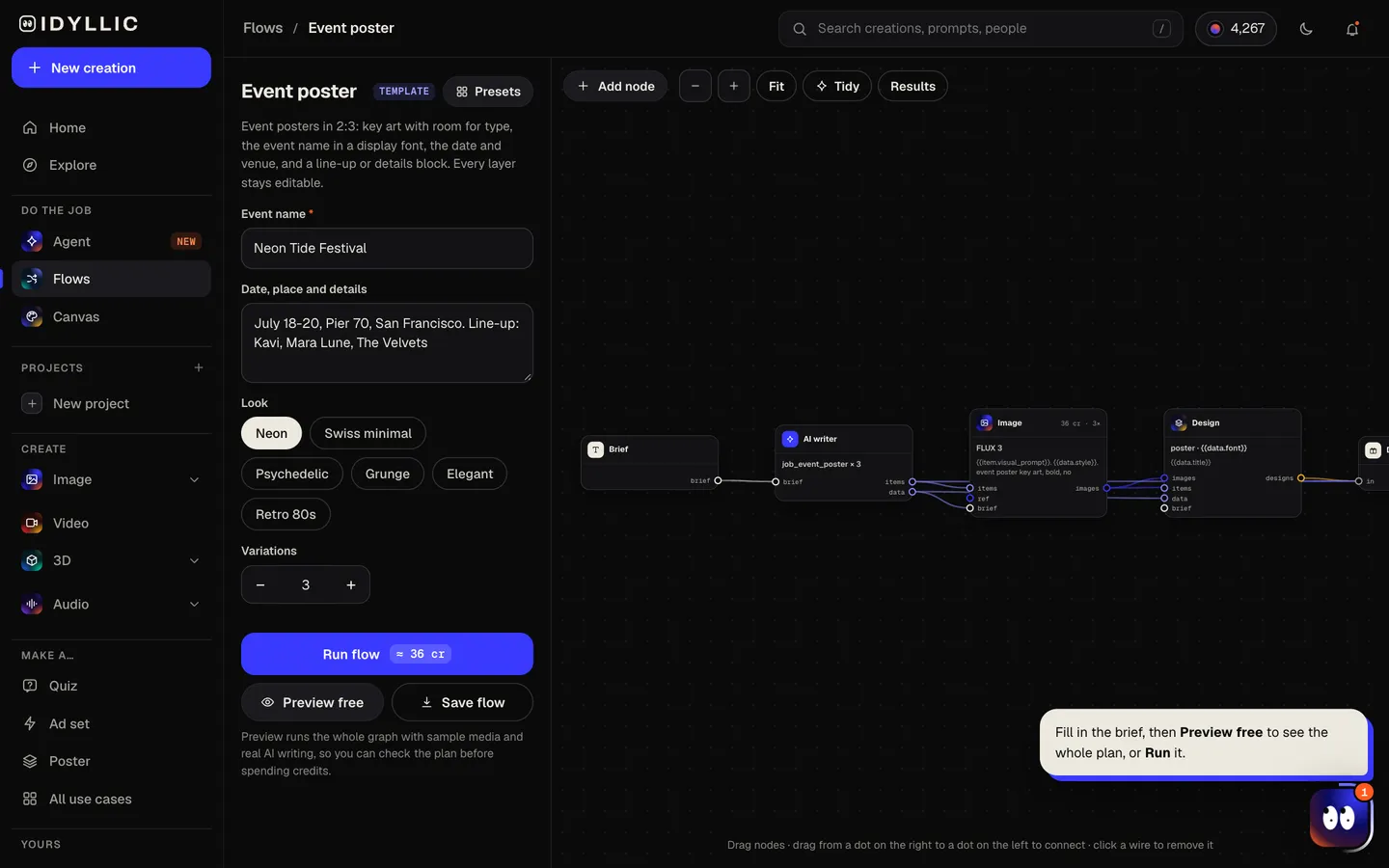
- 02
Watch the poster come together
The AI writer picks a key art idea for each variation, writes a short tagline and puts the date and venue on one line. FLUX 3 paints the key art with space for type, then Idyllic sets the name in a display font like Anton, Bebas Neue or Monoton. Preview the plan free.
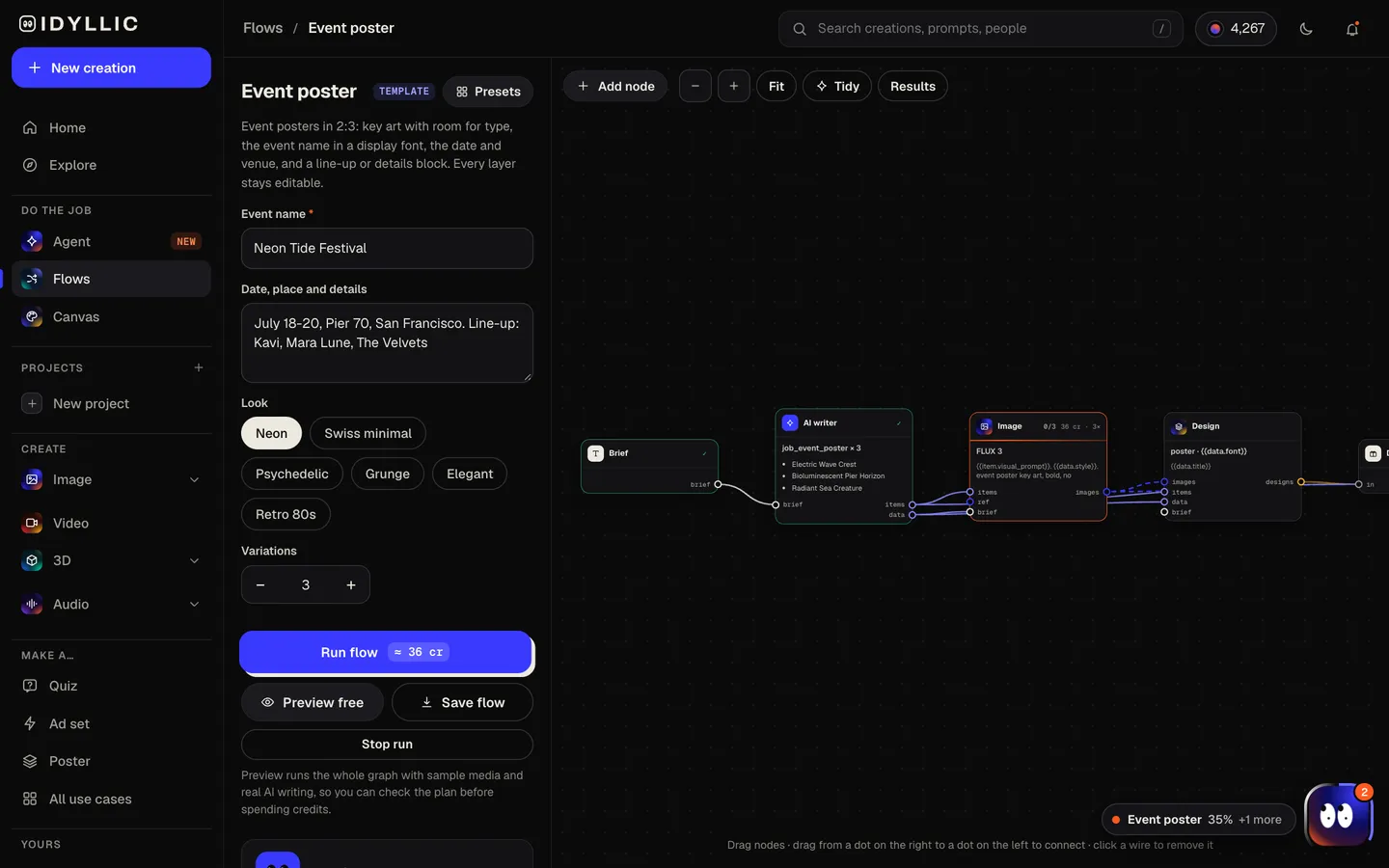
- 03
Compare the posters
Each poster appears finished, next to its key art without type, so you can judge the picture and the typography separately.
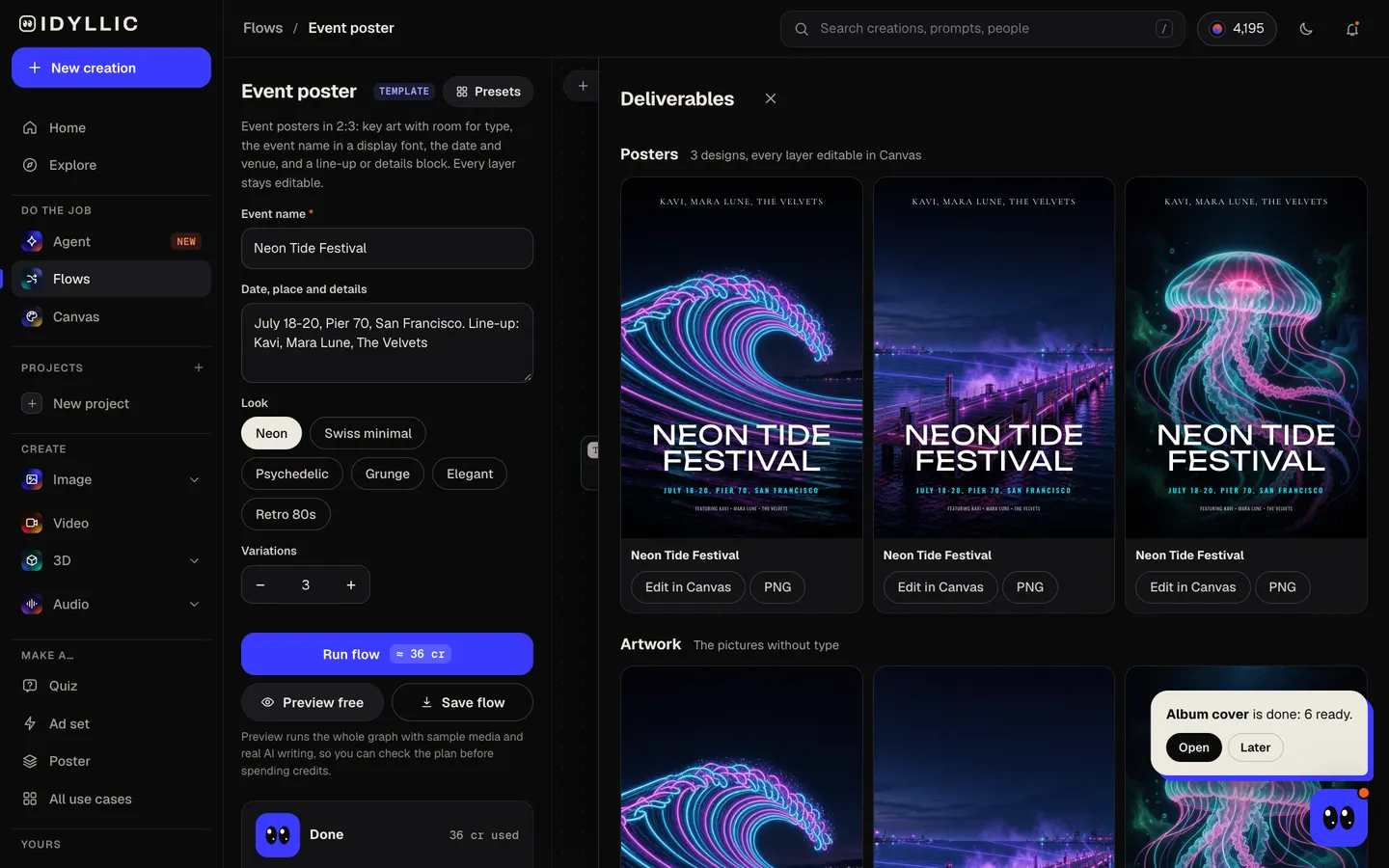
- 04
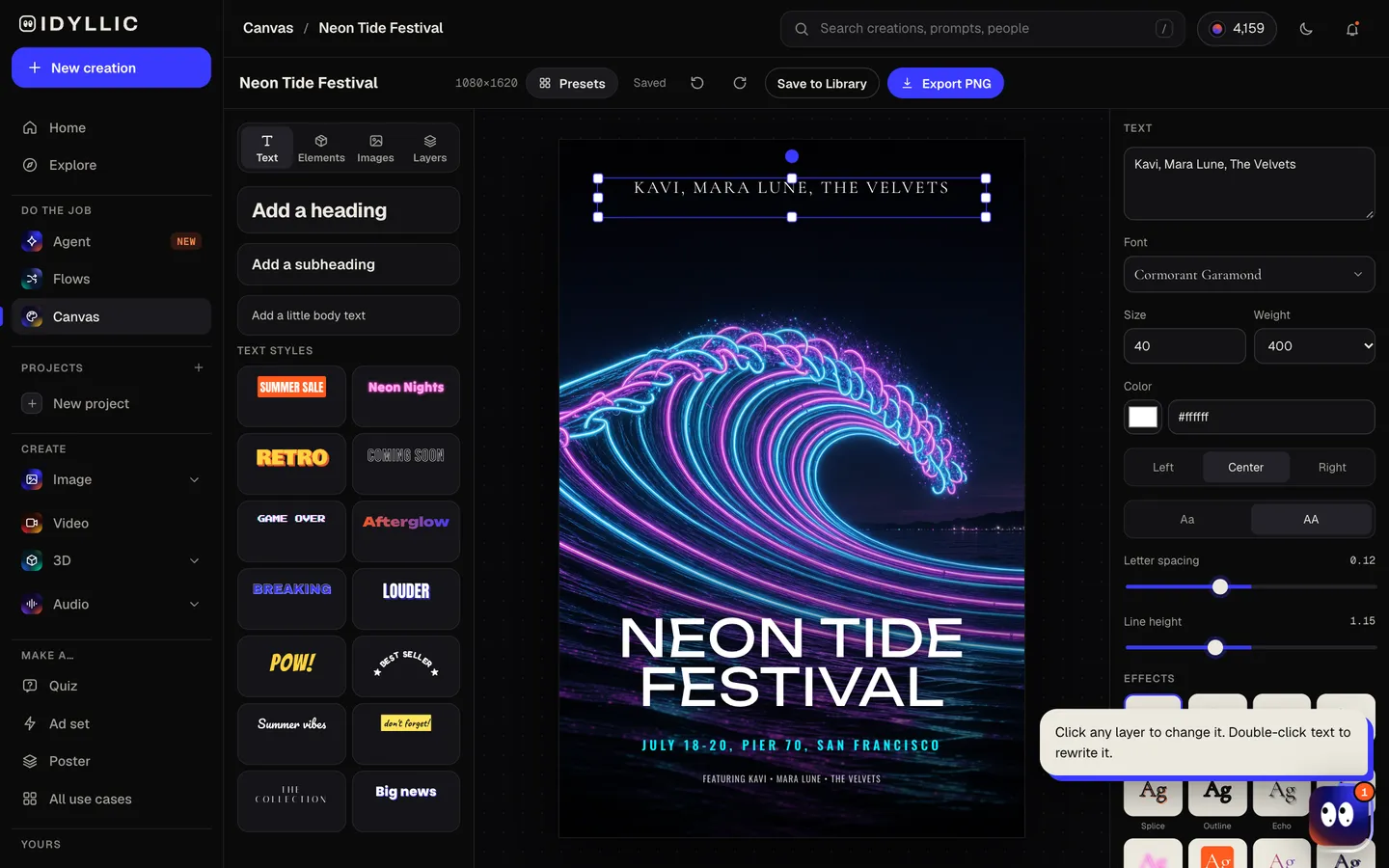
Edit and download
Open one in Canvas to change any word, font, effect or color, move the line-up, or nudge any layer. Download a PNG for socials or print.
Why it beats
a template
Key art made for type
FLUX 3 is asked to leave clear space at the top and bottom, so the event name and details sit on the image instead of fighting it.
Display type that looks like a gig poster
The writer chooses from heavy display faces such as Anton, Bebas Neue, Unbounded, Monoton and Bungee, and Canvas sets them as real, editable text.
Your details, set clearly
The date, venue and line-up come from what you typed, laid out as a details block. Change a set time or add a support act by clicking the text.
Different ideas, not tweaks
Each variation gets its own key art concept, so you pick between real alternatives. Ask for up to four per run.
Edit everything
144 fonts, text effects like neon, outline, gradient and 3D, shapes, and AI edits: select part of the art and describe a change, erase something, or expand the picture.
One poster, the whole campaign
Run the flyer or Instagram story flow with the same details, or animate the key art into a teaser clip on Pro.
What makes an event poster work
- Make the event name the biggest thing on the poster, readable from across the street.
- Put the date and venue on one line, right under the name or along the bottom.
- One image, one idea. A wave, a moon or a crowd, not all three.
- Use two or three colors and let the type pick up one of them.
- Set the line-up in billing order: headliner largest, then support acts.
- Check it at phone size. Most people see it on a screen first.
Event poster sizes
| Idyllic poster | 1080×1620 px | 2:3 portrait PNG, sharp on screens and socials |
|---|---|---|
| 12×18 in | 2:3 | Same shape; 3600×5400 px at 300 ppi |
| 24×36 in | 2:3 | Same shape; the standard large poster |
| 11×17 in (tabloid) | Slightly taller than 2:3 | Scale to fit with a thin margin top and bottom |
| 18×24 in | 3:4 | Wider shape; add margins at the sides or crop top and bottom |
| A3, A2 | 1:1.41 | Wider shape; scale to fit with margins at the sides |
For print, export at Large size (2160×3240 px), about 180 ppi at 12×18 in. For a 24×36 in poster, upscale that PNG 2× to 4320×6480 px. Keep the date and venue clear of the edges if your printer adds bleed.
Steal a brief
Each one opens the flow with the brief filled in. Change anything before you run it.
Midnight Garden Supper Club, Saturday, June 12 at 8 p.m. in a hidden rooftop garden in Brooklyn, five courses
Static Bloom Spring Tour 2027, an indie-rock band playing 12 cities from Seattle to Austin, March to May
Lakeside Jazz Nights, free outdoor concerts every Thursday in August at Harbor Park, Chicago
Grace Youth Night, Friday, September 10 at 7 p.m. at Grace Community Church, with worship, pizza and games
Northside Night Market, every Friday this summer, 5-11 p.m. on Elm Street, with 40 food stalls and live DJs
Founders & Coffee Demo Day, Friday, October 8 at 9 a.m. at Hangar 4, Austin, eight startups pitch investors
Riverside Pride 5K, Sunday, June 6 at 8 a.m. on the Riverside Trail in Portland, all paces welcome
Hollow Pines Halloween Bash, Saturday, October 30 from 9 p.m. at Hollow Pines Lodge, costume contest and live band
Questions
Is the AI event poster maker free?
You can preview the whole flow free: real AI writing with sample images, so you can check the plan. Running it for real is on Plus ($10.50 a month, billed yearly) and uses 24 credits for two posters. The free plan also includes 3 free images a day in the image studio.
Can I use it as a finished design?
Yes. The type is set as real text on the key art, so the poster is ready to post or print. Proofread the date and venue, adjust anything in Canvas, and download a PNG.
What size should an event poster be?
Common print sizes are 11×17, 18×24 and 24×36 inches, plus A3 and A2. Idyllic designs at 2:3 (1080×1620 px), the same shape as 12×18 and 24×36 inches.
What should an event poster include?
The event name, the date and time, the venue, and one reason to come: a headliner, a line-up or the main draw. Add a ticket link or price if there is room.
Do I need to be good at writing prompts?
No. Fill in the event name and the details the way you would tell a friend. The AI writer picks the art direction, tagline and layout.
How do I get better results?
Give real details: the date, the venue, the headliner and the feel of the night. Then try a different look, or run it again for new key art ideas.
Can I make a matching flyer or story?
Yes. Run the flyer or Instagram story flow with the same details, and reuse the poster's fonts in Canvas so everything matches.
Make something else
Everything you can make
Your turn.
Preview the whole flow free. No credit card.