Ready-made flow · Key art and type on an editable canvas
AI Movie Poster Generator
Idyllic's AI movie poster generator turns a title and a genre into cinematic one-sheets: key art in 2:3, the title in a display font, a tagline, a release line and a billing block. Every layer stays editable in Canvas. Make posters for short films, pitch decks, film class or a birthday surprise, then download a PNG.
- Size
- 1080×1620 px, 2:3 portrait
- You get
- 2 posters + the key art without type
- Image model
- FLUX 3
- Cost
- 24 credits for 2 posters, on Plus
- Genres
- Thriller, sci-fi, horror, fantasy, romance, comedy, action, animated
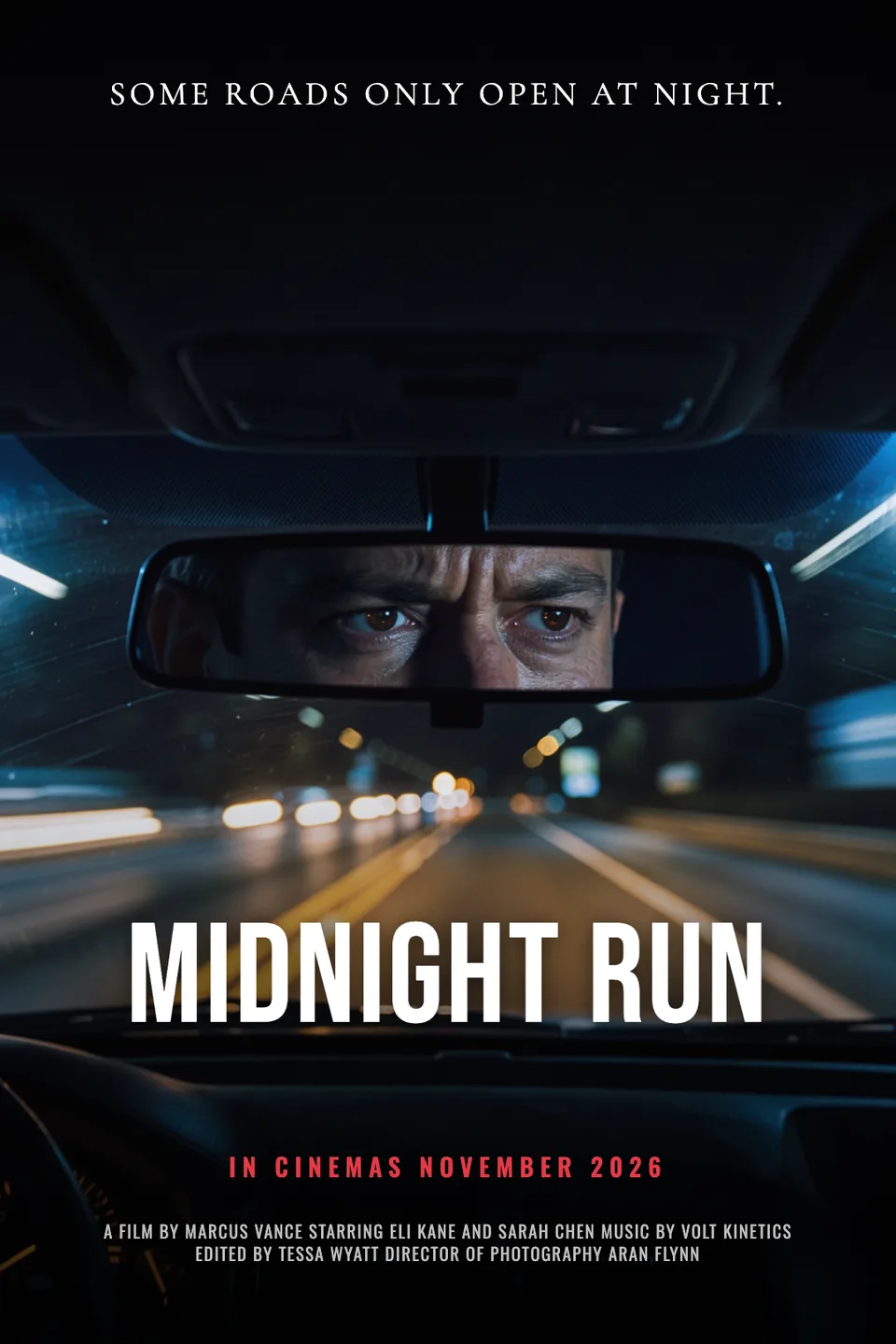
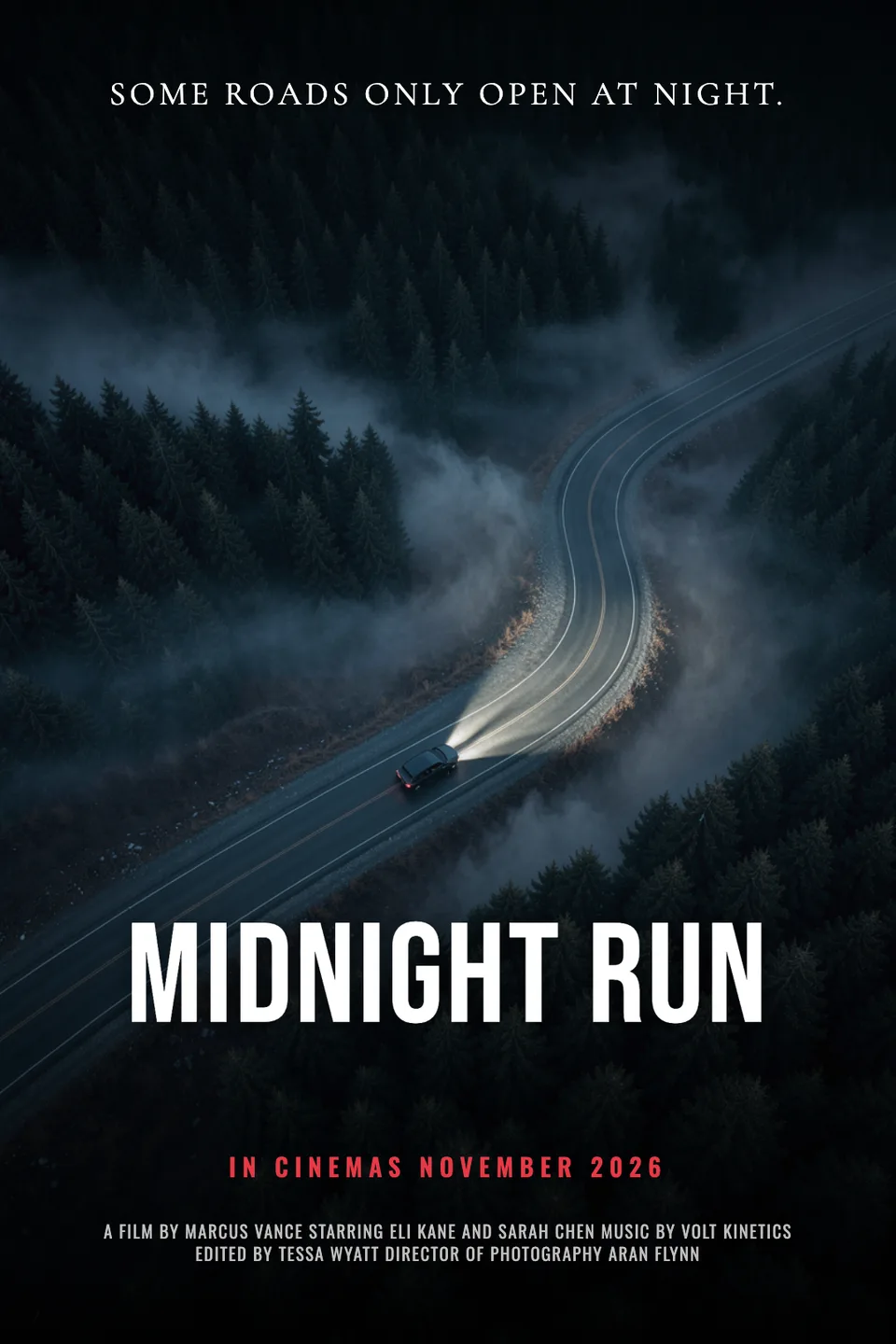
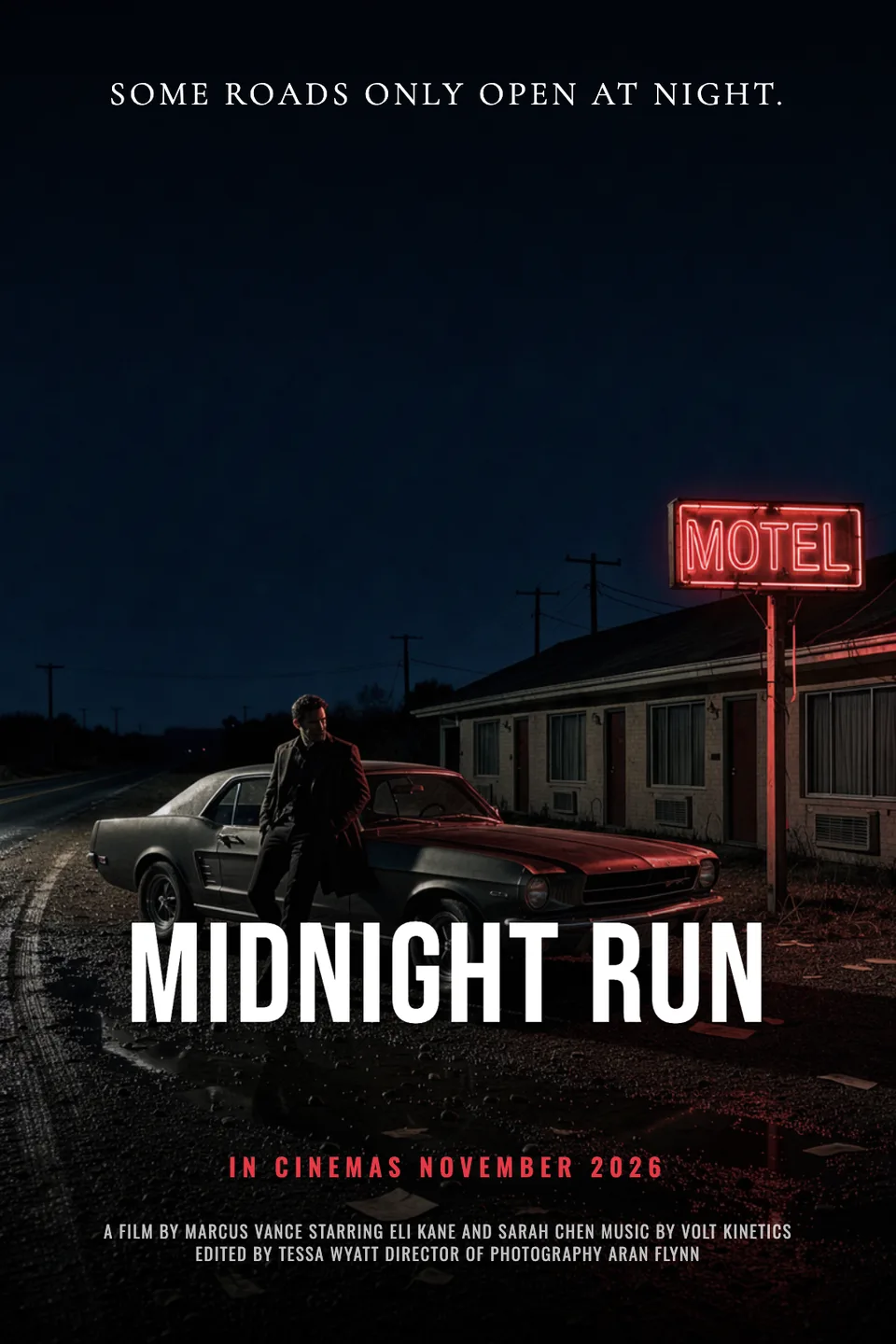
Real output · no retouching
One brief.
3 results.
- Title
- Midnight Run
- Tagline (optional)
- Some roads only open at night.
- Genre
- Thriller
How to make it
Four steps, about a minute of your time. These are real screens from the run above.
- 01
Title the film
Type the title, add a tagline and cast names if you have them, and pick a genre: Thriller, Sci-fi, Horror, Fantasy, Romance, Comedy, Action or Animated. Choose up to four variations.
Open the flow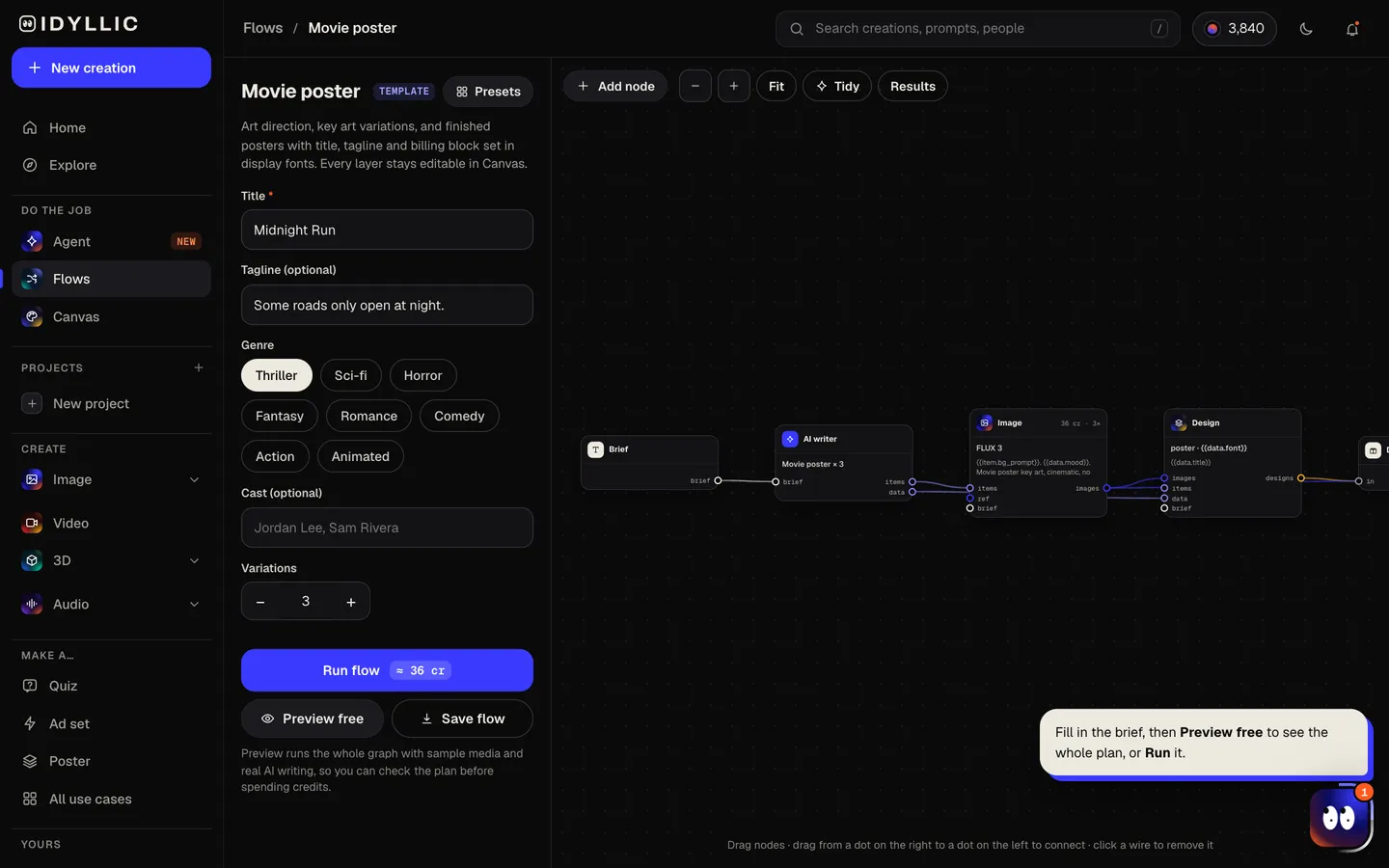
- 02
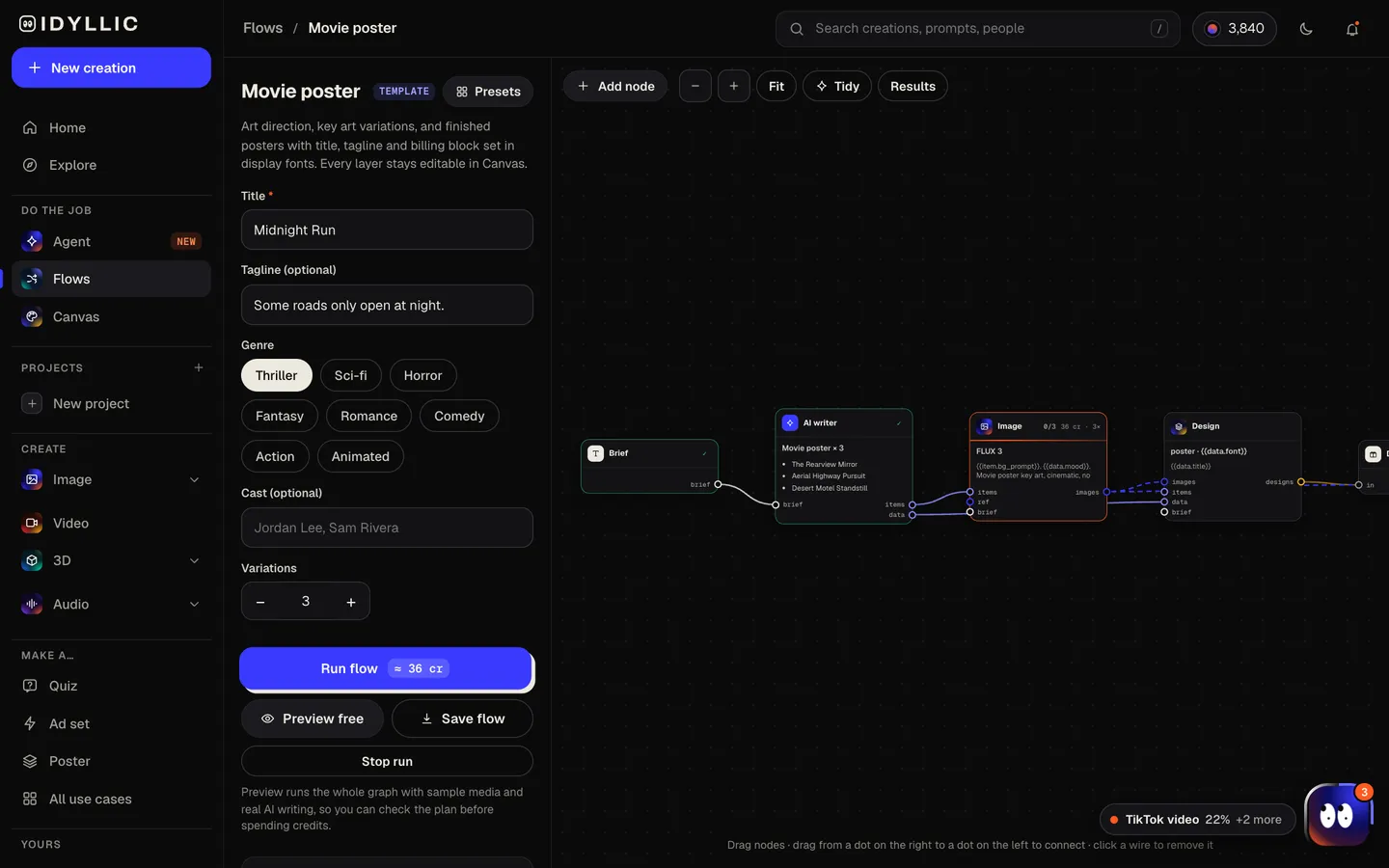
Watch it get art-directed
The AI writer sets the art direction and mood, and writes a tagline if you skipped it, a release line and a billing block. FLUX 3 paints the key art for each variation, then Idyllic sets the title treatment and credits. Preview the plan free.
- 03
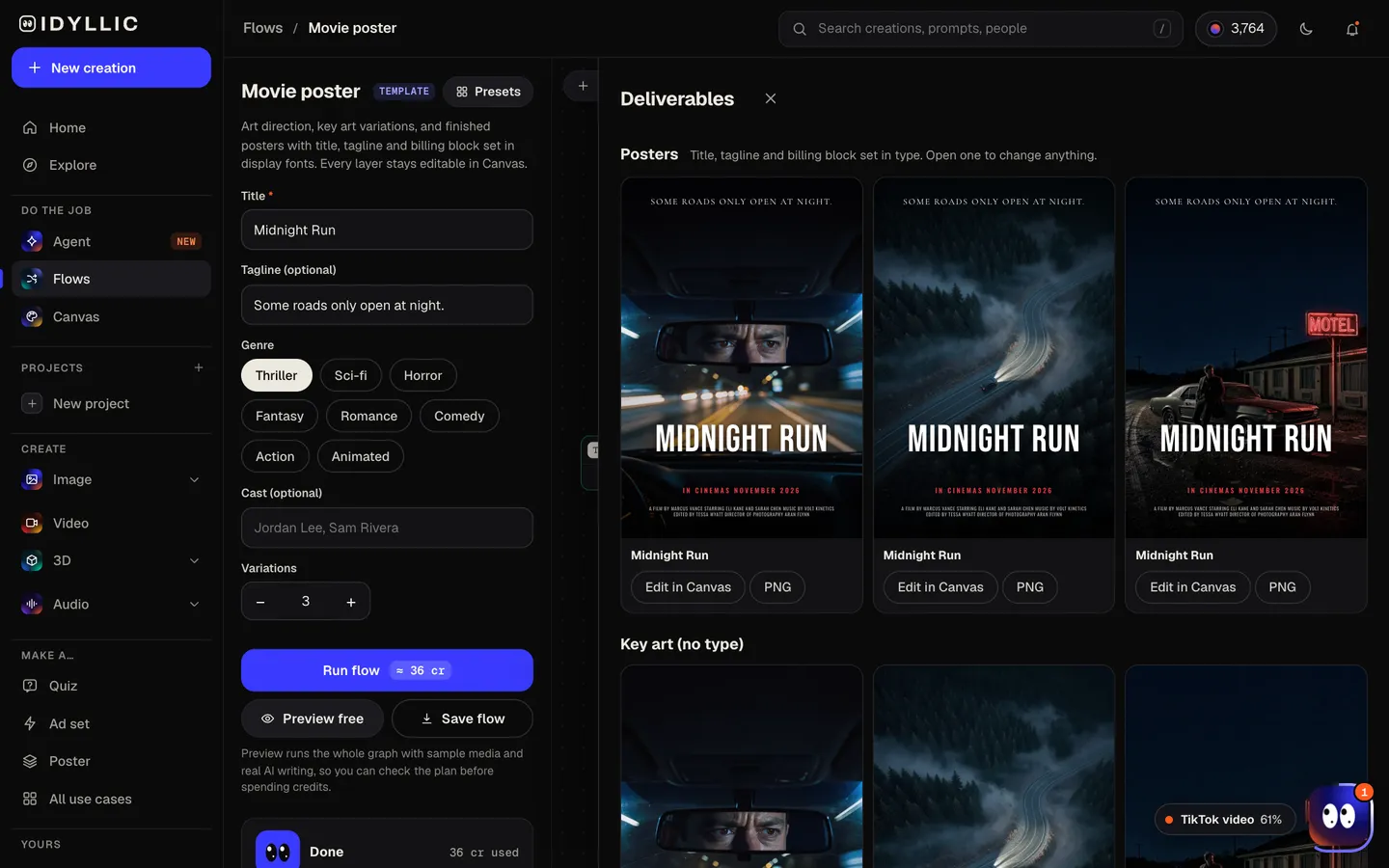
Compare the one-sheets
The finished posters sit side by side, with the key art without type below them, ready to judge as a whole or reuse on its own.
- 04
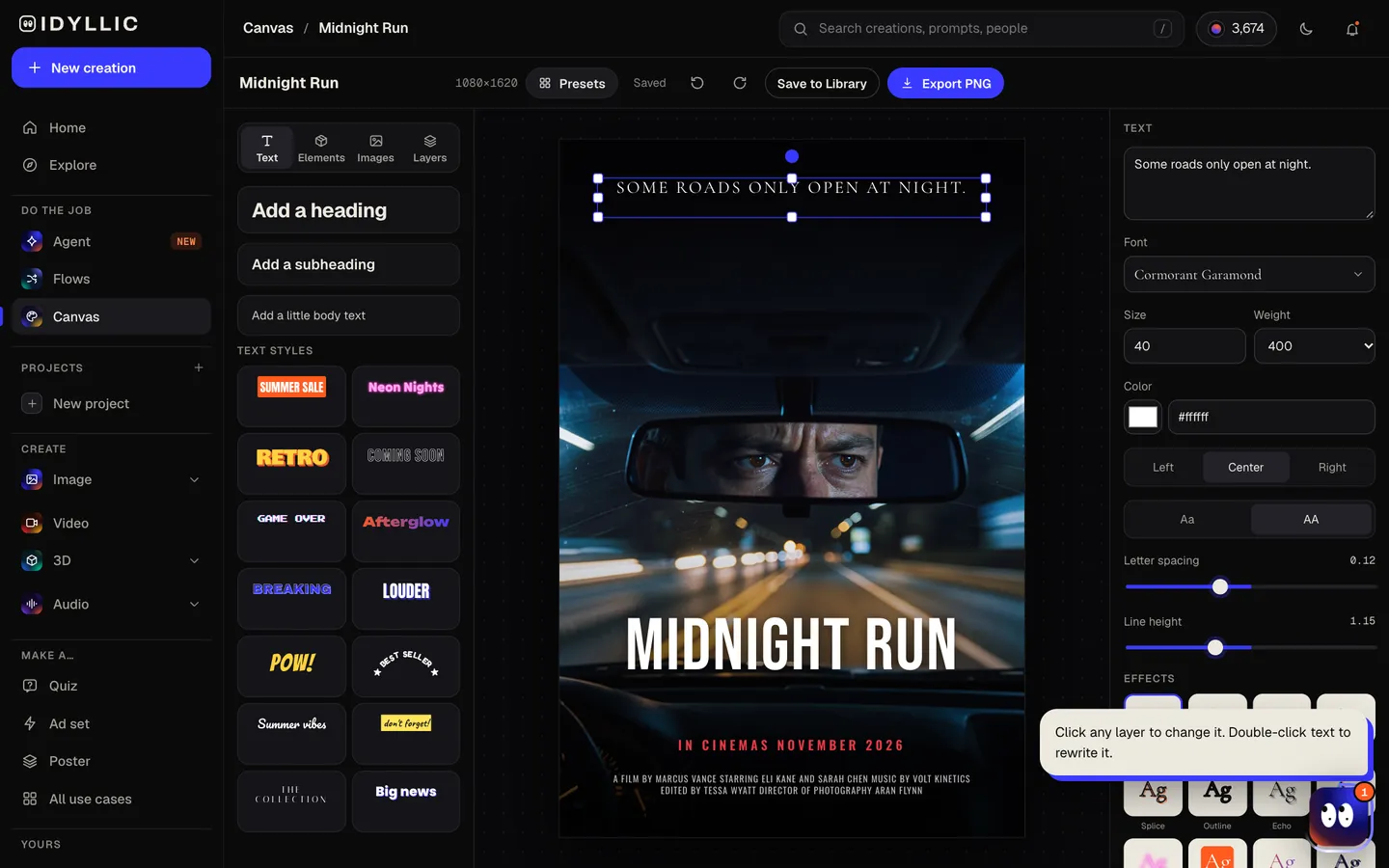
Edit and download
Open a poster in Canvas to change any word, font, effect or color, rewrite the credits or move the title. Download a PNG to print, post or drop into a deck.
Why it beats
a template
A one-sheet, not just key art
Each poster has the parts a real one-sheet has: key art, a title treatment, a tagline, a release line and a billing block, laid out in type you can edit.
Art direction by genre
The writer sets the mood and palette for the genre: cold and empty for horror, vast scale for sci-fi, warm backlight for romance. FLUX 3 paints it without stray letters, so the type stays clean.
Your names in the credits
Add cast names and they go into the billing block. Change a credit or add a director in Canvas with a click.
Key art you can reuse
The art without type comes with every run. Use it for a title card or a social banner, or animate it into a short teaser on Pro.
Every layer editable
144 fonts, text effects like gradient, outline, shadow and 3D, and AI edits: select part of the art and describe a change, erase something, or expand the frame.
Made for real projects
Short films, student films, festival submissions, pitch decks and lookbooks. Paid plans include a commercial license and private mode.
What makes a movie poster look cinematic
- One focal image: a figure, an object or a place, lit from one strong source.
- A limited color grade: teal and orange, cold blue, or black with a single red accent.
- A title that matches the genre: condensed sans for thrillers, serif for drama, chrome for action.
- Negative space. Horror and drama posters often show less, not more.
- A tagline of one short line, under eight words.
- A billing block at the bottom in tall, condensed type.
Movie poster sizes
| Idyllic poster | 1080×1620 px | 2:3 portrait PNG |
|---|---|---|
| US one-sheet | 27×40 in | The theatrical standard; a 2:3 design fits with a slight trim |
| Standard print | 24×36 in | Exactly 2:3, the common size at print shops |
| Mini poster | 11×17 in | Slightly taller than 2:3; scale to fit with a thin margin |
| UK quad | 30×40 in, landscape | A different layout; reuse the key art and expand it sideways |
For print, upscale the PNG 4× to 4320×6480 px, which is 180 ppi at 24×36 in.
Steal a brief
Each one opens the flow with the brief filled in. Change anything before you run it.
Questions
Is the AI movie poster generator free?
You can preview the whole flow free: real AI writing with sample images, so you can check the plan. Running it for real is on Plus ($10.50 a month, billed yearly) and uses 24 credits for two posters. The free plan also includes 3 free images a day in the image studio.
Can I put my own title and credits on the poster?
Yes. The title, tagline and cast names you enter are set as real type, and the billing block holds the credits. Edit any line in Canvas.
Can I put myself or my friends in a movie poster?
The flow paints original key art from your words. To star someone, open the poster in Canvas, upload their photo as a layer and remove its background so it sits under the title. Only use photos of people who have agreed.
What size is a movie poster?
The US theatrical one-sheet is 27×40 inches, and 24×36 inches is the most common print size. Idyllic designs at 2:3 (1080×1620 px), exactly the 24×36 shape; upscale it before printing large.
Can I recreate a famous movie poster?
Use your own title and characters. A poster in the style of a genre is fine, but existing posters, logos and characters belong to their studios.
What makes a movie poster look cinematic?
One focal image, a strong light source, a limited color grade and room for the title. Picking the genre in the brief sets most of this for you.
Can I make a teaser video to go with the poster?
Yes, on Pro. Open the key art and choose Animate it to turn it into a short clip with Veo 3.1.
Make something else
Everything you can make
Your turn.
Preview the whole flow free. No credit card.