Ready-made flow · Square labels for jars, bottles, candles and bags
Create Custom Labels
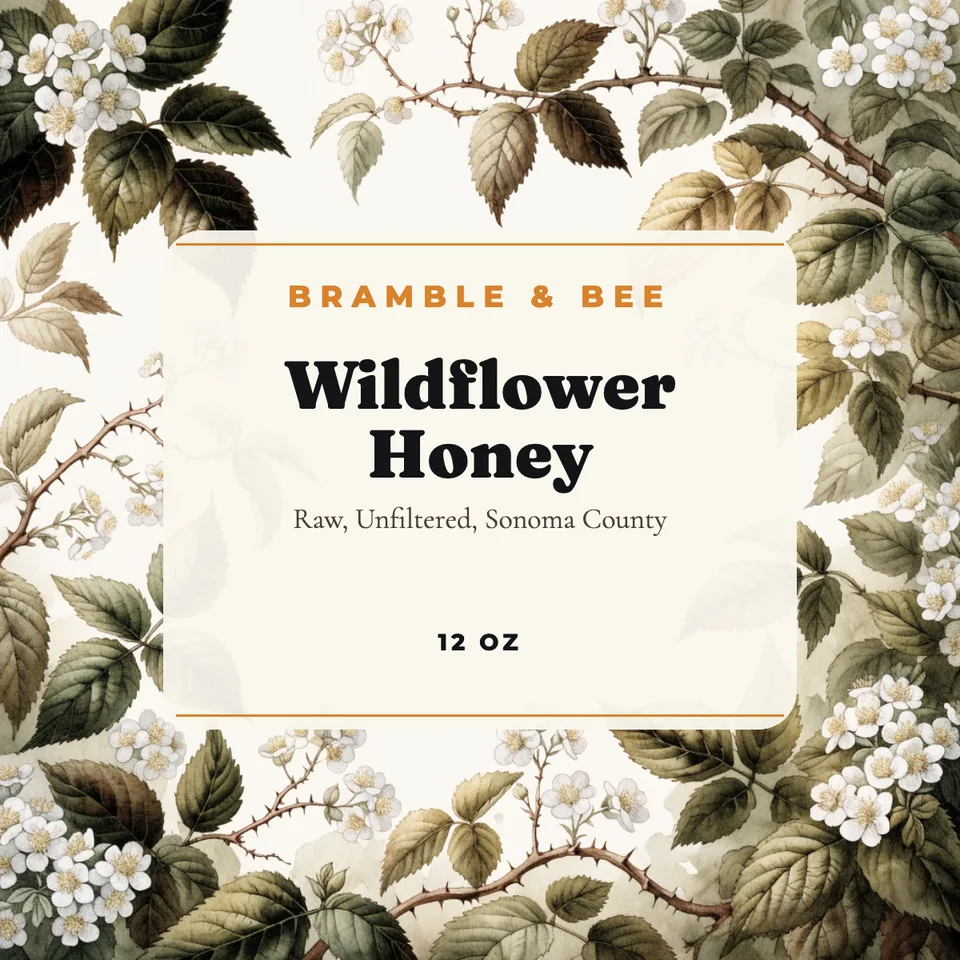
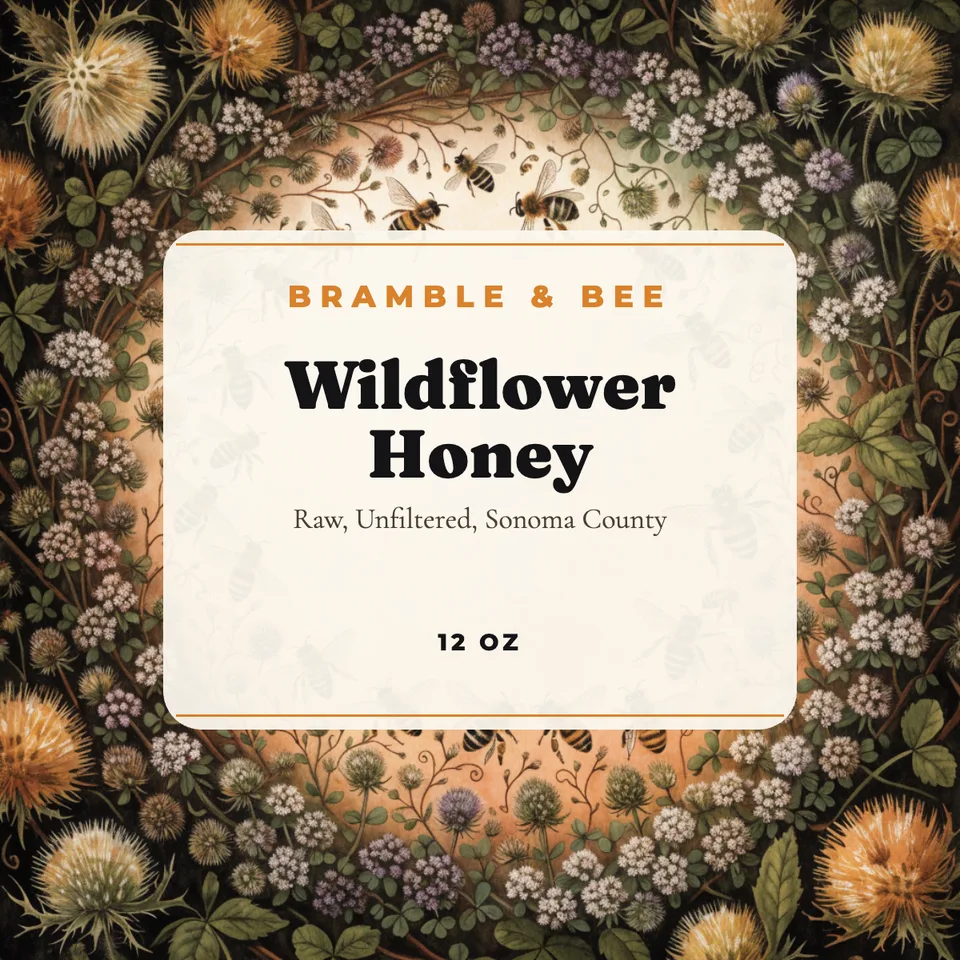
Idyllic's custom label maker designs product labels from one line about your product: honey, candles, hot sauce, soap or coffee. The AI writer plans a different illustration or pattern for each design, Recraft V4.1 draws it, and Idyllic sets your brand, the product name, a short descriptor and the size on a cream badge in the centre. Every word stays editable before you print.
- Size
- Square, 1200×1200 px (4×4 in at 300 ppi)
- Large export
- 2400×2400 px
- You get
- 3 labels + the artwork
- Image model
- Recraft V4.1
- Cost
- 27 credits for 3, on Plus
Real output · no retouching
One brief.
3 results.
- Product name
- Wildflower Honey
- Brand, flavour and size (optional)
- Bramble & Bee · raw, unfiltered, from Sonoma County · 12 oz
- Style
- Botanical

How to make it
Four steps, about a minute of your time. These are real screens from the run above.
- 01
Describe the product
Type the product name exactly as it should print, add the brand, flavour or scent and the size ('Bramble & Bee · raw, unfiltered · 12 oz'), then pick a style (Botanical, Vintage, Minimal, Playful, Luxury or Craft) and how many designs, up to four.
Open the flow
- 02
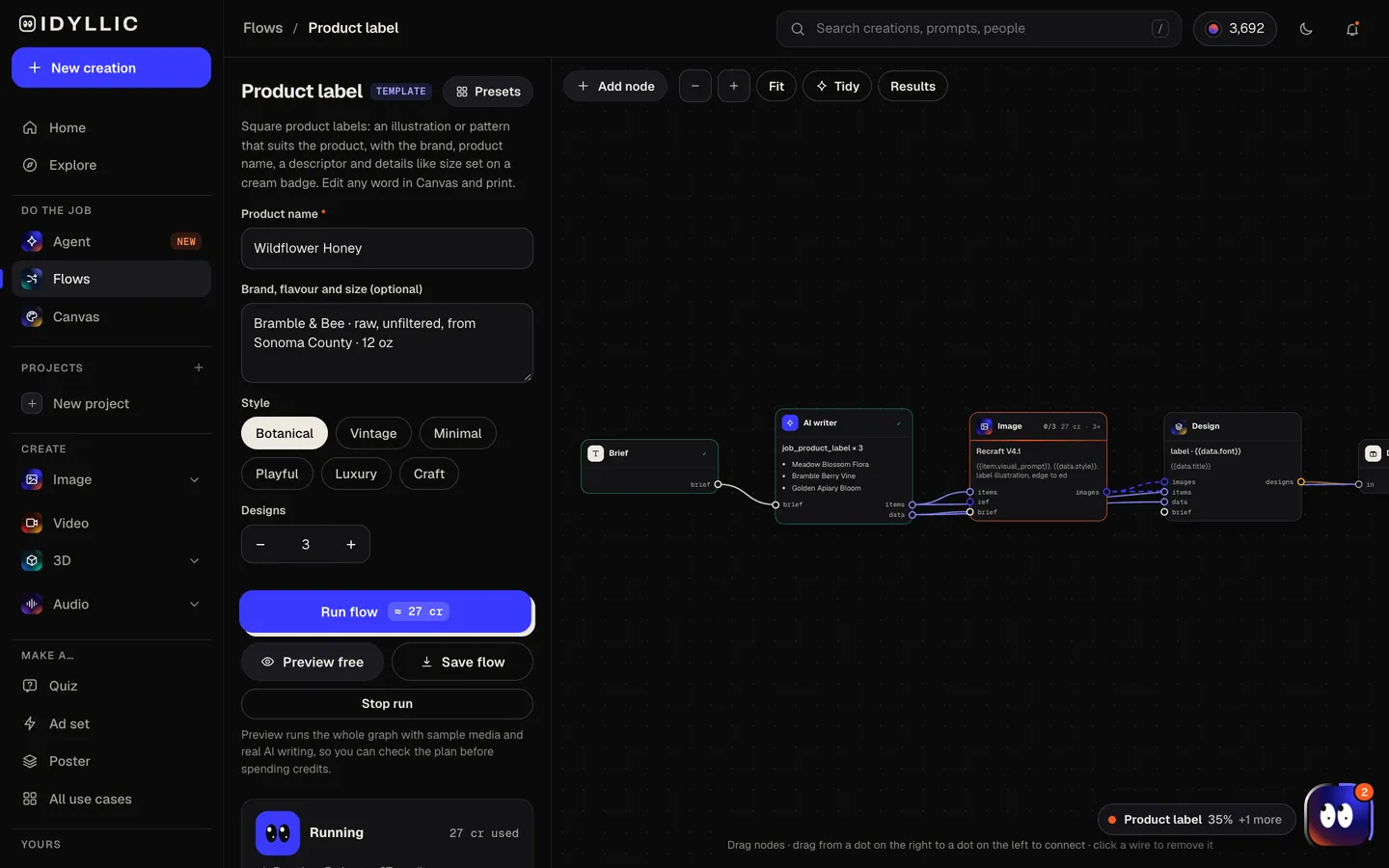
Let it design
The AI writer plans a different illustration or pattern for each label from the ingredients, flavour or origin, and writes a short descriptor. Recraft V4.1 draws the artwork with detail around the edges and a calm centre, then Idyllic sets the type on a cream badge. Preview the flow free first.
- 03
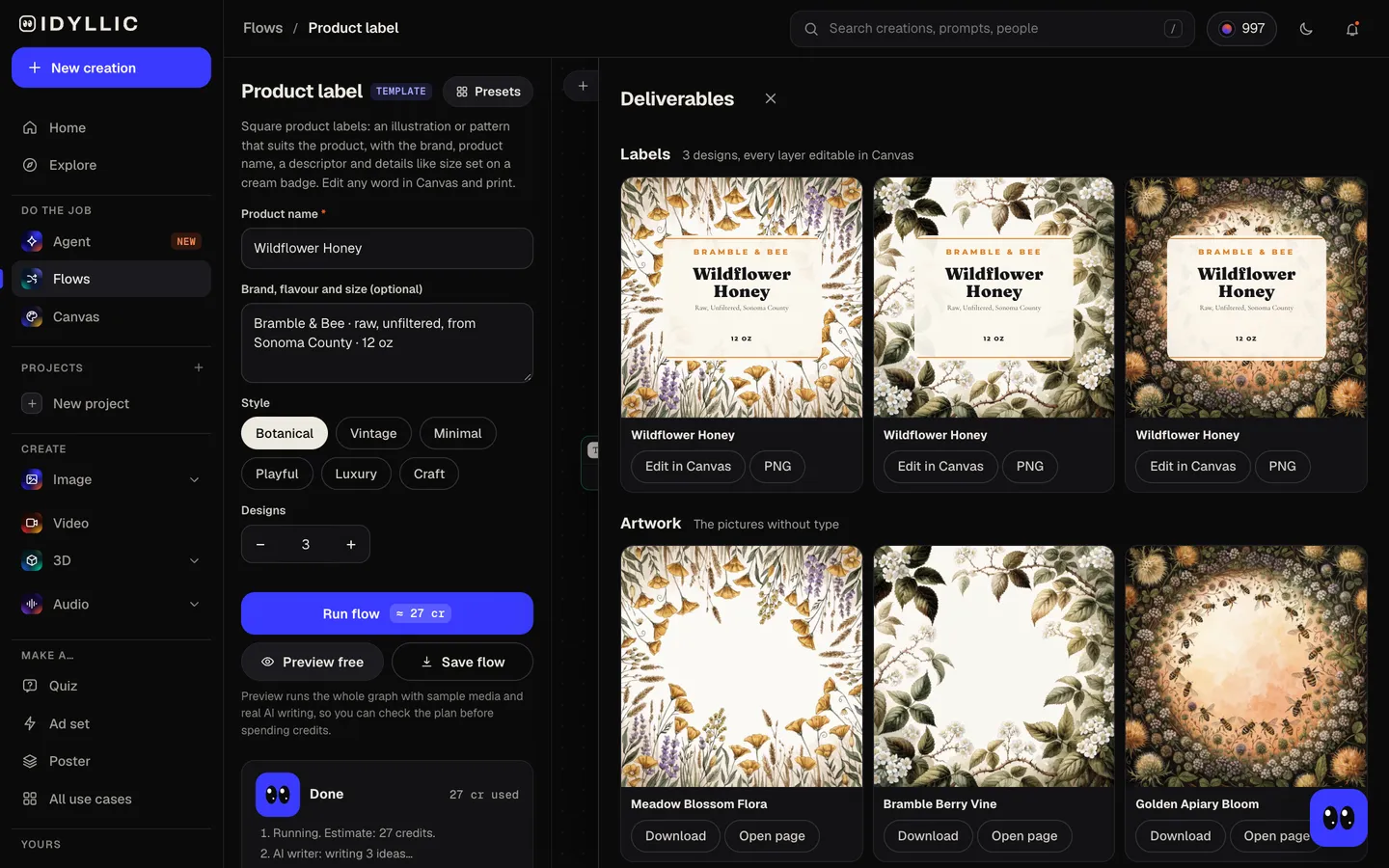
Compare the labels
Every label sits side by side, with the artwork on its own too, so you can weigh a botanical pattern against a vintage engraving at a glance.
- 04
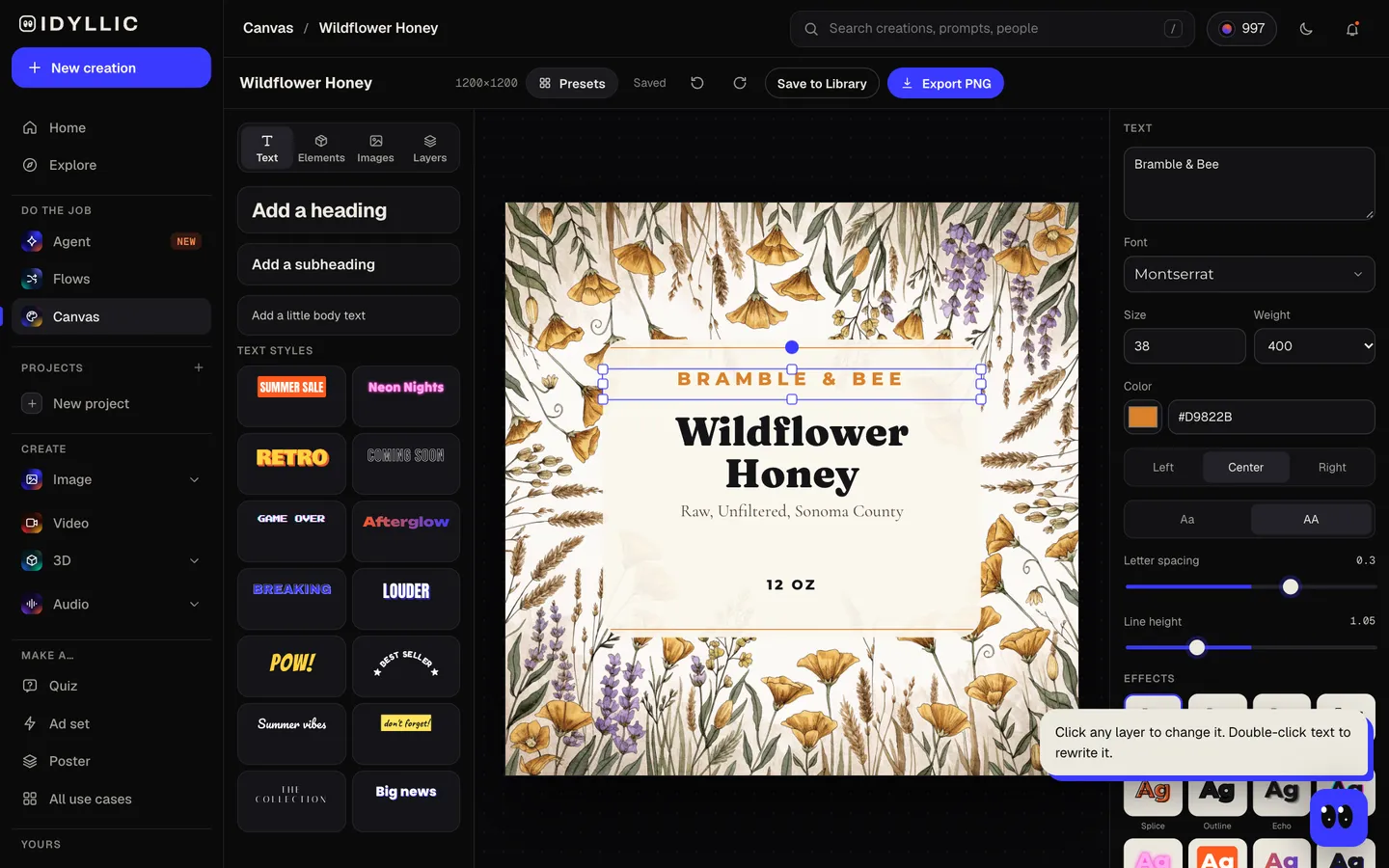
Edit and print
Open one in Canvas and change any word, font or colour, or add your logo or a batch number. Download a PNG, using the Large export (2400×2400) for print.
Why it beats
a template
Artwork from what is inside
Lavender sprigs for soap, wildflowers for honey, chillies for hot sauce. Each design gets its own illustration or pattern, drawn flat so it prints cleanly at small sizes.
Your words, set in real type
The product name, descriptor, size and brand are editable text on the badge, never letters baked into a picture. Fix a typo or change 12 oz to 8 oz without making the label again.
No invented details
The size line shows only what you typed. Leave it out and the label leaves it out, so nothing goes to print that you did not write.
One design, a whole range
Open the label in Canvas, change the product name and descriptor, and export a matching label for every flavour or scent.
Square or round
The text sits in a centre badge that fits inside a circle, so the same design can be cut as a square or a round label.
Print it your way
Download a PNG for sticker paper and a home printer, or send the Large export to a label printer.
What makes a product label work
- Make the product name the biggest thing on the label, readable from across a shelf.
- Keep the front to three things: brand, product, one detail. Ingredients and warnings go on a back label.
- Print a test at actual size on plain paper and wrap it around the container before you order.
- Keep text at least ⅛ in (3 mm) inside the edge. Printers trim close.
- Use a waterproof material for anything that goes in the fridge, the shower or near hot wax.
- Match the finish to the product: kraft for craft goods, matte cream for natural, gloss for bold.
Product label sizes and print specs
| Idyllic label | 1200×1200 px, square | 4×4 in at 300 ppi |
|---|---|---|
| Large export | 2400×2400 px | Up to 8×8 in at 300 ppi, or sharper at smaller sizes |
| Small jars and candles | 2×2 in to 3×3 in | Common square sizes; 600-900 px at 300 ppi |
| Round labels | 2, 2½ or 3 in across | The centre badge fits inside the circle |
| Print margin | ⅛ in (3 mm) | Keep text inside it; check your printer's template for bleed |
Measure the flat face of your container before you choose a size, then print a paper test at 100% scale before ordering a roll.
Steal a brief
Each one opens the flow with the brief filled in. Change anything before you run it.
Wildflower Honey by Bramble & Bee, raw and unfiltered from Sonoma County, 12 oz jar
Cedar & Smoke soy candle by Hearthlight, minimal black and white, 8 oz
Ghost Road Heat hot sauce, habanero and smoked garlic, extra hot, 5 fl oz, playful
Lavender Oat goat milk soap by Meadow Lane, botanical on kraft, 4 oz bar
Huila single-origin coffee by Lumen Roasters, notes of cherry and cocoa, 12 oz bag
Hillside Red 2026, a homemade red wine from a backyard vineyard, vintage engraving style
Sunday Morning strawberry jam by Little Fig Kitchen, playful, 8 oz jar
Midnight Fig body butter by Velvet & Vine, luxury black and gold, 6 oz
Golden Turmeric kombucha by Bright Culture, craft style, 16 fl oz bottle
Questions
Is the custom label maker free?
You can preview the whole flow free: the AI writer plans real labels and shows them with sample images. Running it for real is on Plus ($10.50 a month, billed yearly) and uses 27 credits for three designs. The free plan also includes 3 free images a day in the image studio.
Can I add my own text to the label?
Yes. The product name, brand and size come from your brief exactly as typed, and every word is editable text in Canvas. Add a batch number, a website or another line any time.
Can I add my logo?
Yes. Open the label in Canvas and upload your logo as a layer, or keep the brand name the flow sets above the product name.
Can I see the label on my product?
This flow makes the flat label, ready to print. For front-of-pack artwork with a photoreal mockup on a box, pouch, jar or bottle, use the packaging design flow, or describe the job to the Agent ('a honey jar label and a photo of it on the jar') and it builds a flow for that.
What size should a product label be?
Measure the flat face of the container. Square labels commonly run from 2×2 in for small jars and candles up to 4×4 in for larger jars and bags. Idyllic's label is 1200×1200 px, 4×4 in at 300 ppi, and the Large export doubles it.
Does Idyllic print labels?
No. Download the PNG and print it at home on sticker paper, or send it to any label printer.
Does the label include required legal information?
No. The flow designs the front label. Food, cosmetics and candles often need more, such as ingredients, net quantity, allergens, warnings and your business name and address. Put those on a back label and check the rules where you sell.
Can I change the label's shape or size?
Labels come out square, and the centre badge fits inside a circle, so the same file can be cut round. Print it at any square size your printer offers, such as 2×2, 3×3 or 4×4 in.
Make something else
Everything you can make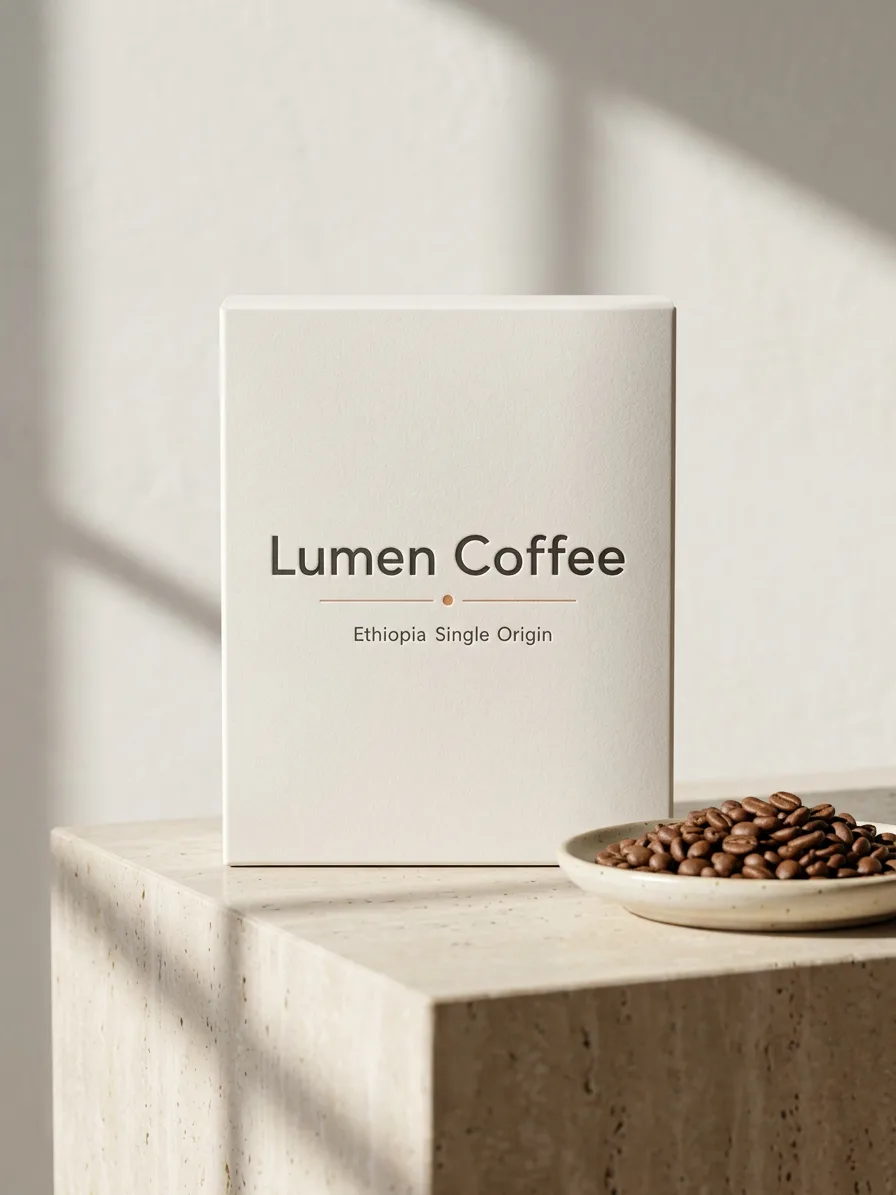

Your turn.
Preview the whole flow free. No credit card.