AI Image Generator
Idyllic's AI image generator turns a text prompt or reference photo into finished images, using FLUX, Imagen 4, GPT Image, Seedream and Nano Banana in one place. Describe what you want in any language, then edit by saying what to change, and only that part changes. Start with 3 free images a day.
- Price
- Free to start · 3 images a day
- Output
- HD images, upscale to 8K
- Models
- FLUX, Imagen 4, GPT Image, Seedream
- Commercial use
- Included on paid plans
- Prompt language
- Any language
How it works
Three steps from idea to finished image.
- 1
Describe the image
Write the subject first, then style, light and format: a ceramic mug on linen, morning window light, square. Or type a few words and let Magic Prompt write the detail.
- 2
Pick a model
Choose FLUX, Imagen 4, GPT Image, Seedream or Nano Banana, or compare a few on the same prompt. Add up to 9 reference images with Remix.
- 3
Edit and upscale
Say what to change, like 'make the background navy', and only that changes. Use Canvas to extend or erase, then upscale up to 8K.
What you can make
- Photos: portraits, product shots, food, interiors, travel
- Art: anime, watercolor, oil painting, 3D cartoon, pixel art
- Design with accurate text: posters, logos, book covers, ads
- Social and web: thumbnails, banners, hero images, wallpapers
- Consistent characters: one face across a whole series
Write prompts that work
Lead with the subject, then layer details in this order. Each one narrows the result.
- Subject: who or what, doing what
- Style: photo, watercolor, anime, 3D render, flat vector
- Composition: close-up, wide shot, top-down, centered
- Light: golden hour, studio softbox, neon, overcast
- Format: square, 9:16 for stories, 16:9 for thumbnails
Edit without starting over
Each image keeps its conversation, so every edit builds on the last one.
- Edit with words: 'remove the cup', 'make it night'
- Canvas: fill, extend, erase or replace the background
- Remix: blend up to 9 images into one result
- Upscale: sharpen the final image up to 8K
Prompt ideas
Copy a prompt, or open it in Idyllic and make it yours.
product photo of a matte black water bottle on a stone table, soft window light, eucalyptus leaves, square format, space on the left for text
cozy fantasy bookstore at night, warm lamps, rain on the windows, a cat asleep on a stack of books, detailed digital painting
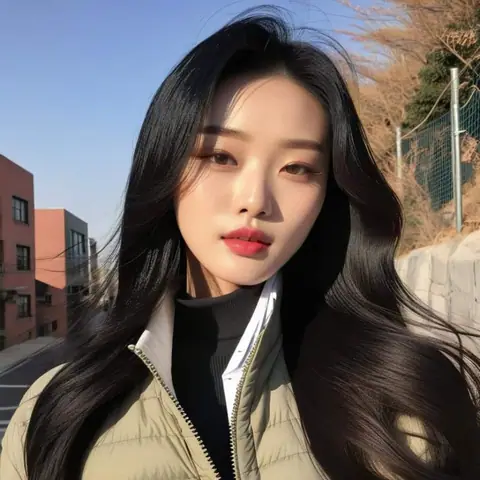
editorial portrait of a ceramic artist in her studio, natural skin texture, warm rim light, shallow depth of field, vertical 4:5
minimal concert poster, the words 'Night Shift' in bold condensed type, neon pink on black, grain texture
YouTube thumbnail, surprised chef holding a giant burger, bright yellow background, empty space on the right for a title, 16:9
isometric 3D illustration of a tiny coffee shop, pastel colors, soft shadows, clean white background
aerial photo of rice terraces at sunrise, mist in the valleys, high detail, landscape 3:2
flat vector logo for a bakery called 'Rye & Co', wheat stalk icon, cream and brown palette, simple and scalable
watercolor illustration of a fox in a snowy birch forest, soft washes, paper texture, children's book style
Frequently asked questions
Is the AI image generator free?
Yes. You get 3 free images a day with no credit card. Paid plans are Plus ($10.50/mo), Pro ($17.50/mo) and Max ($33.25/mo), billed yearly, and add a commercial license and private mode.
Which AI models can I use?
FLUX, Imagen 4, GPT Image, Seedream and Nano Banana for images, all in one place. For video, Idyllic has Veo 3, Kling and Seedance.
Can I edit an image after generating it?
Yes. Describe the change in plain words and only that part updates, and the conversation is remembered for the next edit. Canvas adds fill, extend, erase and background replacement.
Can the AI image generator add readable text?
Yes. Posters, logos, covers and ads can include accurate text. Put the exact words in quotes and keep them short.
Can I upload my own photo?
Yes. Use a photo as a reference, Remix up to 9 images together, or edit it with Canvas.
Can I use the images commercially?
Yes, on paid plans, which include a commercial license. Images made on the free plan appear in the public gallery; paid plans add private mode.
Do prompts have to be in English?
No. Prompts work in any language.
Related tools
See all AI art and image styles

More in AI art and image styles
Your turn.
Free to start. No credit card.