Ready-made flow · Concert and event tickets with a tear-off stub
Concert Ticket Templates
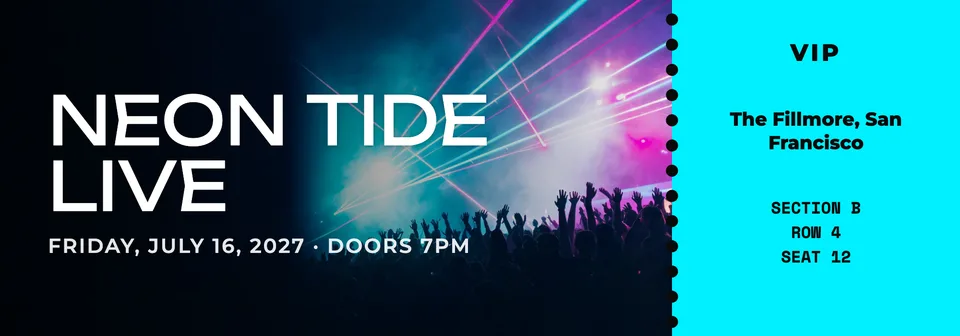
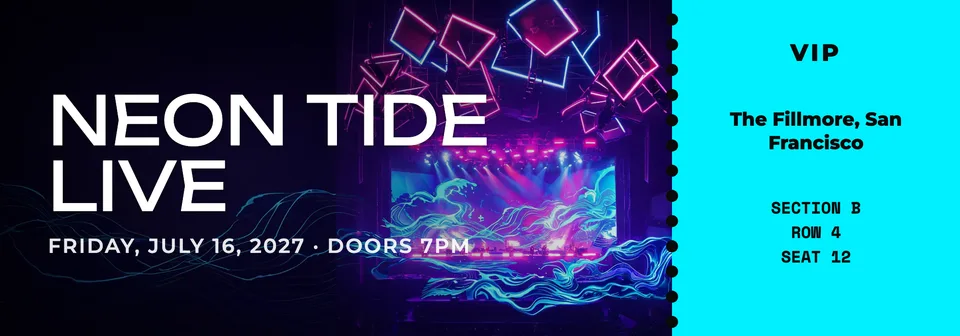
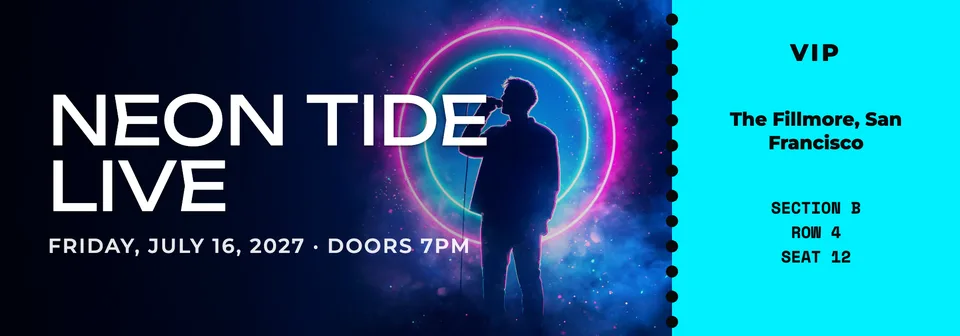
Idyllic's concert ticket template maker designs three printable tickets from one line about the event. An AI writer sets the name, date, doors, venue and seat; Seedream 5 paints the key art, a performer in stage lights or a festival crowd under lasers; and Idyllic lays it out with a perforated stub in real, editable type. Use them as gift tickets, keepsakes or for shows you host.
- Size
- 2000×700 px, about 5.7×2 in at 350 ppi
- You get
- 3 tickets + the key art
- Looks
- Concert, Festival, Neon, Retro, Elegant gala, Minimal
- Credits
- 27 for 3 designs, Plus and up
- Download
- PNG, or 4000×1400 with Large export
Real output · no retouching
One brief.
3 results.
- Event name
- Neon Tide Live
- Date, time and venue
- Friday, July 16, 2027 · Doors 7pm · The Fillmore, San Francisco
- Admission and seat (optional)
- VIP · Section B · Row 4 · Seat 12
- Look
- Concert
How to make it
Four steps, about a minute of your time. These are real screens from the run above.
- 01
Tell it about the event
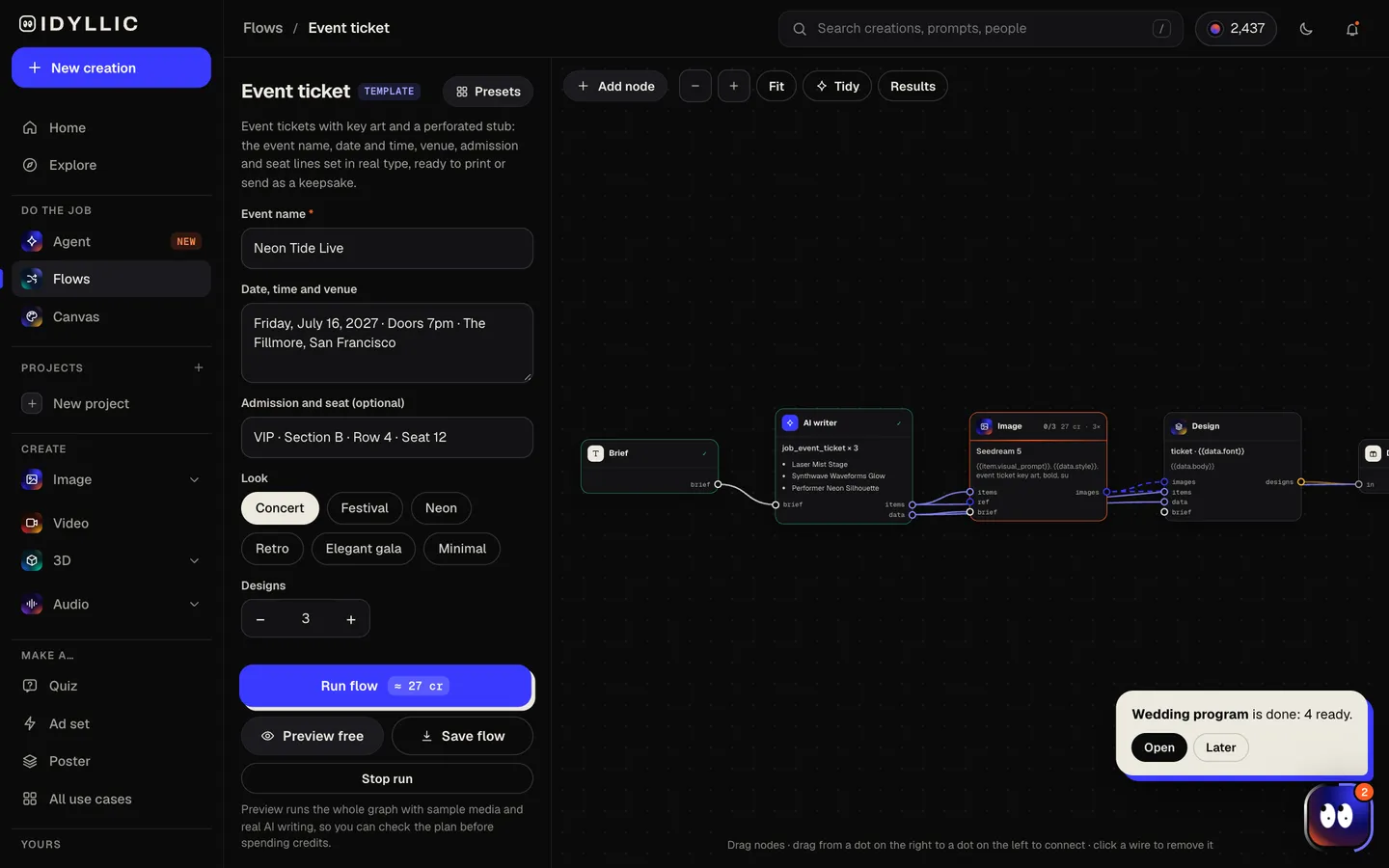
Type the event name (“Neon Tide Live”), the date, time and venue, and the admission and seat if you have them (“VIP · Section B · Row 4 · Seat 12”). Pick a look: Concert, Festival, Neon, Retro, Elegant gala or Minimal.
Open the flow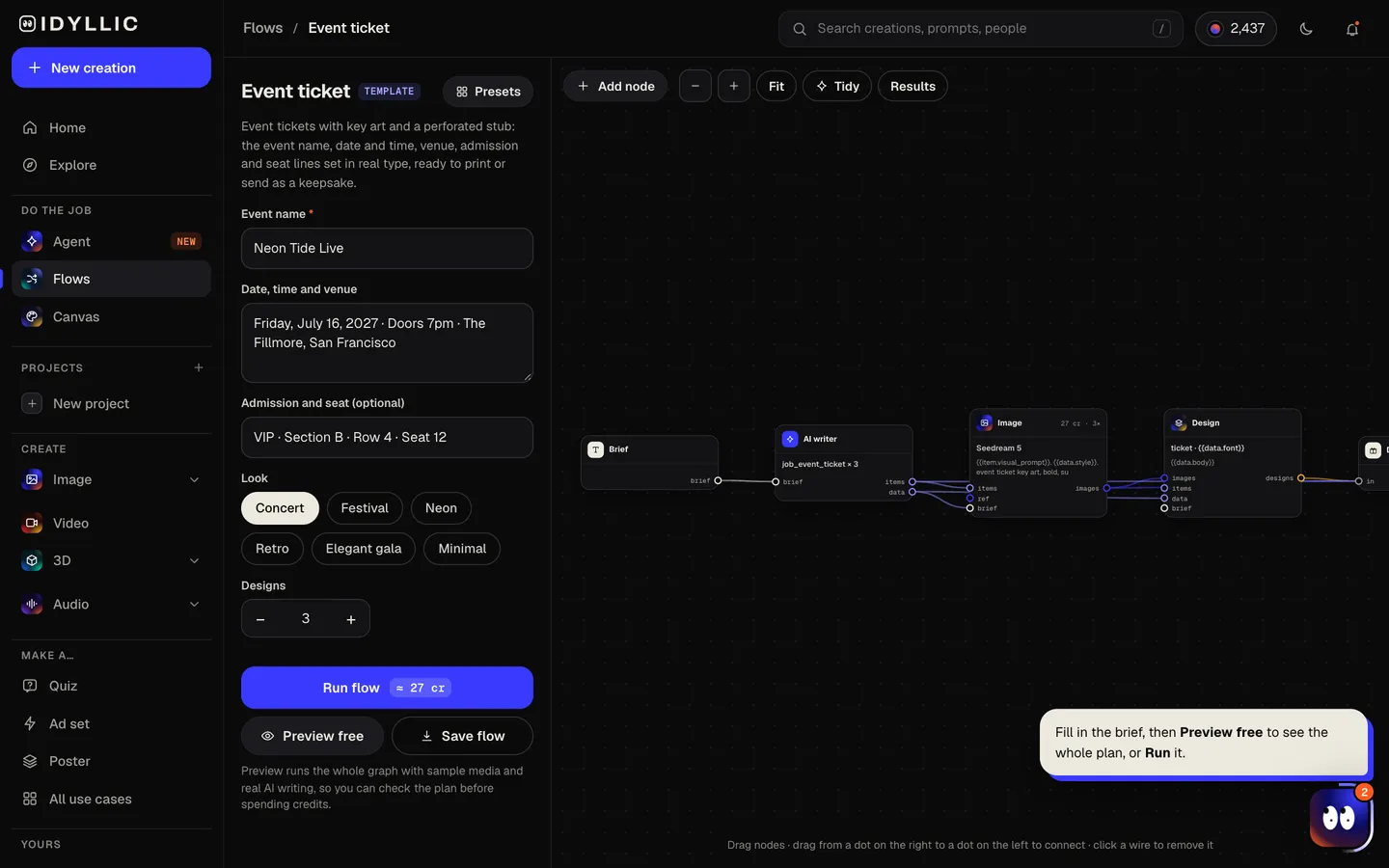
- 02
It writes and designs
The AI writer plans a different key art idea for each ticket and writes the lines: event name, date and doors, venue, “ADMIT ONE” or your ticket type, and the seat. Seedream 5 paints the art, then Idyllic lays out the ticket and its stub. Preview the flow free first.
- 03
Compare three tickets
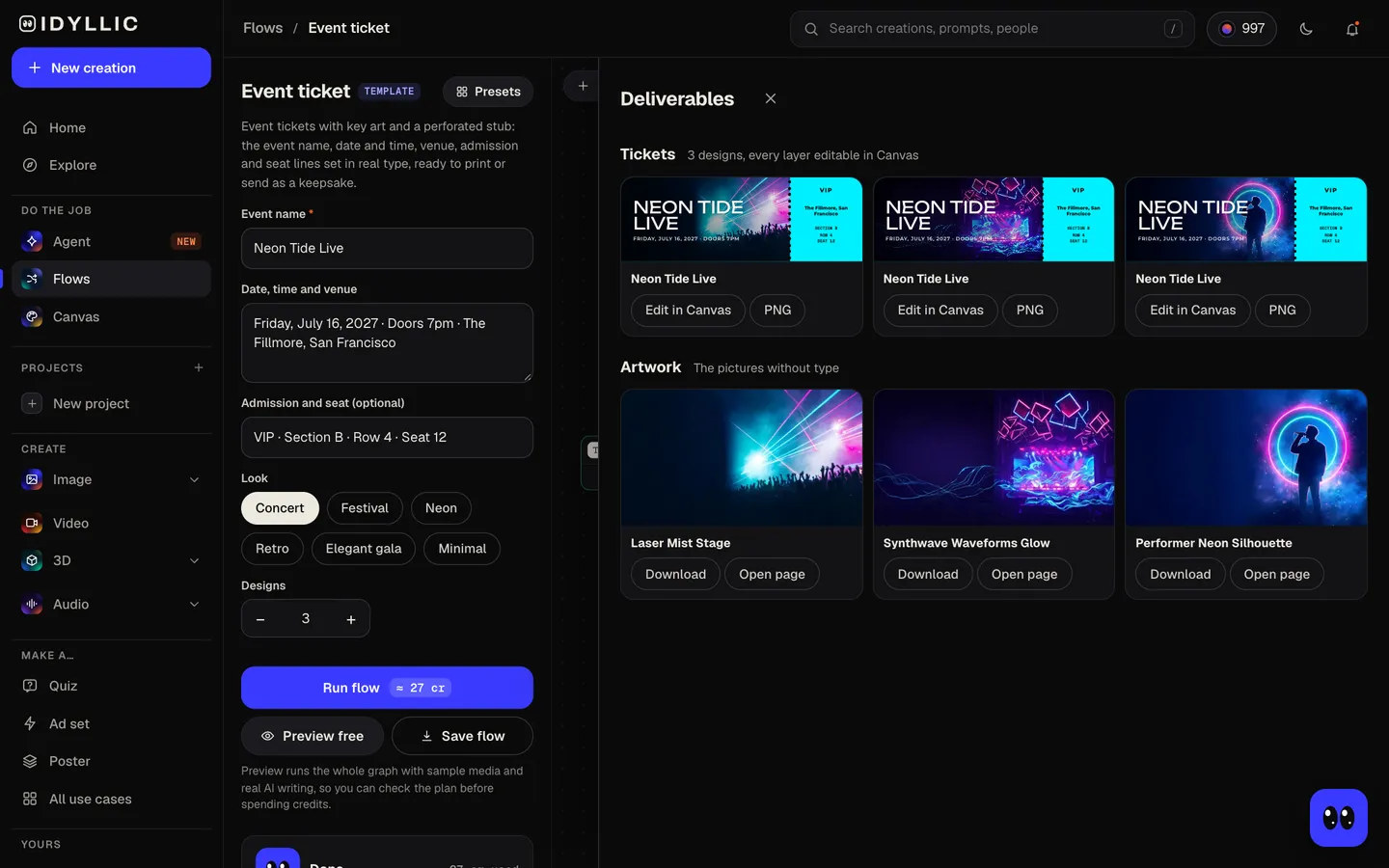
The three tickets sit side by side, with the key art on its own too, so you can pick the one that feels like the show.
- 04
Edit and print
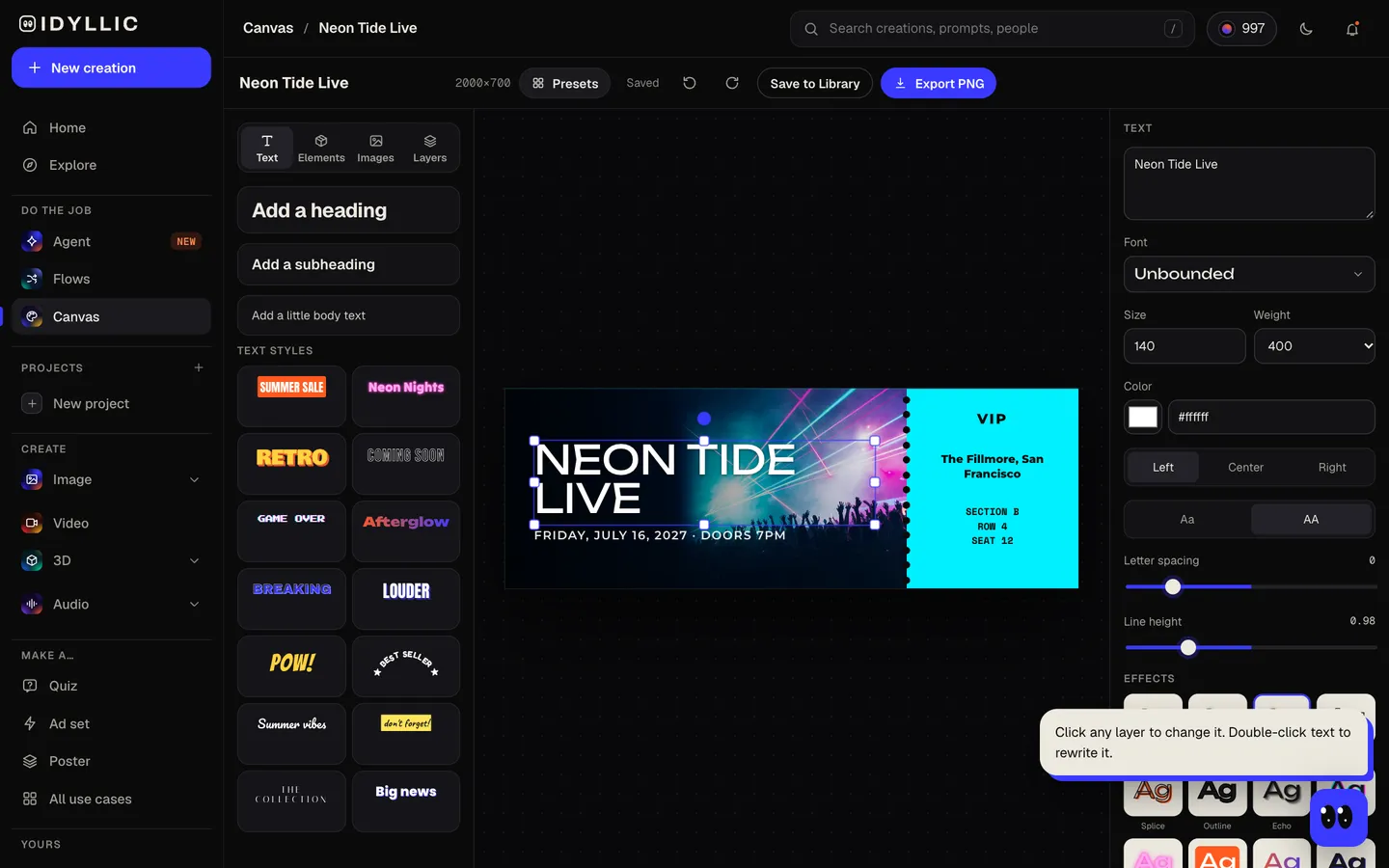
Open one in Canvas, change a seat, a date or the font, add a real QR code from your ticketing tool, then download a 2000×700 PNG, or 4000×1400 with the Large export.
Why it beats
a template
A real ticket layout
Key art and the event name on the left, a perforated stub on the right with the admission, venue and seat in a typewriter-style mono face, the way a printed ticket reads.
Gift tickets that land
Reveal concert plans, a weekend away or a birthday “tour” with a ticket tucked in the card. It's a keepsake, not a way into the venue.
Seats, or lines to fill in
Give a section, row and seat and they're set in capitals. Leave them out and the stub reads ROW ____ and SEAT ____, ready to write on.
One master, many copies
Every line is real type in Canvas, so change the seat or the guest's name for each copy and download again.
Six looks
Concert, Festival, Neon, Retro, Elegant gala and Minimal, from a basement gig to a black-tie fundraiser.
Sized like a ticket
2000×700 px prints at about 5.7×2 in at 350 ppi, close to the standard 2×5.5 in concert ticket.
What to put on an event ticket
- The event or artist name, biggest.
- The day, date, and doors or start time.
- The venue and city.
- Admission type and seat: general admission, VIP, or section, row and seat.
- For a gift, a line just for them, like “Happy birthday, Jess”, added as a text layer in Canvas.
- Make admission tickets only for events you organize, and use your ticketing tool's own codes for entry.
Concert ticket sizes and specs
| Ticket (flow size) | 2000×700 px | About 5.7×2 in at 350 ppi; the stub is the right 30% |
|---|---|---|
| Large export | 4000×1400 px | Over 300 ppi up to about 13×4.7 in |
| Standard concert ticket | 2×5.5 in | Print 5.5 in wide; it comes out about 1.9 in tall |
| Festival ticket | 2.75×8.5 in | Print 2.75 in tall; it comes out about 7.9 in wide |
| VIP and gala | 3.5×8.5 in | Print 8.5 in wide; it comes out about 3 in tall |
| QR codes and barcodes | Not generated | Add a real code from your ticketing tool as an image in Canvas |
Print on heavy card stock at 100% scale. The perforation in the design is printed, so score or perforate the stub line yourself for a real tear-off.
Steal a brief
Each one opens the flow with the brief filled in. Change anything before you run it.
Neon Tide Live, Friday, July 16, 2027, doors 7pm at The Lantern Room, Oakland, VIP, Row 4, Seat 12
Surprise gift ticket for Jess: The Static Hours live, Saturday, November 14 at the Blue Room, retro
Lily's 10th Birthday Tour, Saturday, May 8 at 2pm at 9 Maple Ave, general admission, neon
Lincoln Middle School spring band concert, Thursday, April 22 at 6:30pm in the school auditorium
Velvet Hour jazz night, Friday, March 12 at 9pm at Cellar 9, Chicago, Table 6, elegant gala
Sundown Festival, August 20-22, 2027 at Eastfield Park, Austin, three-day all-access pass
Hope Gala fundraiser, Saturday, October 16 at 7pm at the Grand Hall, Denver, black tie, Table 12
Open mic night at Juniper Café, every Thursday at 8pm, free admission, minimal
Questions
Are the concert ticket templates free?
You can preview the whole flow free, with real AI writing and sample images. Running it for real is on Plus ($10.50/mo, billed yearly) and up, and uses 27 credits for 3 designs. The free plan also includes 3 free images a day in the image studio.
Can I make a concert ticket as a gift?
Yes. A gift ticket is a popular way to reveal concert plans: put the artist, date and venue in the brief, add a personal line in Canvas, then print it or tuck it in a card. It's a keepsake, not a way into the venue.
Will the QR code or barcode scan?
The flow doesn't make codes, and a code drawn by an image model wouldn't scan anyway. If guests need to scan in, export a real code from your ticketing tool and place it on the ticket in Canvas.
What size is a concert ticket?
The standard printed concert ticket is 2×5.5 in with a tear-off stub at one end. Idyllic designs at 2000×700 px, which prints at about 5.7×2 in at 350 ppi. Festival tickets run larger, around 2.75×8.5 in.
Can I add names, dates and seats?
Yes. Put them in the brief and they're set as real type: event name, date and doors, venue, admission and seat. Change any of them in Canvas, and proofread the date and venue before printing.
Can I make tickets for my own show?
Yes. Bands, schools and party hosts make tickets for events they run. Design one master, then change the seat or ticket type for each copy in Canvas. Make admission tickets only for events you organize.
Can a party invitation look like a ticket?
Yes. Put the party as the event (“Lily's 10th Birthday Tour”), the date and address in the details, and “General admission” as the seat. Our concert ticket templates turn it into a ticket-shaped invitation.
Make something else
Everything you can make

Your turn.
Preview the whole flow free. No credit card.