Ready-made flow · Square cover art for albums, singles and mixtapes
AI Album Cover Generator
Idyllic's AI album cover generator turns a title, an artist name and a genre into square cover art with the type already set: one striking image per concept, the title and artist in display fonts, every layer editable. It works for albums, singles, EPs and mixtapes. On Pro, it can also make a 30-second track to match the cover.
- Size
- Square, exports at 3000×3000 px
- You get
- 3 covers + the art without type
- Image model
- FLUX 3
- Cost
- 36 credits for 3 covers, on Plus
- Extra
- A 30-second track with ElevenLabs, on Pro
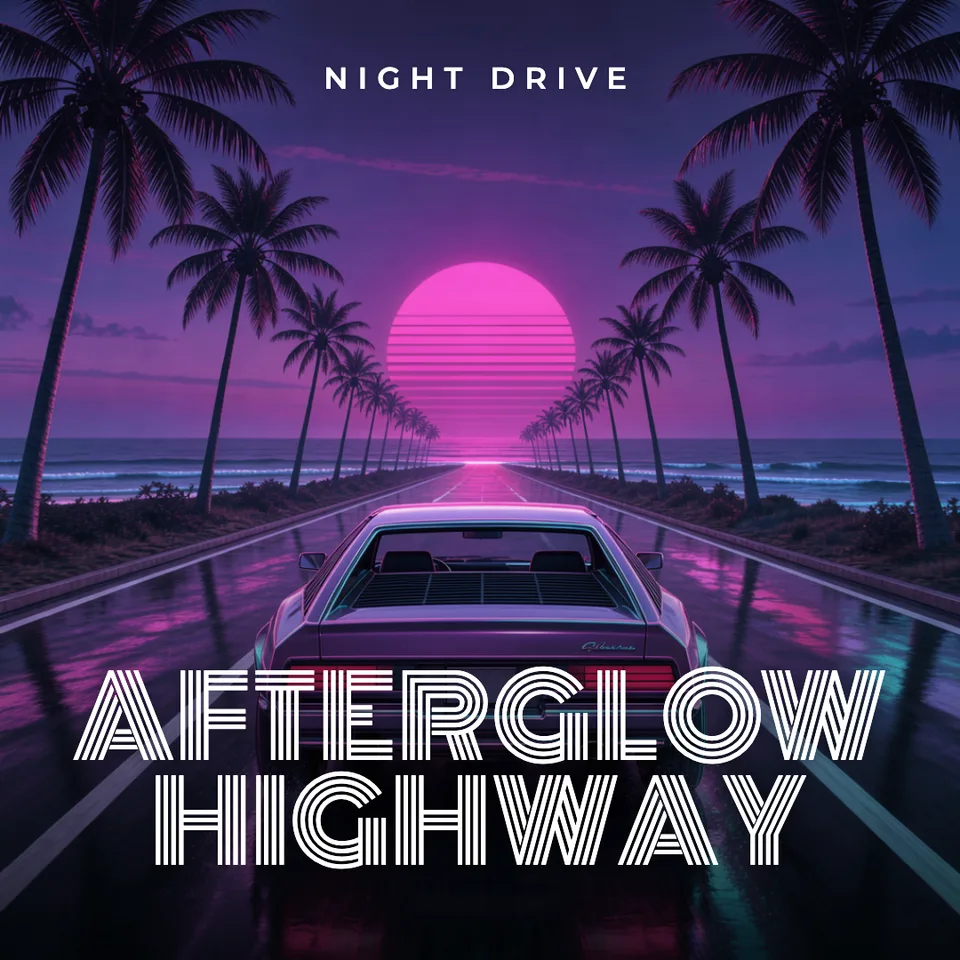
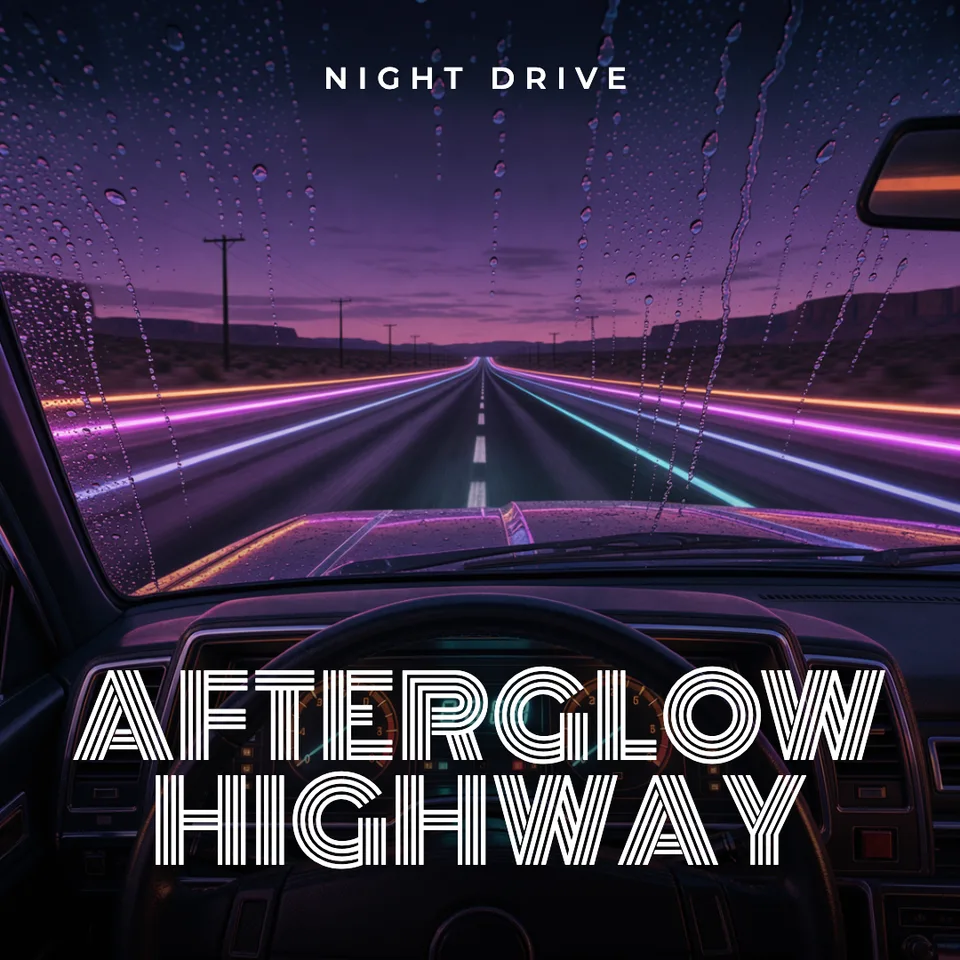
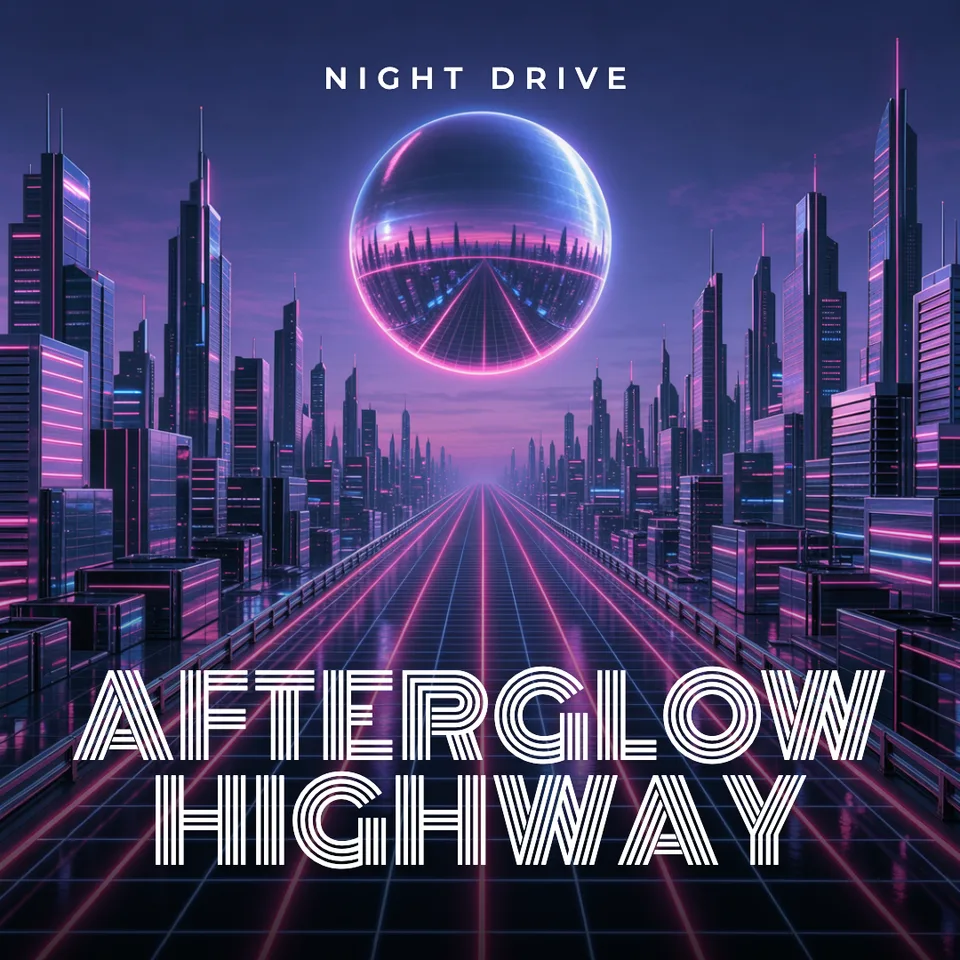
Real output · no retouching
One brief.
3 results.
- Album or single title
- Afterglow Highway
- Artist
- Night Drive
- Genre and mood
- Synthwave
How to make it
Four steps, about a minute of your time. These are real screens from the run above.
- 01
Enter the title and artist
Type the album or single title and the artist, pick the genre and mood (Synthwave, Hip-hop, Indie rock, Lo-fi, Pop, Electronic, Jazz, Metal or R&B), choose whether to also make a 30-second track, and set the number of variations.
Open the flow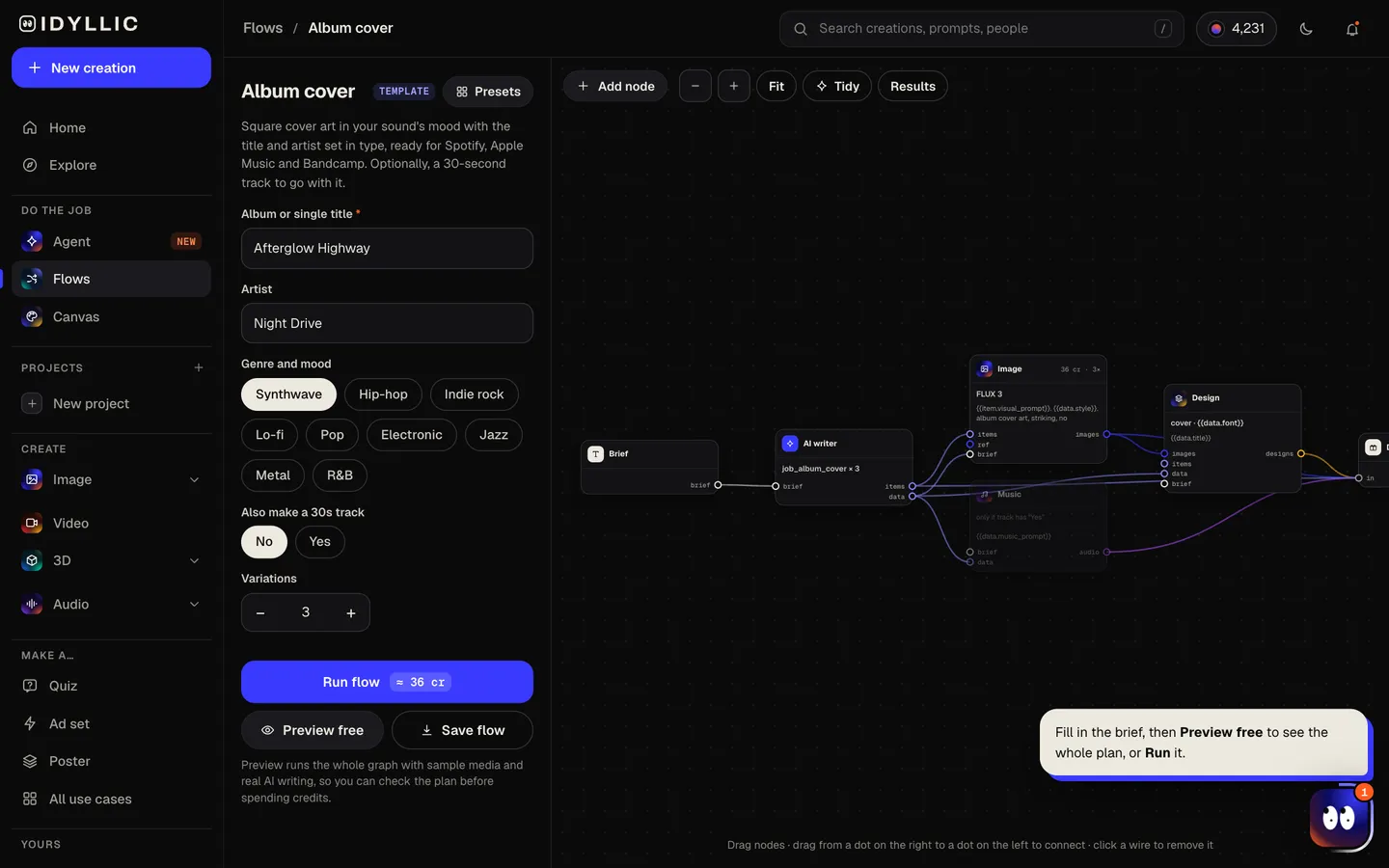
- 02
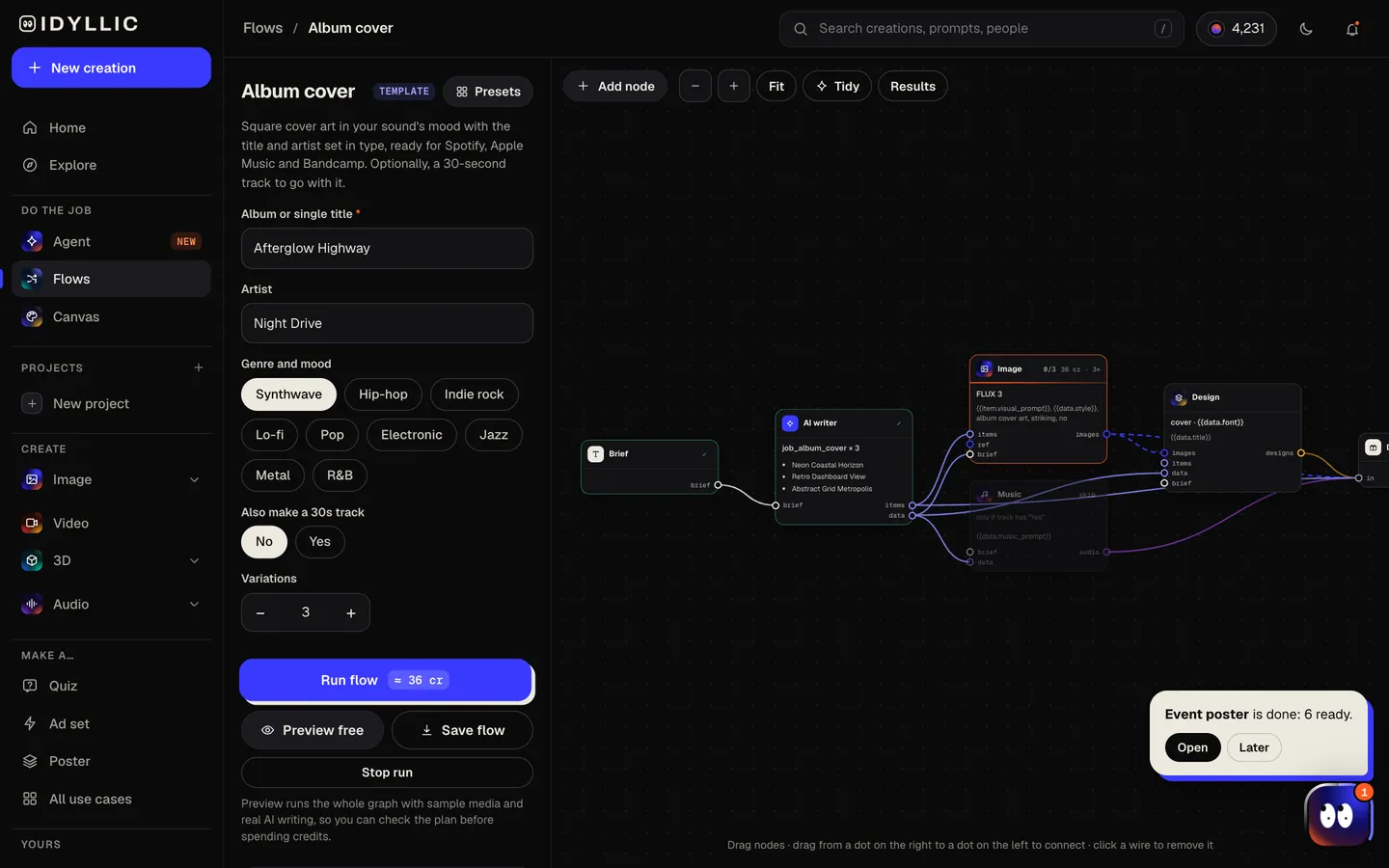
Watch the cover take shape
The AI writer plans a different concept for each variation and picks fonts to suit the sound. FLUX 3 paints the art, then Idyllic sets the title and artist on it. If you asked for a track, ElevenLabs makes one in the same mood. Preview the plan free.
- 03
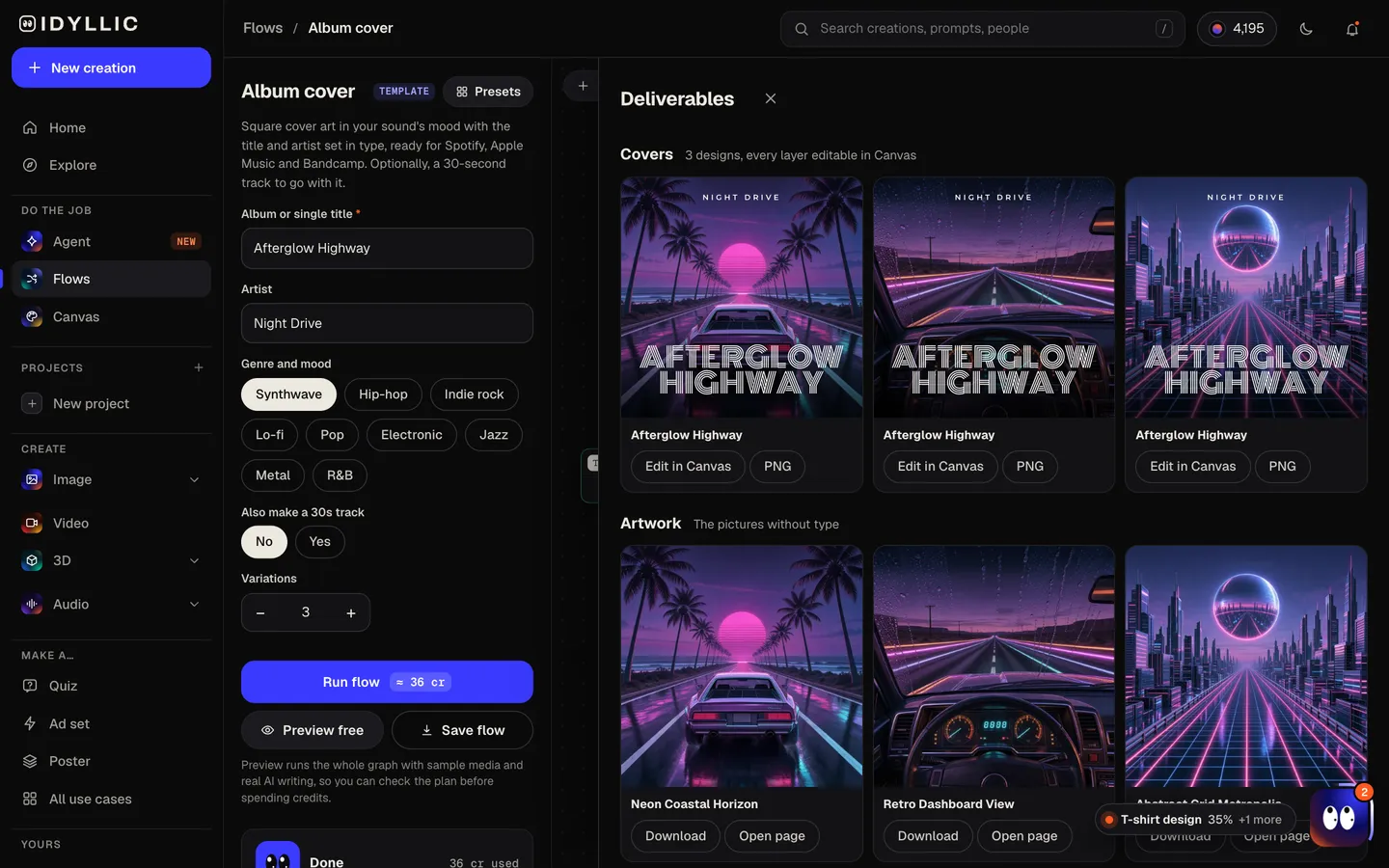
Compare the covers
The finished covers appear side by side with the art without type, and the track plays right there if you made one.
- 04
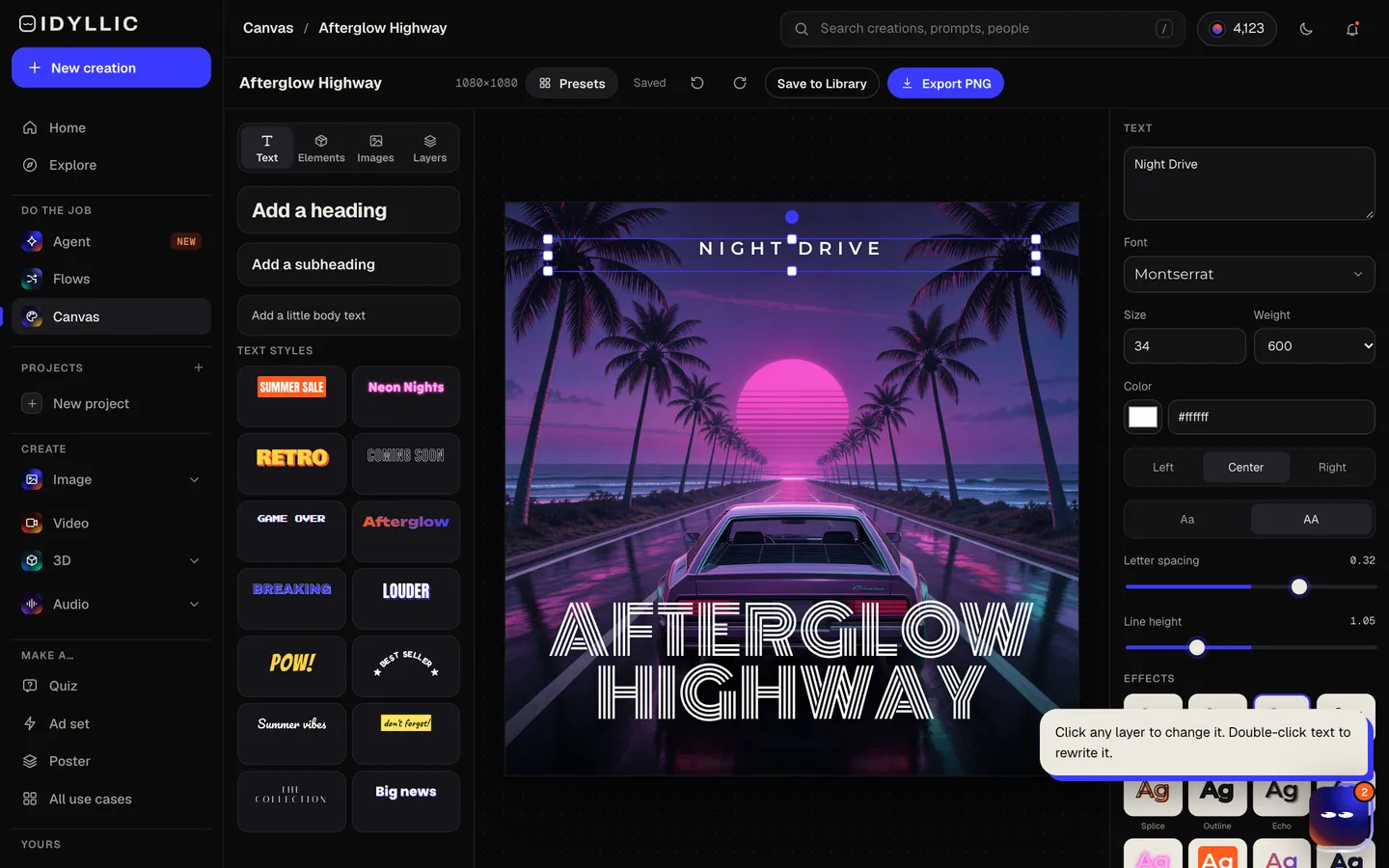
Edit and download
Open a cover in Canvas to change any word, font, effect or color, or move the title. Then choose Export, Cover art for a 3000×3000 PNG, ready for your distributor.
Why it beats
a template
Concepts, not filters
Each variation is a different idea for the record: a place, an object, a figure or an abstract shape, painted in the mood of your genre.
Type that fits the sound
The writer picks from display faces such as Anton, Monoton, Abril Fatface, Cinzel and Permanent Marker to suit the genre, and sets them as real text that stays crisp.
Built to read small
Streaming apps show covers as small squares in a list. One striking image with clear space for a bold title keeps yours recognizable in a playlist.
A track to match, on Pro
Switch on the 30-second track and ElevenLabs makes an original piece in the same mood, handy for a teaser or a social post.
Edit everything
144 fonts, text effects like neon, gradient, outline and curved text, plus AI edits to change part of the art, erase something or expand it.
Ready to release
Paid plans include a commercial license, so the cover can go to streaming services, Bandcamp and merch.
What makes an album cover work
- Shrink it to playlist size. If you can still tell what it is, it works.
- One image, one mood. Let the palette say the genre before the type does.
- Keep the title short and the artist name consistent across releases.
- Leave out web addresses, social handles and prices. Stores treat them as advertising.
- Match singles to the album: same type, different image.
- Check it on a phone in dark mode before you release.
Album cover size and specs
| Idyllic cover | 3000×3000 px | Square PNG, Cover art size in the Export menu |
|---|---|---|
| Spotify | 640 to 10,000 px, square | JPG, PNG or TIFF, sRGB, the highest resolution you have |
| Apple Music | 3000×3000 px or larger | Square, JPEG or PNG; 1400×1400 px minimum |
| Bandcamp | At least 1400×1400 px | Square; bigger is better |
Export at Cover art size (3000×3000 px): it meets Apple Music's recommendation and clears Spotify's and Bandcamp's minimums. For the sharpest artwork, upscale the picture layer 2× in Canvas first, and check your distributor's own rules before you upload.
Steal a brief
Each one opens the flow with the brief filled in. Change anything before you run it.
Velvet Static, a dreamy shoegaze EP by Hollow Coast
Paper Planets, a bedroom-pop single by Juno Hart about a long-distance crush
Concrete Lullabies, a lo-fi hip-hop beat tape by Kid Meridian, made for late-night studying
Salt & Neon, a sun-soaked electronic album by Tidal Youth
Late Checkout, a slow R&B single by Amara Lane about the morning after
Ghosts of Route 9, an indie-rock album by The Lantern Kids about leaving a small town
Blue Hour Tapes, a late-night jazz record by the Ellis Moreno Trio
Gold Teeth, Silver Lining, a hip-hop mixtape by Rook Santana
Iron Choir, a doom metal album by Gravewood
Questions
Is the AI album cover generator free?
You can preview the whole flow free: real AI writing with sample images, so you can check the plan. Running it for real is on Plus ($10.50 a month, billed yearly) and uses 36 credits for three covers; the optional track needs Pro. The free plan also includes 3 free images a day in the image studio.
What size is an album cover?
Square. Apple Music recommends 3000×3000 px or larger with a 1400×1400 minimum, Spotify accepts 640 to 10,000 px, and Bandcamp asks for at least 1400×1400. Idyllic exports covers at 3000×3000, so the file is ready as it is.
Can I put my title and artist name on the cover?
Yes. Both are set as real text in a display font, exactly as you typed them. Change the font, size, effect or position in Canvas.
Can I use the cover on Spotify and Apple Music?
Yes. Paid plans include a commercial license. Upload through your distributor and check its file rules first, and keep logos, real people and artwork you do not own off the cover.
Can it make the music too?
On Pro, choose Yes for 'Also make a 30s track' and ElevenLabs makes a 30-second original in the mood you picked. Use it for a teaser or a social post.
Can I make covers for a series of singles?
Yes. Run the flow for each single, then open your favorite cover in Canvas and reuse its fonts and layout so the series matches.
Do I need to be good at writing prompts?
No. A title, an artist and a genre are enough. The AI writer plans the concepts and picks the fonts; you choose and refine.
Make something else
Everything you can make
Your turn.
Preview the whole flow free. No credit card.