Ready-made flow · Print-ready graphics on a transparent background
AI T-Shirt Design Generator
Idyllic's AI t-shirt design generator turns one line about your idea into screen-print style graphics, cut out on a transparent background so they drop straight onto a shirt, a print-on-demand listing or a mockup. Each design comes with a short product title for your store. Pick a style, preview free, then upscale the winner for print.
- You get
- 3 graphics as transparent PNGs
- Styles
- Vintage, Streetwear, Cute, Minimal line art, Retro sunset, Anime
- Image model
- Recraft V4.1
- Cost
- 30 credits for 3 designs, on Plus
- Bonus
- A product title for each design
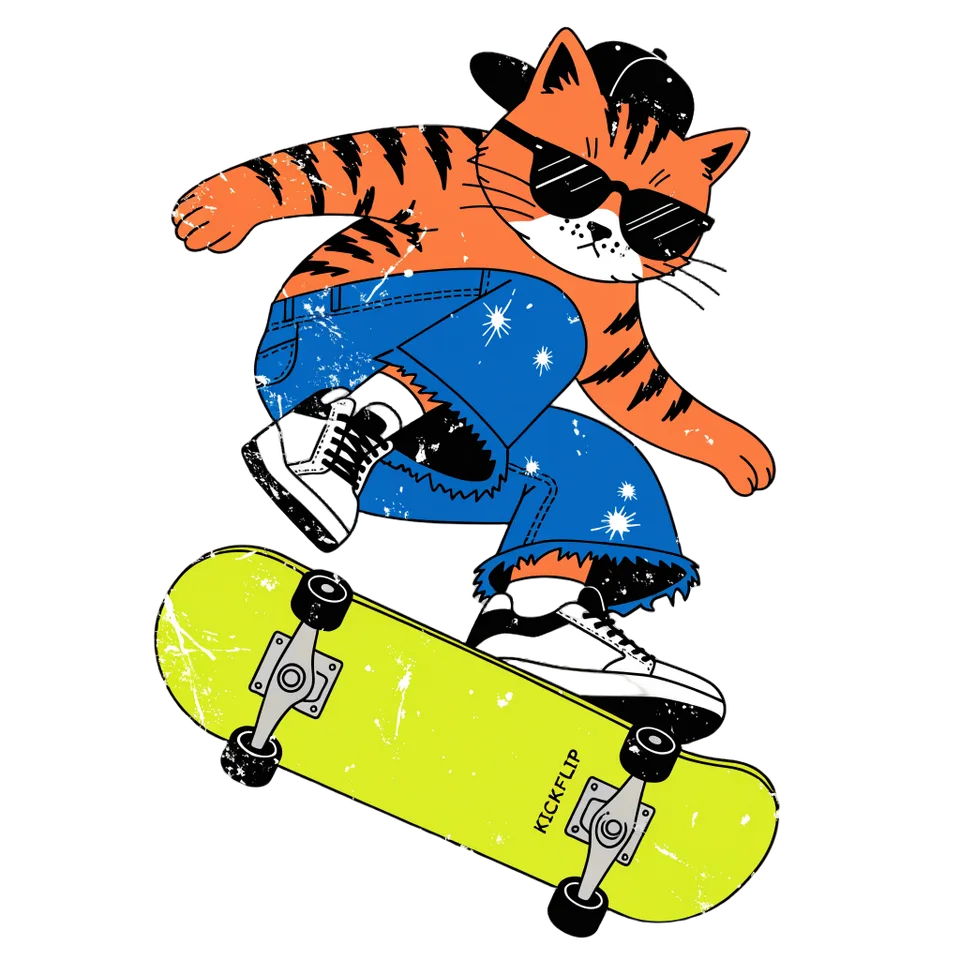
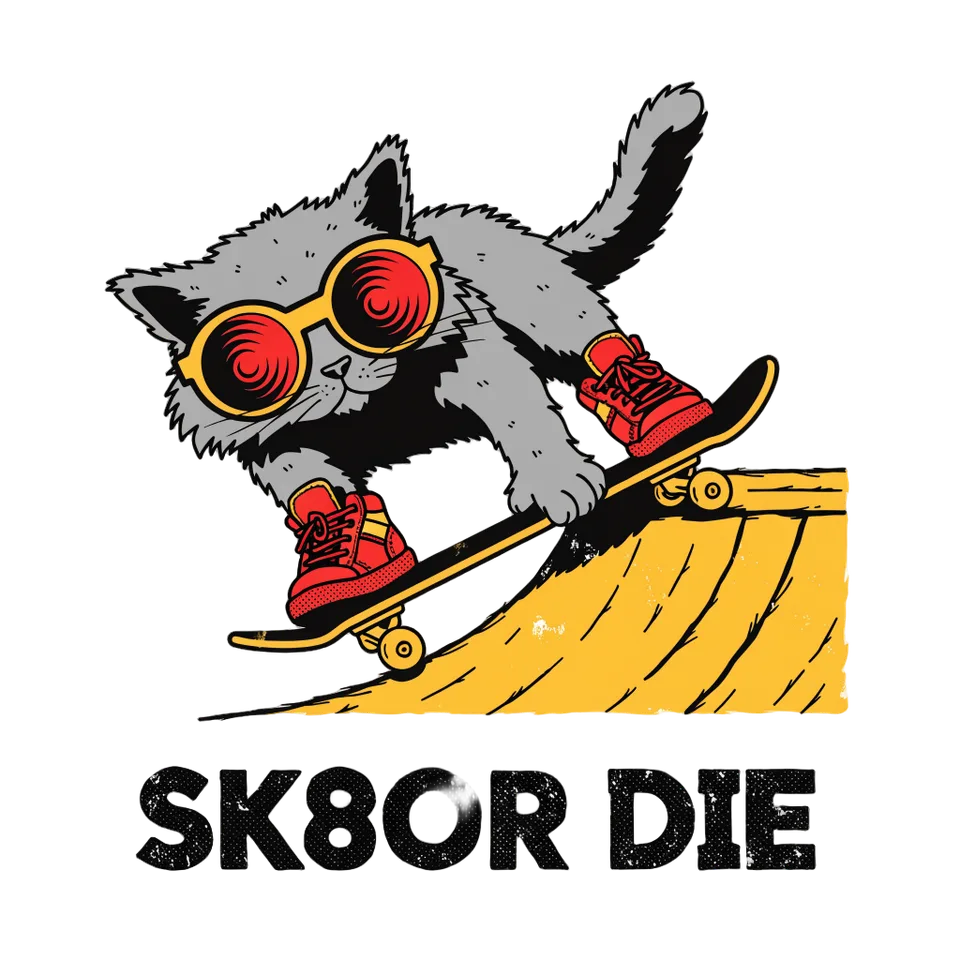
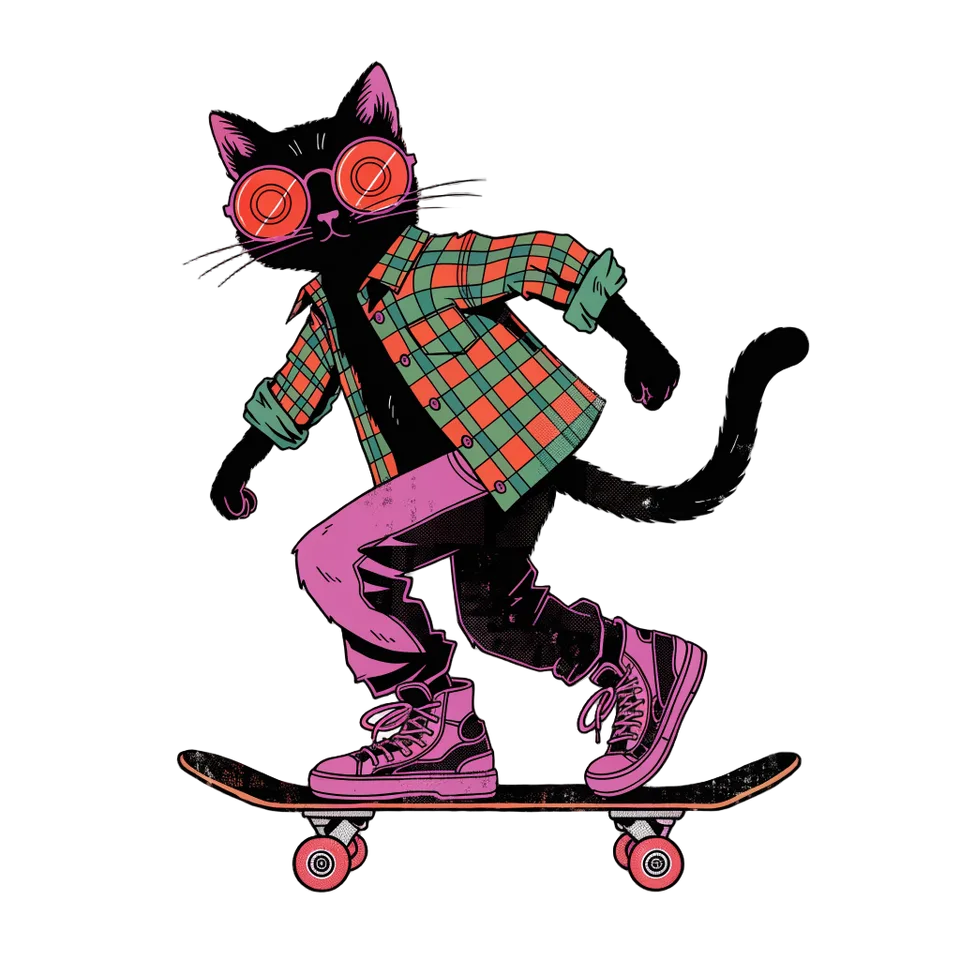
Real output · no retouching
One brief.
3 results.
- What should the design show?
- A skateboarding cat in sunglasses, 90s style
- Style
- Vintage
How to make it
Four steps, about a minute of your time. These are real screens from the run above.
- 01
Describe the design
Write what the design should show, like a skateboarding cat in sunglasses or your club's name with a mascot. Pick a style (Vintage, Streetwear, Cute, Minimal line art, Retro sunset or Anime) and how many designs you want, up to six.
Open the flow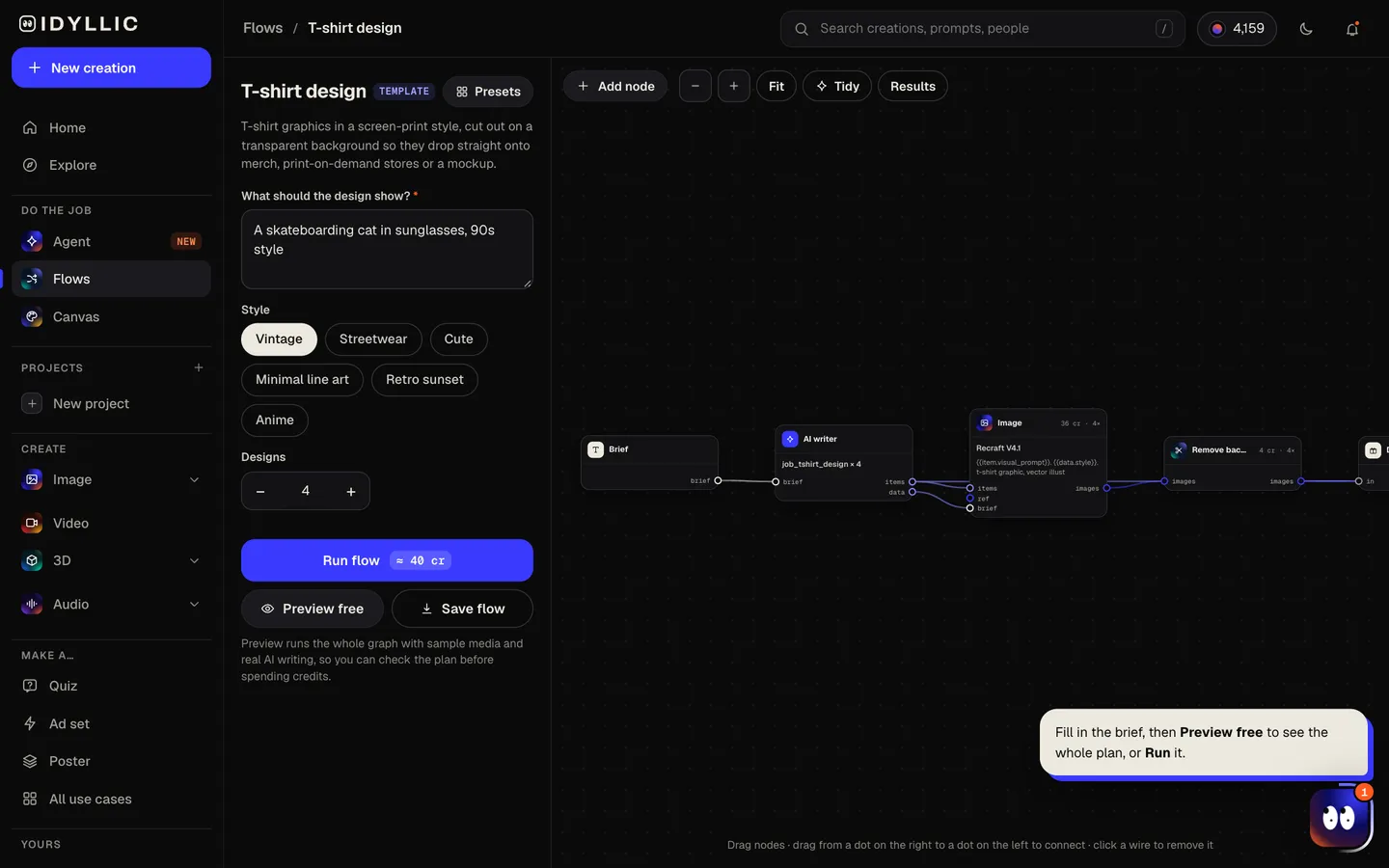
- 02
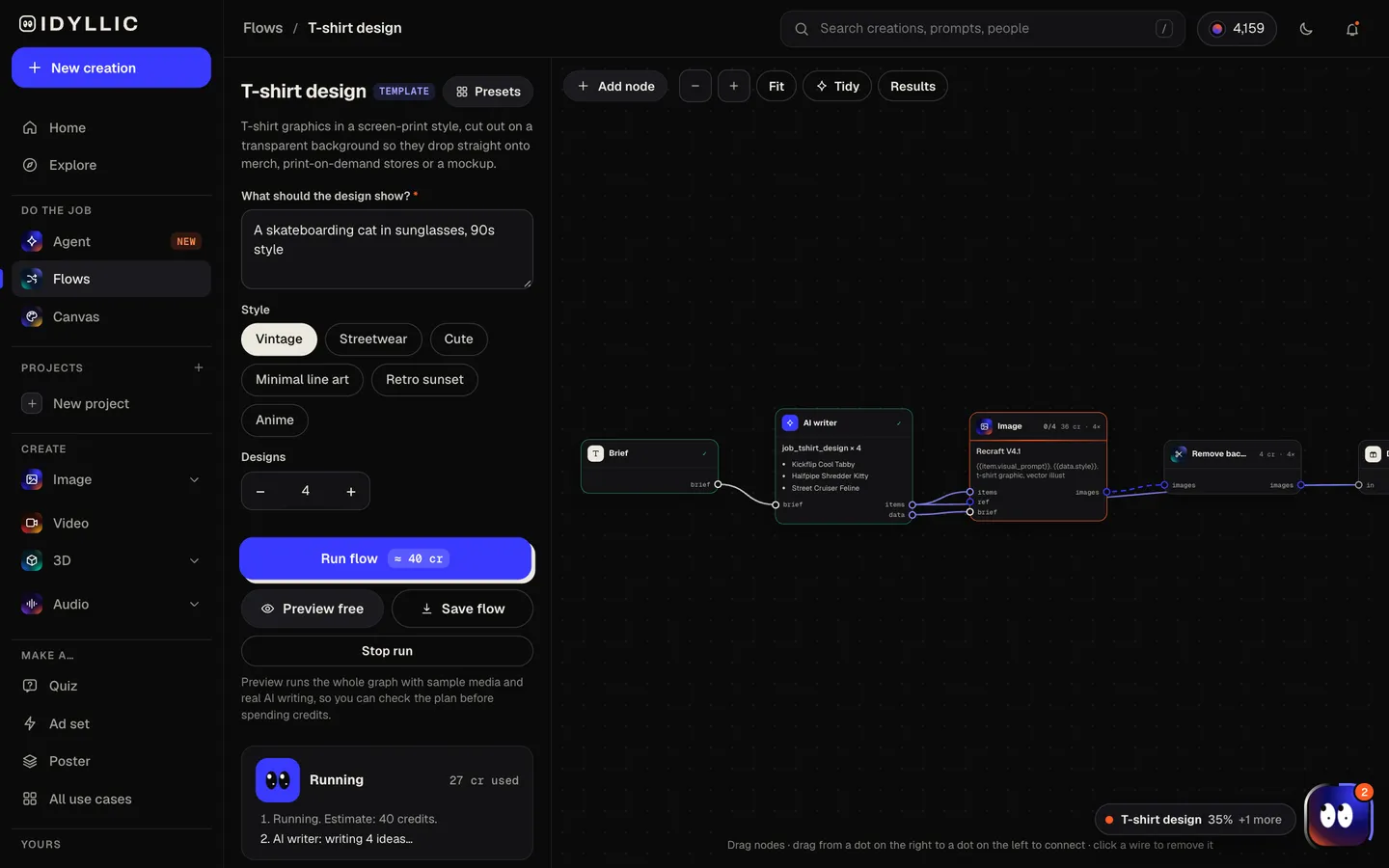
Watch it get drawn and cut out
The AI writer plans a different take on your idea for each design and writes a short product title. Recraft V4.1 draws each one in bold, flat screen-print colors, then Idyllic removes the background. Preview the plan free.
- 03
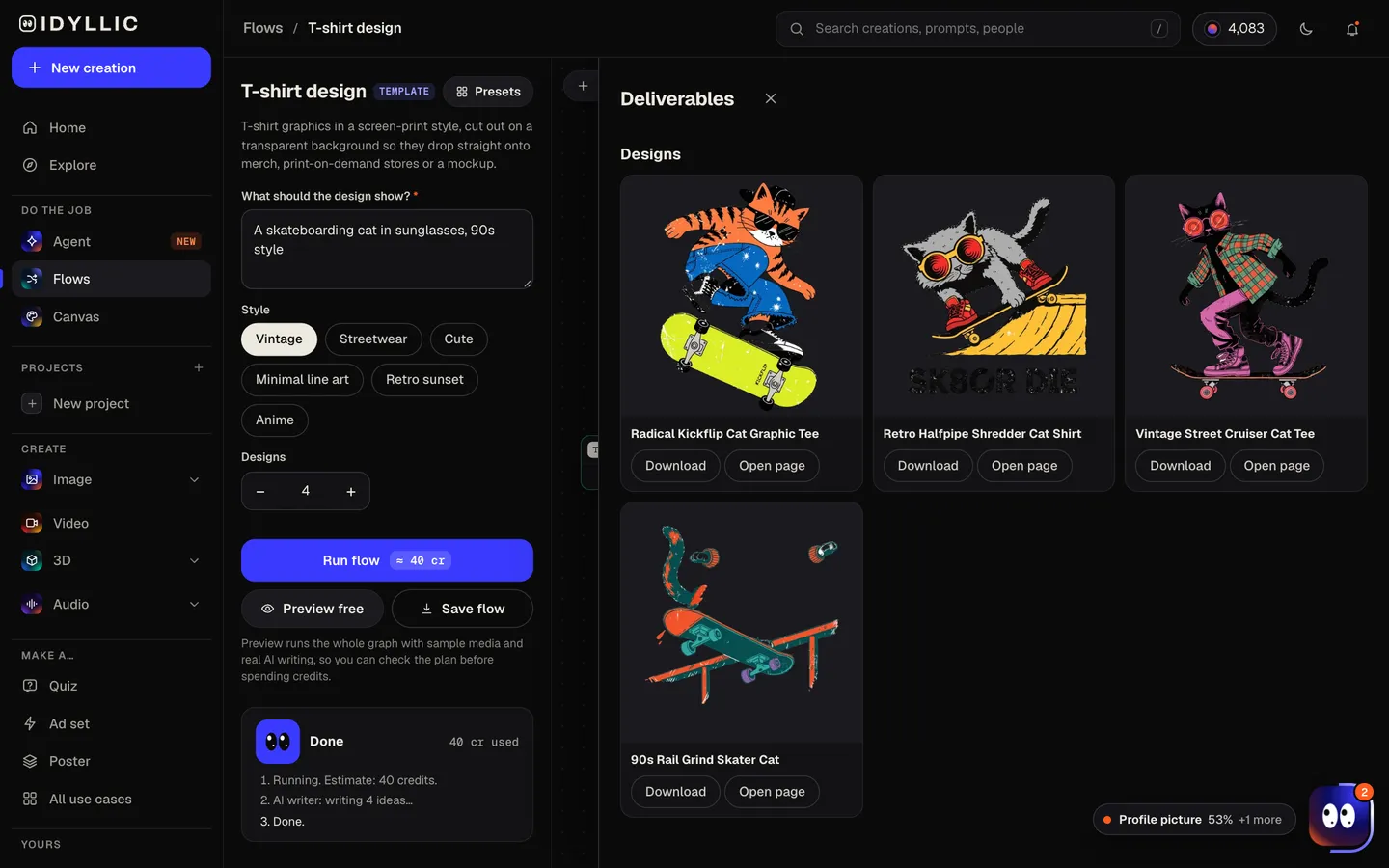
Compare the designs
Every graphic appears side by side, cut out on a transparent background with its product title, so you can see how each will sit on fabric.
- 04
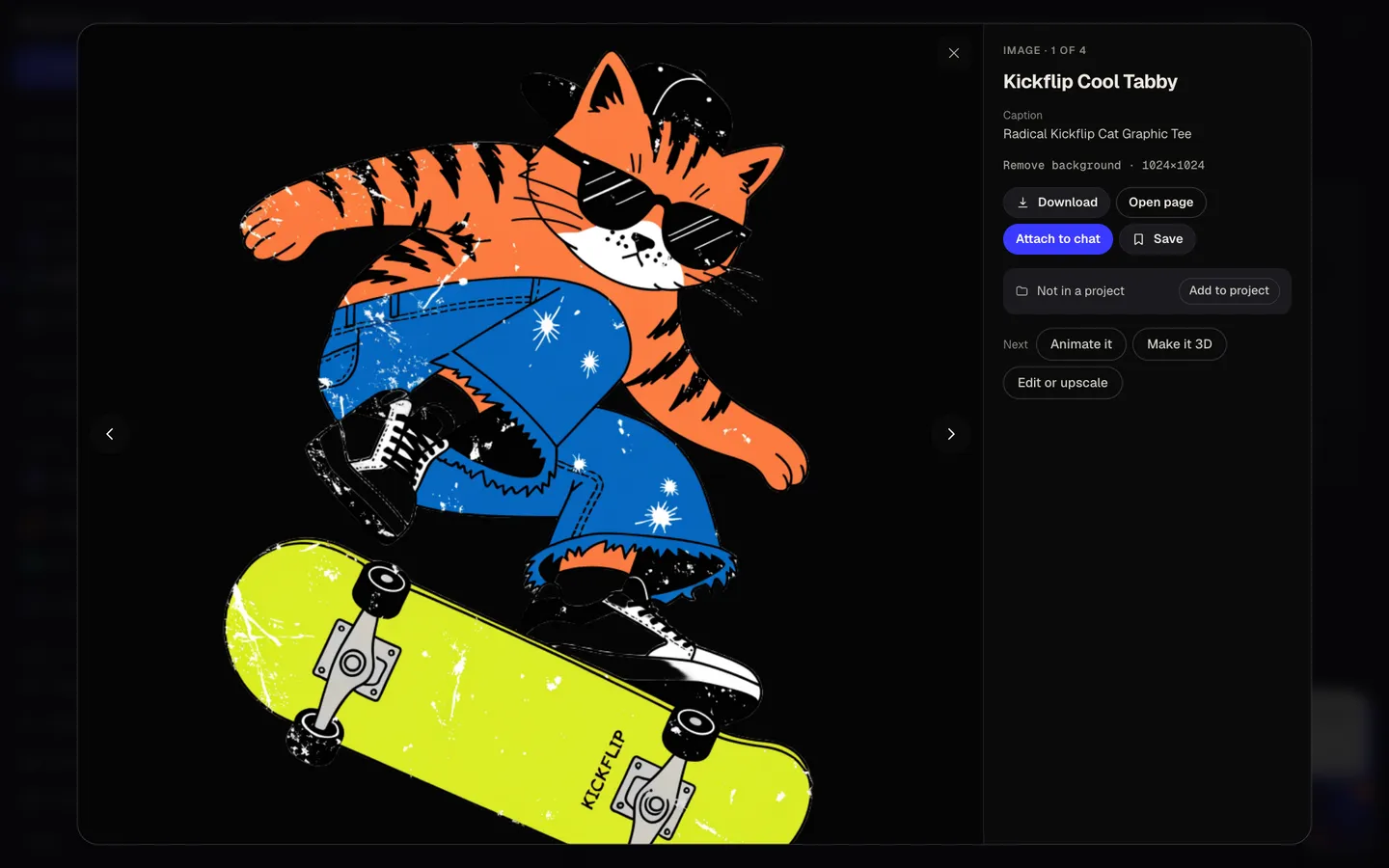
Download or keep going
Open one full size and download the transparent PNG. Or keep going: upscale it for print, put it on a design in Canvas, animate it, or make it 3D.
Why it beats
a template
Cut out, not boxed in
Every graphic comes off its background automatically, so you never print a white square on a black shirt.
Drawn for print
Recraft V4.1 works in flat colors and a limited palette: the screen-print look that holds up on fabric and suits screen printing, where every color is its own screen.
A listing title included
Each design comes with a 3 to 6 word product title, so you can list it on a print-on-demand store without staring at an empty field.
Different takes on one idea
Ask for six and you get six directions: different poses, compositions or treatments, not six near-copies.
Fix the details
Select part of a design and describe a change, erase a stray mark, or upscale it, without starting over.
Sell what you make
Paid plans include a commercial license, so designs can go on shirts you sell, team merch and print-on-demand stores.
What makes a good t-shirt design
- Design for a chest seen from six feet away. Bold shapes beat fine detail.
- Limit the palette to three or four colors. It prints cleaner and costs less to screen print.
- Plan for the shirt color: light ink on dark shirts, dark ink on light ones.
- Keep words short and big. A word or a phrase reads; a paragraph does not.
- Avoid hard rectangular edges so the graphic sits naturally on the fabric.
- Order one sample before you sell a run.
T-shirt print file sizes
| Idyllic design | Square PNG | Transparent background; upscale up to 4× before print |
|---|---|---|
| Merch by Amazon, standard tee | 4500×5400 px | PNG, under 25 MB |
| Printful, DTG | At least 150 DPI at print size | PNG recommended, since it keeps the transparency |
| 12×16 in front print | 1800×2400 px at 150 DPI | 3600×4800 px at 300 DPI |
Upscale the PNG 4× before you upload, then center it on your store's print template. Print areas vary by product, so check each one's file guidelines.
Steal a brief
Each one opens the flow with the brief filled in. Change anything before you run it.
Robotics club logo with neon circuit lines and the words 'BUILD MODE'
Vintage summer camp crest with pine trees and 'Camp Lost Lake 1998'
A tired coffee cup lifting a giant barbell, 'Espresso Gym' underneath
Volleyball team mascot, a hawk with wings spread, two colors
Retro sunset over palm trees with a vintage surf van
Minimal line drawing of a mountain range and a single tent
A sushi roll samurai with a tiny katana
A frog on a mushroom playing a banjo, cottagecore
Bachelorette weekend in Nashville, cowboy boots and disco balls
Questions
Is the AI t-shirt design generator free?
You can preview the whole flow free: real AI writing with sample images, so you can check the plan. Running it for real is on Plus ($10.50 a month, billed yearly) and uses 30 credits for three designs. The free plan also includes 3 free images a day in the image studio.
Can I sell shirts with these designs?
Yes. Paid plans include a commercial license. Avoid brand names, logos and characters you do not own, since print-on-demand stores remove those listings.
What file do I get?
A transparent PNG for each design. Print-on-demand stores want large files (Merch by Amazon asks for 4500×5400 px), so upscale it up to 4× before you upload.
What makes a good t-shirt design?
One bold idea, a limited palette and shapes that read from across a room. Think about the shirt color early: the same design can vanish on the wrong fabric.
Can I add text to the design?
Yes. Put the words in quotes in your idea, like 'BUILD MODE', and they are drawn into the graphic. Keep it to a few words and proofread before you print.
Do I need to be good at writing prompts?
No. Describe the design the way you would tell a friend and pick a style. The AI writer turns it into a full brief for each take.
Can I use the design on other merch?
Yes. The same transparent PNG works on hoodies, totes and mugs in most print-on-demand stores, and the sticker flow makes die-cut versions with a white border.
Make something else
Everything you can make
Your turn.
Preview the whole flow free. No credit card.