Ready-made flow · Your pet as royalty, an astronaut or a work of art
Pet Portrait Generator
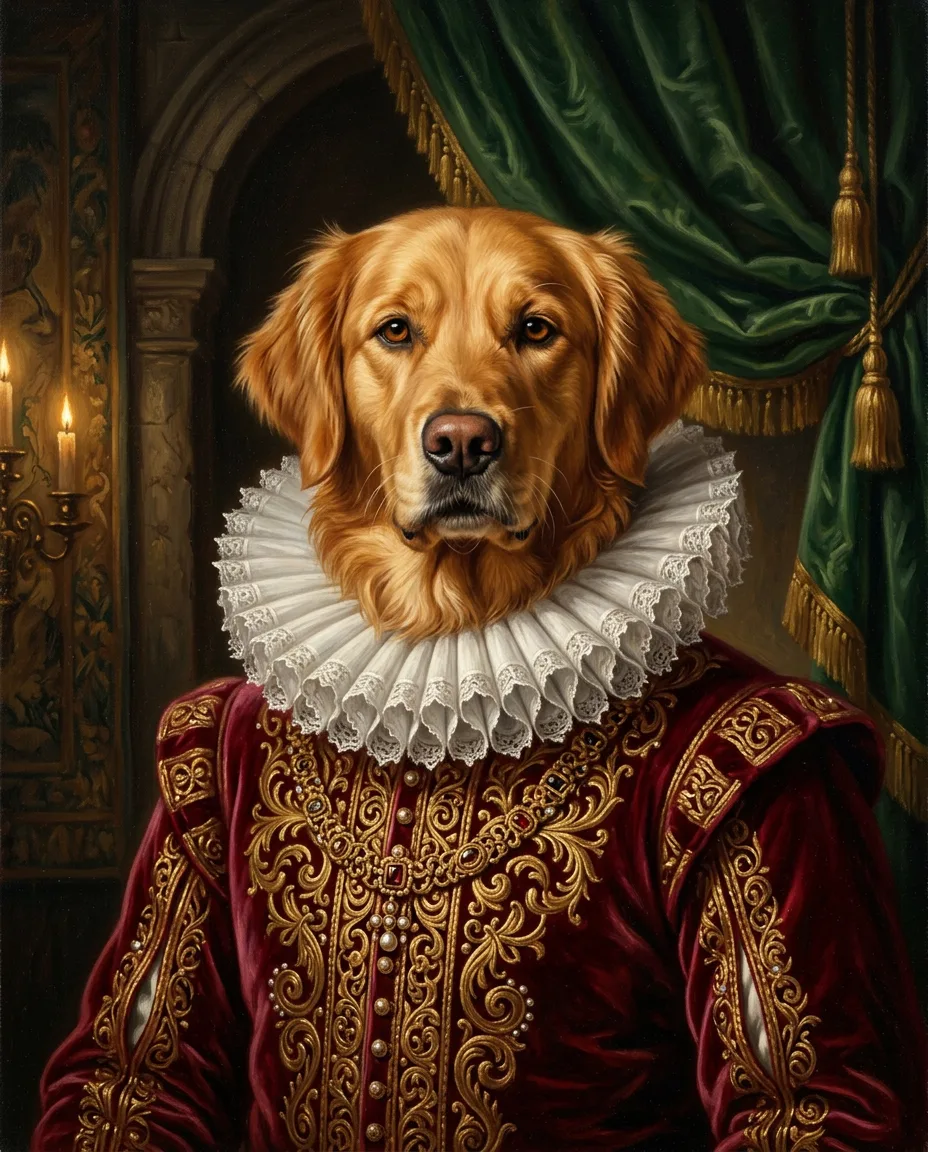
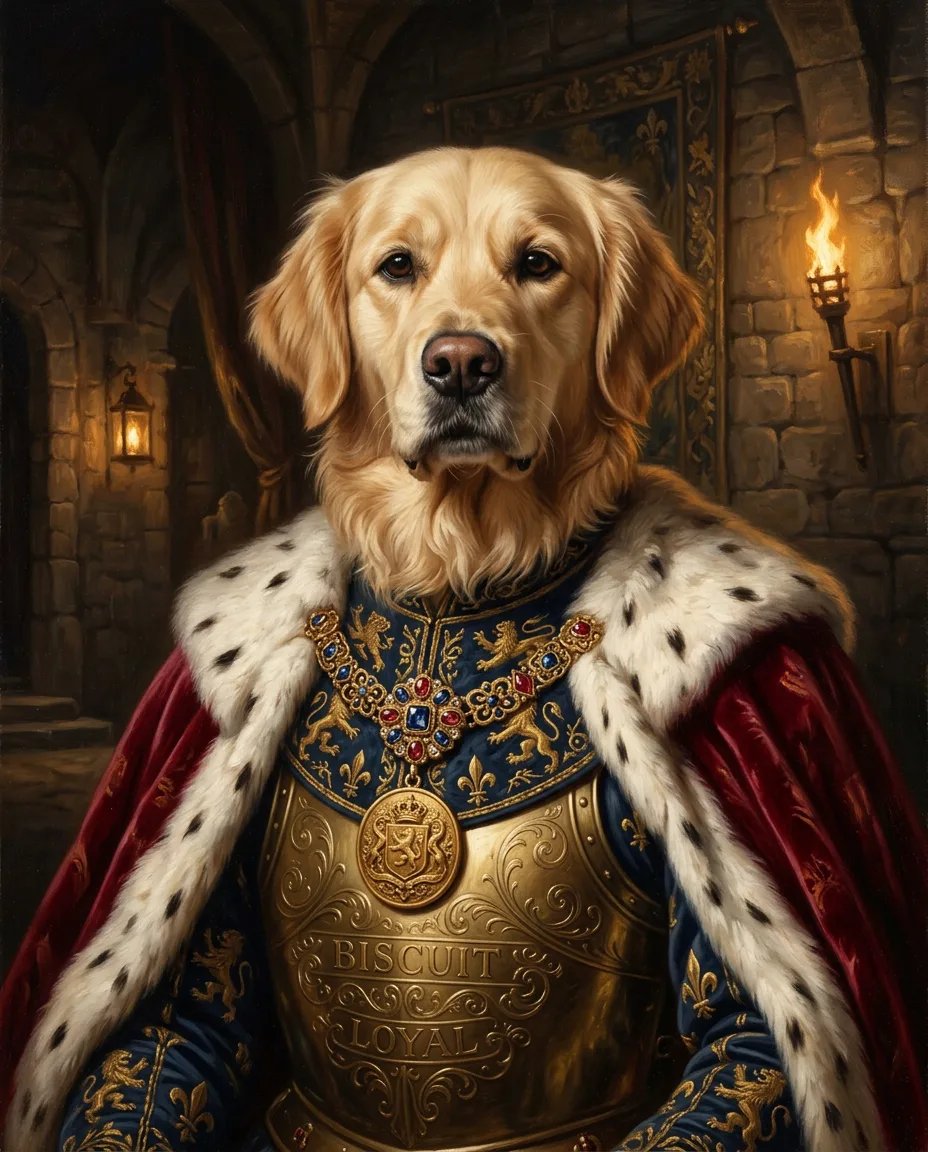
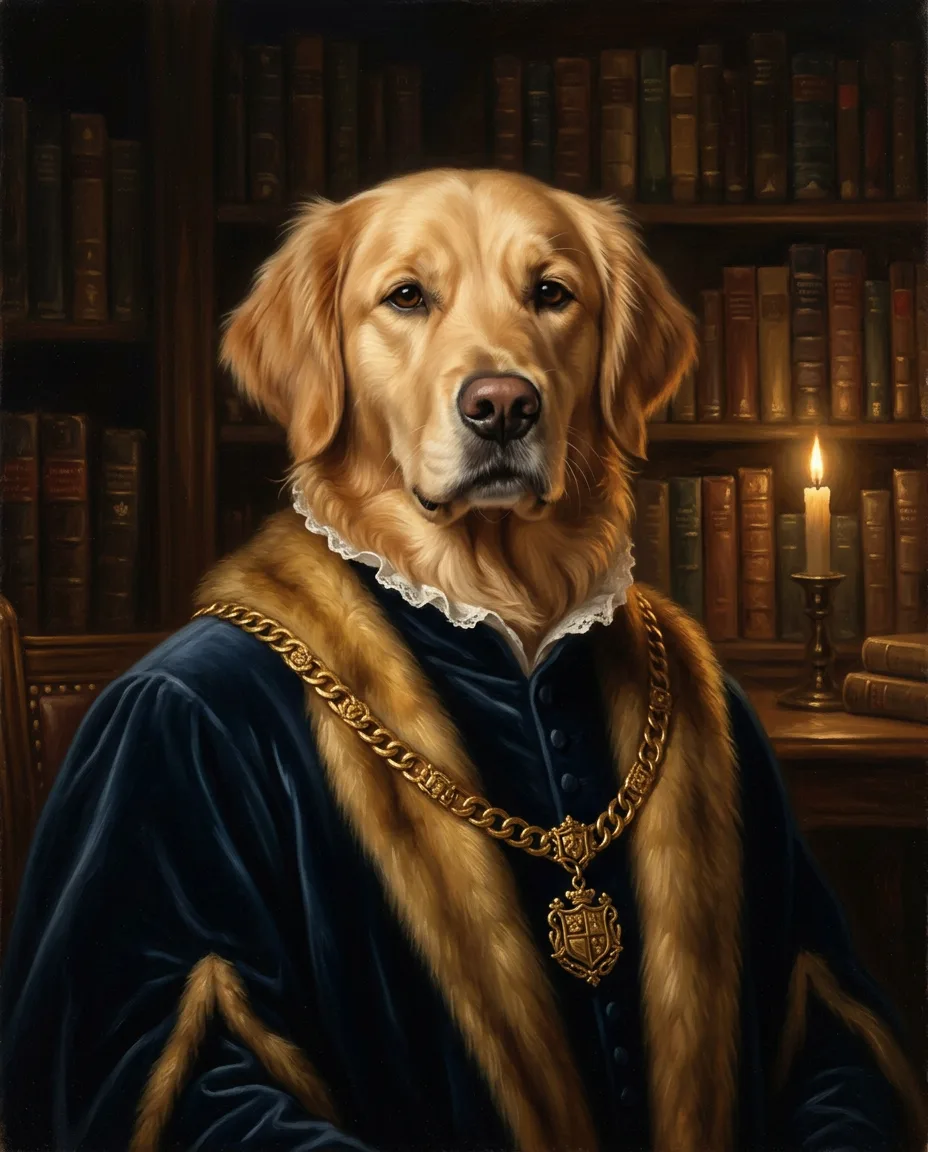
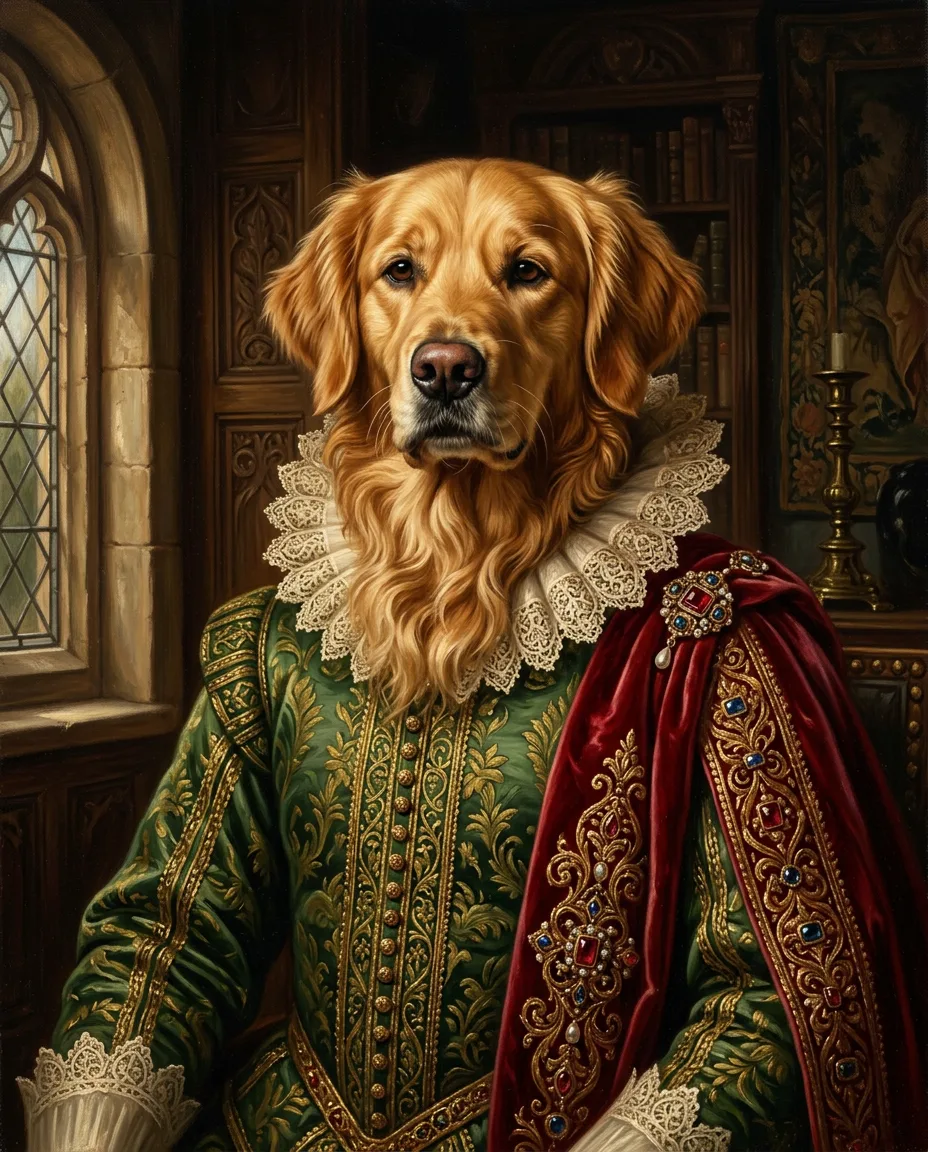
Idyllic's pet portrait generator paints your own pet from one photo. Nano Banana 2 keeps the face, fur color, markings and eyes from your picture, then dresses your pet for the style you pick: a Renaissance duke, royalty, pop art, an astronaut, a superhero. You get four portraits by default, each a different scene with a fun title. Preview free.
- Starts from
- One photo of your pet
- You get
- 4 portraits, each a different scene
- Shape
- 4:5, the shape of an 8×10 print
- Image model
- Nano Banana 2
- Cost
- 80 credits for 4 portraits, on Plus
Real output · no retouching
One brief.
4 results.
- Name and breed (optional)
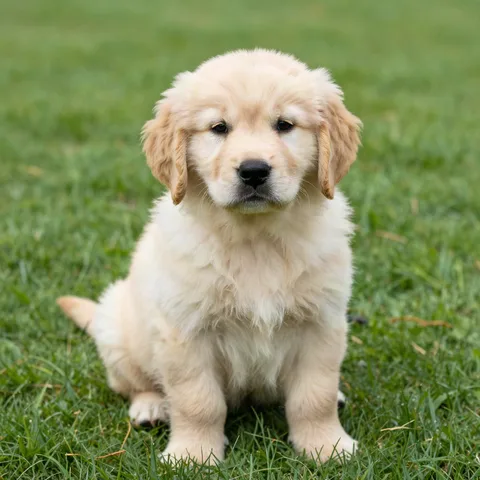
- Biscuit, a golden retriever
- Style
- Renaissance
- Photo of your pet
- Photo added
How to make it
Four steps, about a minute of your time. These are real screens from the run above.
- 01
Add your pet's photo
Upload a photo of your pet, add a name and breed if you like (Biscuit, a golden retriever), pick a style (Renaissance, Royal, Watercolor, Pop art, Astronaut, Oil painting, Anime or Superhero) and how many portraits you want, up to six.
Open the flow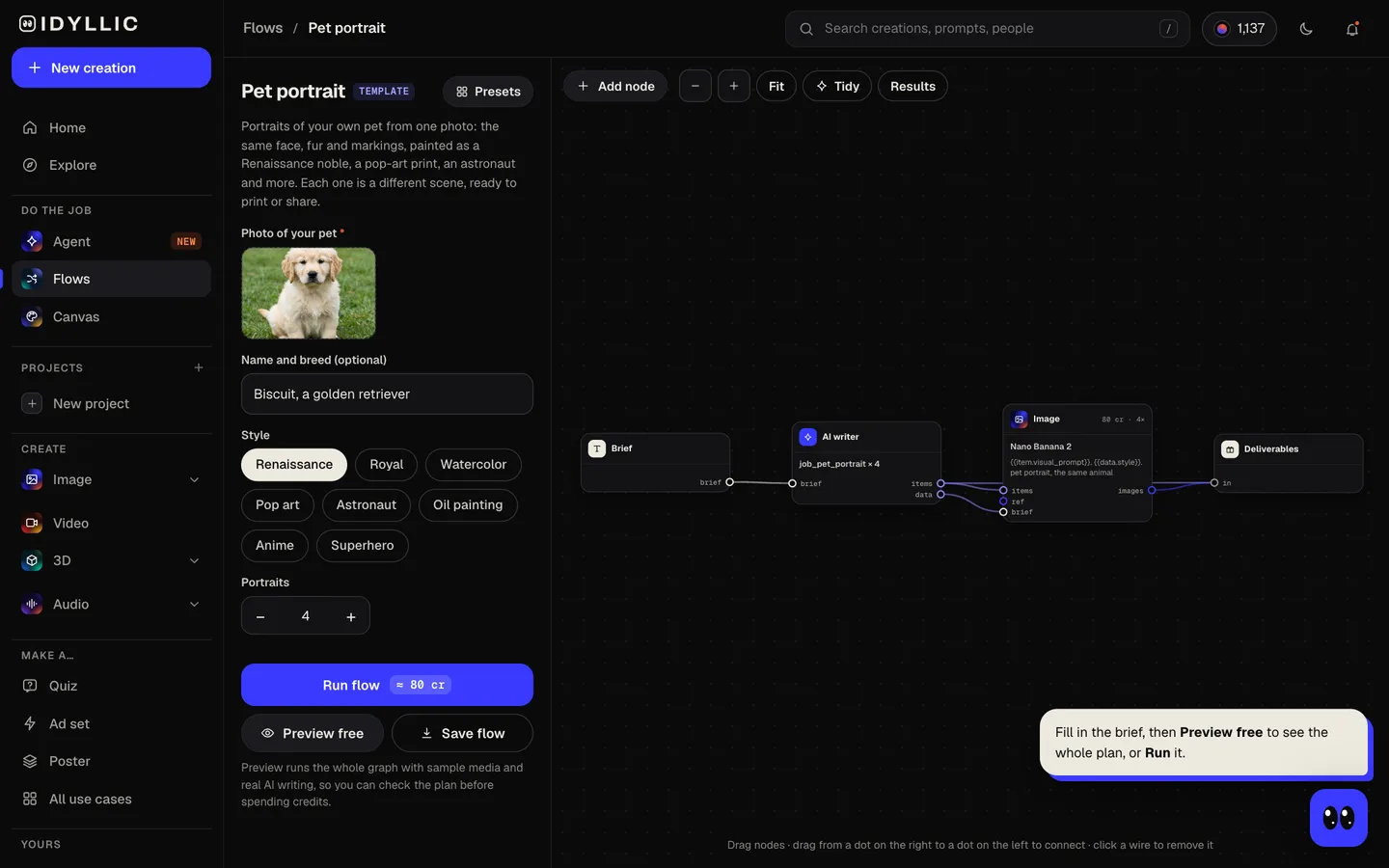
- 02
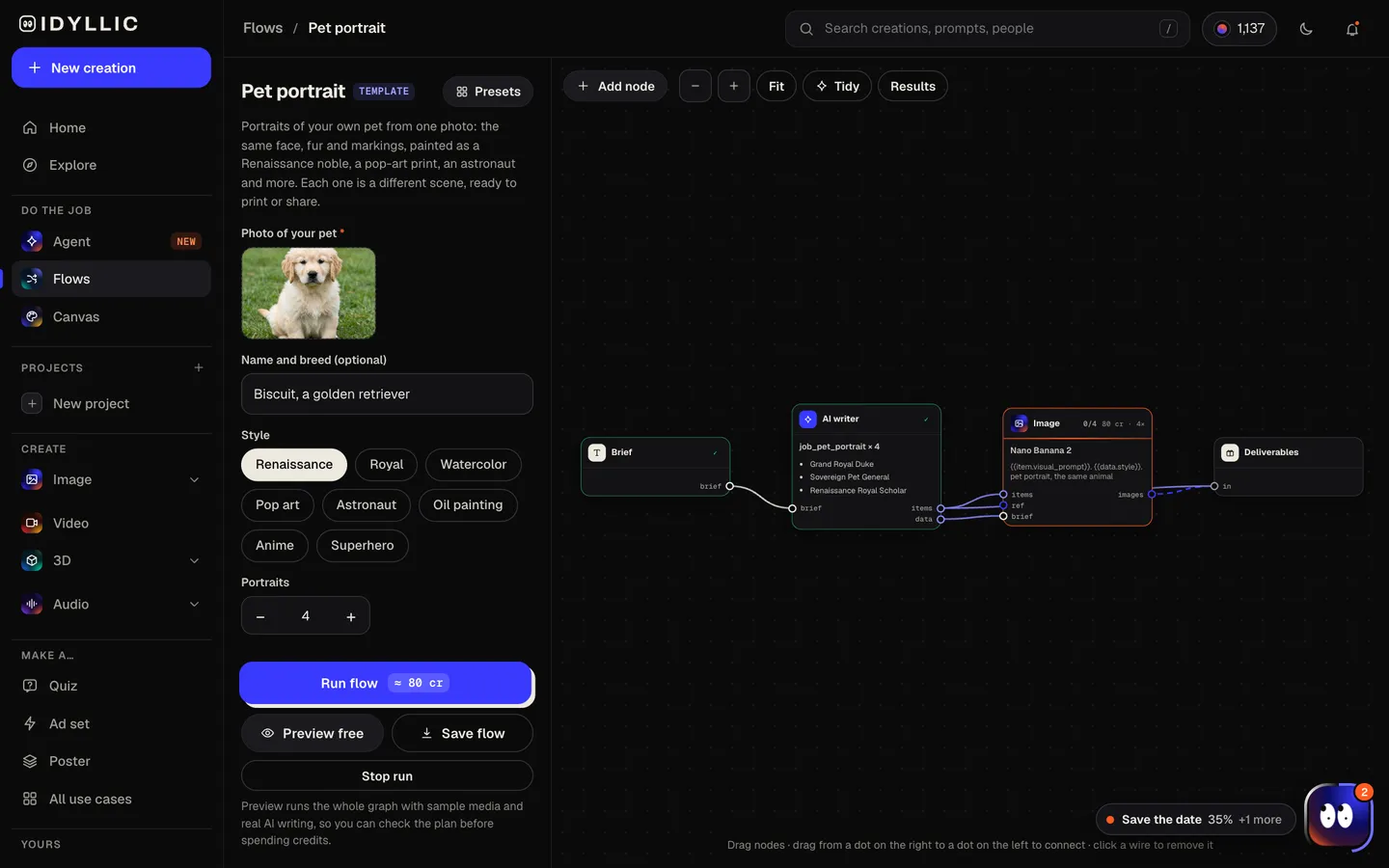
Watch the portraits get painted
The AI writer plans a different scene or costume for each portrait and gives it a title. Nano Banana 2 paints each one from your photo, keeping your pet's face, fur and markings. Preview the plan free.
- 03
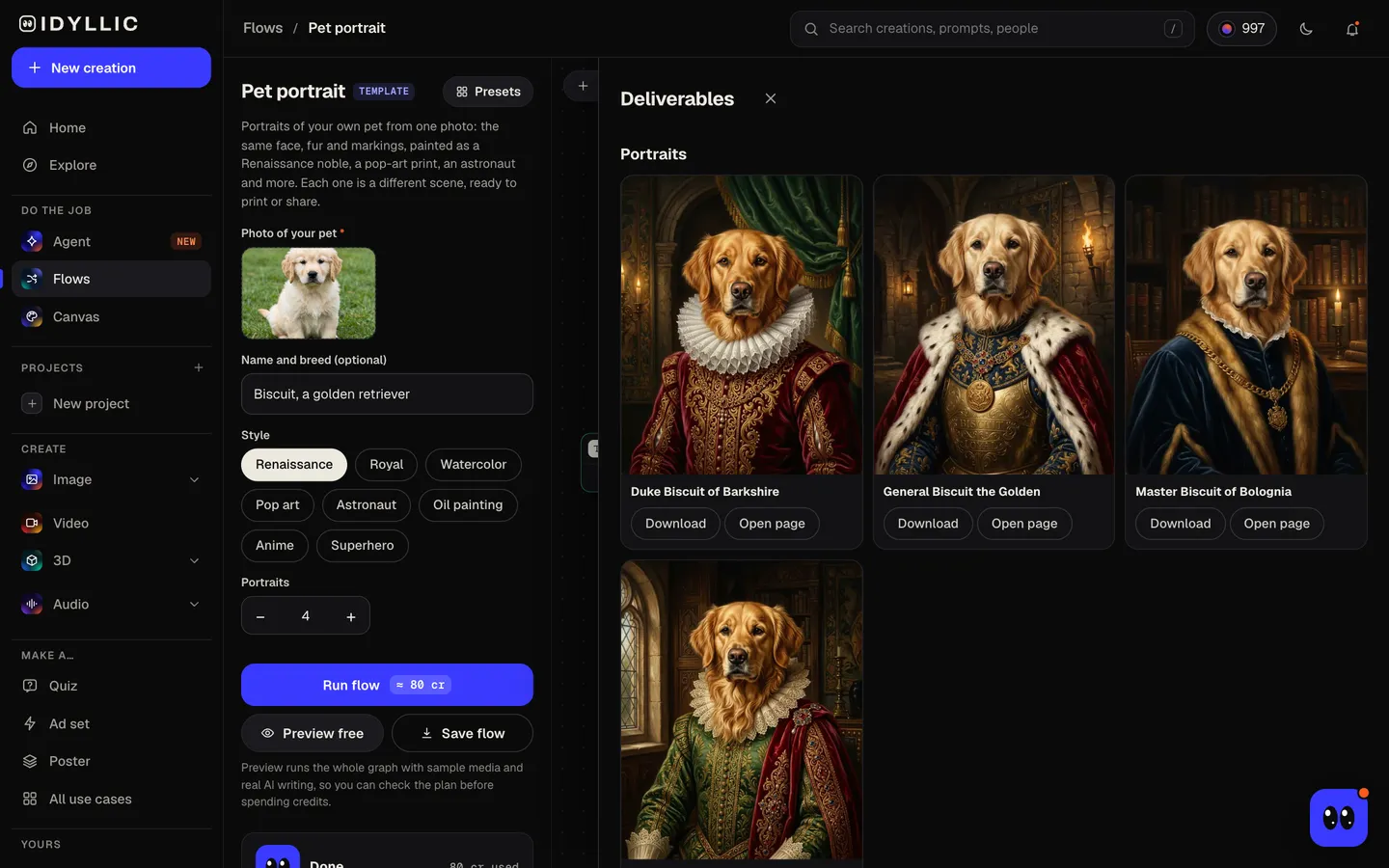
Meet the whole gallery
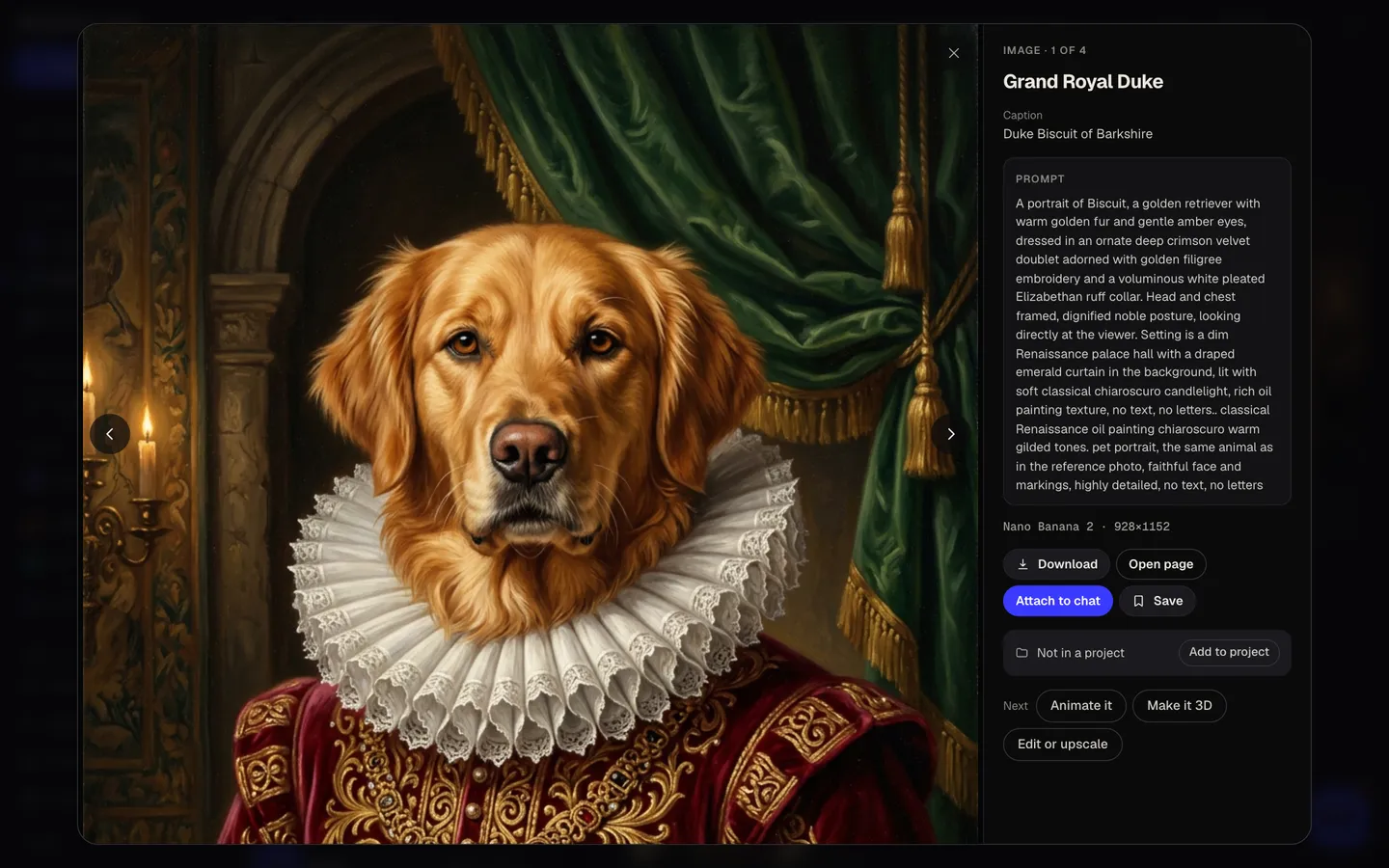
Every portrait appears side by side with its title, like 'Duke Biscuit of Barkshire', so you can pick one for the wall and one for the group chat.
- 04
Download or keep going
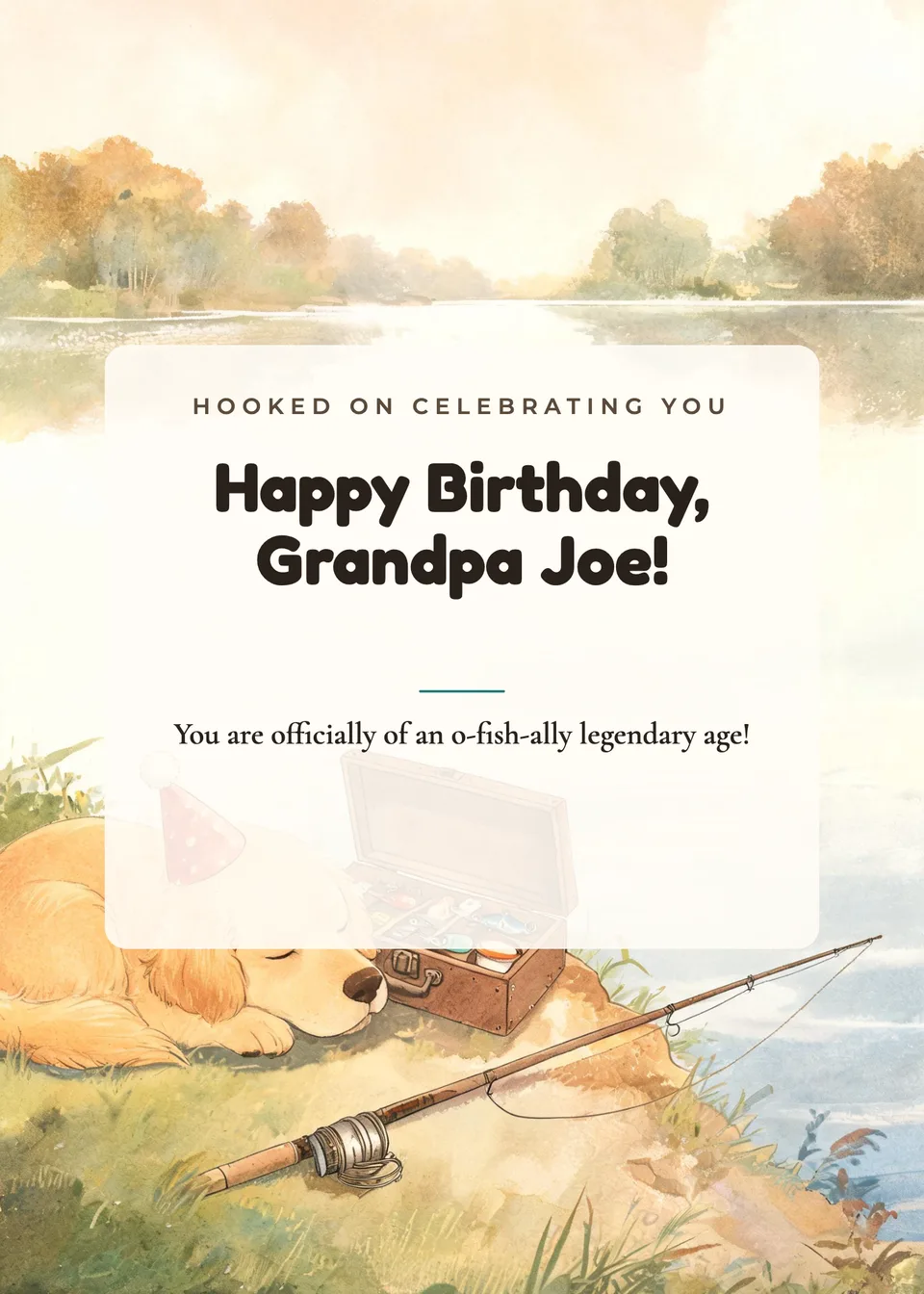
Open one full size and download it. Or keep going: upscale it for a big print, put it on a card design, or animate it.
Why it beats
a template
Your pet, not a lookalike
Every portrait starts from your photo, so the face, fur color, markings and eye color stay your pet's. Only the costume, setting and painting style change.
Eight styles
Renaissance, Royal, Watercolor, Pop art, Astronaut, Oil painting, Anime or Superhero. Each run gives several scenes in one style: a duke in a ruff, a duchess in pearls, a general on a velvet throne.
Titles with personality
Add your pet's name and every portrait gets a title to match, ready for a frame plaque, a caption or a gift card.
Shaped for a frame
Portraits are 4:5, the same shape as an 8×10 or 16×20 print and an Instagram portrait post, so nothing gets cropped.
Dogs, cats and more
Works for dogs, cats, rabbits, birds and other pets. If the face is clear in your photo, it can be painted.
A gift that feels personal
Birthdays, adoption days, a memorial for a pet you miss. Upscale the portrait and send it to any print shop.
How to get a portrait that looks like your pet
- Use a sharp, well-lit photo where the face fills a good part of the frame.
- Shoot at eye level. Get down to your pet's height for the photo.
- Show the markings. A photo that hides a white patch or a crooked ear gives the portrait less to keep.
- One pet per photo gives the cleanest result.
- Add the breed and the name. The breed helps with fur and ears; the name goes into the titles.
- Upscale before you print anything larger than a card.
Portrait print sizes
| Idyllic portrait | 4:5 portrait | Upscale 2× or 4× in Canvas before a large print |
|---|---|---|
| 8×10 in print | 2400×3000 px at 300 PPI | Same 4:5 shape, no crop |
| 16×20 in print | 4800×6000 px at 300 PPI | Same shape; 150–200 PPI is fine for a print seen from a few feet |
| 11×14 in print | 3300×4200 px at 300 PPI | Slightly narrower than 4:5, so a sliver is trimmed |
| Instagram portrait post | 1080×1350 px | 4:5, the same shape |
300 PPI is the standard for prints you see up close. Because the portraits are 4:5, 8×10 and 16×20 frames fit with no crop.
Steal a brief
Each one opens the flow with the brief filled in. Change anything before you run it.
Mochi, a grey British Shorthair, as a queen with a crown and an ermine cloak
Pepper, a black pug, as an astronaut floating past Saturn
Luna, a husky with one blue eye, as a watercolor portrait in soft blues
Toast, a dachshund, as a superhero with a red cape over the city
Olive, a tabby cat, as a bold pop-art print in hot pink and yellow
Max, a black Labrador, as an oil painting of a sea captain in a navy coat
Clover, a lop-eared rabbit, as an anime hero in a field of flowers
Pickles, a pug, sitting on the clouds as a Renaissance cherub
Questions
How do you make a pet portrait for free?
You can preview the whole flow free: real AI writing with sample images, so you can check the plan. Painting your own pet's photo is on Plus ($10.50 a month, billed yearly) and uses 80 credits for four portraits. The free plan also includes 3 free images a day in the image studio.
Does the portrait look like my actual pet?
That is the point. Each portrait starts from the photo you upload, and Nano Banana 2 keeps the face, fur color, markings and eyes. A clear, well-lit photo gives the closest likeness.
Can I create a pet portrait without any art skills?
Yes. Upload a photo, pick a style and the flow does the rest: the AI writer plans the scenes and the image model paints them. No drawing and no prompt writing.
What photo works best?
A sharp, well-lit photo taken at your pet's eye level, with the face clearly visible and one pet in the frame. Avoid heavy filters, which can change the fur color.
What size should I print a pet portrait?
The portraits are 4:5, so they fit 8×10 and 16×20 frames with no crop. Upscale in Canvas first: an 8×10 print at 300 PPI needs 2400×3000 px.
How can I share my pet portraits?
Download them for a post, a phone wallpaper or a card. Each one comes with a title that works as a caption. Paid plans include private mode if you would rather keep them out of the public gallery.
Can I sell portraits I make here?
Yes. Paid plans include a commercial license, so you can offer portraits to clients using photos they own and send you.
Make something else
Everything you can make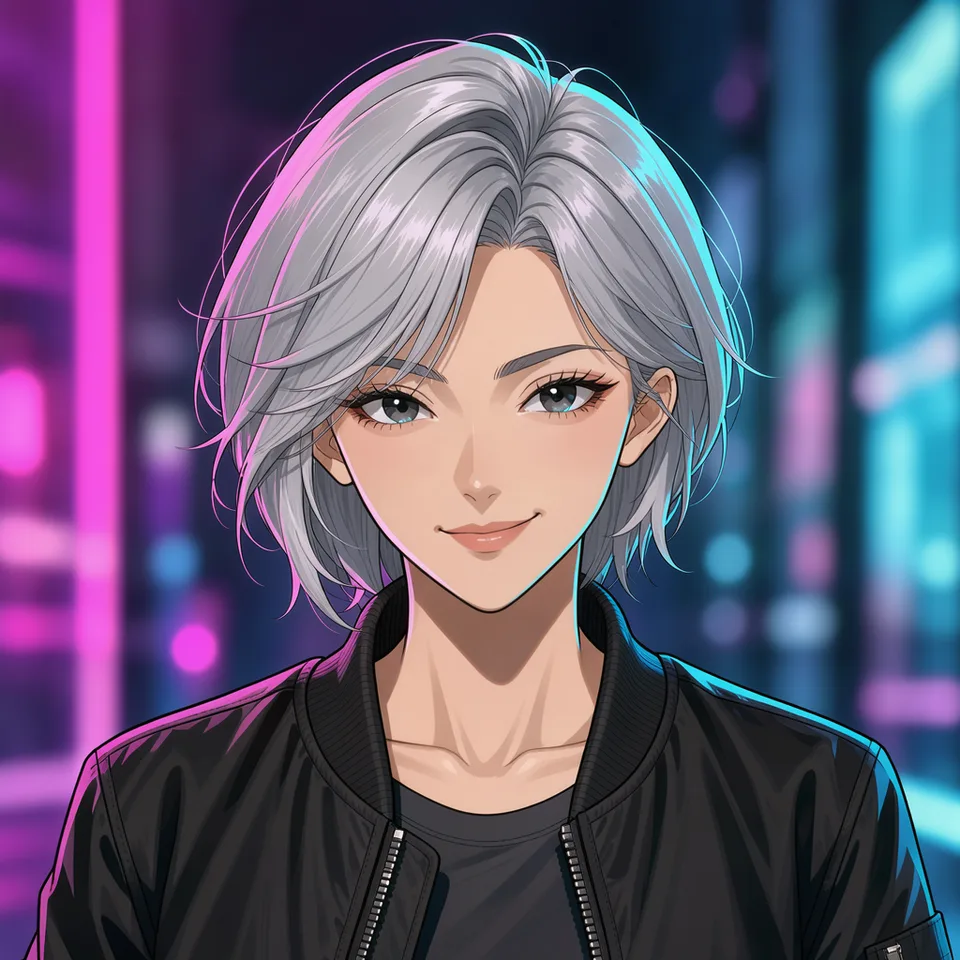
Your turn.
Preview the whole flow free. No credit card.