Ready-made flow · Save the dates with your names, date and place
Custom Save the Date Cards
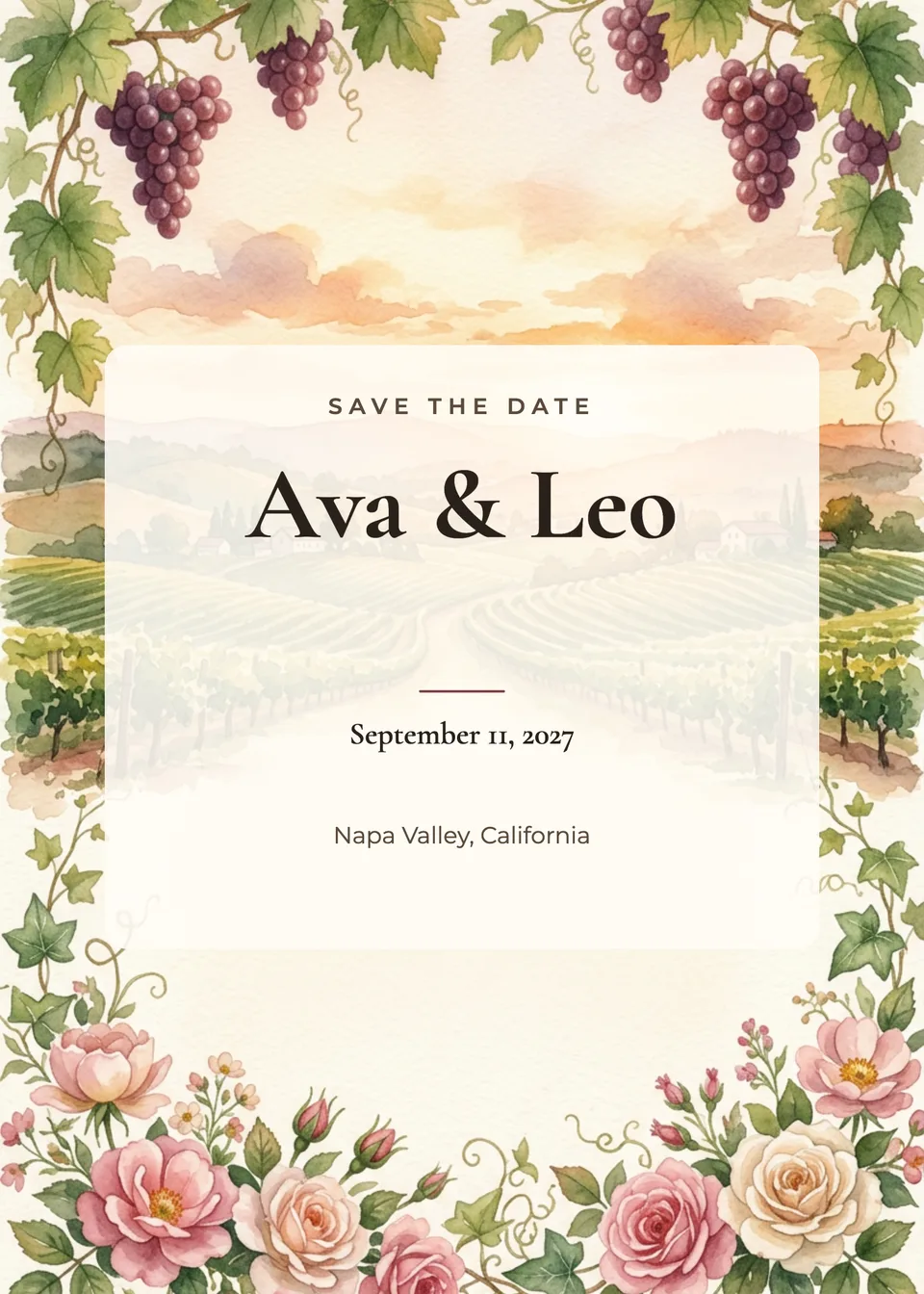
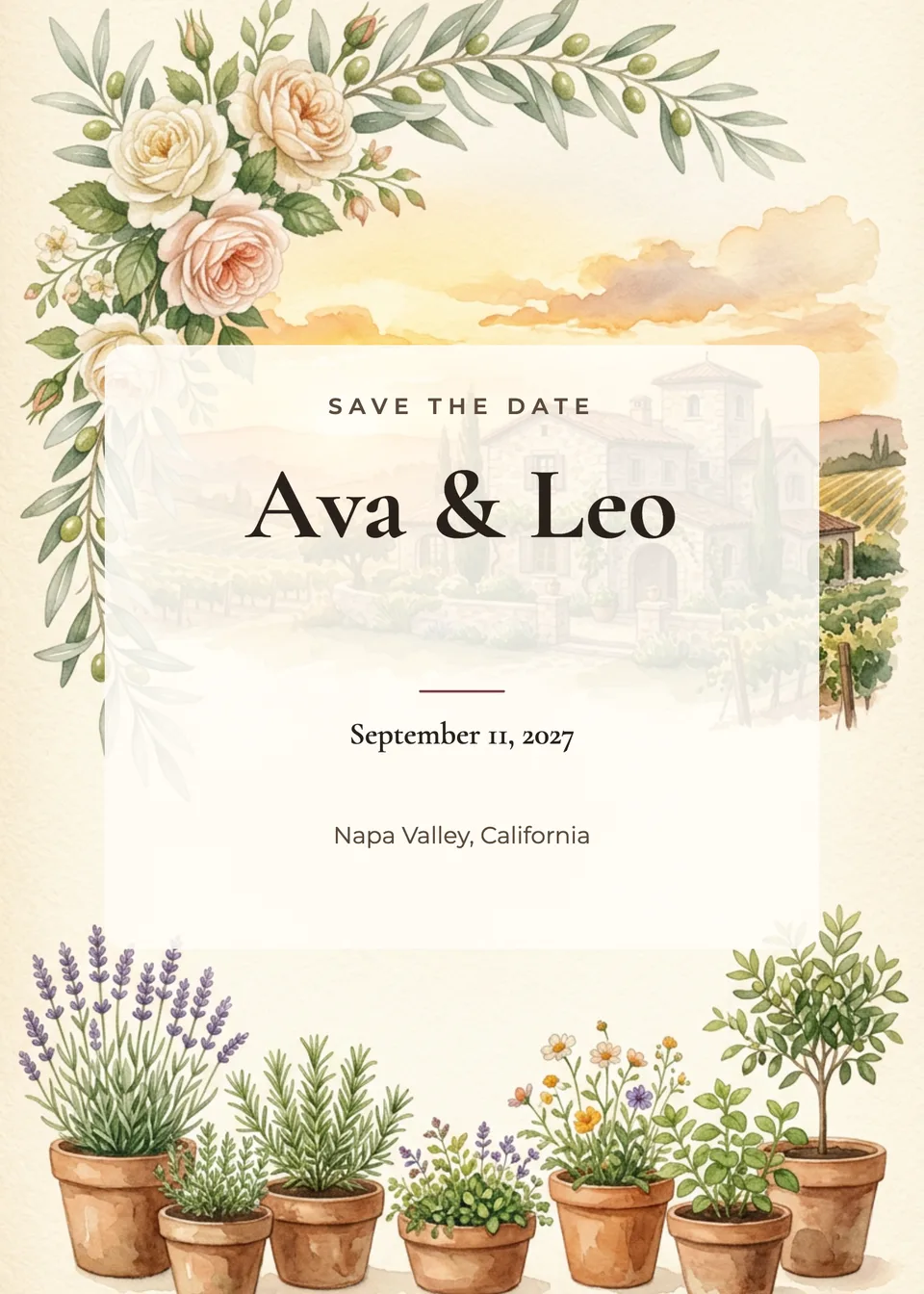
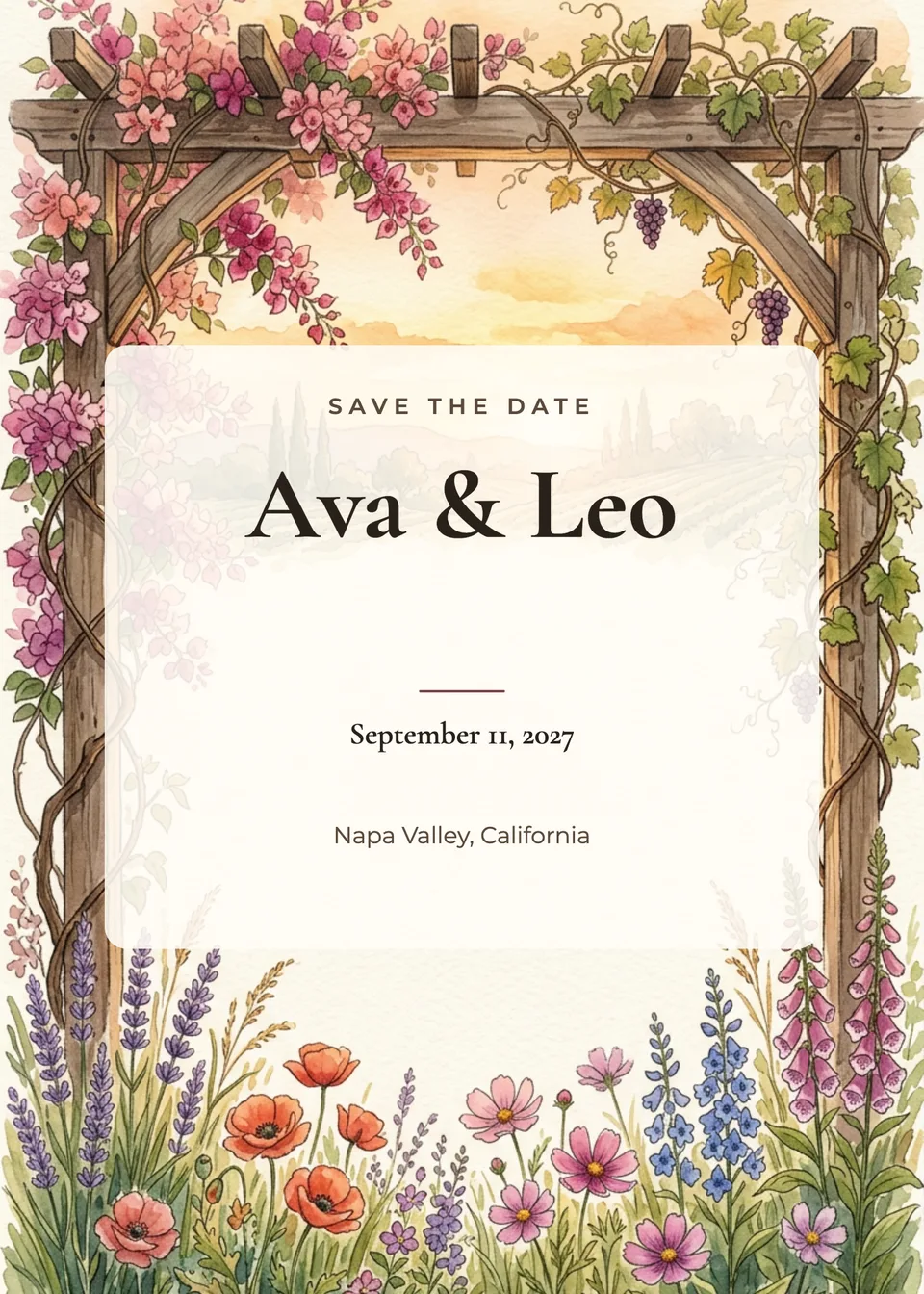
Idyllic's save the date card maker designs three cards from your names, the date and the place. Add a photo of you two and Nano Banana 2 puts you, recognizable, into a scene that suits the place; leave it out and it paints the place or florals instead. Idyllic then sets “Save the date”, your names, the date and the place in editable type on a 5×7 card.
- Size
- 5×7 in, 1500×2100 px (300 ppi)
- You get
- 3 cards + the artwork
- Photo
- Optional: the two of you, kept recognizable
- Image model
- Nano Banana 2
- Credits
- 60 for 3 designs, Plus and up
Real output · no retouching
One brief.
3 results.
- Your names
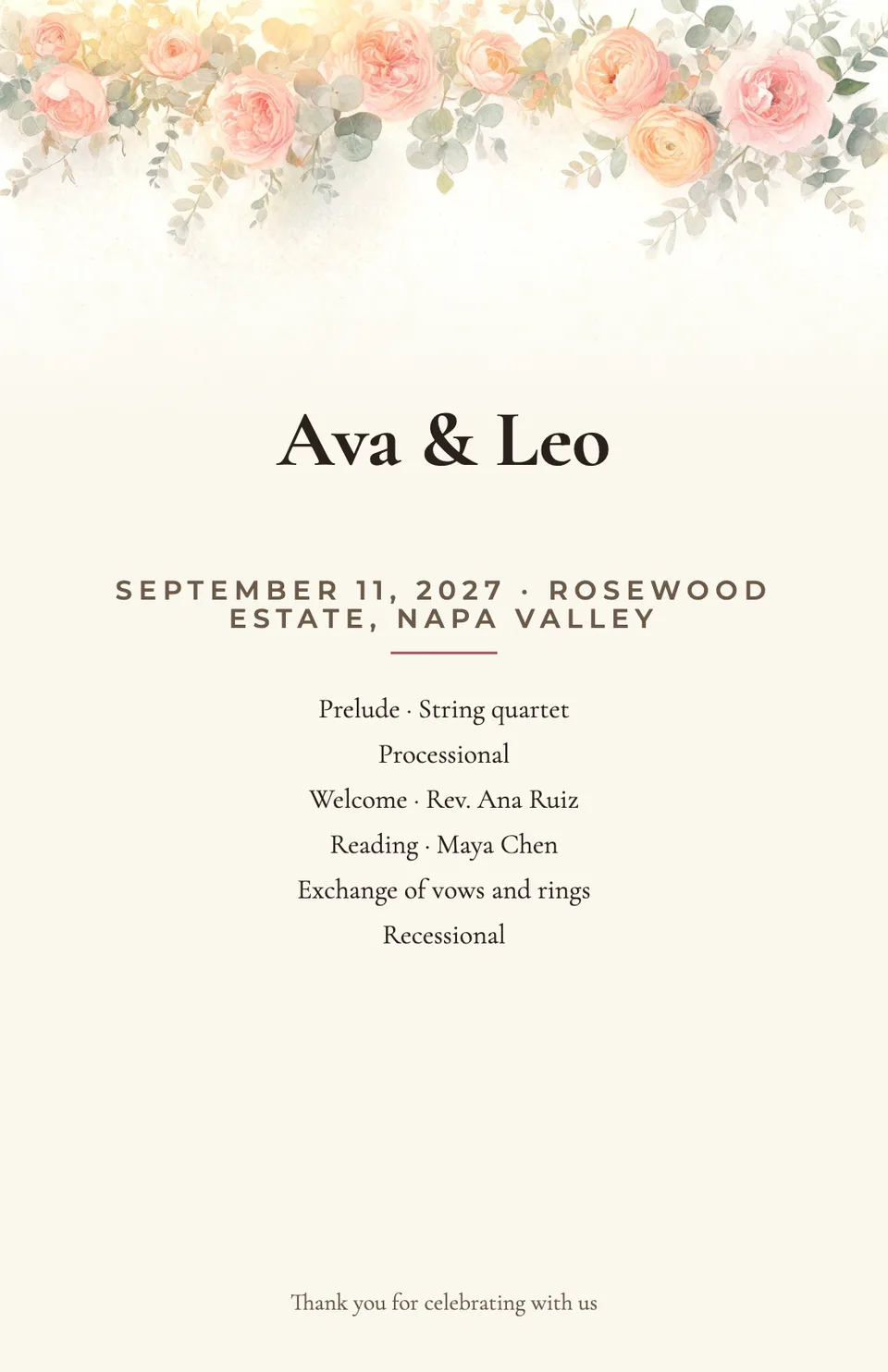
- Ava & Leo
- Date and place
- September 11, 2027 · Napa Valley, California
- Look
- Romantic
How to make it
Four steps, about a minute of your time. These are real screens from the run above.
- 01
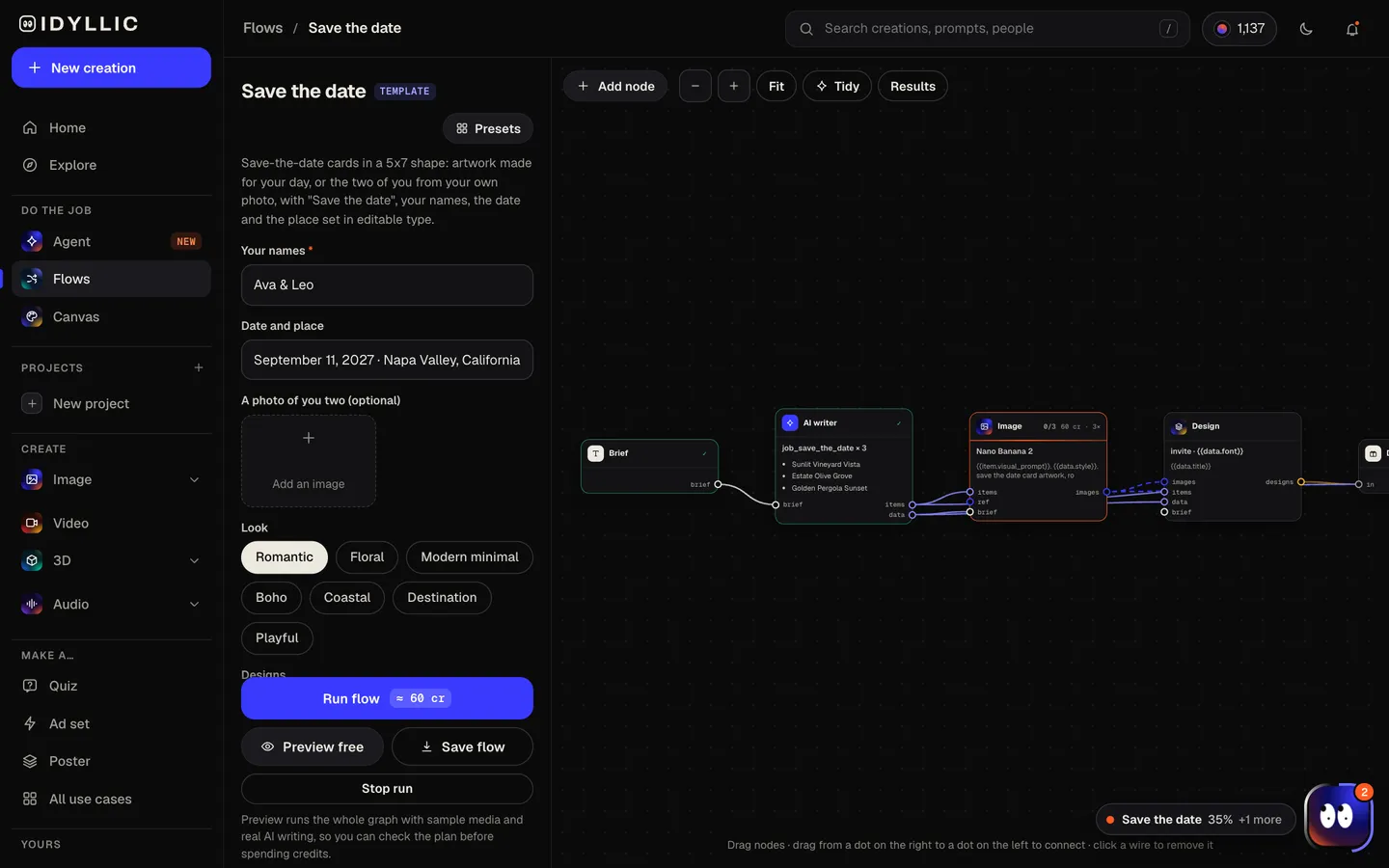
Add your names, date and place
Type your names (“Ava & Leo”) and the date and place (“September 11, 2027 · Napa Valley, California”), add a photo of you two if you like, and pick a look: Romantic, Floral, Modern minimal, Boho, Coastal, Destination or Playful.
Open the flow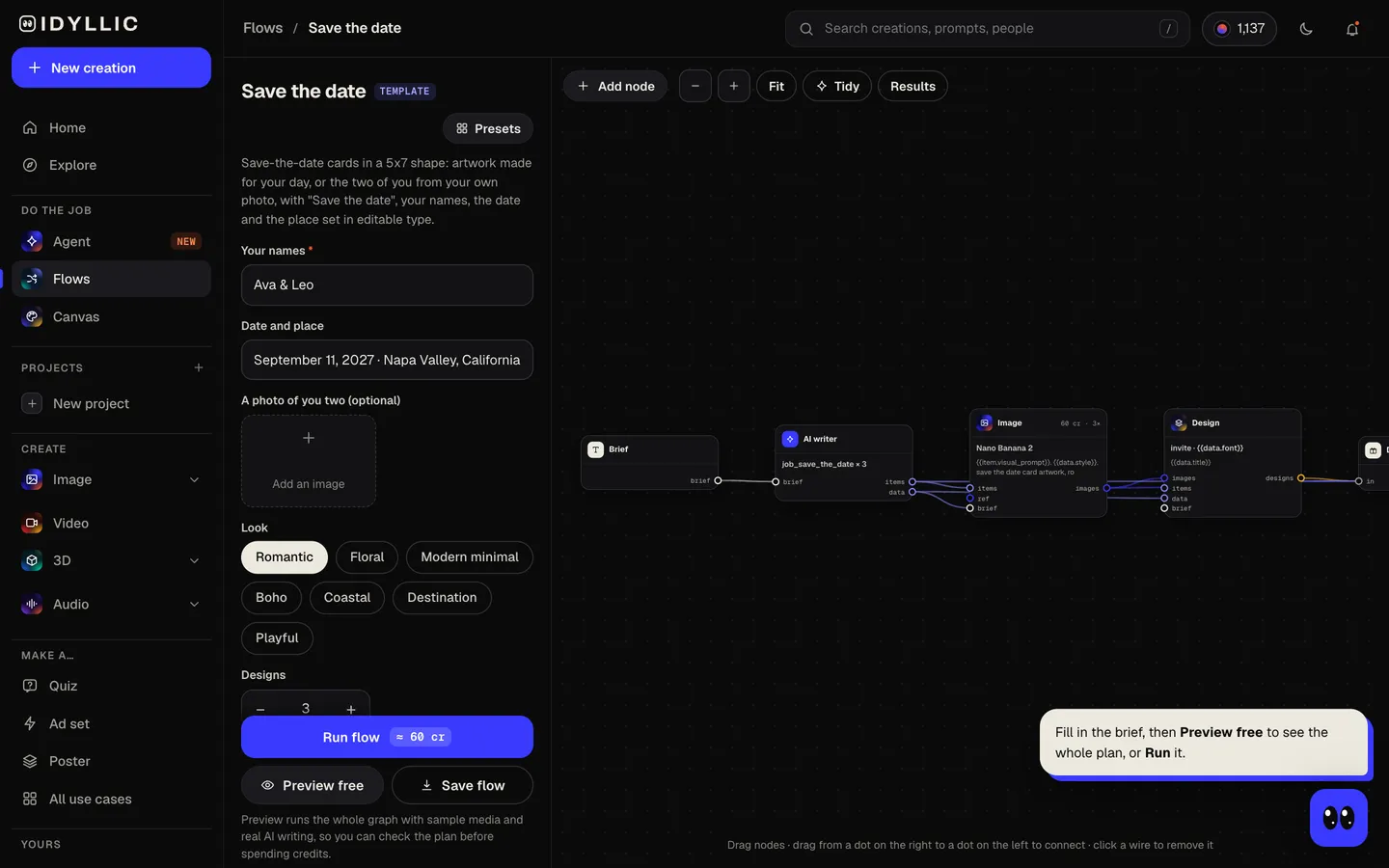
- 02
It plans and paints
The AI writer plans a different scene for each card. With your photo, Nano Banana 2 places the two of you in a setting that suits the place; without one, it paints the place or florals. Idyllic then sets “SAVE THE DATE”, your names, the date and the place on a cream card. Preview the flow free first.
- 03
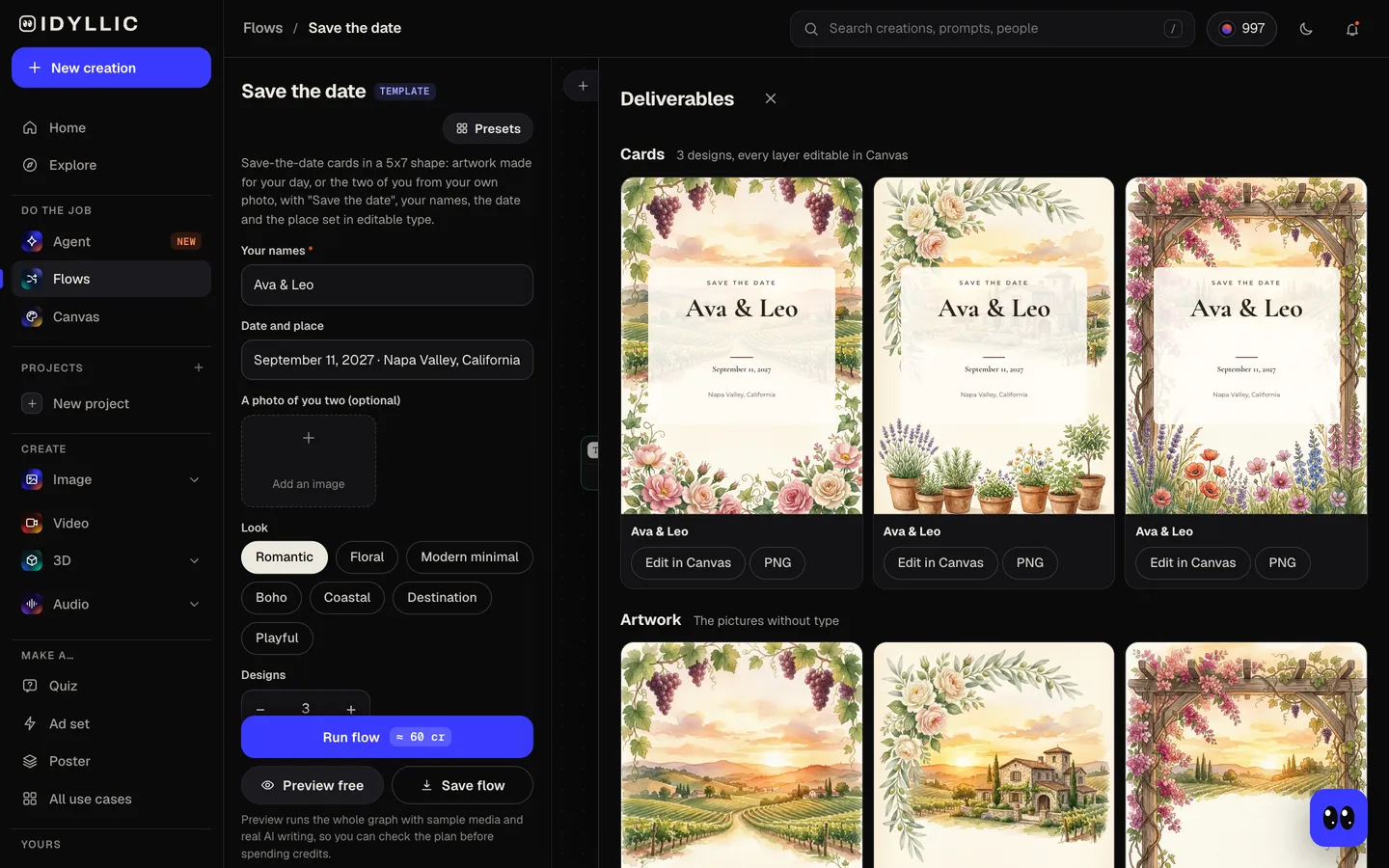
Pick your favorite
The three cards sit side by side with the artwork on its own, so you can compare the scenes and choose the one to send.
- 04
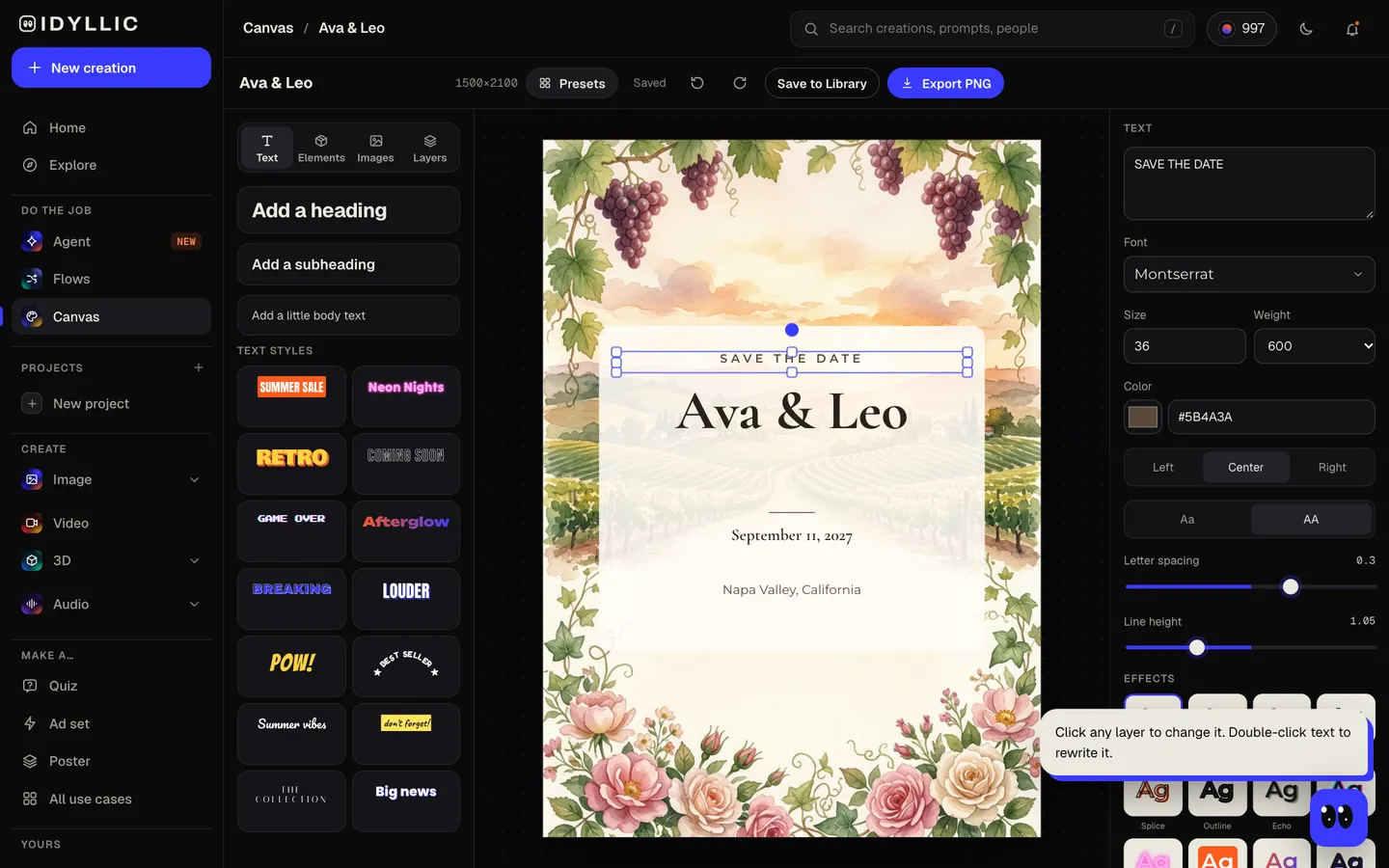
Edit and send
Open one in Canvas, change any word, font, effect or color, add “Invitation to follow” or your wedding website, then download a 1500×2100 PNG to print or send.
Why it beats
a template
The two of you, in the picture
Add a photo and the couple in it stays recognizable, placed in a romantic setting that suits your place: vineyard rows for Napa, a cliffside terrace for the Amalfi Coast.
Or a scene of the place
No photo? The artwork becomes an illustration of where you're getting married, or florals in your look, with no people in it.
The details, already set
“Save the date”, your names, the date and the place are laid out on a cream card in a script or serif face picked for the look.
Every word stays editable
Add your wedding website, “Formal invitation to follow” or a hashtag. Choose from 144 fonts, change colors and effects, move any layer.
5×7, ready to mail
1500×2100 px prints at 5×7 in at 300 ppi and fits an A7 envelope. The same PNG works for email and text.
Seven looks
Romantic, Floral, Modern minimal, Boho, Coastal, Destination and Playful, from a city hall date to a wedding abroad.
What to put on a save the date
- Both names, the way they'll appear on the invitation.
- The date, and the city and state or country. The venue and time can wait for the invitation.
- A line like “Invitation to follow”, so nobody looks for an RSVP card.
- Your wedding website, if you have one, for travel and hotel details.
- Send them only to people you'll invite: a save the date is a promise of an invitation.
- Common guidance is six to eight months before the wedding, and nine to twelve months for a destination wedding.
Save the date size and specs
| Card (flow size) | 5×7 in, 1500×2100 px | 300 ppi at print size, portrait |
|---|---|---|
| Large export | 3000×4200 px | 600 ppi at 5×7, for print shops that ask for more |
| Envelope | A7, 5¼×7¼ in | The standard envelope for a 5×7 card |
| Your photo | Clear and well lit | Both faces visible; the scene around you is made new |
| Email and text | Same PNG | Portrait, reads well on a phone |
Print on 5×7 card stock at 100% scale and keep text about ⅛ in (3 mm) inside the edge, since print shops trim close.
Steal a brief
Each one opens the flow with the brief filled in. Change anything before you run it.
Ava & Leo are getting married September 11, 2027 in Napa Valley, California, romantic, among the vineyard rows
Sofia & James, save the date for June 5, 2027 on the Amalfi Coast, Italy, destination style
Maya & Daniel, December 4, 2027 in Chicago, modern minimal with the city skyline at dusk
Priya & Arjun, March 12, 2027 in Jaipur, India, florals in marigold and pink
Emma & Noah, October 9, 2027 in Stowe, Vermont, boho with autumn leaves and mountains
Theo & Sam, April 23, 2027 in Brooklyn, New York, playful and bright
Lily & Marco, August 14, 2027 in Maui, Hawaii, coastal with palms and a sunset
Grace & Owen, May 22, 2027 in Charleston, South Carolina, floral with garden roses
Questions
When should you send save the dates?
Common guidance is six to eight months before the wedding, and nine to twelve months for a destination wedding, so guests can book travel and time off. The invitation itself usually follows six to eight weeks before the day.
How much does it cost to make save the date cards?
You can preview the whole flow free, with real AI writing and sample images. Running it for real is on Plus ($10.50/mo, billed yearly) and up, and uses 60 credits for 3 designs. The free plan also includes 3 free images a day in the image studio.
Can I use a photo of us?
Yes. Add a clear, well-lit photo where both faces are visible, and each design shows the two of you, recognizable, in a scene that suits your place. Leave it out for an illustration of the place or florals.
What size is a save the date card?
5×7 inches is the most common, the same as most wedding invitations. Idyllic designs at 1500×2100 px, a 5×7 card at 300 ppi, which fits an A7 envelope. The Large export is 3000×4200 px.
What should a save the date say?
Your names, the date, the city, and a note that a formal invitation will follow. Add your wedding website if guests will need travel details, and leave the RSVP for the invitation.
Can I fully customize the save the date card designs?
Yes. Every line is real type in Canvas: change the wording, choose from 144 fonts, add effects and move layers. You can also select part of the artwork and describe a change, or erase something.
Can I send save the dates by email?
Yes. Download the PNG and send it by email, text or group chat, or post it on your wedding website. The same file prints at 5×7.
Make something else
Everything you can make

Your turn.
Preview the whole flow free. No credit card.