Ready-made flow · Six pictures, a palette and a title on one board
AI Moodboard Generator
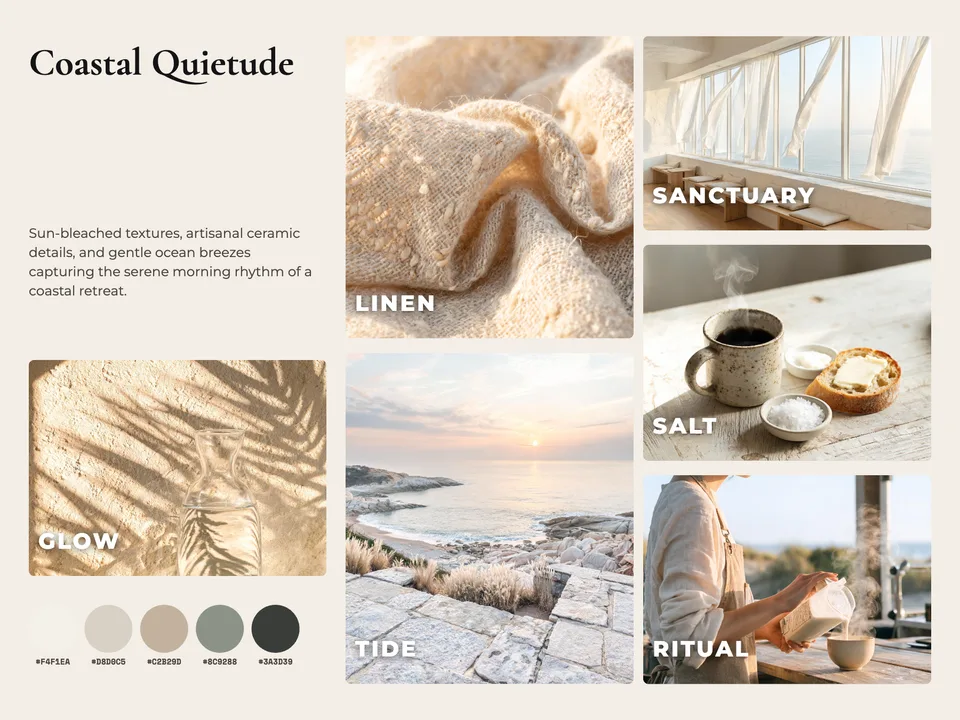
Idyllic's AI moodboard generator turns a few words about a mood into one finished board: six pictures that share one look (textures, places, objects, light), a word on each, a title, a short description and a color palette with hex codes. Use it for a brand, an interior, a wedding or a shoot, and edit every layer in Canvas.
- Size
- 1800×1350 px, 4:3 landscape
- You get
- 1 board of 6 pictures (4 to 6) + each picture on its own
- Image model
- Seedream 5
- Cost
- 54 credits for a 6-picture board, on Plus
- Made for
- Brand, interior, fashion, wedding, photo shoot, event, product
Real output · no retouching
One brief.
1 results.
- What is the mood?
- A slow-living coastal cafe: linen, sea salt, morning light
- What is it for?
- Brand
How to make it
Four steps, about a minute of your time. These are real screens from the run above.
- 01
Describe the mood
Write what the mood is (a slow-living coastal cafe: linen, sea salt, morning light), choose what it is for (Brand, Interior, Fashion, Wedding, Photo shoot, Event or Product) and set 4 to 6 pictures.
Open the flow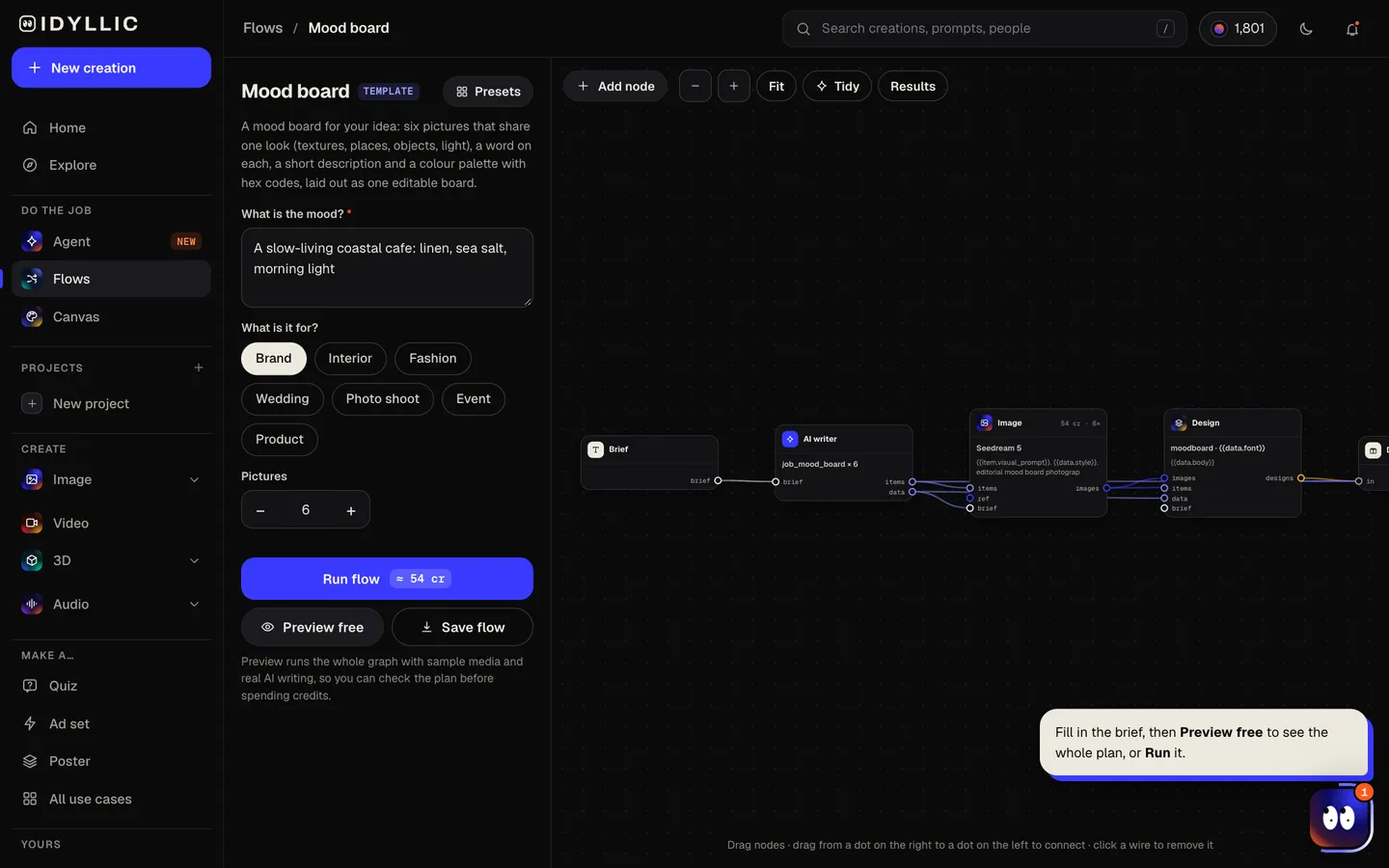
- 02
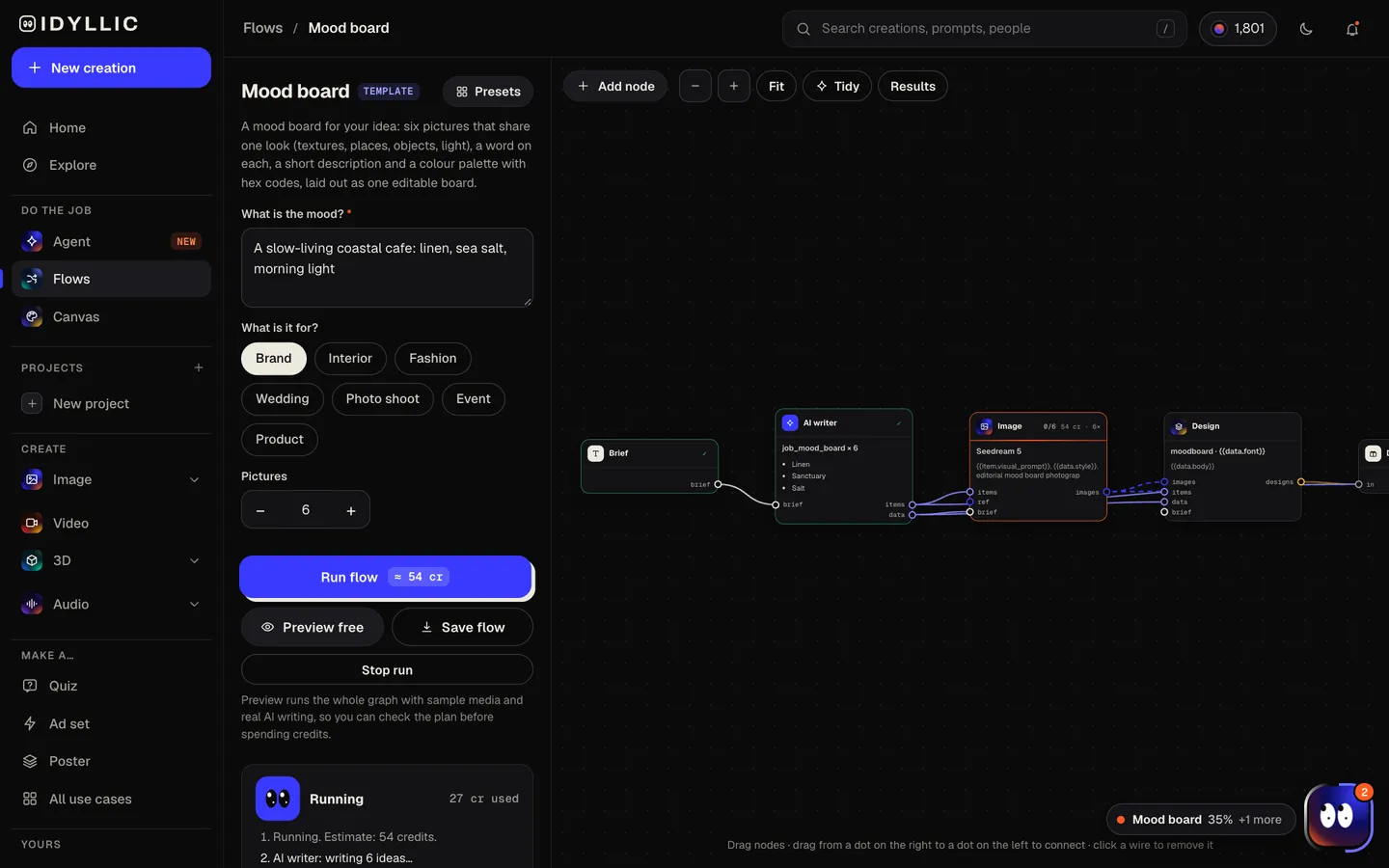
Watch the board build
The AI writer plans a different element for each picture (a texture, a place, an object, a person in context, a detail, the light), picks one word for each and chooses a palette of 3 to 5 hex colors. Seedream 5 shoots every picture in that palette, then Idyllic lays them all out on one board. Preview the plan free.
- 03
See the whole board
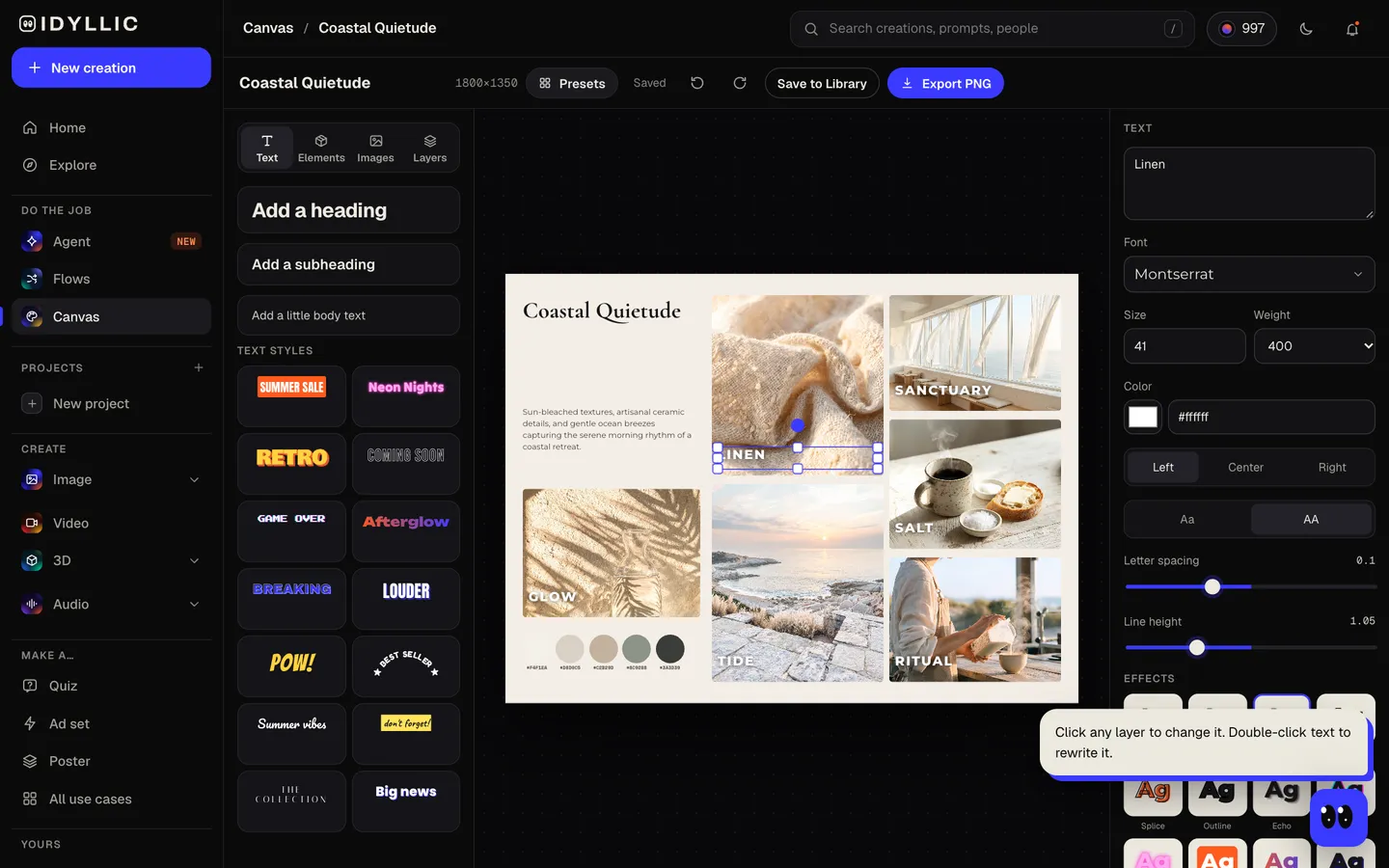
The finished board appears with its title, description, words and color swatches, next to every picture on its own.
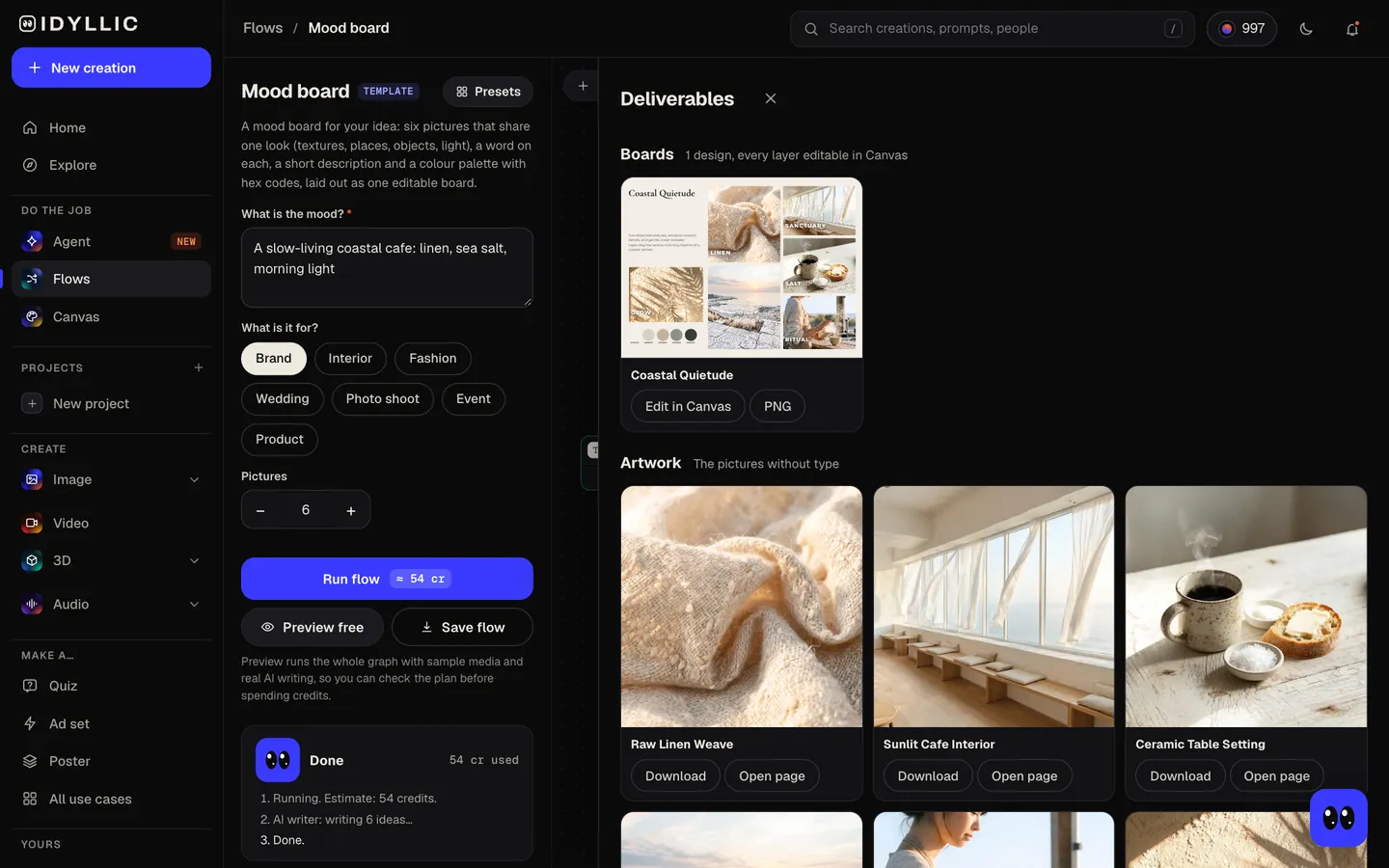
- 04
Edit and download
Open the board in Canvas to swap a picture, rewrite a word, change a swatch or move anything. Download a PNG at 1800×1350 px, or 3600×2700 px with the Large export.
Why it beats
a template
One board, not a folder of images
Every picture lands in a collage layout with a title, a description and swatches, ready to drop into a deck or send to a client.
Pictures that agree
All six share the same palette and light, so the board reads as one mood instead of six unrelated searches.
Hex codes you can use
The palette comes as 3 to 5 swatches labeled with hex codes, ready for a brand guide, a paint match or a developer.
Planned like an art director
Each picture covers a different element: a texture close-up, an interior, a still life, a landscape, a person in context and a small detail.
Made for the job
Choose Brand, Interior, Fashion, Wedding, Photo shoot, Event or Product and the pictures follow what that kind of board needs.
Swap anything
Replace a picture with your own photo, change a word or a swatch, or select part of a picture and describe a change.
What makes a moodboard useful
- Start with three words for the feeling, then make every picture prove them.
- Mix scales: one wide space, one close texture, one object, one person.
- Cut anything that fights the palette, even if you love it.
- Copy the hex codes into your brief so the mood survives into the final work.
- Share the board before you design. It is cheaper to change than a finished logo or room.
- Make two boards with different moods and let the client pick a direction.
Moodboard size and formats
| Idyllic board | 1800×1350 px | 4:3 landscape PNG |
|---|---|---|
| Large export | 3600×2700 px | 12×9 in at 300 ppi |
| 16:9 slide | 1920×1080 px | The board is 4:3; place it with margins at the sides |
| US Letter landscape | 11×8.5 in | Close to 4:3; fits with a thin margin |
| Palette | 3 to 5 colors | Swatches labeled with hex codes, like #1A1A2E |
Every picture is also saved on its own as a square image, so you can reuse one in a deck, a brief or a post.
Steal a brief
Each one opens the flow with the brief filled in. Change anything before you run it.
An interior moodboard for a Japandi bedroom with oak, paper lamps and soft grey wool
A wedding moodboard for a late-summer vineyard wedding in terracotta, olive and cream
A fashion moodboard for a 90s-inspired streetwear drop in faded denim and chrome
A photo shoot moodboard for a moody desert portrait session at blue hour
A product moodboard for a clean skincare line: frosted glass, aloe and pale stone
An event moodboard for a candlelit winter dinner party in deep green and brass
A brand moodboard for a bold vegan burger truck: neon, chalkboards and charred textures
A brand moodboard for a quiet bookshop and wine bar: worn leather, amber light and old paper
Questions
What is a moodboard?
A moodboard is a collage of pictures, colors and words that shows the look and feeling of a project before anyone designs it. Designers, planners and photographers use one to agree on a direction.
Is the moodboard generator free?
You can preview the whole flow free: real AI writing with sample images, so you can check the plan. Running it for real is on Plus ($10.50 a month, billed yearly) and uses 54 credits for a six-picture board. The free plan also includes 3 free images a day in the image studio.
How many pictures go on the board?
Four to six, all on one board. Choose the number under Pictures; six is the default and fills the whole layout.
Can I use inspiration images for my moodboard?
Yes. The flow makes the pictures, and you can mix in your own: open the board in Canvas, select a picture and choose Replace image to upload a photo or pick one from your library.
Where do the hex codes come from?
The AI writer chooses 3 to 5 colors that define the mood, and the pictures are made in that palette. Each swatch on the board is labeled with its hex code; change any of them in Canvas.
What size is the moodboard?
1800×1350 px in a 4:3 landscape shape, or 3600×2700 px with the Large export, which prints at 12×9 in at 300 ppi.
Can I use it for client work?
Yes. Download the PNG and drop it into your deck. Paid plans include a commercial license and private mode, so client projects stay out of view.
Make something else
Everything you can make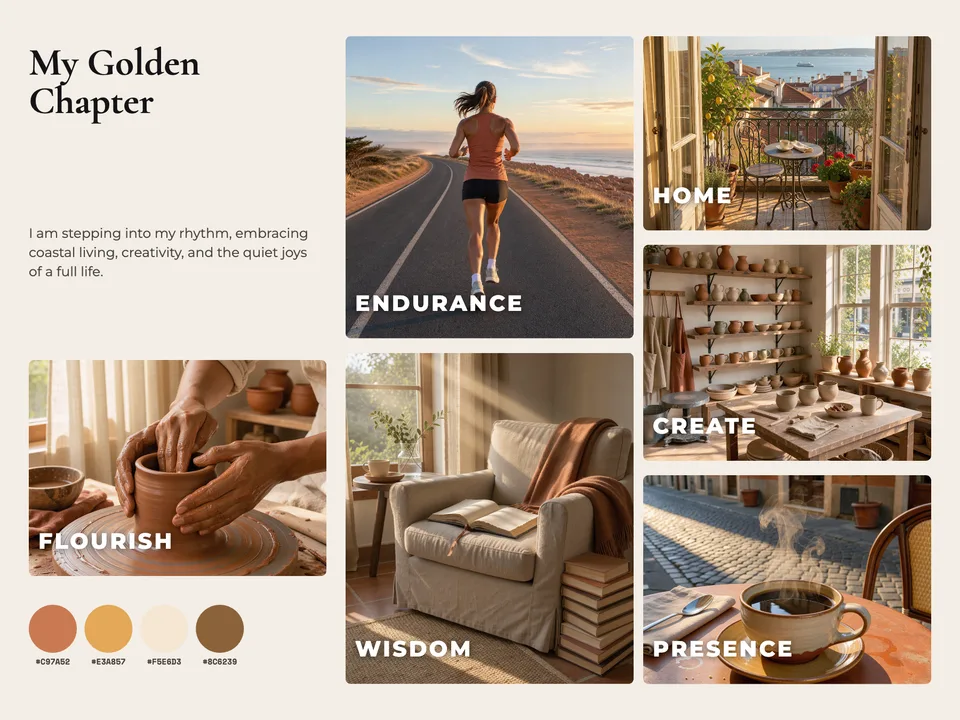

Your turn.
Preview the whole flow free. No credit card.