Ready-made flow · Scroll-stopping 4:5 posts with captions and hashtags
AI Instagram Post Generator
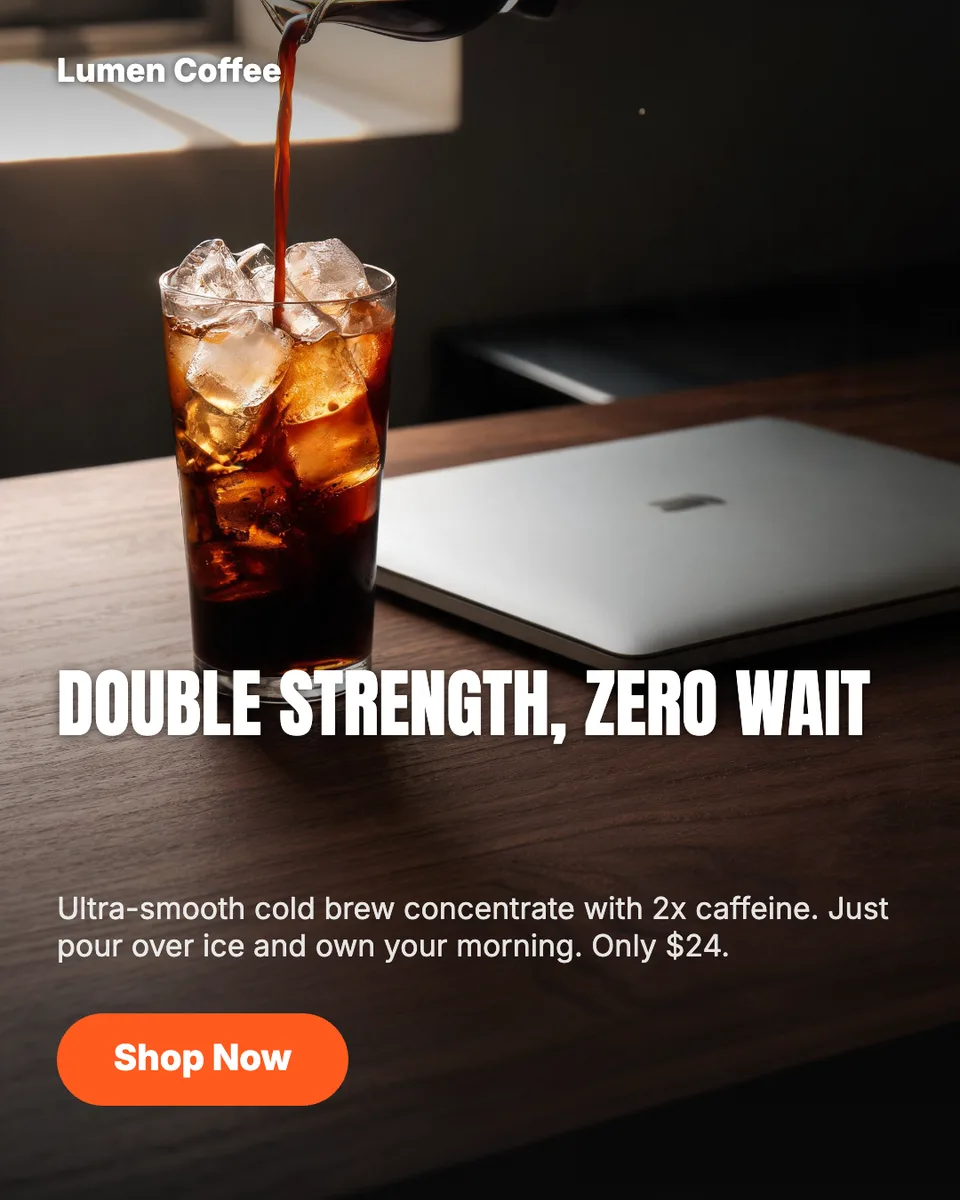
Idyllic's AI Instagram post generator makes a set of 4:5 feed posts from your brand name and a topic. Each post gets an editorial image, a short headline set on the design and a ready-to-paste caption with hashtags. Every post takes a different angle, like the product, a benefit or an offer, and every layer stays editable in Canvas.
- Size
- 1080×1350 PNG, 4:5
- You get
- 3 designed posts + captions + the artwork
- Image model
- Seedream 5
- Cost
- 27 credits for 3, on Plus and up
- Looks
- Bold, Clean, Playful, Premium, Retro, Dark
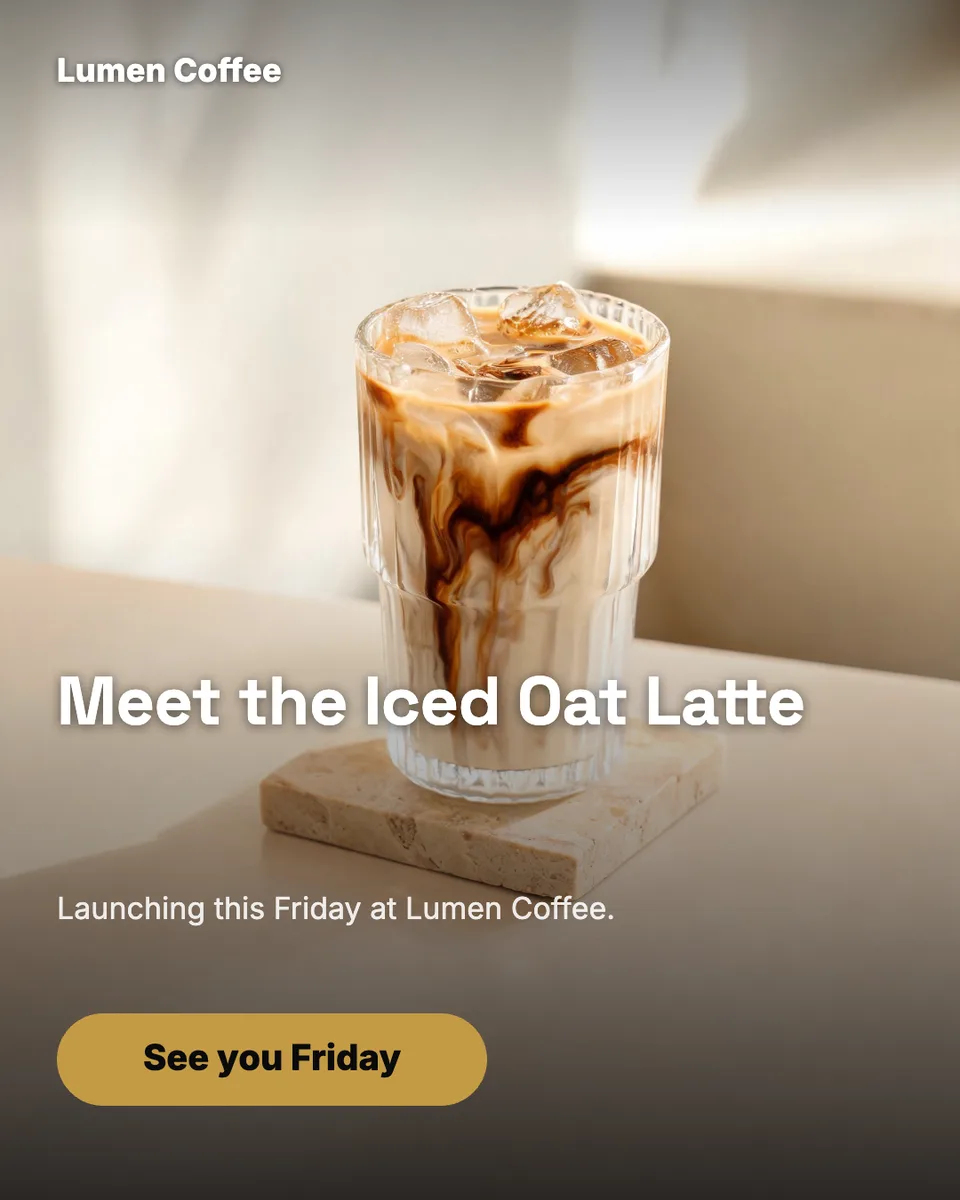
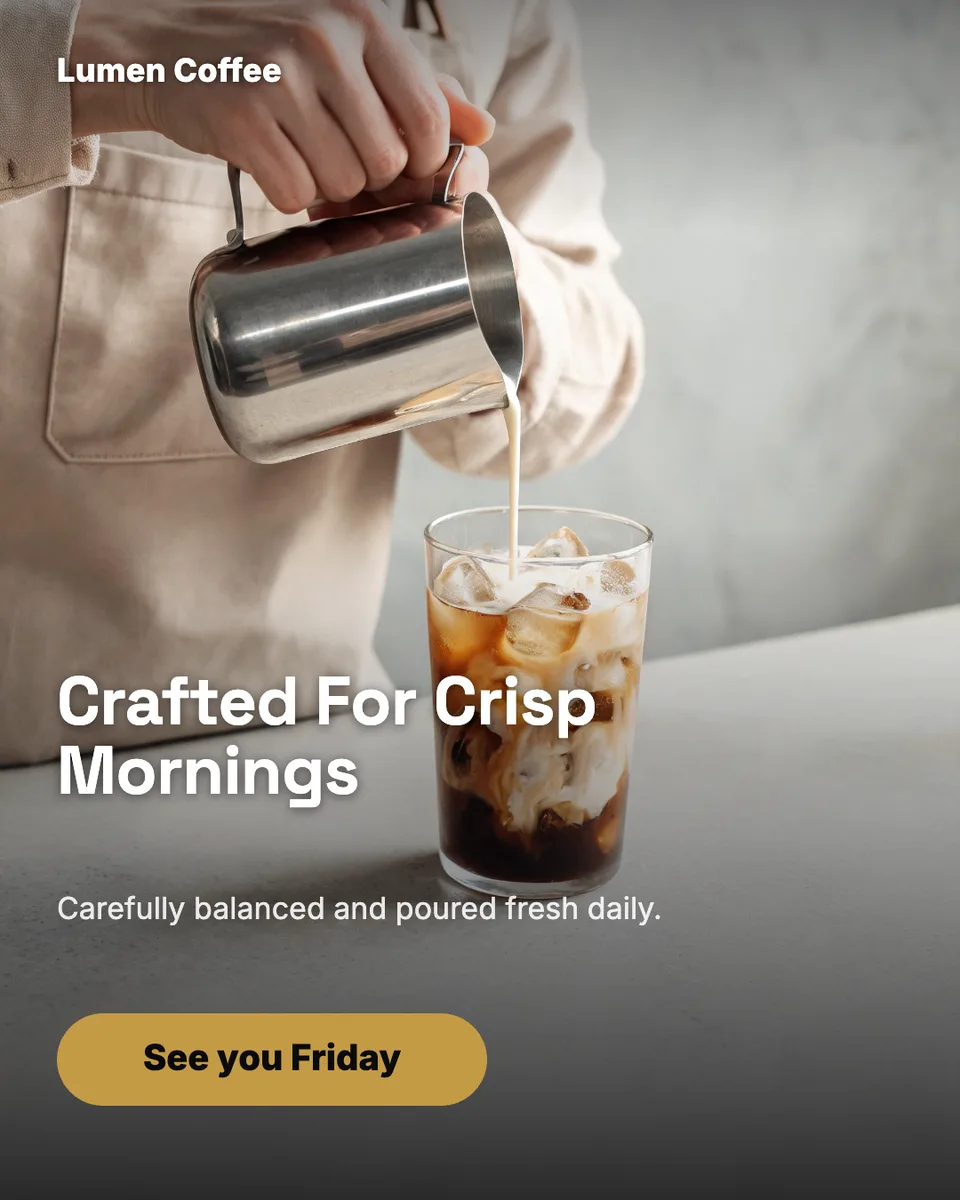
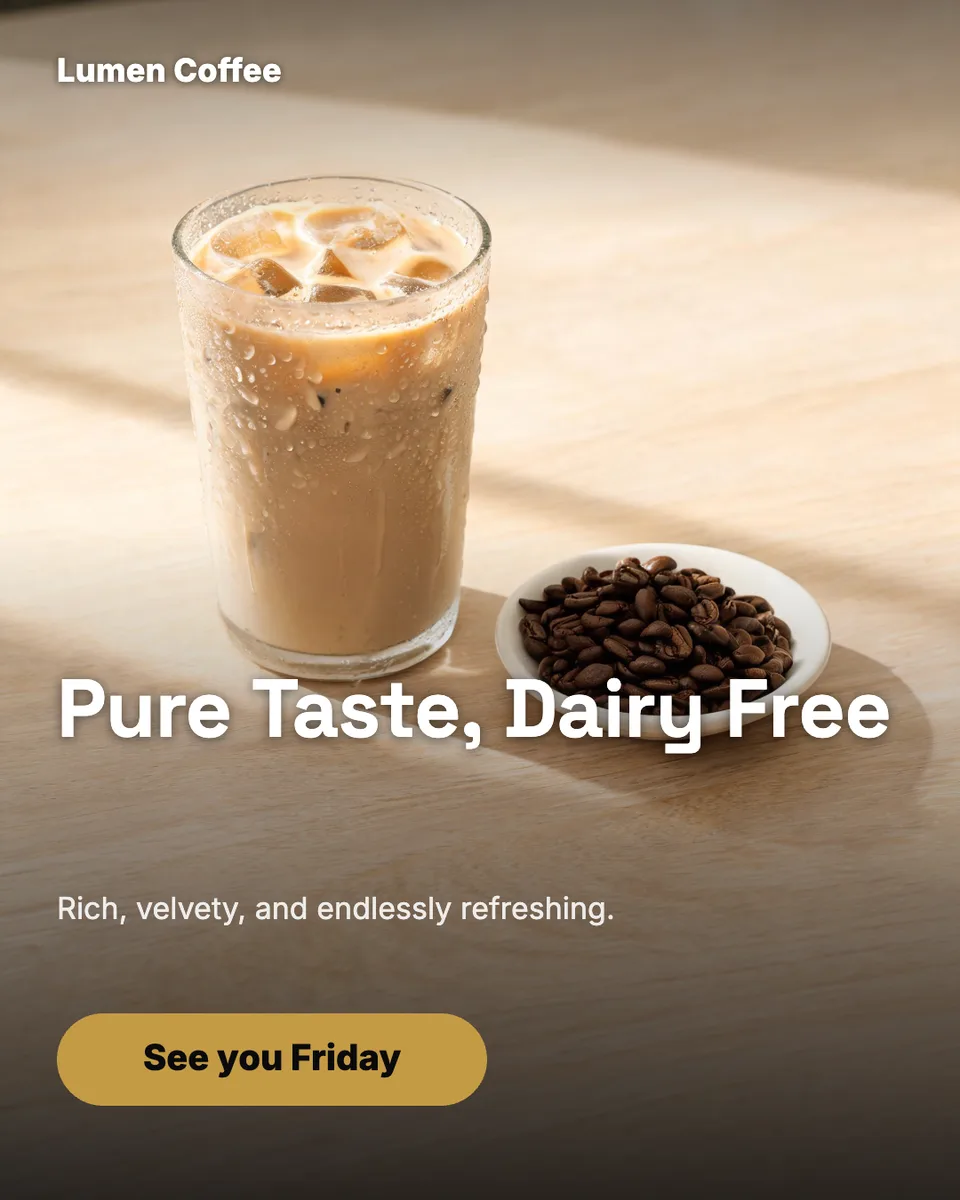
Real output · no retouching
One brief.
3 results.
- Brand or account
- Lumen Coffee
- What should the posts be about?
- Our new iced oat latte, launching this Friday
- Look
- Clean
How to make it
Four steps, about a minute of your time. These are real screens from the run above.
- 01
Name the account and the topic
Enter your brand or @handle, say what the posts should be about (a launch, a new menu, a sale), pick a look from Bold to Dark, and choose how many posts to make.
Open the flow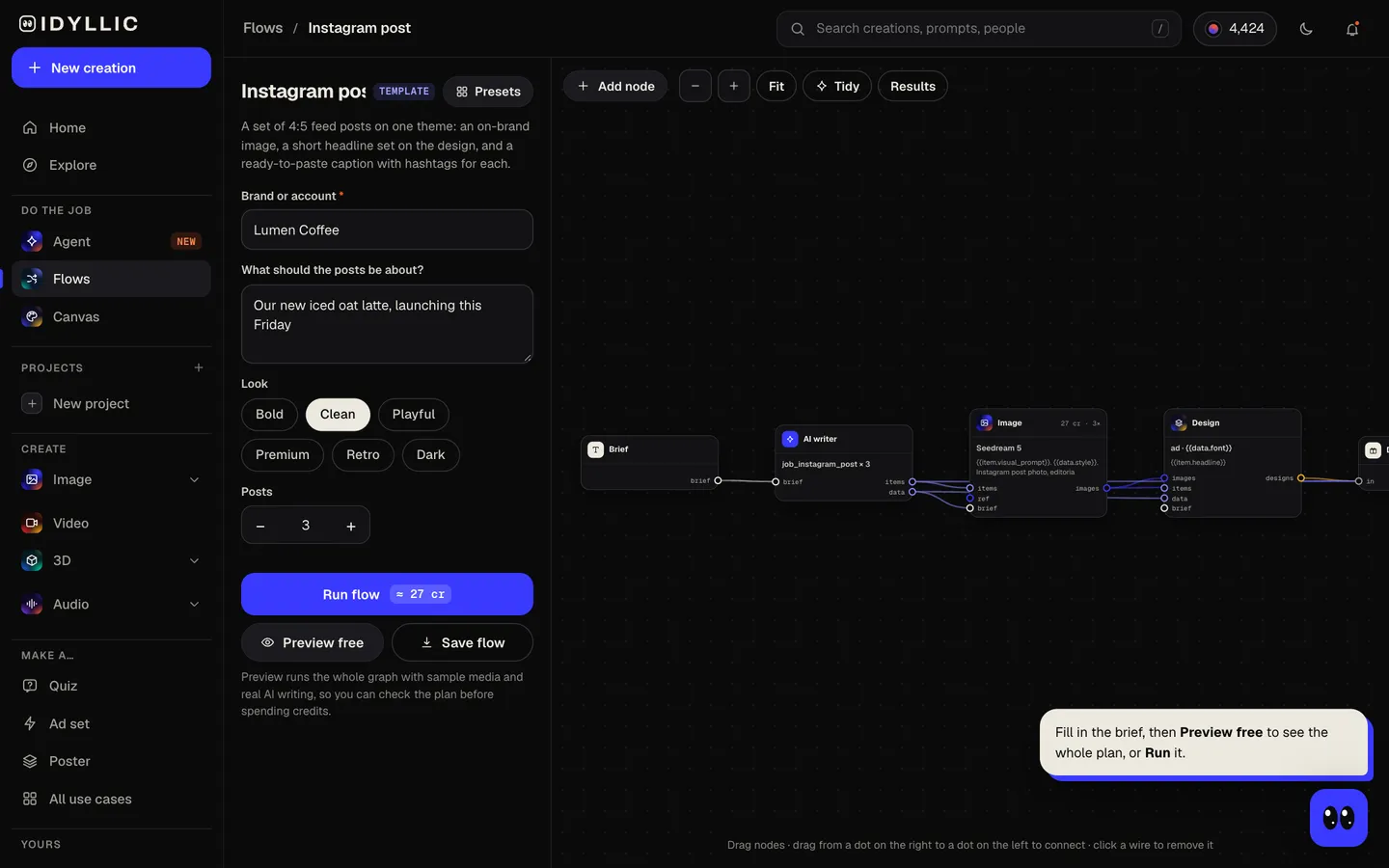
- 02
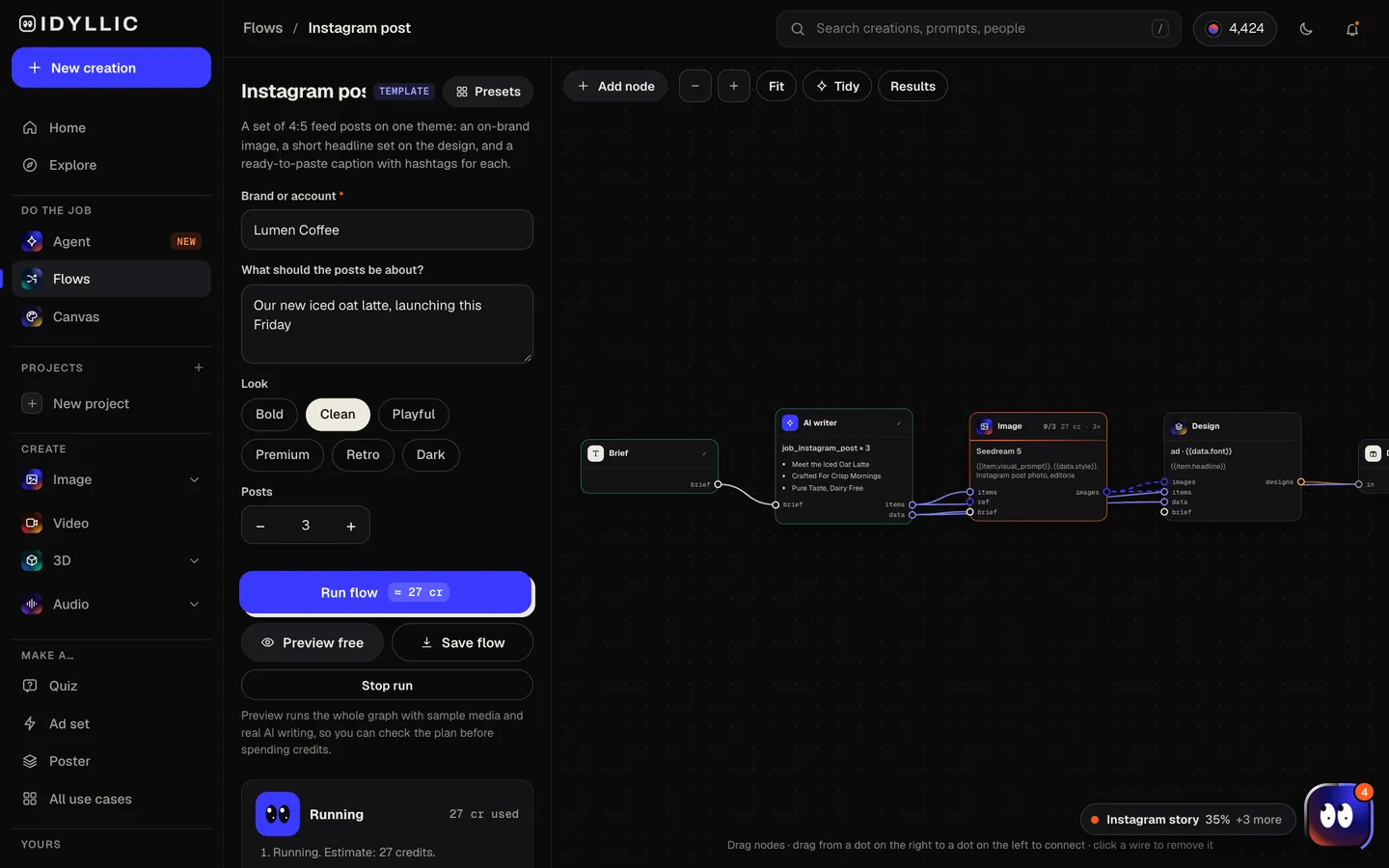
Let the flow plan and design
The AI writer plans each post around a different idea (product hero, behind the scenes, benefit, social proof, offer) and writes its headline and caption. Seedream 5 makes each image, then Idyllic sets the headline, a call to action and your handle on the design. Preview the whole flow free first.
- 03
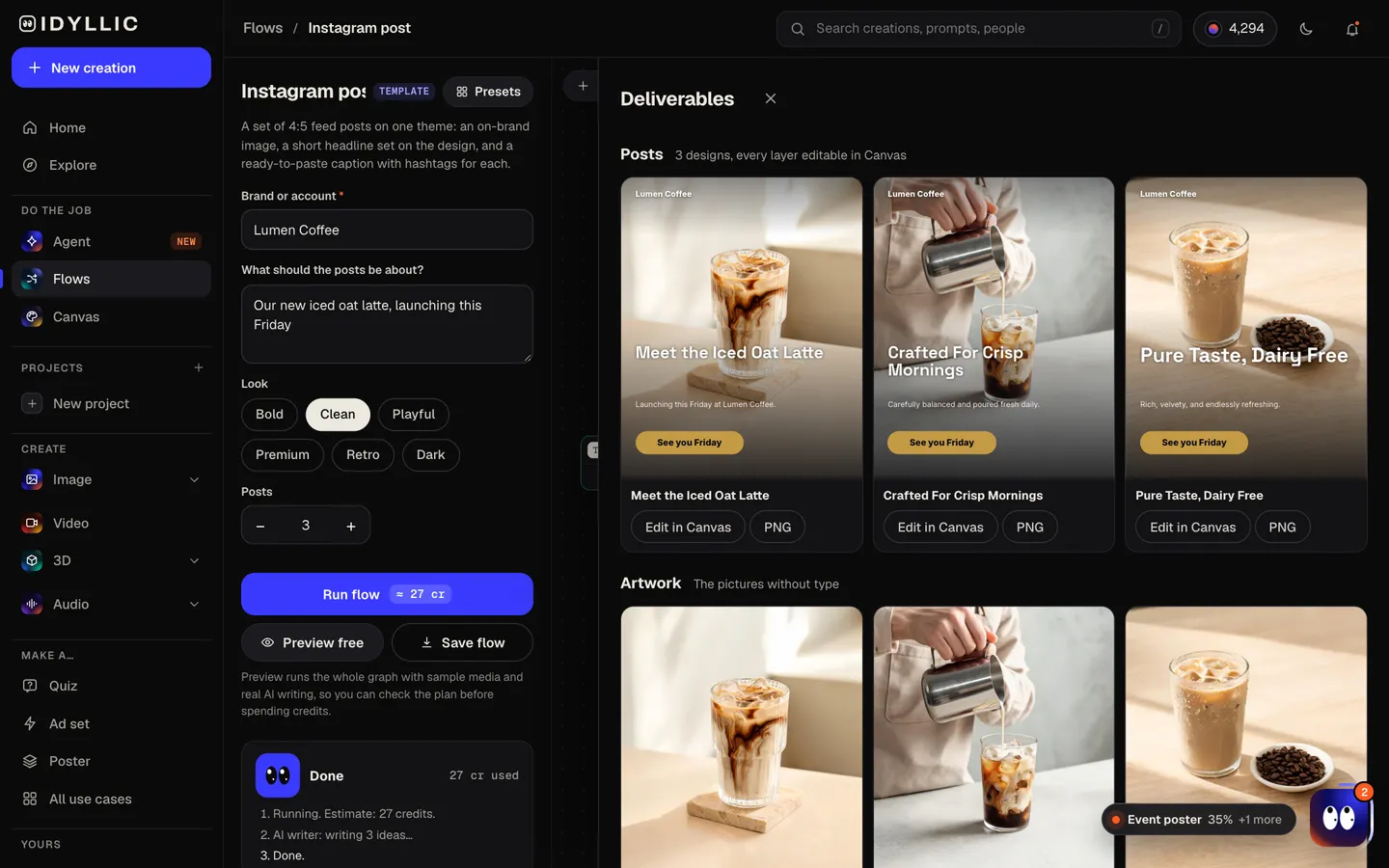
See the set together
Every post appears side by side with its caption, next to the artwork without text, so you can check how the set will sit together on your profile.
- 04
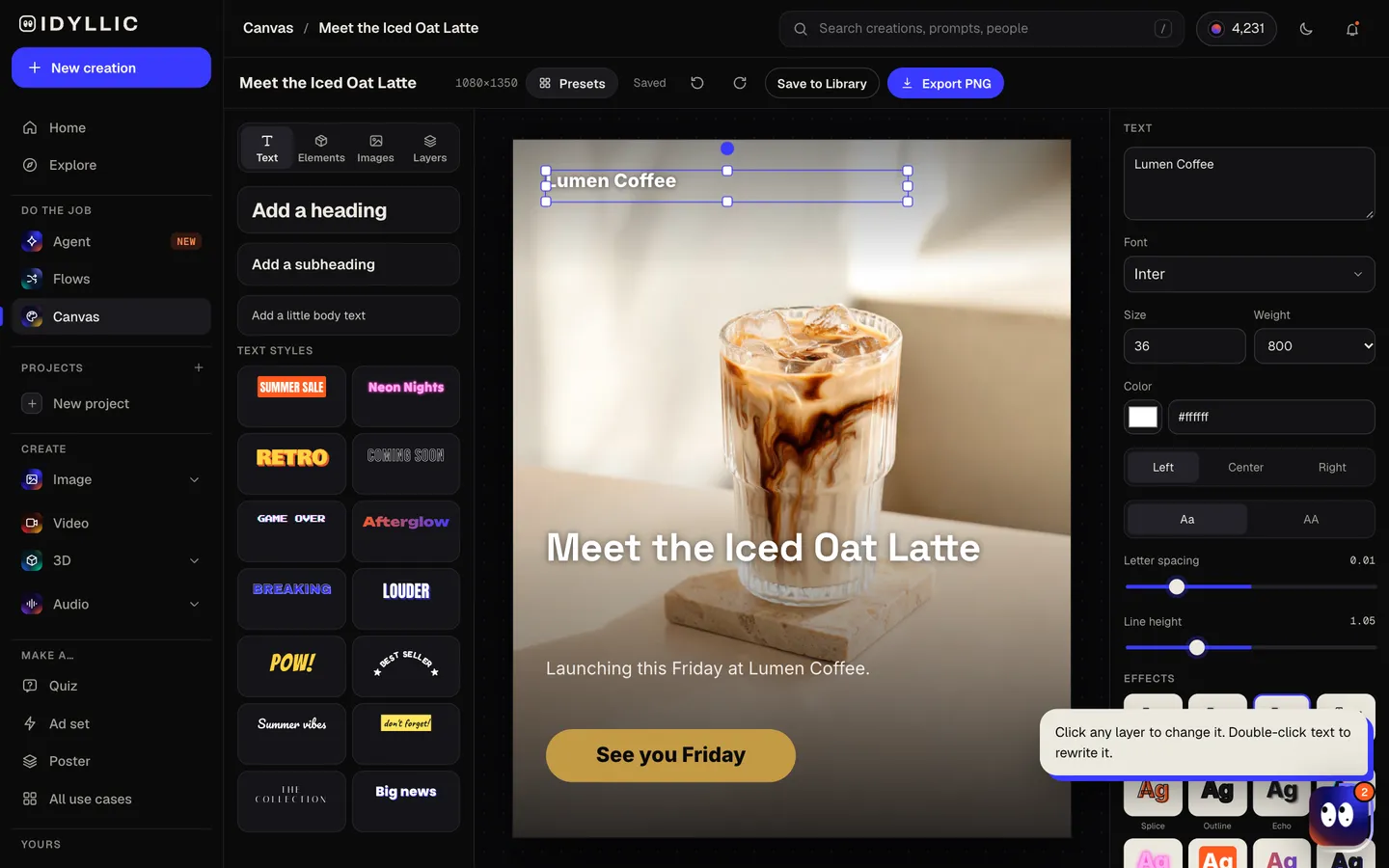
Edit, download, post
Open any post in Canvas to change a word, font, colour or effect, or move a layer. Download the 1080×1350 PNG, copy the caption and post.
Why it beats
a template
A designed post, not a stock photo
Each post arrives finished: an editorial image, a headline in a matched font, your handle and a call to action like “Link in bio”.
Captions written for you
Every post comes with a short caption and hashtags, written for that post and ready to paste.
A set that hangs together
One look across the whole set, with a different idea in each post, so your feed looks planned instead of improvised.
Made at 4:5
A 4:5 portrait post fills more of the feed on a phone than a square. Each image leaves clear space at the bottom for type.
Every layer editable
144 fonts, text effects like outline, shadow and neon, shapes, and AI edits: select an area and change it, erase, remove the background or expand the frame.
Post for clients too
Paid plans include a commercial license and private mode, so the AI Instagram post generator works for your own brand and for client accounts.
What makes an Instagram post people stop for
- Lead with one strong image. The headline supports it, it doesn't compete with it.
- Keep the text on the design under seven words. Put the detail in the caption.
- Front-load the caption. Only the first line or two show before “more”.
- Use up to five hashtags that describe the post. Instagram now caps posts at five.
- Change the idea, not the look. Same fonts and colours, a different subject each time.
- Keep key details away from the side edges. The profile grid shows posts as a 3:4 crop.
Instagram post size and specs
| Portrait feed post | 1080×1350 px | 4:5, what Idyllic exports |
|---|---|---|
| Square post | 1080×1080 px | 1:1 |
| Profile grid | 3:4 preview | Trims a little off the sides of a 4:5 post |
| Feed ad (Meta) | 1440×1800 px | 4:5 recommended, JPG or PNG, up to 30 MB |
| Caption | Up to 2,200 characters | Up to 5 hashtags per post |
Instagram shows feed photos at up to 1080 px wide, so a 1080×1350 PNG is full quality for organic posts. For paid placements Meta recommends 1440×1800, and 1080×1350 is accepted.
Steal a brief
Each one opens the flow with the brief filled in. Change anything before you run it.
Saltline Surf School in San Diego: beginner group lessons are back for spring, boards and wetsuits included
Oak & Ember Wood-Fired Pizza: our fall menu with hot honey and butternut squash pies starts Friday
Northside Climbing Gym: free intro-to-bouldering nights for first-timers every Tuesday in October
Willowmere Skincare: meet our new vitamin C serum, made for sensitive skin
Harbor Lane Florist: Valentine's Day pre-orders are open, with same-day delivery across Boston
@stillwater.yoga.loft: a 30-day beginner yoga challenge starting January 1, one short class a day
@tempo.and.trail: my 12-week plan for a first half marathon, broken down week by week
Brightside Family Dental: back-to-school checkups for kids, now booking Saturday appointments
Questions
Is the AI Instagram post generator free?
You can preview the whole flow free: the AI writer plans your real posts, headlines and captions, shown with sample images. Making the final posts is on Plus and up (from $10.50/mo, billed yearly) and costs 27 credits for three. The free plan also includes 3 free images a day in the image studio.
What size is an Instagram post?
The standard portrait post is 1080×1350 pixels (4:5), and a square post is 1080×1080. Idyllic designs at 1080×1350 because a 4:5 post fills more of the feed than a square.
Does it write captions and hashtags?
Yes. Each post comes with a 1-3 sentence caption and hashtags. Instagram now allows up to five hashtags per post, so if a caption has more, keep the five most specific.
Can the posts match my brand?
Pick a look (Bold, Clean, Playful, Premium, Retro or Dark) and the whole set follows it, with your brand name or handle on every post. To match exactly, open a post in Canvas and set your own fonts and colours.
What makes a good Instagram post?
One strong image, a headline of a few words that adds something, and a caption whose first line earns the tap on “more”. Keep the look consistent and vary the idea.
Can I write the topic in another language?
Yes. Prompts work in any language. Check the headline and caption, and change any word in Canvas or before you paste the caption.
Can I use the posts for a business or clients?
Yes. Paid plans include a commercial license, so you can post for your own business or for clients. Private mode keeps your work out of the public gallery.
Make something else
Everything you can make

Your turn.
Preview the whole flow free. No credit card.