Ready-made flow · Brand in, a test-ready set of Meta ads out
AI Ad Generator
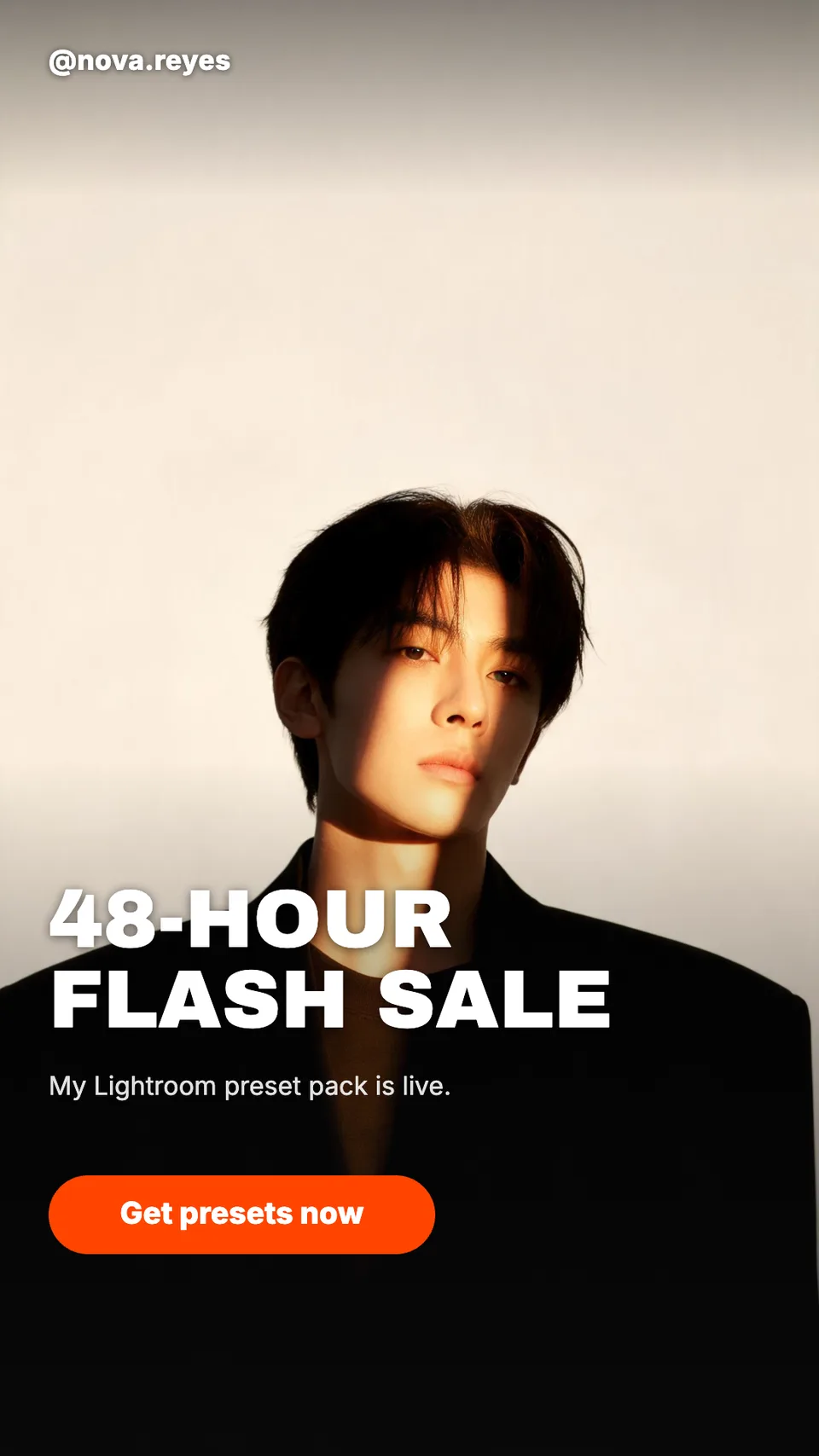
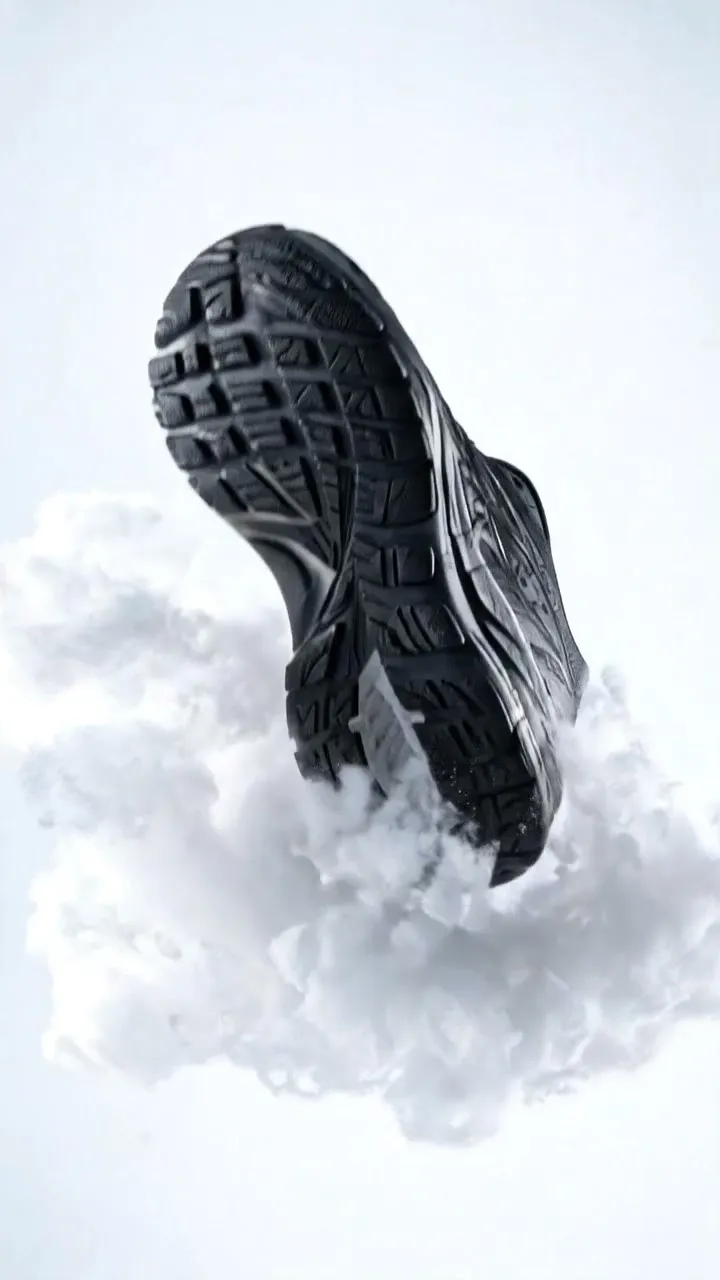
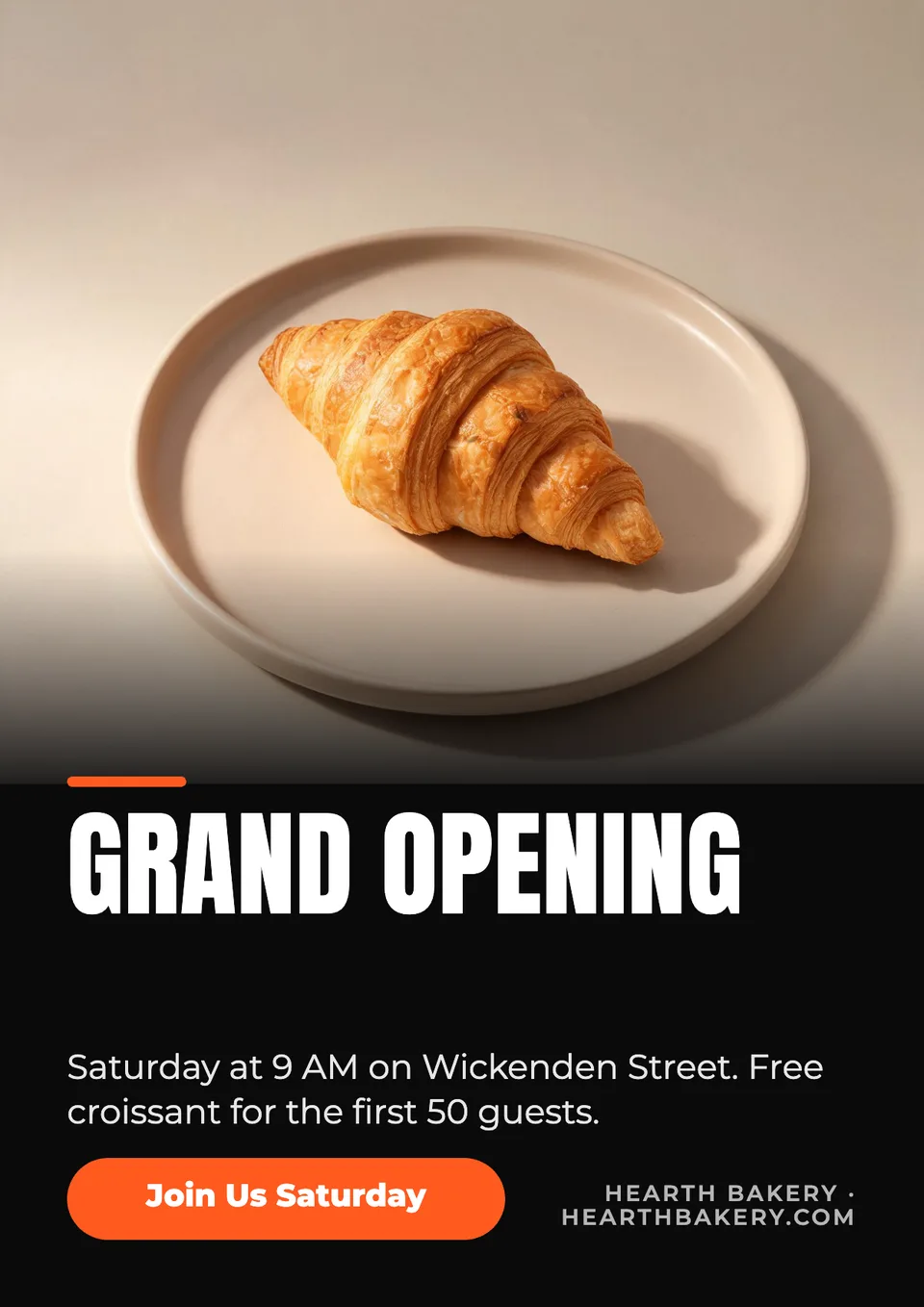
Idyllic's AI ad generator turns your brand or website into a test-ready set of Meta ads. The AI writer builds each concept on a different angle (pain point, aspiration, social proof, offer), Seedream 5 makes an on-brand visual for each, and Idyllic lays out a finished 4:5 ad with your headline, copy and button. You also get the copy as a CSV for Ads Manager.
- Size
- 1080×1350 PNG, 4:5
- You get
- 4 finished ads + the copy as a CSV
- Image model
- Seedream 5
- Cost
- 36 credits for 4, on Plus and up
- Video versions
- Optional, on Pro
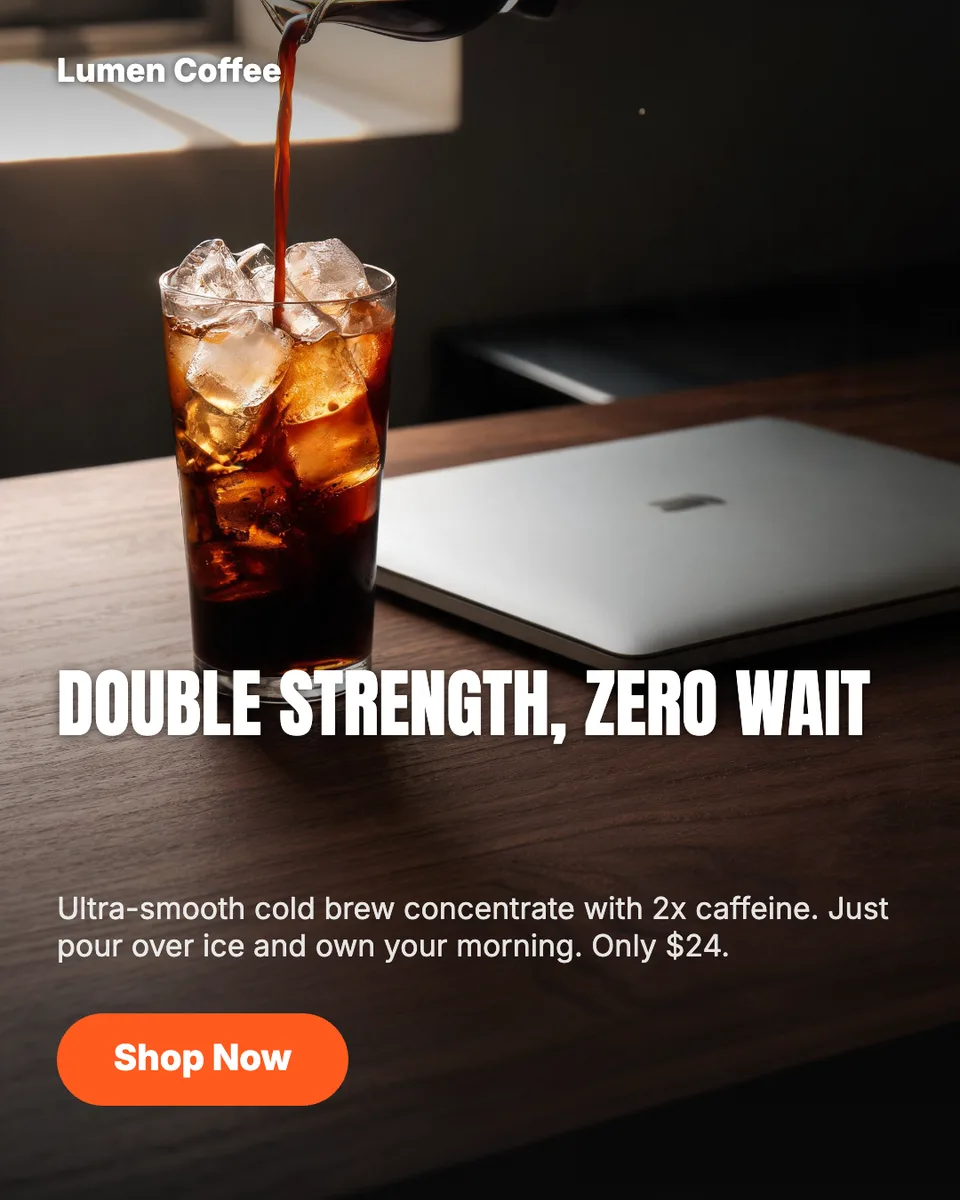
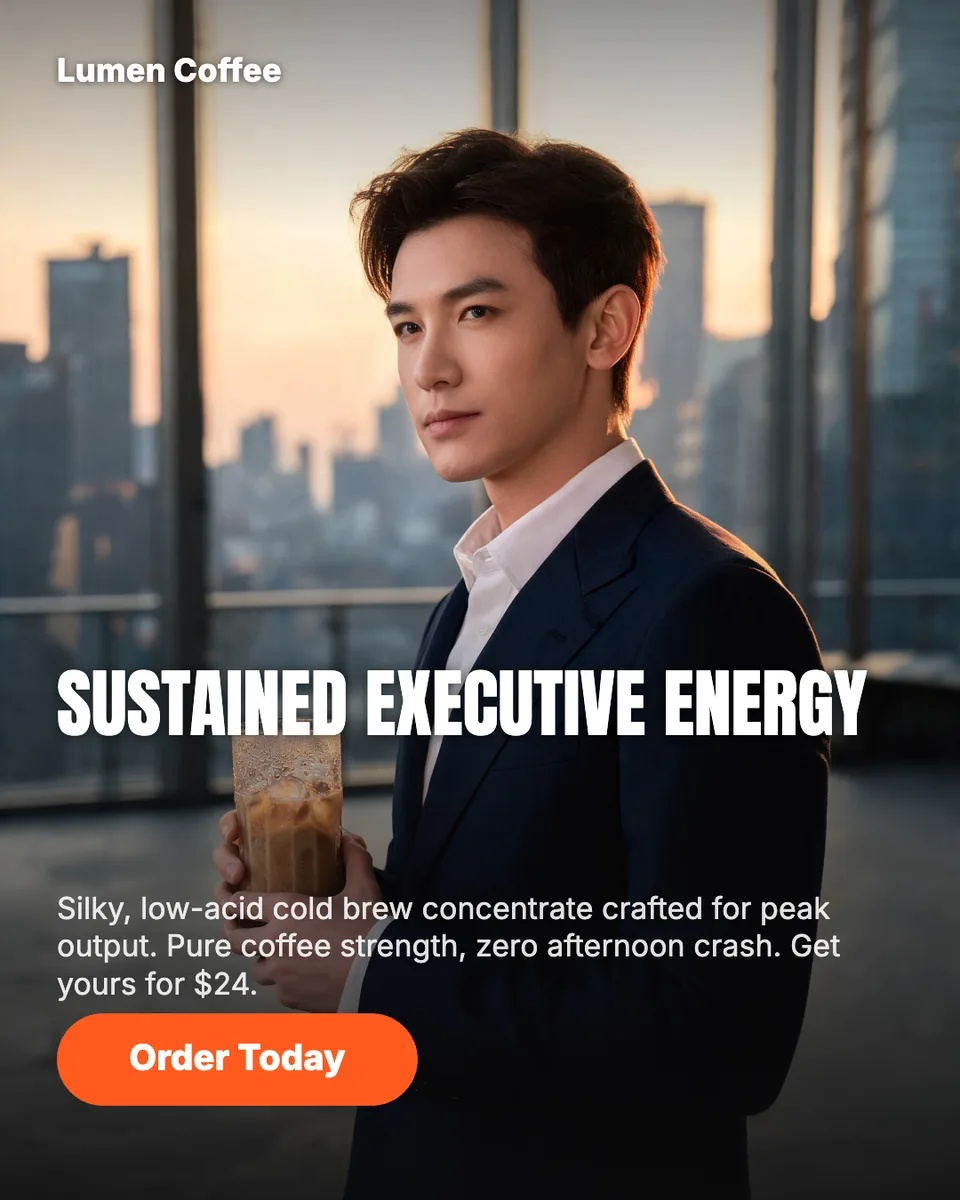
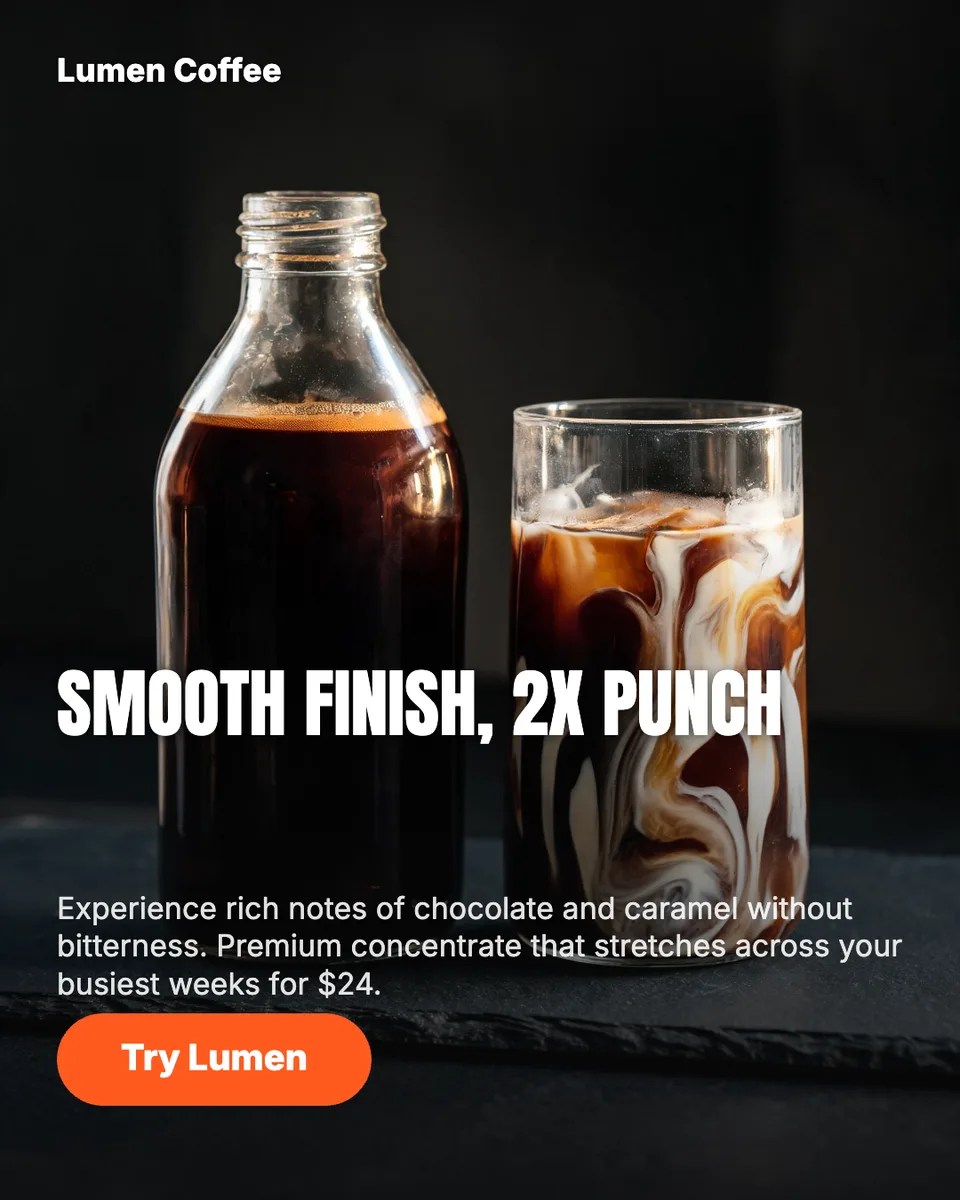
Real output · no retouching
One brief.
3 results.
- Brand or website
- Lumen Coffee
- What are you selling, and to whom?
- Cold brew concentrate for busy professionals. Smooth, 2x caffeine, $24.
- Tone
- Premium
How to make it
Four steps, about a minute of your time. These are real screens from the run above.
- 01
Name the brand and the offer
Enter your brand name or website, say what you are selling and to whom, add a product photo if you have one, then pick a tone (bold, premium, playful or minimal), how many concepts to test and whether you want video versions.
Open the flow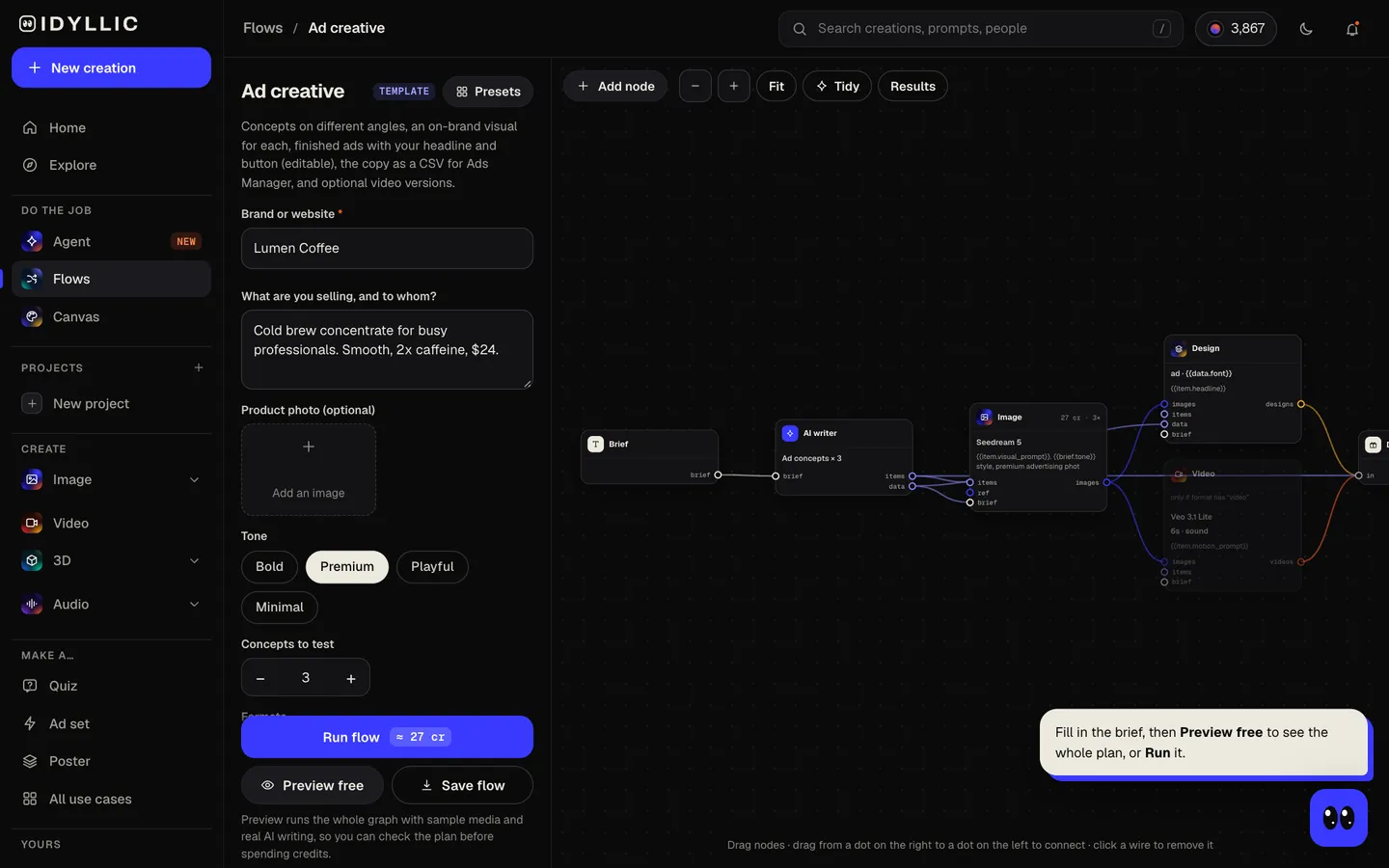
- 02
Let the flow build the concepts
If you enter a website, Idyllic reads it for your name, facts, colours, font and logo. The AI writer builds each concept on a different angle, with a hook, headline, primary text and call to action. Seedream 5 makes each visual, then Idyllic lays out the finished ad. Preview the whole flow free first.
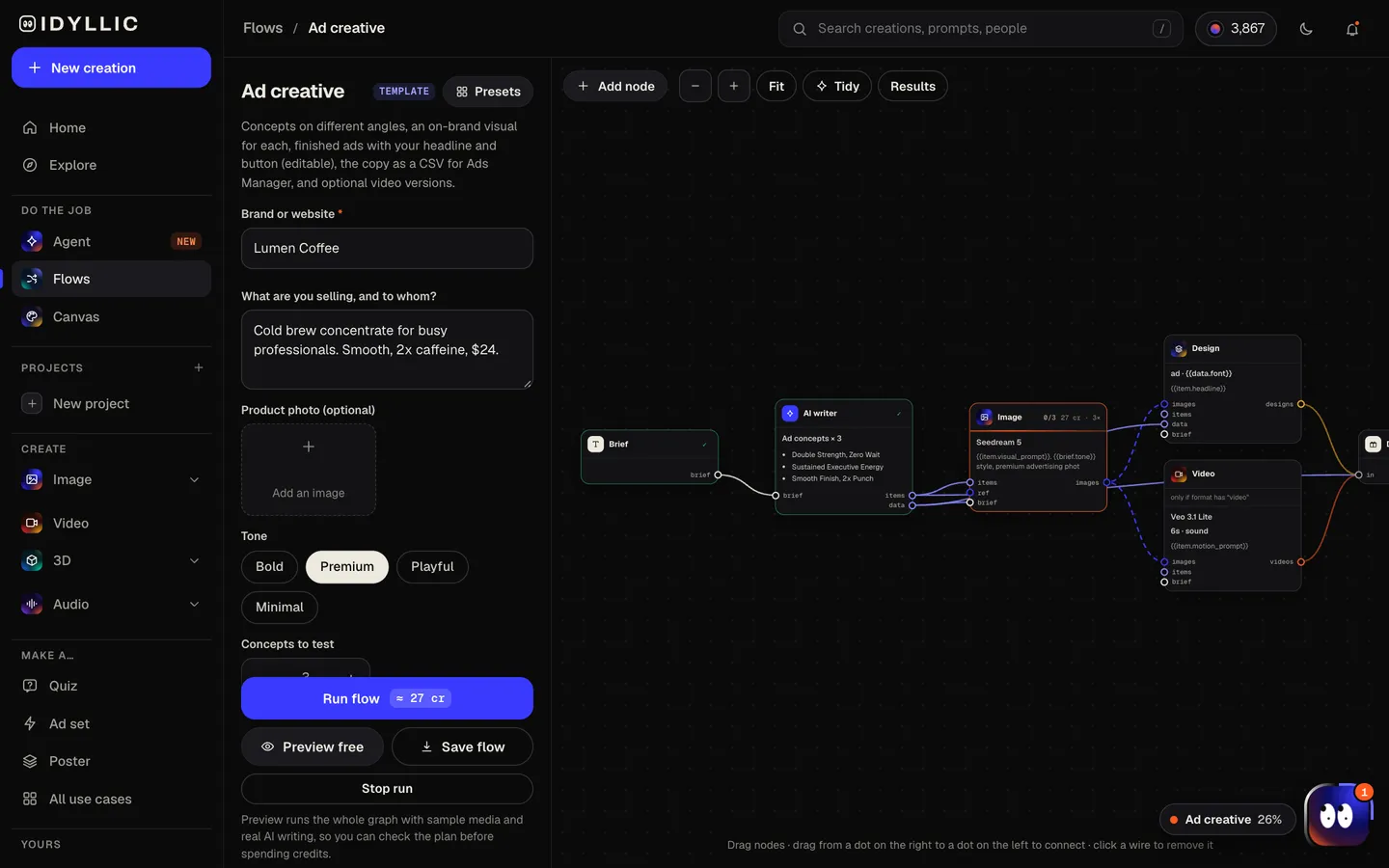
- 03
Review the ad set
Every finished ad appears side by side, with the copy for each in a table: angle, hook, headline, primary text and call to action. Video versions appear below if you chose them.
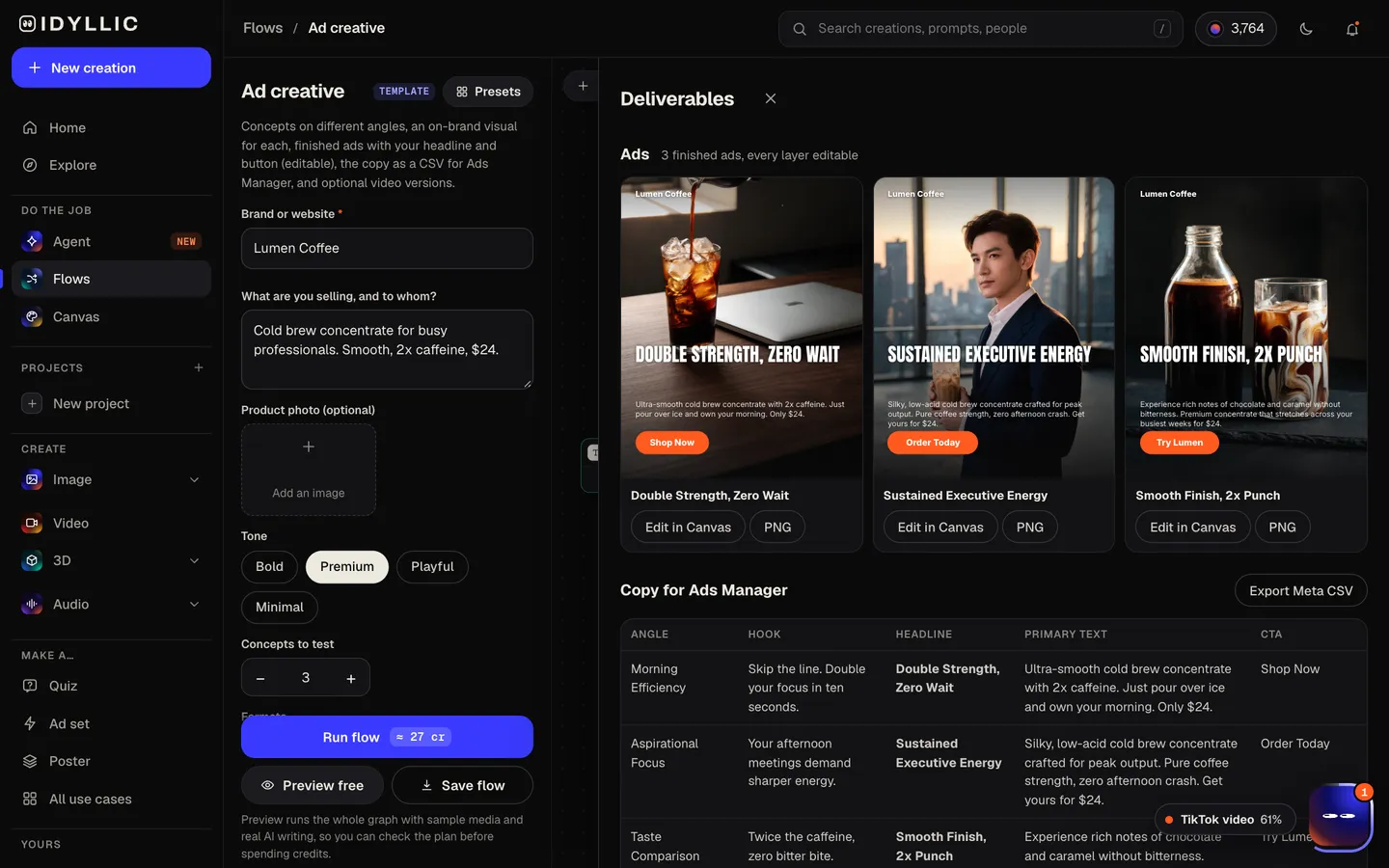
- 04
Edit, export, launch
Open any ad in Canvas to change a word, font, colour or the button, then download the PNGs. Export the Meta CSV with the copy for every ad and set up your test in Ads Manager.
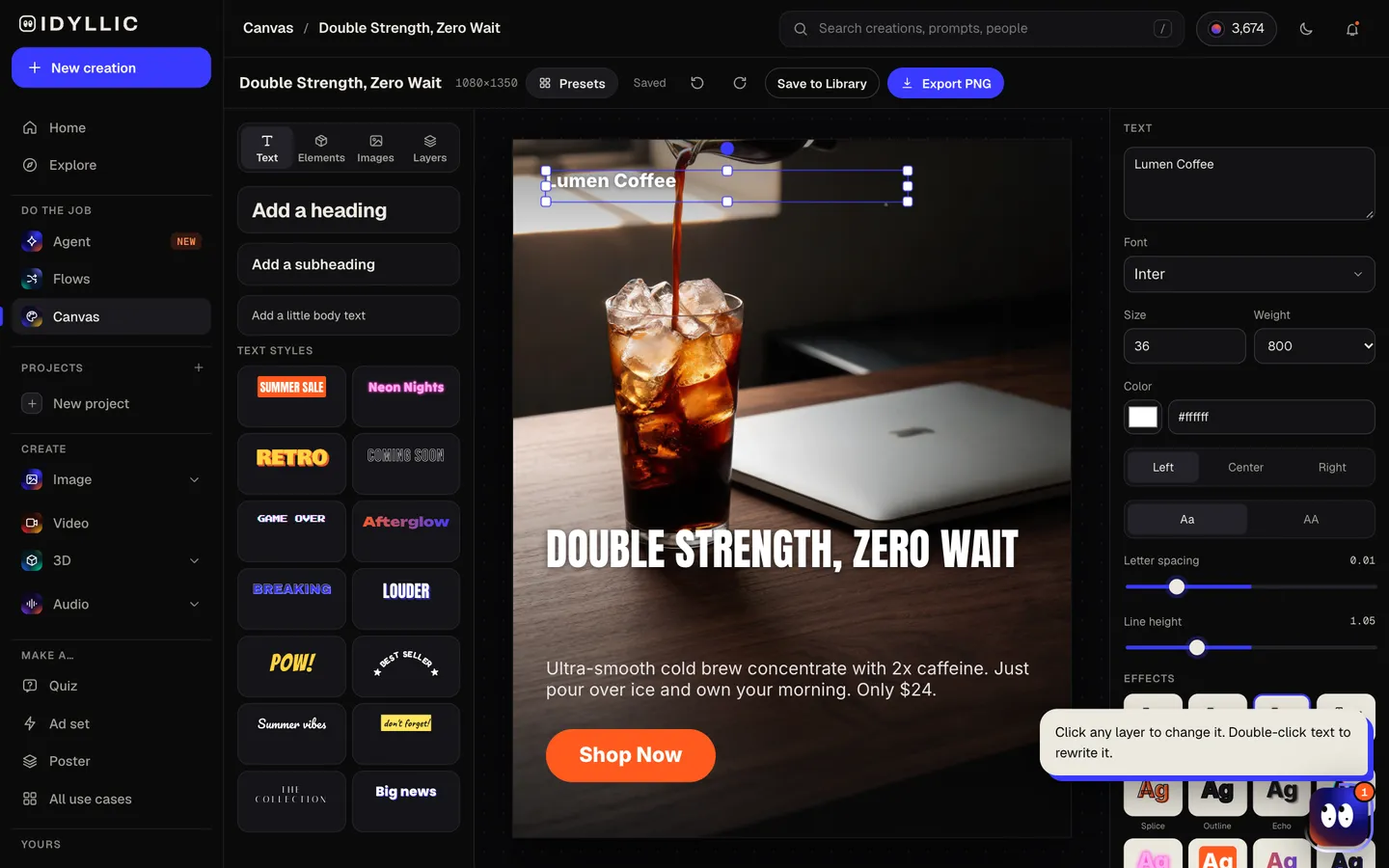
Why it beats
a template
Angles, not just variations
Each concept tests a different reason to buy, so your results tell you which message works, not just which colour.
Your brand, read from your site
Enter your website and the ads use your logo, colours and font. The writer uses only facts from your site and brief, and is set up never to invent reviews, awards, prices or dates.
Your product, kept
Add a product photo and every visual keeps your actual product in the scene.
Finished ads with live text
Headline, supporting copy, call-to-action button and brand name are real type in Canvas, so you can rewrite or restyle any of them in seconds.
Copy ready for Ads Manager
Export a CSV with one row per ad: ad name, primary text, headline, description, call to action and the matching image.
Video versions when you want them
Choose image and video ads and Veo 3.1 turns each visual into a short video ad with sound. Video versions run on Pro.
What makes an ad worth testing
- Test angles first. A new reason to buy teaches you more than a new button colour.
- Put the hook in the first line of primary text. That is what shows before “more”.
- Keep the headline on the image to six words or fewer.
- Show the product or the outcome it creates, not a mocked-up app screen.
- Run each concept as its own ad so you can see which angle wins.
- Only use numbers and reviews you can back up.
Meta ad sizes and specs
| Feed (Facebook and Instagram) | 1440×1800 px | 4:5 recommended, at least 600 px wide |
|---|---|---|
| Stories and Reels | 1440×2560 px | 9:16, keep the top 14% and bottom 35% clear |
| File | JPG or PNG | Up to 30 MB |
| Primary text | About 125 characters | Meta's guidance for Instagram feed |
| Headline | 27-40 characters | 27 for Facebook feed, 40 for Instagram feed |
| Idyllic export | 1080×1350 px PNG | 4:5, above Meta's minimum |
Idyllic designs feed ads at 1080×1350 (4:5), which Meta accepts in Facebook and Instagram feeds. For full-screen 9:16 placements, the Instagram story flow makes vertical versions.
Steal a brief
Each one opens the flow with the brief filled in. Change anything before you run it.
Northpeak Hiking Boots, waterproof trail boots for weekend hikers who hate breaking in new shoes
Saltmeadow Skincare, a fragrance-free retinol serum for women in their 30s with sensitive skin
Paws & Pantry, grain-free dog treats made in small batches for owners of picky eaters
Sprout Kitchen, 20-minute plant-based meal kits for busy families on weeknights
Ledgerline Planners, undated weekly planners for freelancers juggling several clients
Harbor Sleep Mattress Co., a cooling hybrid mattress with a 100-night trial for hot sleepers
Ironwood Coaching, online strength programs for men over 40 who train at home
Kestrel Bikes, a folding e-bike for city apartment dwellers with no room to store a bike
Questions
Is the AI ad generator free?
You can preview the whole flow free: the AI writer plans your real concepts and copy, shown with sample images. Making the final ads is on Plus and up (from $10.50/mo, billed yearly) and costs 36 credits for four image ads. Video versions need Pro.
What size should a Meta ad be?
Meta recommends 4:5 at 1440×1800 pixels for Facebook and Instagram feeds and 9:16 at 1440×2560 for Stories and Reels, as JPG or PNG up to 30 MB. Idyllic's feed ads are 4:5 at 1080×1350, above Meta's 600 px minimum width.
Can it use my website?
Yes. Enter your website and Idyllic reads it for your brand name, facts, colours, font and logo. The ads use your logo and colours, and the writer is set up to use only claims from your site, never invented reviews, awards, prices or dates.
Can I use my own product photo?
Yes. Add it in the product photo field and every visual keeps your product.
How many ad concepts should I test?
Four is a good start, one per angle. You can make two to eight concepts per run.
What is in the CSV?
One row per ad: ad name, primary text, headline, description and call to action, plus the name of the matching image, ready to bring into Ads Manager.
Can it make video ads?
Yes, on Pro. Choose “Image + video ads” and Veo 3.1 turns each visual into a short video ad with sound.
Can I run the ads commercially?
Yes. Paid plans include a commercial license, so you can run the ads for your own brand or for clients. Private mode keeps your work out of the public gallery.
Make something else
Everything you can make
Your turn.
Preview the whole flow free. No credit card.