Ready-made flow · A tall infographic with icons and key points in type
AI Infographics Generator
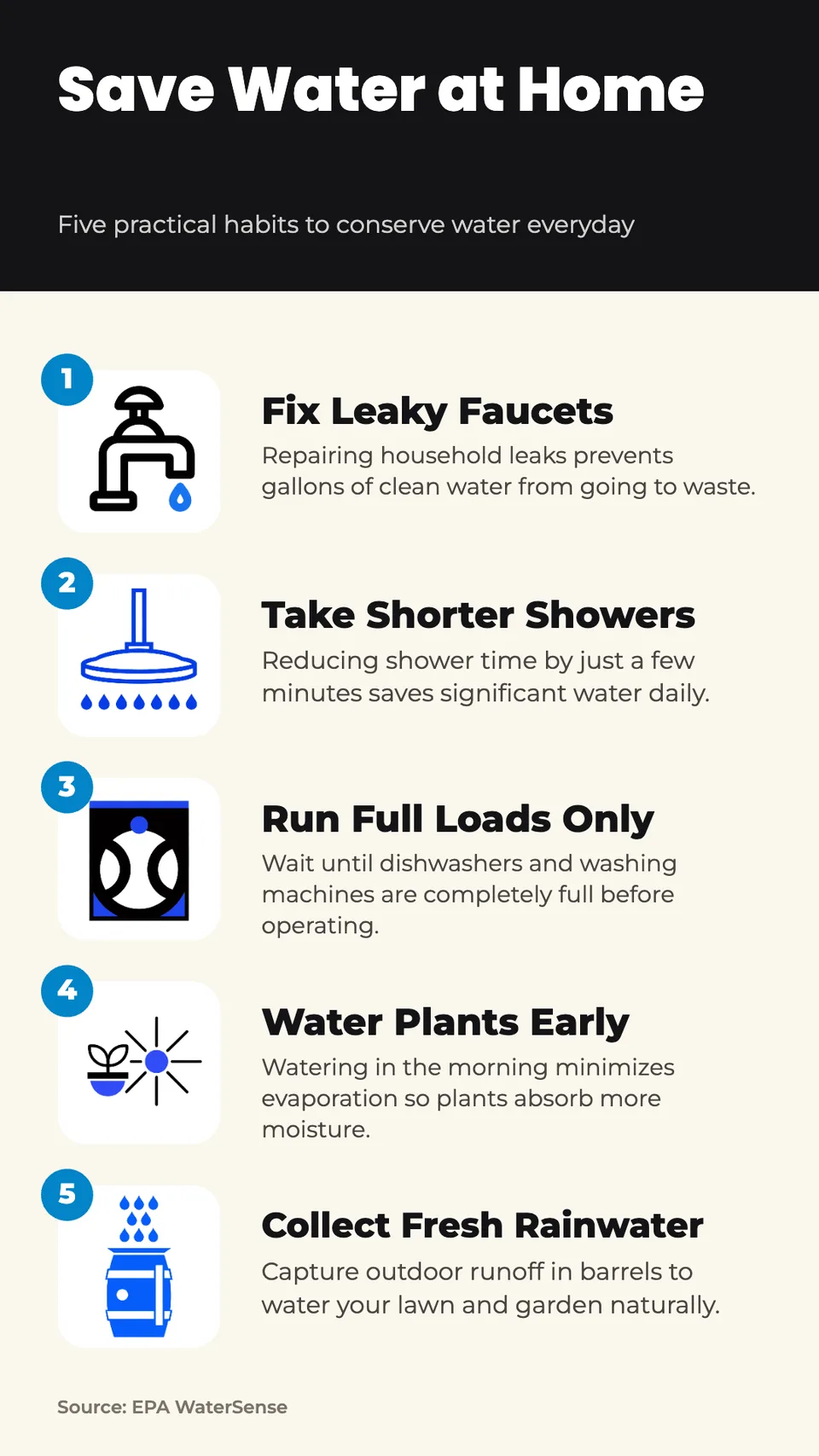
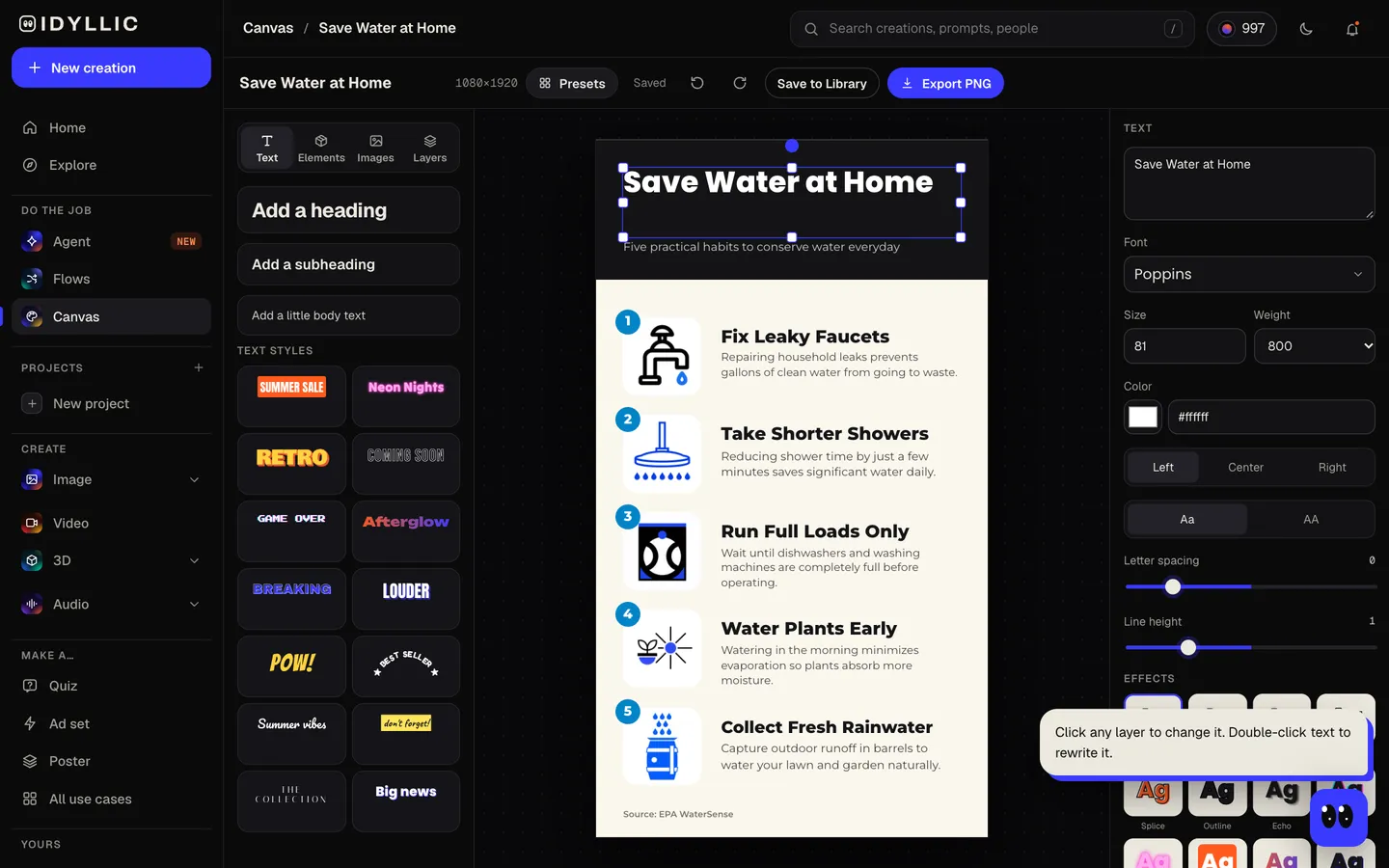
Idyllic's AI infographics generator turns a topic, or your own notes, into one tall 9:16 infographic. You get a bold title band, then 3 to 6 numbered points, each with its own icon, a short heading and a one-line detail, with your source at the bottom. It is told never to invent statistics, so give it your facts. Every word stays editable in Canvas.
- Size
- 1080×1920 px, 9:16, up to 2160×3840
- You get
- 1 infographic with 3 to 6 points + the icons
- Icon styles
- Flat, Line art, Playful, Isometric, Hand-drawn, Minimal
- Image model
- Recraft V4.1
- Cost
- 45 credits for 5 points, on Plus
Real output · no retouching
One brief.
1 results.
- What is the infographic about?
- 5 easy ways to save water at home
- Your facts or notes (optional)
- Fix leaky faucets, take shorter showers, run full loads only, water plants in the morning, collect rainwater. Source: EPA WaterSense
- Icon style
- Flat
How to make it
Four steps, about a minute of your time. These are real screens from the run above.
- 01
Say what it is about
Write the topic in 'What is the infographic about?', like '5 easy ways to save water at home'. Paste your facts or notes and a source if you have them, then pick an icon style (Flat, Line art, Playful, Isometric, Hand-drawn or Minimal) and the number of points, 3 to 6.
Open the flow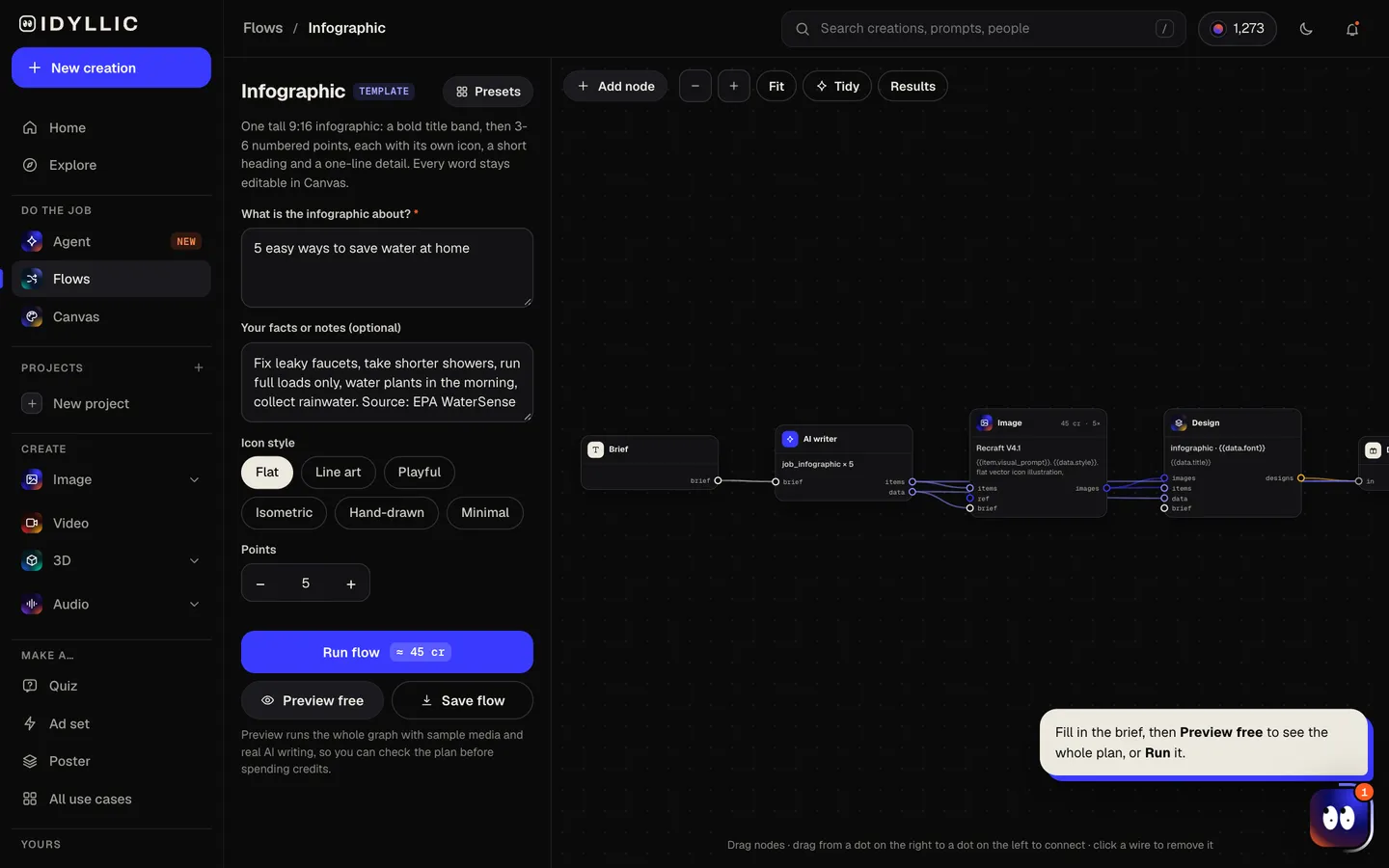
- 02
Watch it get designed
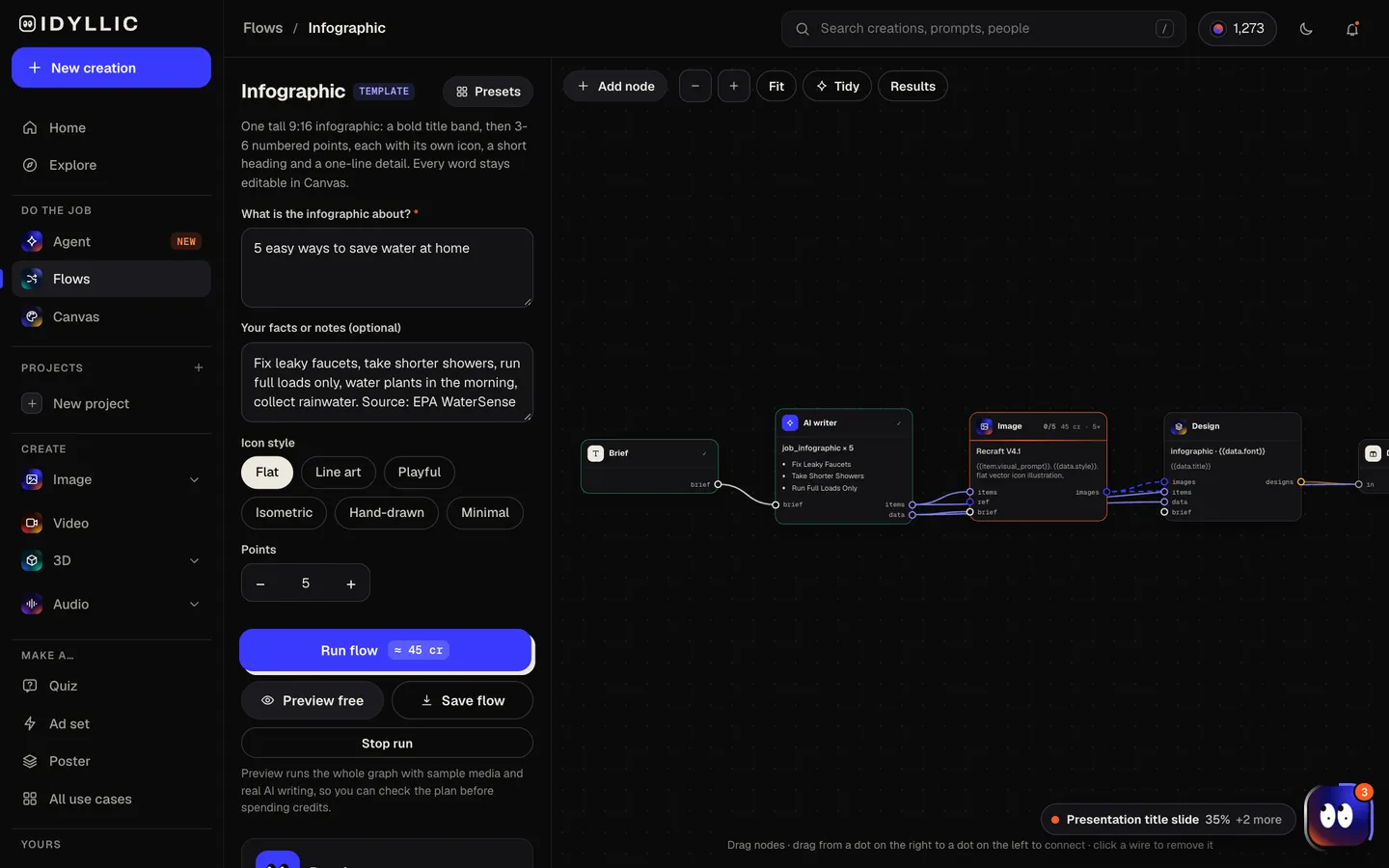
The AI writer, briefed as an information designer, writes the title, a framing line and each point as a 2-5 word heading with one line of detail, using your facts. Recraft V4.1 draws an icon for every point in one matching style, then Idyllic puts them all into a single tall design. Preview the plan free first.
- 03
See the whole infographic
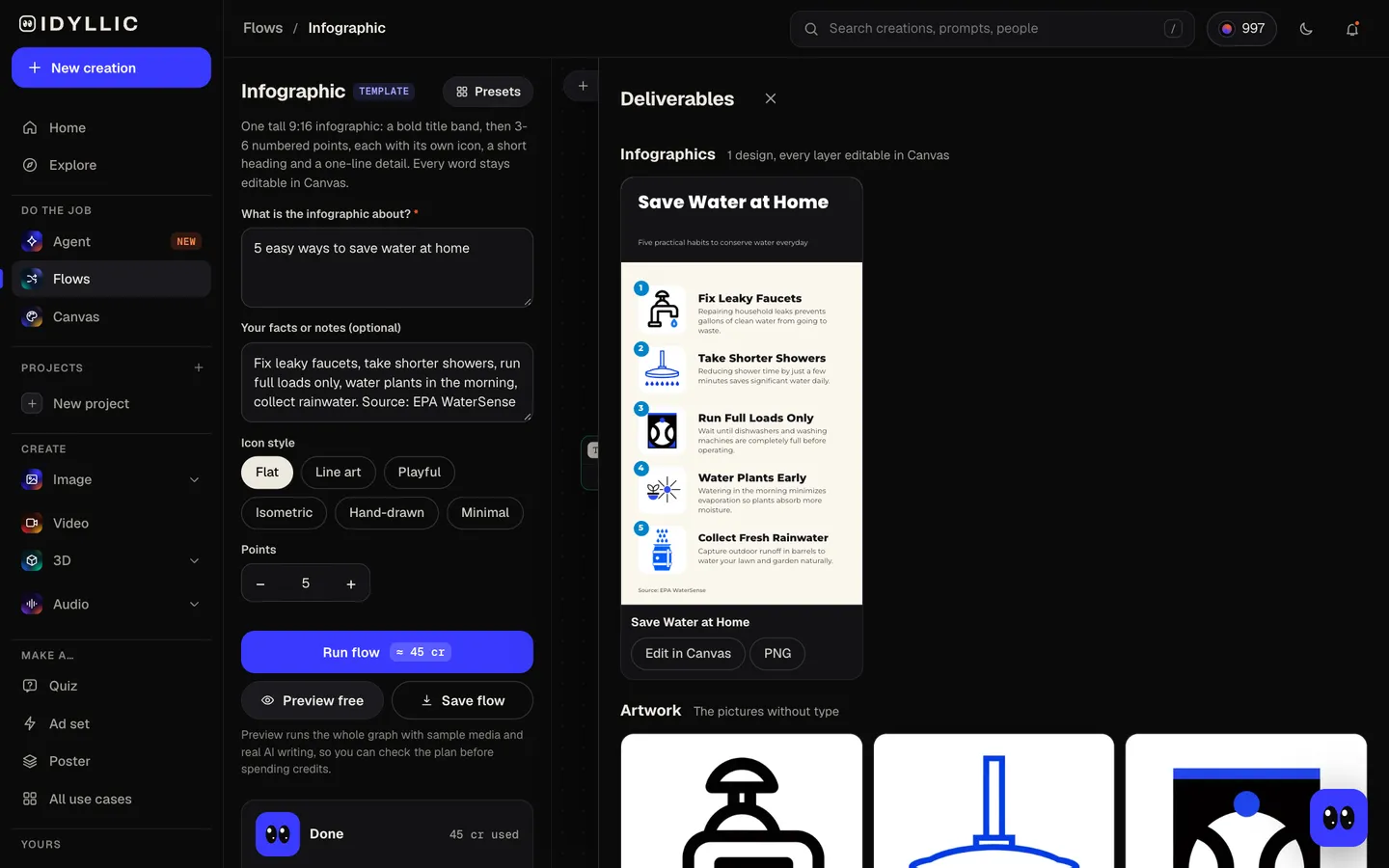
The finished infographic appears with every icon on its own beside it, so you can check each point against its picture.
- 04
Edit and download
Open it in Canvas to change any heading, detail, color or font, move any layer or add your logo. Download a 1080×1920 PNG, or the Large export at 2160×3840 for print and high-density screens.
Why it beats
a template
Real type, not AI lettering
The title, headings and details are set as live text, so every word is spelled the way it was written and stays editable. The icons carry no text at all.
No made-up numbers
The AI writer uses the facts you give it, otherwise well-established general knowledge, and is told never to invent statistics or sources. Your source line prints at the bottom exactly as you wrote it.
Icons that match
Recraft V4.1 draws every icon in the one style you pick, so the set looks designed together, not collected.
A structure people can scan
A bold title band, then numbered rows of icon, heading and one line of detail. Readers get the point in seconds.
Sized for phones
At 1080×1920, it is exactly the size of an Instagram or TikTok story, and fills a phone screen held upright.
Edit every layer
Canvas has 144 fonts and text effects. Change a heading, recolor the title band, move any layer or select part of an icon and describe a change.
What makes a good infographic
- One message per infographic. '5 ways to save water' beats 'everything about water'.
- Keep each point to a short heading and one line. If it needs a paragraph, it needs its own graphic.
- Use real numbers from a source you trust, and name the source.
- Put the points in a logical order: by step, by size or by time.
- Keep the icons wordless and let the type do the talking.
- Check it on a phone before you post. If it reads at arm's length, it works.
Infographic sizes and specs
| Idyllic infographic | 1080×1920 px, or 2160×3840 Large | 9:16 portrait, PNG |
|---|---|---|
| Instagram and TikTok stories | 1080×1920 px | 9:16, the exact size |
| 1000×1500 px recommended | 2:3; taller pins may be cut off in the feed, so keep the title and first points near the top | |
| Blog or website | Column width | Tall graphics scale down to fit; the Large export stays sharp on high-density screens |
| Print handout | Letter or A4 | 9:16 is narrower than paper, so it prints with margins at the sides |
Wherever it gets cropped or previewed, the top shows first, so keep the title and the most important point in the top half.
Steal a brief
Each one opens the flow with the brief filled in. Change anything before you run it.
5 easy ways to save water at home, from fixing leaks to shorter showers, in flat icons
How a bill becomes a law in the United States, in 6 steps, line art icons
The four stages of a butterfly's life cycle for a Grade 3 class, playful icons
4 habits for better sleep: a steady bedtime, no late caffeine, a dark room, screens off, minimal icons
Our client onboarding in 5 steps, from discovery call to launch, isometric icons
How to recycle right: rinse containers, no plastic bags, flatten boxes, check local rules, flat icons
The water cycle in 4 steps: evaporation, condensation, precipitation and collection, line art
5 rules for calmer remote meetings, from a clear agenda to ending on time, hand-drawn icons
Fire safety at home: test smoke alarms, plan two ways out, pick a meeting spot, playful icons
Questions
How do I create an infographic with Idyllic?
Describe the topic in one line, add your facts or notes if you have them, then pick an icon style and the number of points. Idyllic writes the copy, draws an icon for each point and lays out one tall infographic you can edit and download.
Is it free to use?
You can preview the whole flow free, with real AI writing and sample images, so you can check the points first. Running it for real is on Plus ($10.50 a month, billed yearly) and uses 45 credits for a 5-point infographic. The free plan also includes 3 free images a day in the image studio.
What styles can I create?
Six icon styles: Flat, Line art, Playful, Isometric, Hand-drawn and Minimal. After that, change the fonts, colors and title band in Canvas.
Do I need to be good at writing prompts?
No. One plain line like '5 easy ways to save water at home' is enough. Notes and a source make it more specific, and the AI writer handles the structure.
Will it make up statistics?
It is told not to. The points come from the facts you paste, otherwise from well-established general knowledge, with no invented numbers or sources. Check every fact before you publish, as you would with any draft.
What size is an infographic?
There is no single standard; tall portrait works best on phones. Idyllic makes 1080×1920 px (9:16), the story size for Instagram and TikTok, with a Large export at 2160×3840 px. For Pinterest, 2:3 is the recommended shape.
Can I add my logo or brand colors?
Yes. Upload your logo in Canvas and place it anywhere, then change any color to match your brand.
Make something else
Everything you can make
Your turn.
Preview the whole flow free. No credit card.