Ready-made flow · Tall 2:3 pins with a title that makes people save
AI Pinterest Pin Maker
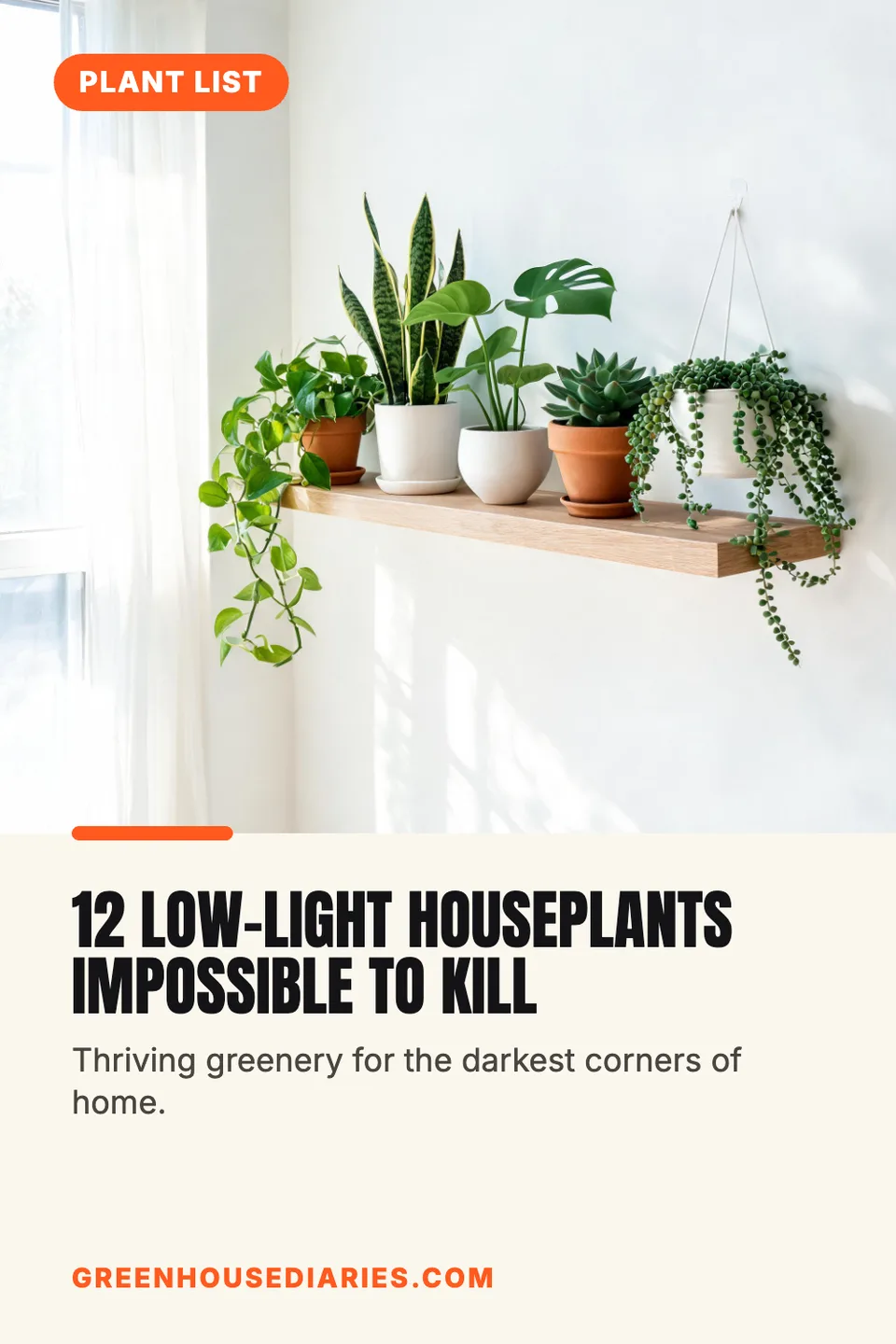
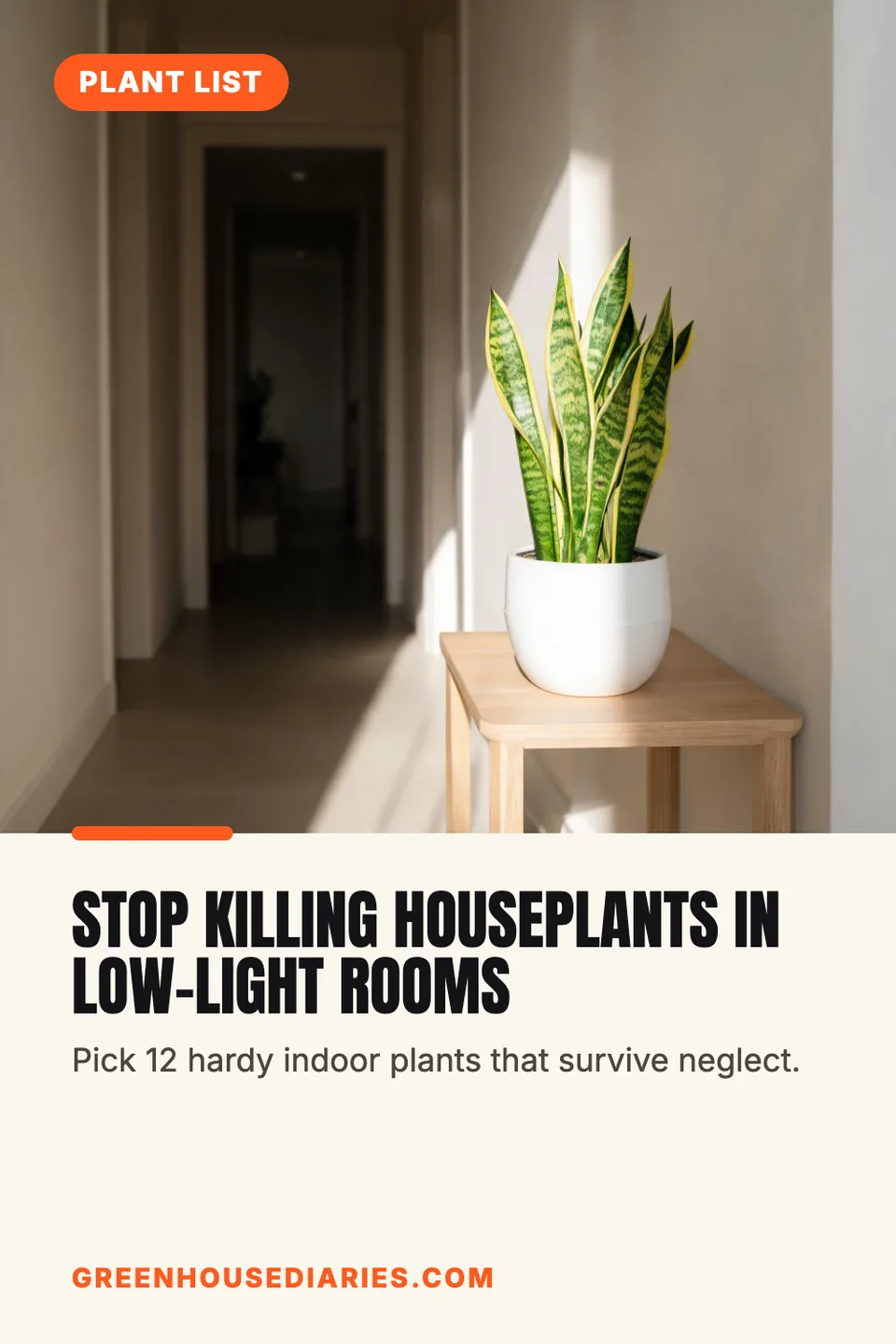
Idyllic's AI Pinterest pin maker turns a blog post, recipe, product or guide into tall 2:3 pins at 1000×1500, the size Pinterest recommends. Each pin takes a different title angle, with a styled image on top, a big keyword-rich title, a ribbon like “FREE GUIDE” and your website, plus a pin description ready to paste. Every word stays editable in Canvas.
- Size
- 1000×1500 PNG, 2:3
- You get
- 3 pins + descriptions + the photos
- Image model
- Seedream 5
- Cost
- 27 credits for 3, on Plus and up
- Looks
- Bright, Minimal, Cozy, Elegant, Bold, Boho
Real output · no retouching
One brief.
3 results.
- What is the pin for?
- My blog post: 12 low-light houseplants that are almost impossible to kill
- Website (optional)
- greenhousediaries.com
- Look
- Bright

How to make it
Four steps, about a minute of your time. These are real screens from the run above.
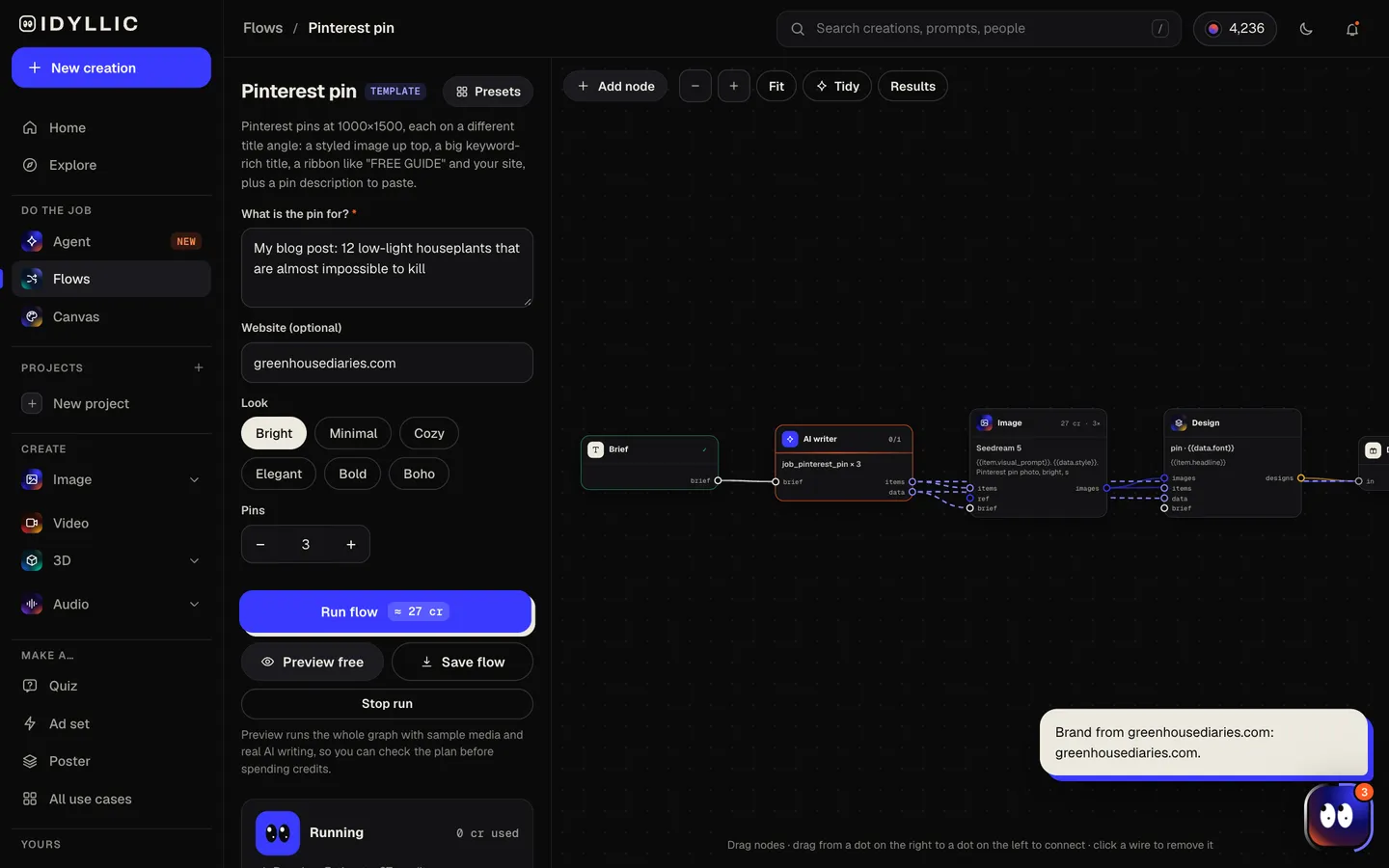
- 01
Say what the pin is for
Describe the post, recipe, product or guide in “What is the pin for?”, keeping any numbers, add your website, pick a look (Bright, Minimal, Cozy, Elegant, Bold or Boho) and choose how many pins to make, up to four.
Open the flow
- 02
Let the flow write and design
The AI writer gives each pin a different title angle (the list, the how-to, the result, the mistake to avoid, the quick win), a supporting line, a ribbon like “RECIPE” or “CHECKLIST” and a pin description with natural keywords. Seedream 5 makes each photo, then Idyllic lays out the pin. Preview the whole flow free first.
- 03
Compare the pins
Every pin appears side by side with its description, next to the photos on their own, so you can choose which angles to publish and test.

- 04
Edit in Canvas and download
Open a pin in Canvas to change the title, ribbon, font or colour, or move any layer. Then download the 1000×1500 PNG, paste the description and pin it with your link.

Why it beats
a template
Different angles to test
Three pins for the same link, each with its own title and photo, so you can see which angle people save and click, then make more like it.
Titles written for search
People find pins by searching. Every title is specific and keyword-rich, under nine words, and keeps the numbers from your brief exactly.
The shape Pinterest wants
Every pin is 1000×1500, the 2:3 shape Pinterest recommends. Taller pins can get cut off in the feed; these never do.
A description to paste
Each pin comes with a one or two sentence description with three to five natural keywords, ready for the description field when you publish.
Built to read small
A clear photo on top and a big title on a clean panel below, so the pin reads in a busy feed on a phone.
Every word editable
Titles, ribbons and your site are real type. Change a word, try any of 144 fonts or match your brand colours in Canvas.
What makes a Pinterest pin get saved
- Use 2:3. Pinterest says pins taller than that might get cut off in feeds.
- Put the main keyword in the title. People find pins by searching.
- Lead the pin's title field with what matters: feeds show only the first 40 or so characters.
- Make several pins for the same post, each with a different angle.
- Use one clear subject on a light, uncluttered background.
- Add your website so the pin stays credited when it's saved and shared.
Pinterest pin size and specs
| Recommended | 1000×1500 px | 2:3, Pinterest's recommendation |
|---|---|---|
| File | PNG or JPEG | Up to 20 MB on desktop |
| Taller than 2:3 | May be cut off | Pinterest can crop longer pins in the feed |
| Pin title | Up to 100 characters | About the first 40 show in feeds |
| Description | Up to 800 characters | Not shown in feeds; helps Pinterest match searches |
| Idyllic export | 1000×1500 px PNG | Standard export; Large export is 2000×3000 |
The title on the design is what people see in the image. The pin's title and description are separate fields you fill in when you publish: paste the description Idyllic writes and reuse the design's title.
Steal a brief
Each one opens the flow with the brief filled in. Change anything before you run it.
My blog post on 12 low-light houseplants that are almost impossible to kill, greenhousediaries.com
A free printable weekly meal planner for busy families, plannedplates.com, in a minimal look
My 3-day Lisbon itinerary on a budget, with where to eat and stay, wanderwithnoor.com
A cozy reading nook makeover for under $200, nestandnook.com, in a boho look
Our handmade soy candles with notes of cedar and fig, emberandwick.com, in an elegant look
7 beginner crochet patterns you can finish in a weekend, loopsandlattes.com, in a cozy look
My 20-minute full-body workout with no equipment, fitwithkai.com, in a bold look
How to start a raised-bed vegetable garden, step by step, backyardharvest.com
A checklist of 15 things to do before moving into your first home, keyfirsthome.com
Questions
What size is a Pinterest pin?
Pinterest recommends 1000×1500 pixels, a 2:3 shape, as a PNG or JPEG up to 20 MB. Pins taller than 2:3 might get cut off in feeds. Idyllic exports pins at exactly 1000×1500.
Is the AI Pinterest pin maker free?
You can preview the whole flow free: the AI writer plans your real titles, angles and descriptions, shown with sample images. Making the final pins is on Plus and up (from $10.50/mo, billed yearly) and costs 27 credits for three. The free plan also includes 3 free images a day in the image studio.
What makes a good Pinterest pin?
A tall 2:3 image, one clear subject, a title with the words people search for, and a reason to click: a free guide, a recipe, a checklist. Add your site so the pin stays credited.
Does it write the pin description too?
Yes. Every pin comes with a one or two sentence description with three to five natural keywords. Paste it into the description field when you publish.
How many pins should I make for one post?
Three is a good start. Each takes a different angle, so you can see which title and image people save most and make more like it.
Can I use my own product photo?
This flow makes new photos from your description. For pins built around a real product photo, describe the job to the Agent and it builds a flow that keeps your product in every picture.
Can I make pins in another language?
Yes. Prompts work in any language, and you can change any word on the pin in Canvas.
Can I use the pins for my business?
Yes. Paid plans include a commercial license, so pins can promote your blog, shop, products and services. Paid plans also include private mode.
Make something else
Everything you can make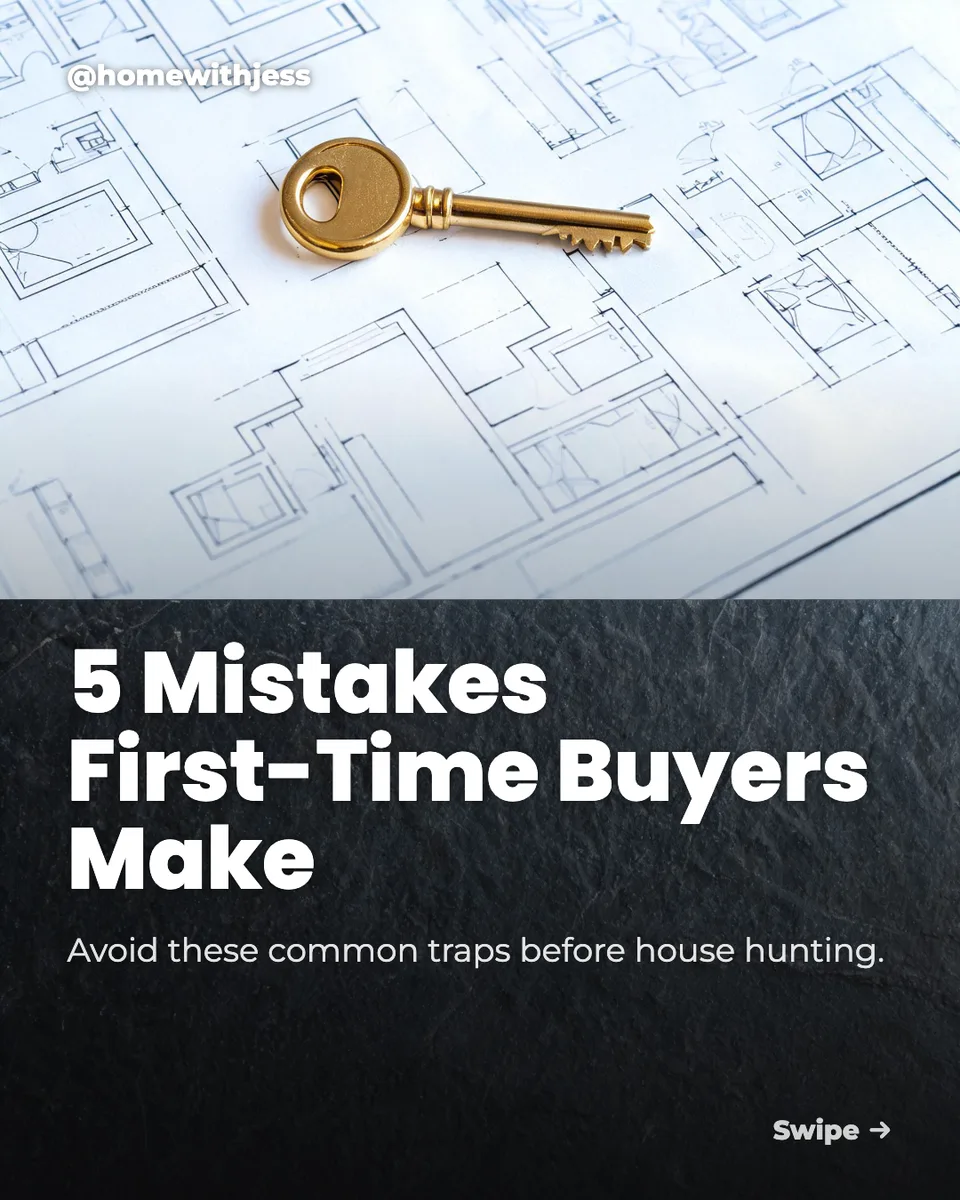

Your turn.
Preview the whole flow free. No credit card.