Ready-made flow · Square quote posts with the words set beautifully
AI Quote Maker
Idyllic's AI quote maker turns a quote, or just a theme, into square 1080×1080 quote posts. Give it your own words and every post keeps them exactly, over a different atmospheric image. Give it a theme like “starting over” and each post gets a fresh, original quote. The author line and a caption with hashtags come ready, and every word stays editable.
- Size
- 1080×1080 PNG, 1:1
- You get
- 3 quote posts + captions + the images
- Image model
- Seedream 5
- Cost
- 27 credits for 3, on Plus and up
- Looks
- Moody, Minimal, Nature, Bold, Elegant, Retro, Pastel
Real output · no retouching
One brief.
3 results.
- Your quote, or a theme to write quotes about
- Slow progress is still progress. Or a theme, like "starting over"
- Author (optional)
- Maya Ortiz, or @yourhandle
- Look
- Moody
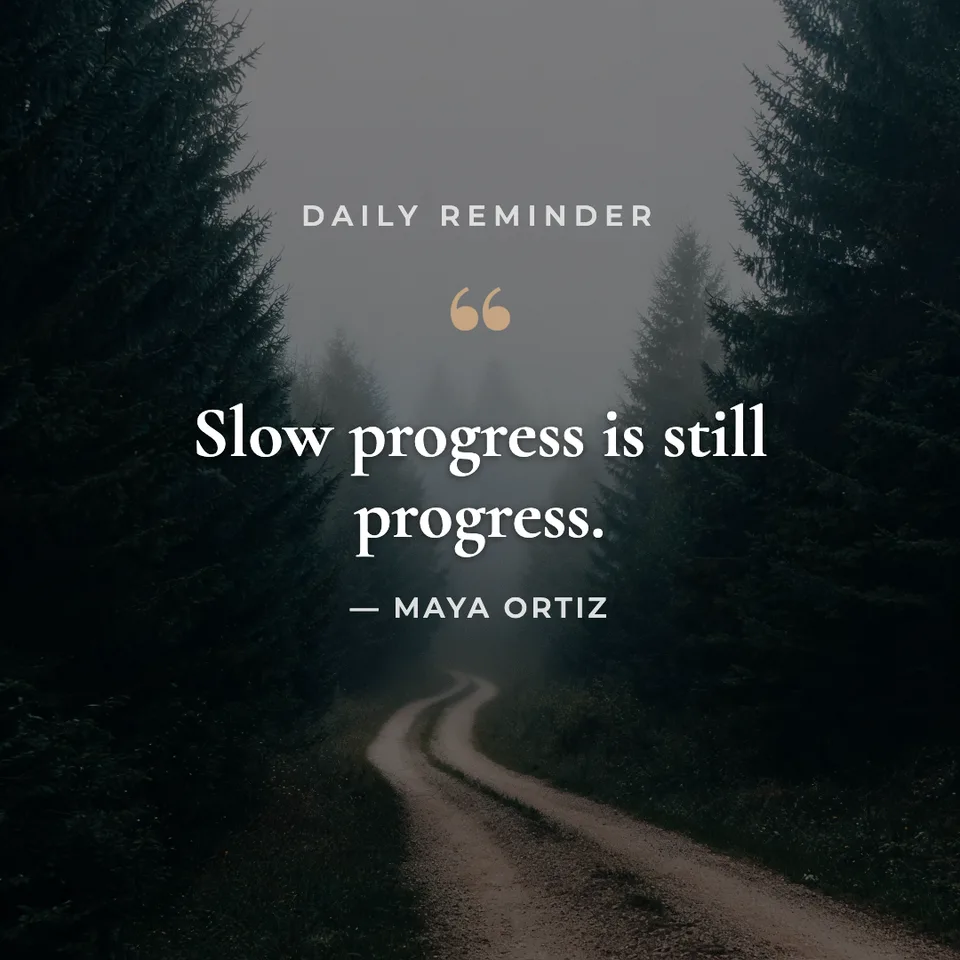
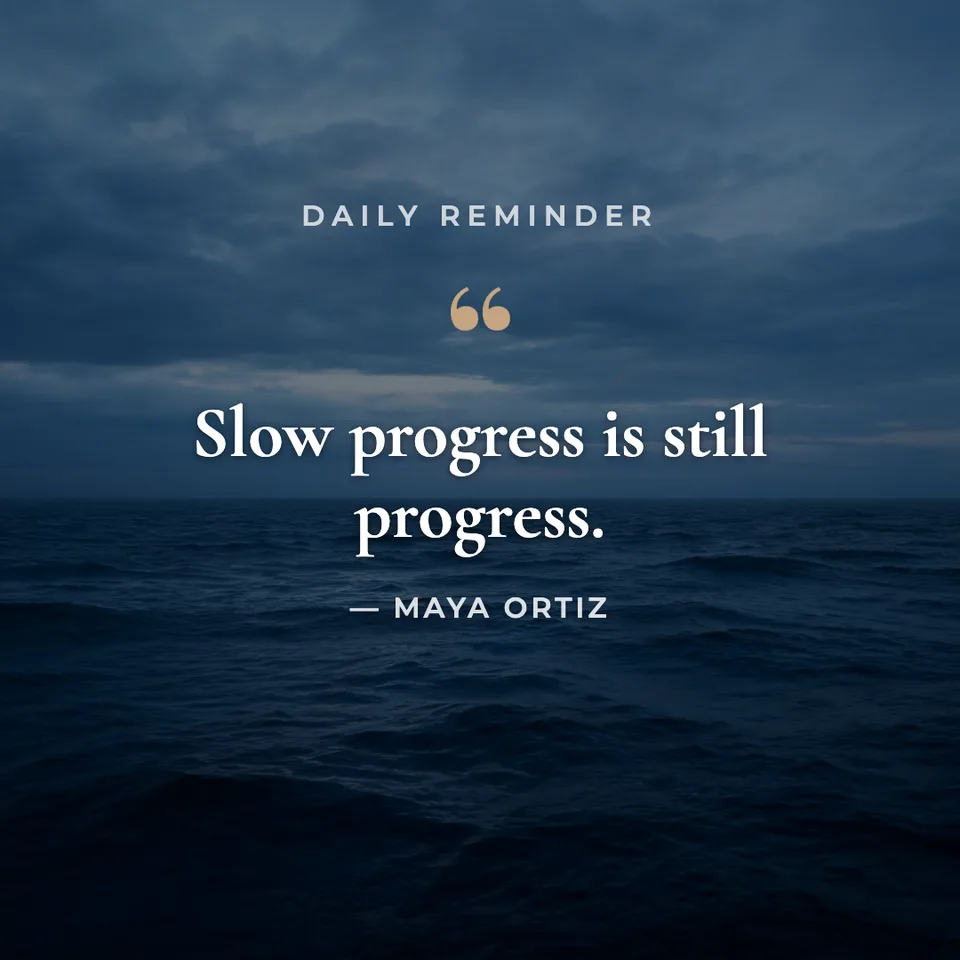
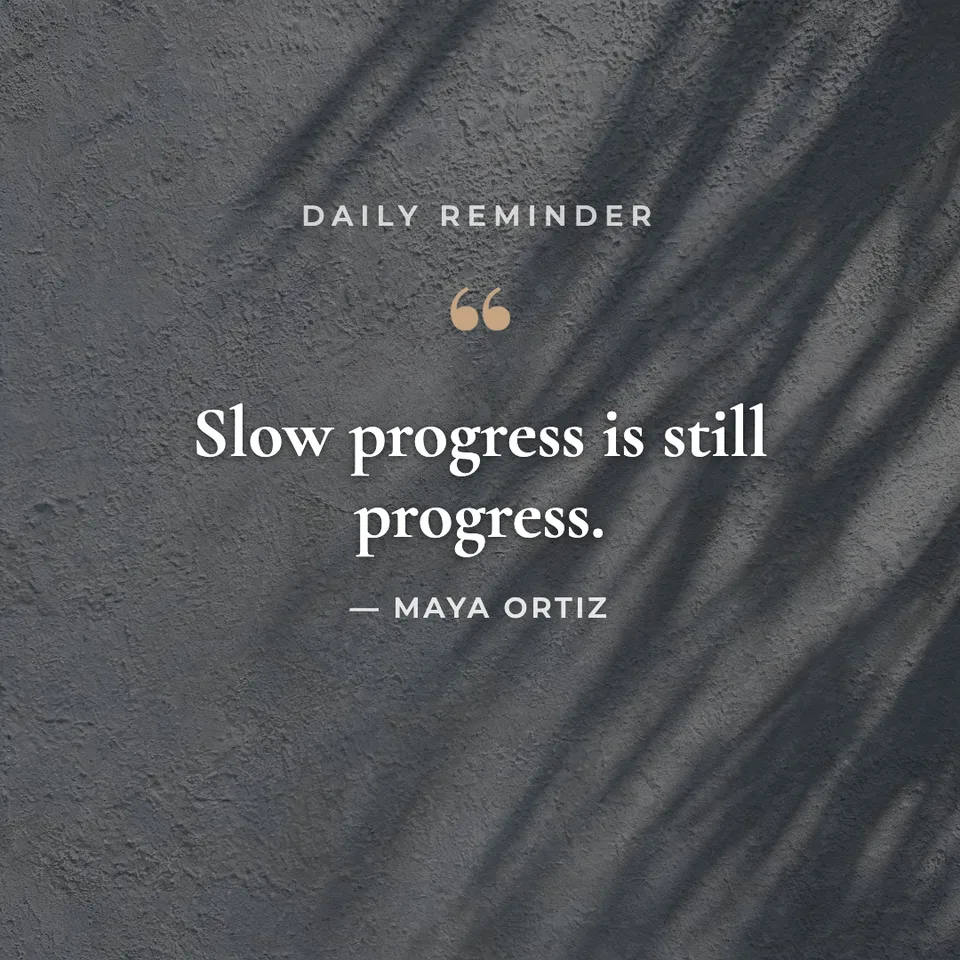
How to make it
Four steps, about a minute of your time. These are real screens from the run above.
- 01
Add the quote or a theme
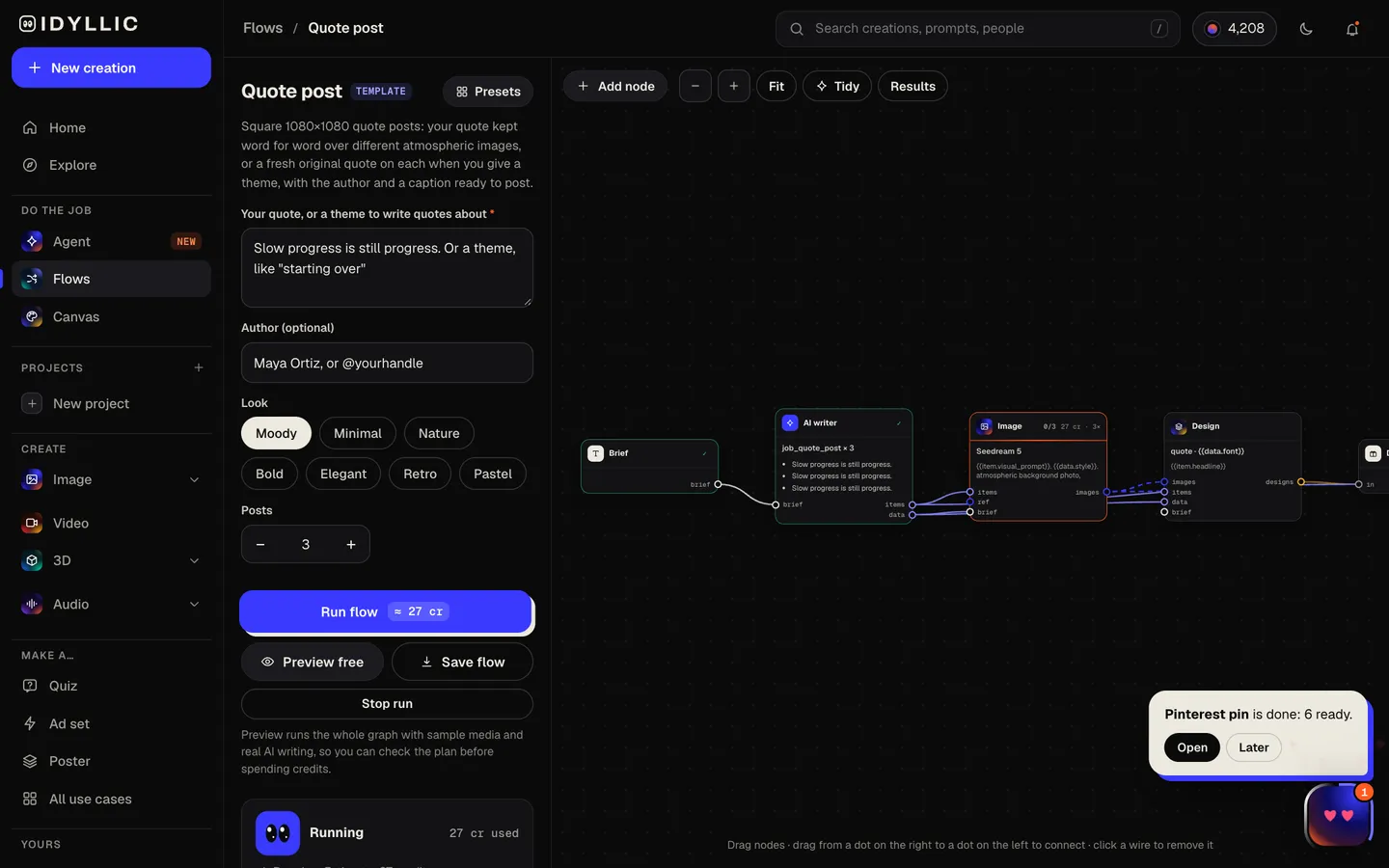
Paste your quote, or give a theme like “starting over” to get original quotes. Add the author or your @handle, pick a look (Moody, Minimal, Nature, Bold, Elegant, Retro or Pastel) and choose how many posts to make, up to four.
Open the flow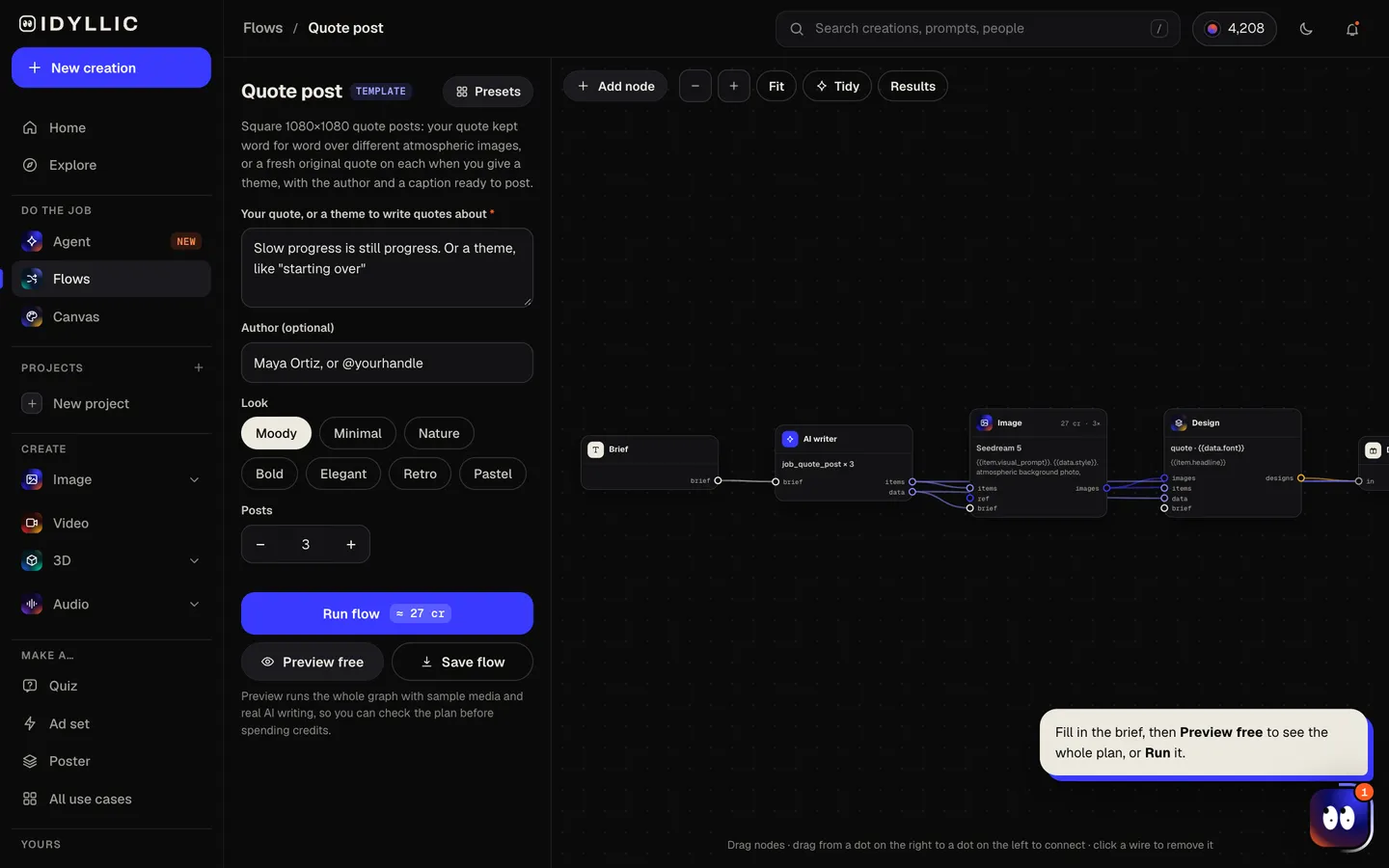
- 02
Let the flow design it
The AI writer keeps your quote word for word, or writes a different short quote for each post when you give a theme, adds a small kicker like “DAILY REMINDER” and writes a caption with hashtags. Seedream 5 makes a calm, atmospheric background for each, then Idyllic sets the quote in a serif or display font. Preview the whole flow free first.
- 03
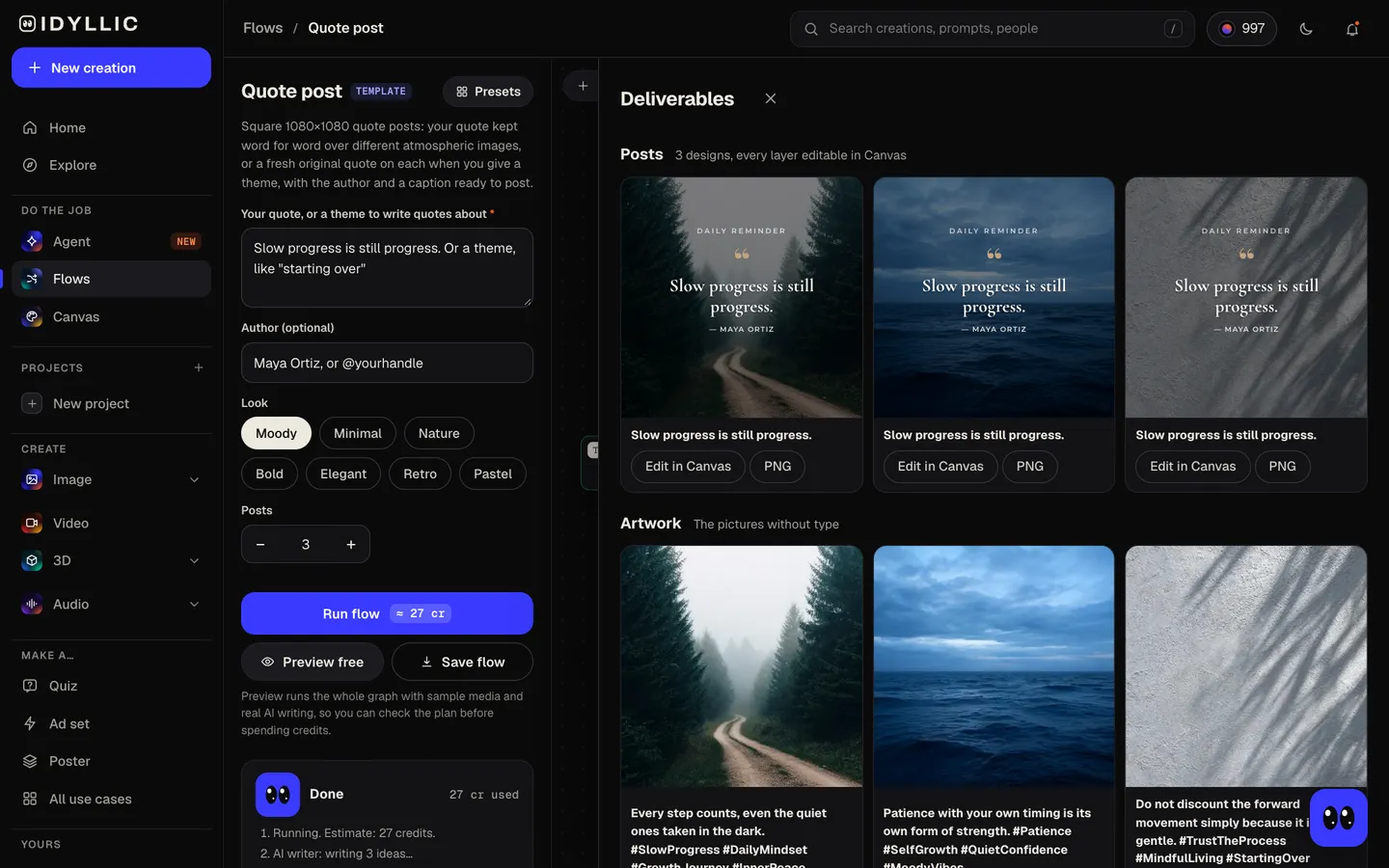
Compare the posts
Every post appears side by side with its caption, next to the backgrounds on their own, so you can pick the image that fits the words best, or keep all three as a series.
- 04
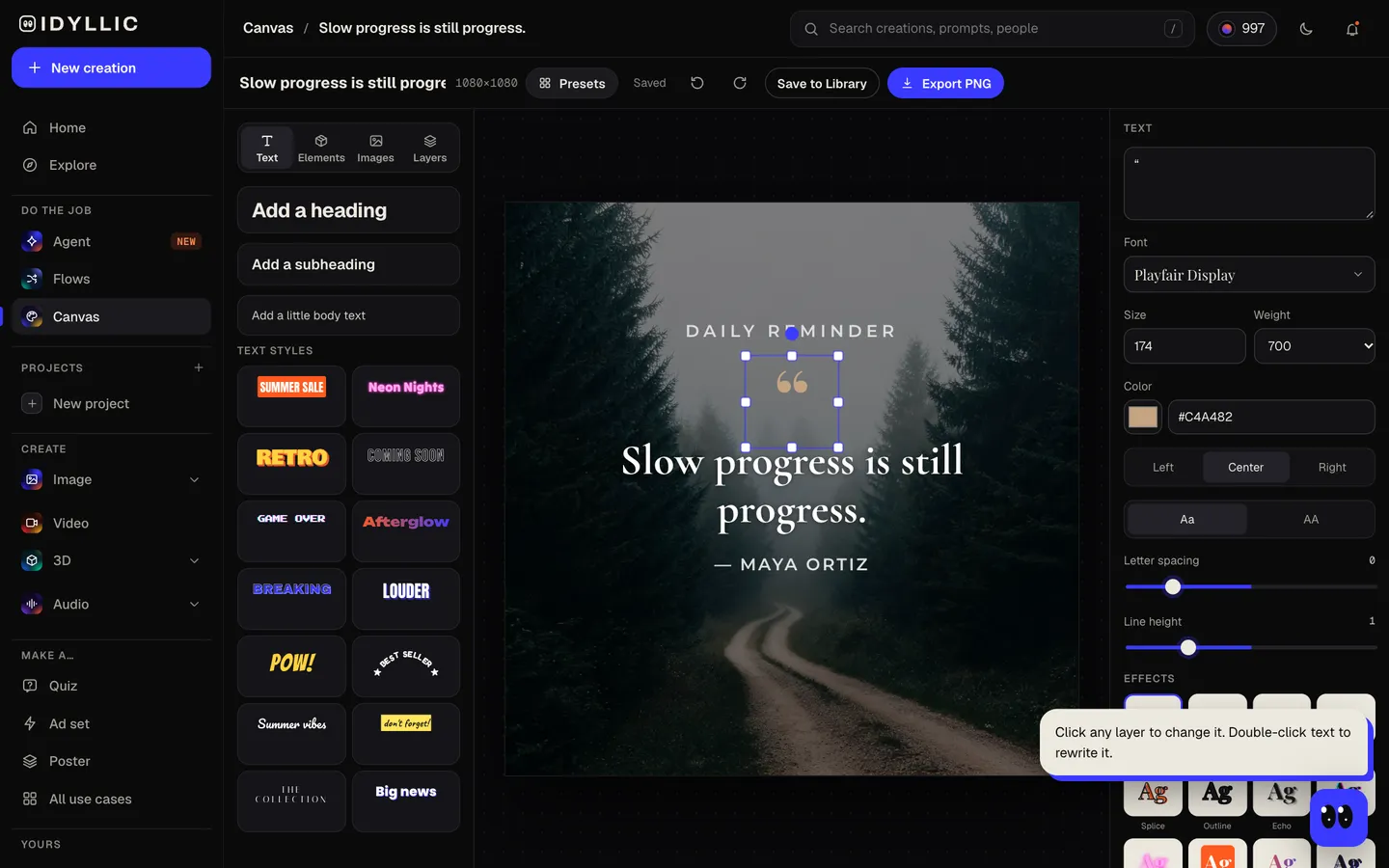
Edit in Canvas and download
Open a post in Canvas to change any word, font or colour, then download the 1080×1080 PNG and copy the caption. Need a story too? Switch the artboard to Story and every layer scales with it.
Why it beats
a template
Your words, exactly
Give it a finished quote and it is set word for word on every post, never paraphrased or tidied up.
Original quotes from a theme
Give a theme instead and each post gets a different short original quote, under 20 words. It never attributes words to a real person you didn't name.
Type that suits the words
Serif faces like Playfair Display, Cormorant Garamond and Instrument Serif for quiet quotes, heavy display fonts like Anton for loud ones, picked to match the look.
Backgrounds that stay quiet
Each image is soft and even with no strong subject in the centre, so the words stay the hero: a sky, a landscape, a texture, a still room.
Caption and hashtags included
Every post comes with a one-sentence caption that riffs on the quote and a few specific hashtags, ready to paste.
One quote, any shape
Switch the artboard in Canvas to a 4:5 post or a 9:16 story and the layers scale to fit, so one design covers your feed and your stories.
What makes a quote post people share
- Keep it short. Under 20 words reads in one glance.
- Credit the author, or leave the line off if the words are yours. Never guess.
- Let the background whisper: soft light and no busy subject behind the words.
- Use one font for the quote and a small, simple one for the author.
- Post a series on one theme so your feed looks planned.
- Write a caption that adds something: a story, a question or how you use the idea.
Quote post sizes
| Instagram square | 1080×1080 px | 1:1, what Idyllic exports |
|---|---|---|
| Instagram portrait | 1080×1350 px | 4:5; switch the artboard in Canvas |
| Instagram story | 1080×1920 px | 9:16; switch the artboard in Canvas |
| Profile grid | 3:4 preview | Trims the sides of a square post |
| Large export | 2160×2160 px | For print or extra-sharp screens |
1080×1080 is full quality for an Instagram feed post. The profile grid shows a narrower 3:4 crop, so the quote is kept in the middle, away from the left and right edges.
Steal a brief
Each one opens the flow with the brief filled in. Change anything before you run it.
Slow progress is still progress, by Maya Ortiz, in a moody look
Original quotes about starting over after a hard year, in a minimal look
Your pace is not a problem, it's a plan, by @slowmilesrunclub, in a bold look
Original quotes about patience for new parents, in a pastel look
The garden teaches what the calendar can't, for my plant shop @rootandbloom, in a nature look
Original quotes about creative courage for artists who are just starting out, in a retro look
Grief and gratitude can share the same room, by Dr. Lena Hart, in an elegant look
Original quotes about building wealth slowly and spending on what matters, in a minimal look
Small habits, repeated, become who you are, by coach Dani Reyes, in a nature look
Questions
What size is a quote post for Instagram?
A square post is 1080×1080 pixels and a portrait post is 1080×1350 (4:5). Idyllic exports square 1080×1080 posts; switch the artboard in Canvas for 4:5 or a 9:16 story. The profile grid shows a 3:4 preview, so keep the words away from the side edges.
Is the AI quote maker free?
You can preview the whole flow free: the AI writer plans your real quotes, kickers and captions, shown with sample images. Making the final posts is on Plus and up (from $10.50/mo, billed yearly) and costs 27 credits for three. The free plan also includes 3 free images a day in the image studio.
Can I use my own quote?
Yes. Paste it and every post keeps it word for word, each over a different background. Add the author in the author field, or leave it empty.
Can the AI write quotes for me?
Yes. Give a theme like “starting over” or “patience” and each post gets a different short original quote. Read them before you post, and edit any word in Canvas.
Who gets credited on the post?
Only the author you enter. The flow never attributes a quote to a real person you didn't name, so original quotes go out unsigned or under your own handle.
Can I turn a quote post into a story?
Yes. Open the post in Canvas and switch the artboard to Story (1080×1920). Every layer scales with it; nudge the quote if you want it higher or lower.
Can I make quote posts in another language?
Yes. Prompts work in any language, and your quote is set exactly as you type it, accents and all.
Can I use quote posts for my business account?
Yes. Paid plans include a commercial license, so quote posts can go on brand, client and business accounts. Paid plans also include private mode.
Make something else
Everything you can make
Your turn.
Preview the whole flow free. No credit card.