Ready-made flow · A 16:9 title slide with your talk title in real type
AI Presentation Cover Maker
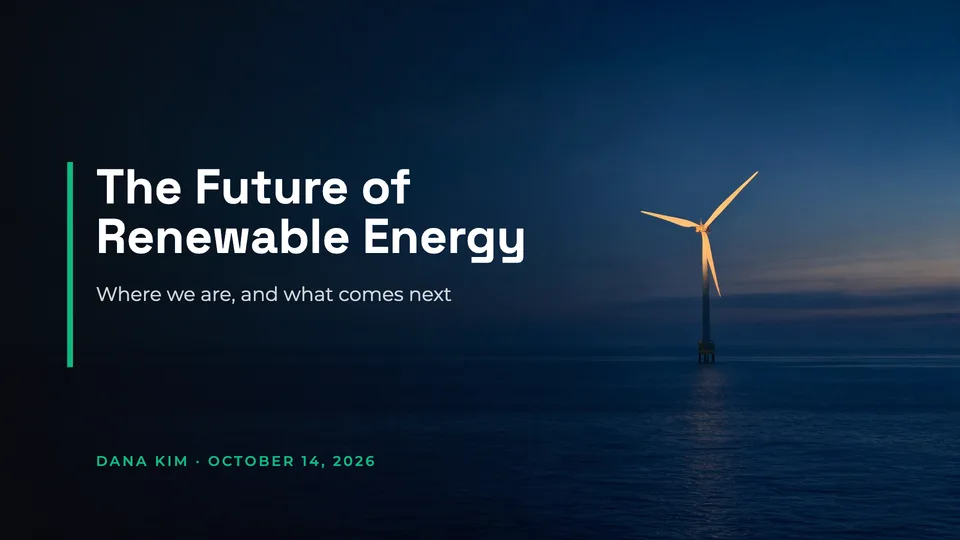
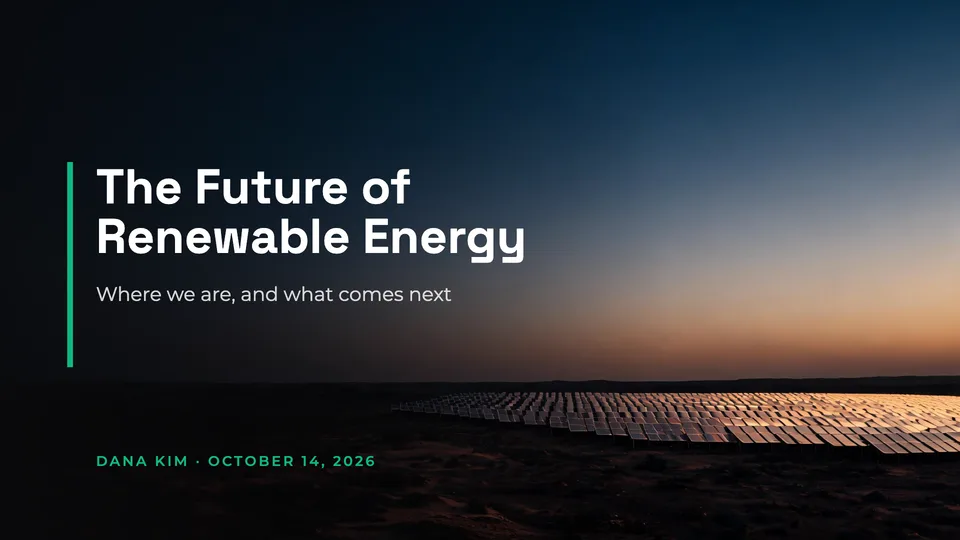
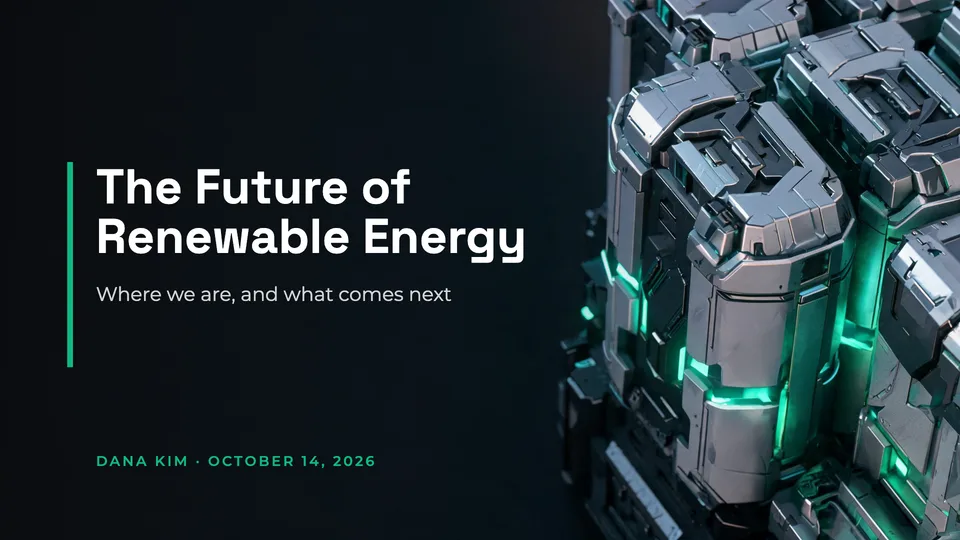
Idyllic's AI presentation cover maker designs the title slide for your deck from one line. You get three 16:9 slides at 1920×1080, each with a background image made for your topic and a calm, dark side where the title, subtitle and presenter line are set in real type. Download a PNG for Google Slides, PowerPoint or Keynote, or take the background on its own.
- Size
- 16:9, 1920×1080 px, up to 3840×2160
- You get
- 3 title slides + the backgrounds
- Looks
- Photographic, Abstract, Minimal, Illustrated, Dark tech, Gradient
- Works in
- Google Slides, PowerPoint, Keynote
- Cost
- 27 credits for 3 slides, on Plus
Real output · no retouching
One brief.
3 results.
- Talk title
- The Future of Renewable Energy
- Subtitle (optional)
- Where we are, and what comes next
- Presenter and date (optional)
- Dana Kim · October 14, 2026
- Look
- Photographic
How to make it
Four steps, about a minute of your time. These are real screens from the run above.
- 01
Give it your title
Type the talk title, add a subtitle and the presenter and date if you want them on the slide, then pick a look (Photographic, Abstract, Minimal, Illustrated, Dark tech or Gradient) and the number of designs.
Open the flow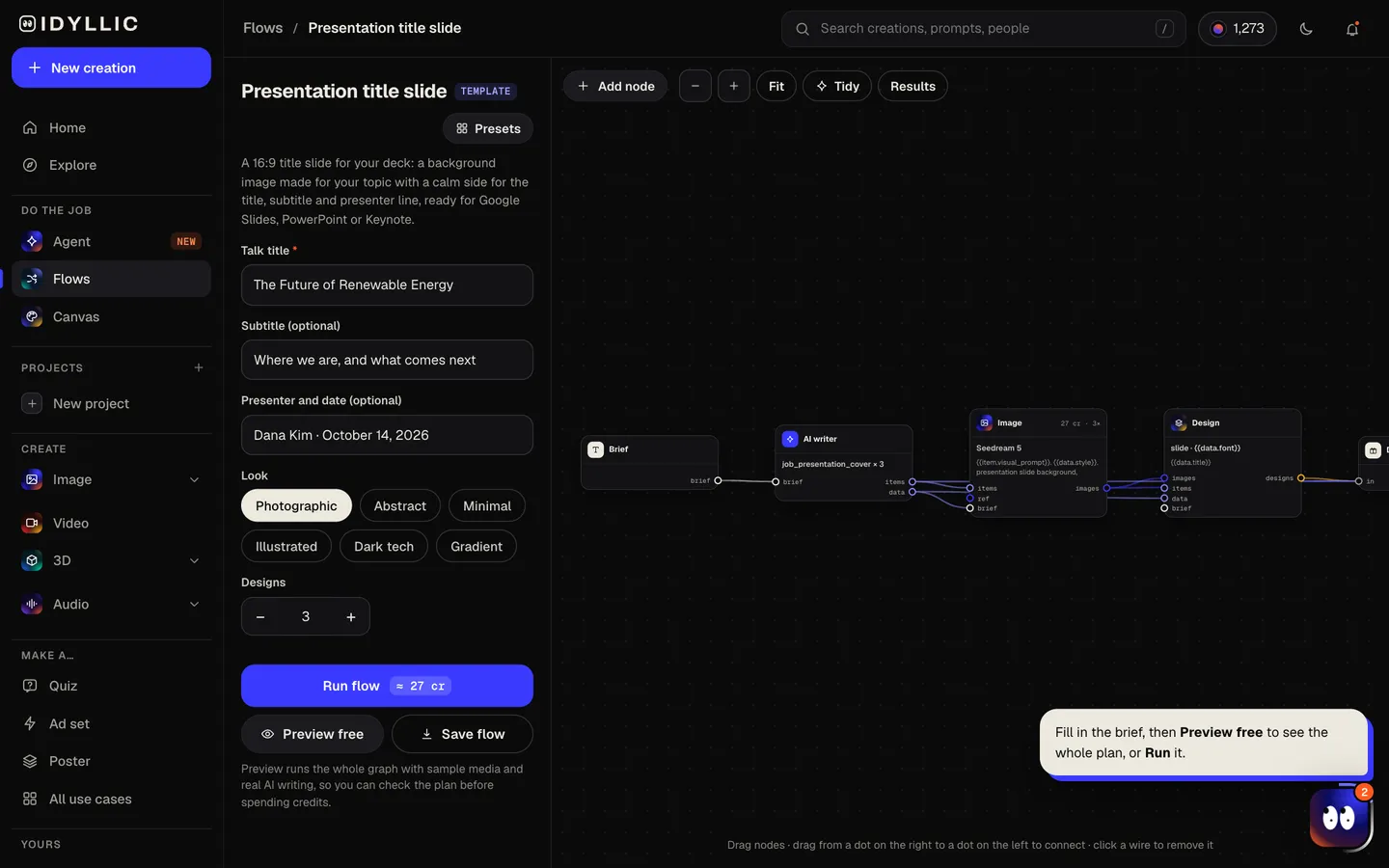
- 02
Watch it get designed
The AI writer keeps your title exactly as written, writes a one-line subtitle if you left it empty, and plans a different background idea for each design. Seedream 5 makes each wide image with the subject on the right and a calm, dark left side, then Idyllic sets the type there. Preview the plan free first.
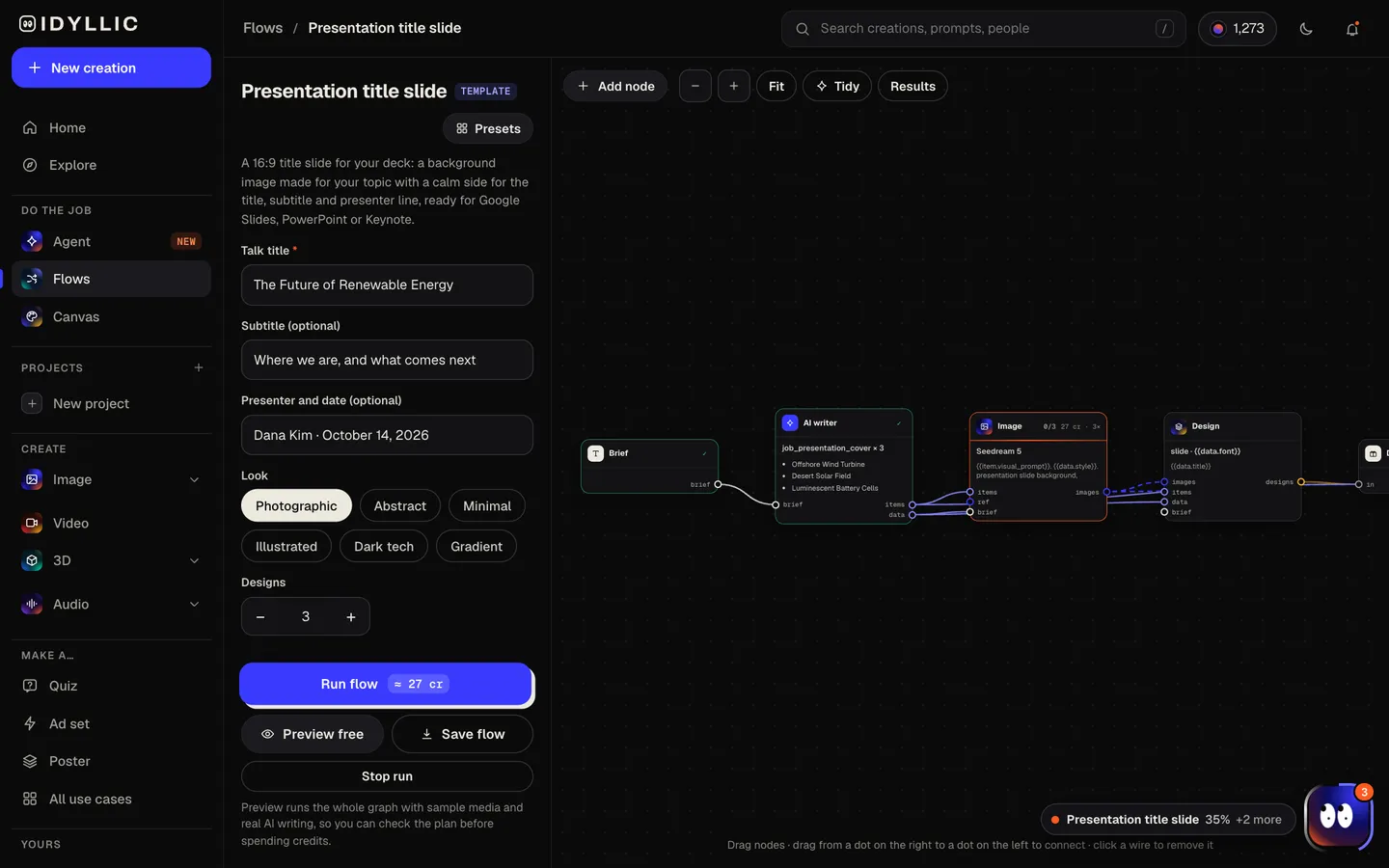
- 03
Compare the slides
The title slides appear side by side, next to the backgrounds without type, so you can take a finished slide or just the image.
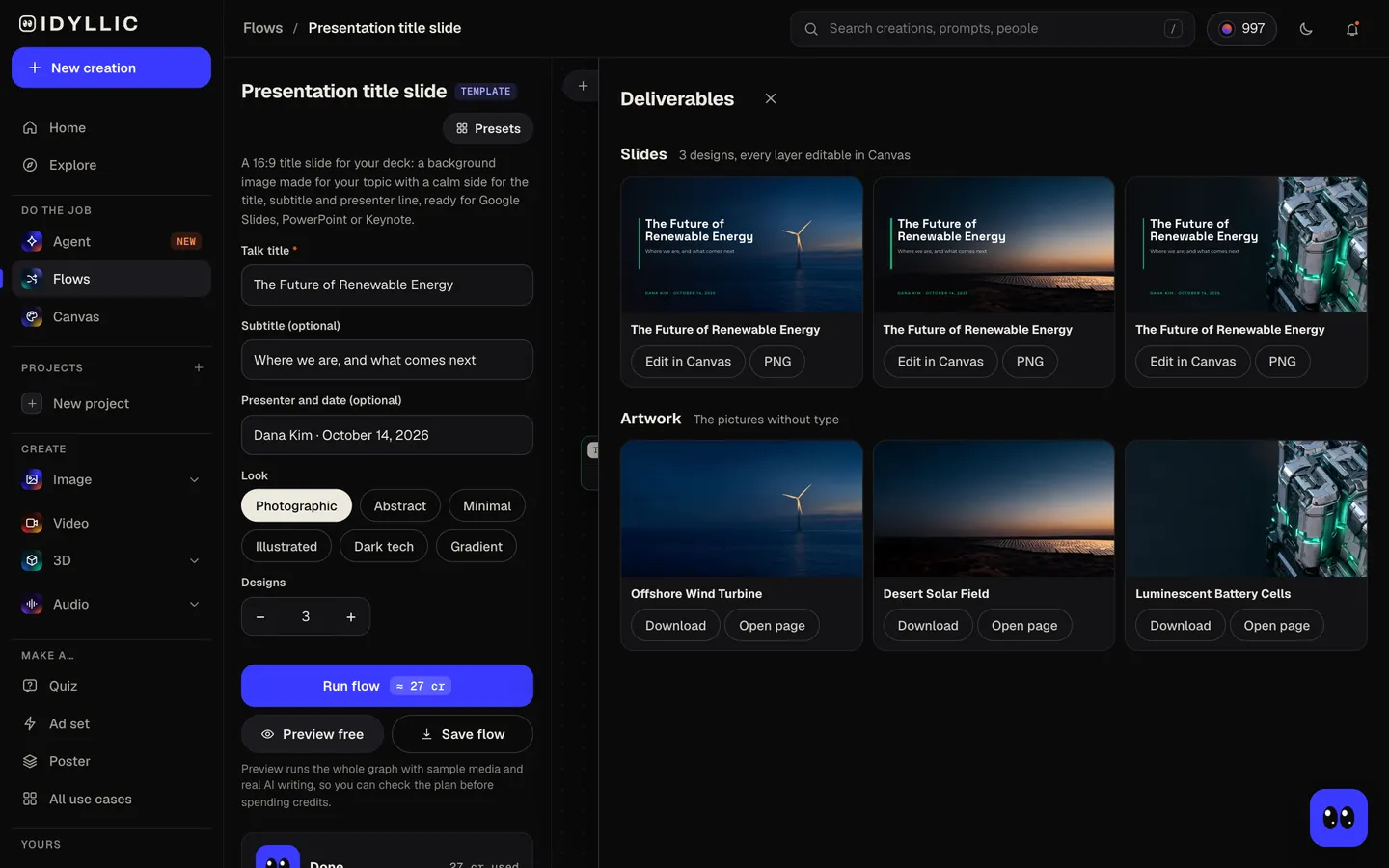
- 04
Edit and drop it in
Open one in Canvas to change any word, font or color. Download a 1920×1080 PNG and place it on your first slide, stretched to the edges, in Google Slides, PowerPoint or Keynote.
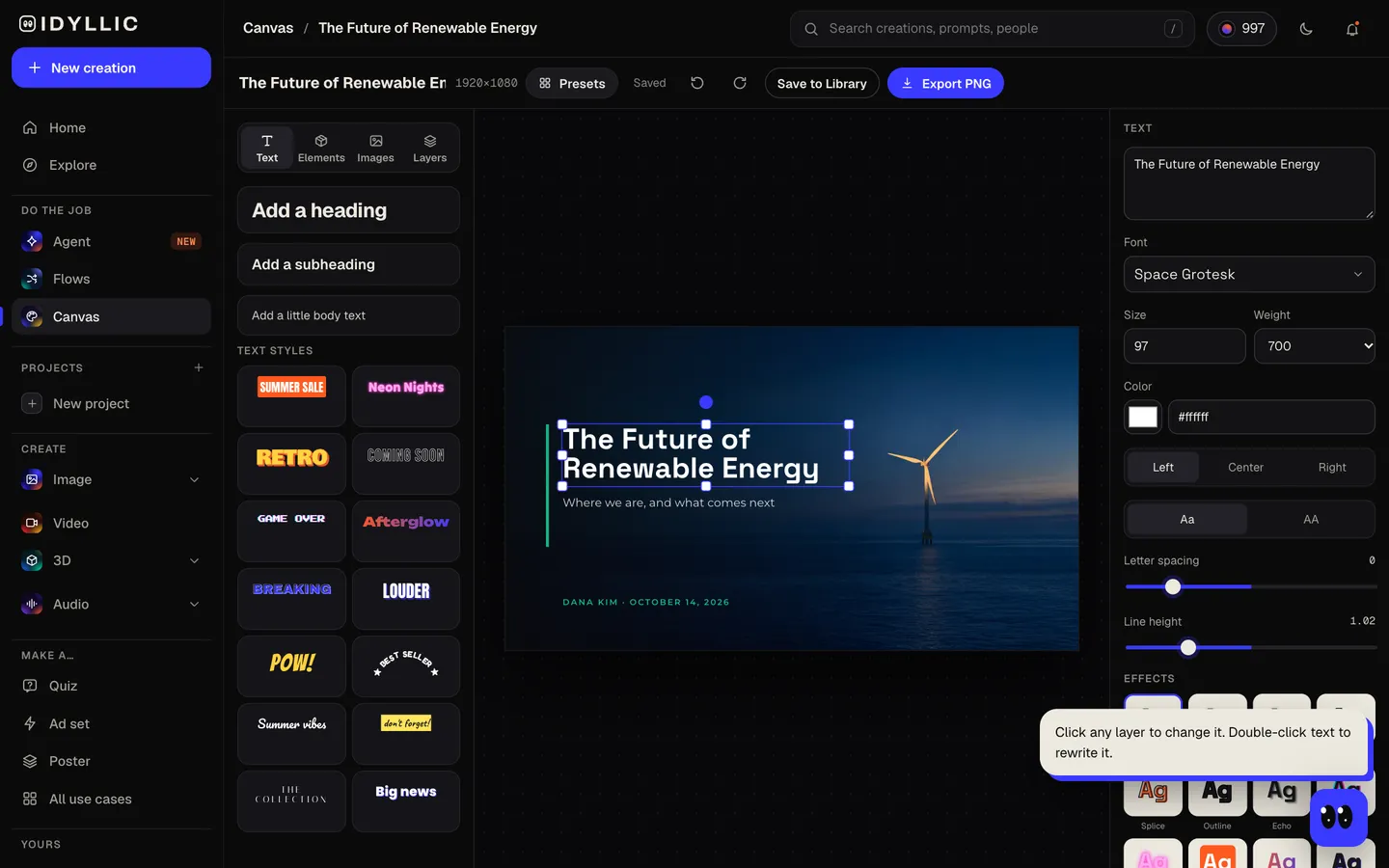
Why it beats
a template
A background made for your topic
Not a stock photo under a gradient. Each design gets an image of your subject, composed with the subject on the right and a quiet, dark side for the type.
The title in real type
Title, subtitle and presenter line are set as live text in Canvas, never drawn into the picture, so they are spelled exactly as you typed them.
Six looks
Photographic, Abstract, Minimal, Illustrated, Dark tech and Gradient, from a sixth-grade science talk to a seed-round pitch.
Exactly 16:9
1920×1080 px is the widescreen shape Google Slides, PowerPoint and Keynote use by default, so it fills the slide with no bars. The Large export is 3840×2160 for 4K screens.
Use the slide or just the image
Take the finished slide as it is, or use the background on its own and type the title in your deck's own fonts so it matches the rest.
Edit every layer
Canvas has 144 fonts and text effects. Change the date, recolor the accent bar, or select part of the background and describe what should be there instead.
What makes a strong title slide
- Keep the title under eight words. Put the detail in the subtitle.
- One image, one idea. A busy background fights the title.
- Put your name and the date on it. Slides get shared without you.
- Match the look to the room: Minimal for a board meeting, Illustrated for a classroom.
- Check it on the screen you will present on. Contrast that works on a laptop can wash out on a projector.
- Pick up the background's colors on your section slides so the deck feels like one piece.
Presentation slide sizes
| Idyllic title slide | 1920×1080 px, or 3840×2160 Large | 16:9, PNG |
|---|---|---|
| Google Slides | Widescreen 16:9, 10×5.625 in | The default; the slide fills it exactly |
| PowerPoint | Widescreen 16:9, 13.333×7.5 in | The default for new decks; the slide fills it exactly |
| Keynote | Wide 16:9, 1920×1080 | The same pixel size as the standard export |
| Standard 4:3 | 1024×768 | The older shape; a 16:9 slide needs cropping at the sides |
Insert the PNG on your first slide and stretch it to the edges, or set it as that slide's background. At 16:9 it fits without cropping.
Steal a brief
Each one opens the flow with the brief filled in. Change anything before you run it.
The Future of Renewable Energy: where we are and what comes next, Dana Kim, October 14, 2026
Seed round pitch for Tallyfin, a budgeting app for freelancers, presented by Sam Rivera, dark tech look
Volcanoes: how the Earth lets off steam, a Grade 6 science presentation by Mia Torres, illustrated
Q3 Results and the Road to 2027, finance team review, October 2026, minimal
Social Media Strategy That Works, a half-day workshop by Jordan Blake, gradient
Spaces That Breathe, an interior design portfolio by Elena Ruiz, warm photographic
Welcome to Room 12, back-to-school night for parents with Ms. Patel, illustrated
Designing for Accessibility, a product team talk by Ari Lang, abstract
The Science of Sleep, a psychology class presentation by Noah Kim, photographic
Questions
Can AI make a presentation cover?
Yes. Type your talk title and Idyllic designs three 16:9 title slides: a background image made for your topic, with the title, subtitle and presenter line set in real type.
Will the text be final?
Your title and presenter line are set exactly as you typed them, as real type rather than lettering in the image. Make your edits in Canvas before you download: in the PNG, the text is part of the picture. Or download the background alone and type the title in your deck.
What formats can I use it for?
The slide downloads as a 1920×1080 PNG, which fits widescreen decks in Google Slides, PowerPoint and Keynote exactly. It also works as a title card for a webinar or a recorded talk.
Is the presentation cover maker free?
You can preview the whole flow free, with real AI writing and sample images. Running it for real is on Plus ($10.50 a month, billed yearly) and uses 27 credits for 3 slides. The free plan also includes 3 free images a day in the image studio.
What size is a presentation title slide?
Most decks today are 16:9 widescreen: 1920×1080 px, which is 13.333×7.5 in in PowerPoint and 10×5.625 in in Google Slides. Idyllic makes 1920×1080, with a Large export at 3840×2160.
Can it design the rest of my deck?
This flow makes the title slide. Use the background without type, or its colors, on your section slides so the rest of the deck matches.
Can I use it for a business pitch?
Yes. Paid plans include a commercial license, and private mode keeps an unannounced product out of public view.
Make something else
Everything you can make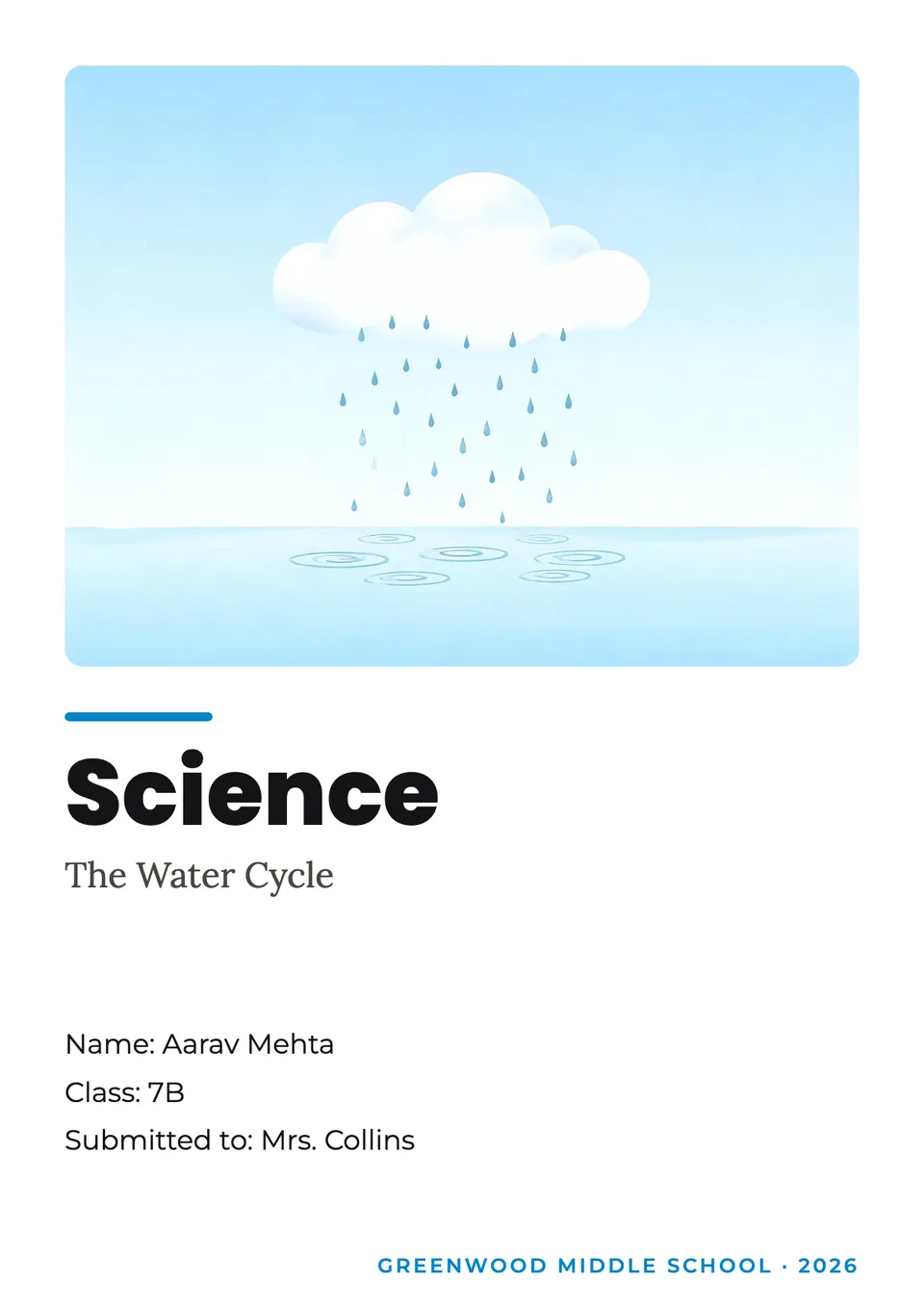


Your turn.
Preview the whole flow free. No credit card.