Ready-made flow · Tidy, softly lit backgrounds for Zoom, Meet and Teams
AI Virtual Background Generator
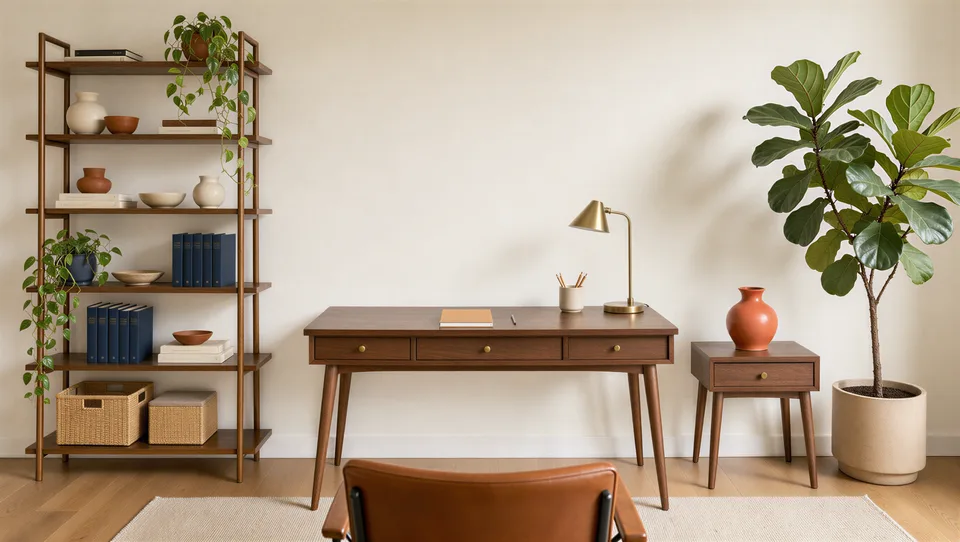
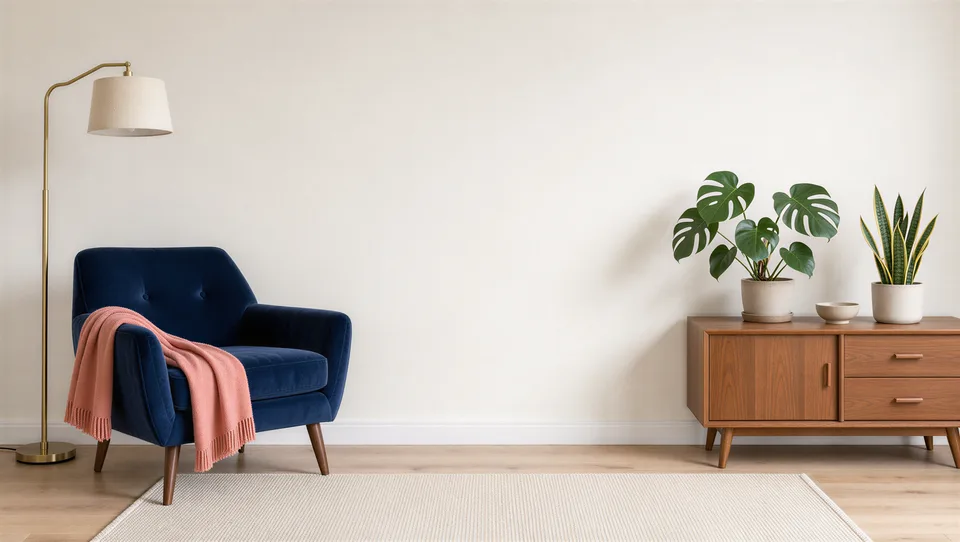
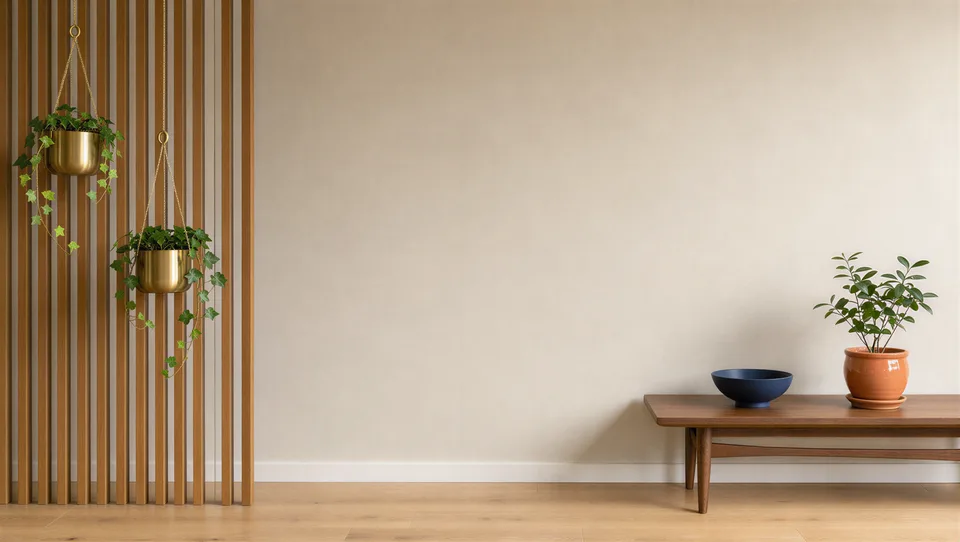
Idyllic's AI virtual background generator designs the room behind you on video calls. Describe a space and pick a mood, and FLUX 3 renders tidy, softly lit 16:9 rooms seen from seated eye level, with a calm center where you sit and the detail kept to the sides. Each background is upscaled 2×, sharp in Zoom, Microsoft Teams and Google Meet.
- Size
- 16:9, upscaled 2×, larger than 1920×1080
- You get
- 3 backgrounds, each a different layout
- Moods
- Bright and airy, Warm and cosy, Professional, Moody evening, Playful, Fantasy
- Image model
- FLUX 3
- Cost
- 42 credits for 3 backgrounds, on Plus
Real output · no retouching
One brief.
3 results.
- What kind of space?
- A warm mid-century home office with plants and a bookshelf
- Mood
- Bright and airy
- Brand colours (optional)
- Navy and coral
How to make it
Four steps, about a minute of your time. These are real screens from the run above.
- 01
Describe the space
Write what kind of space you want, like a warm mid-century home office with plants and a bookshelf. Pick a mood (Bright and airy, Warm and cosy, Professional, Moody evening, Playful or Fantasy), add brand colours if you have them and set how many backgrounds you want, up to four.
Open the flow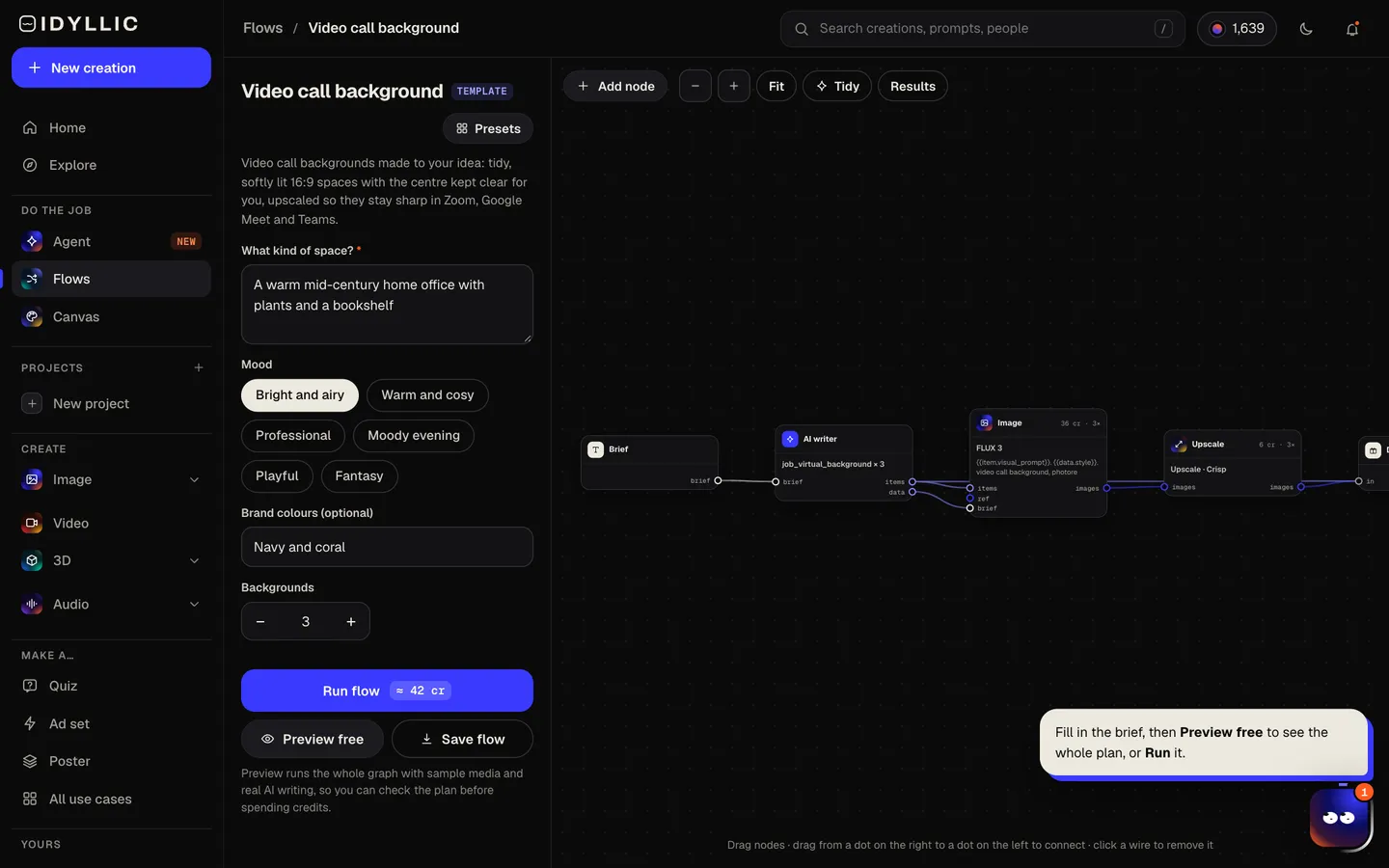
- 02
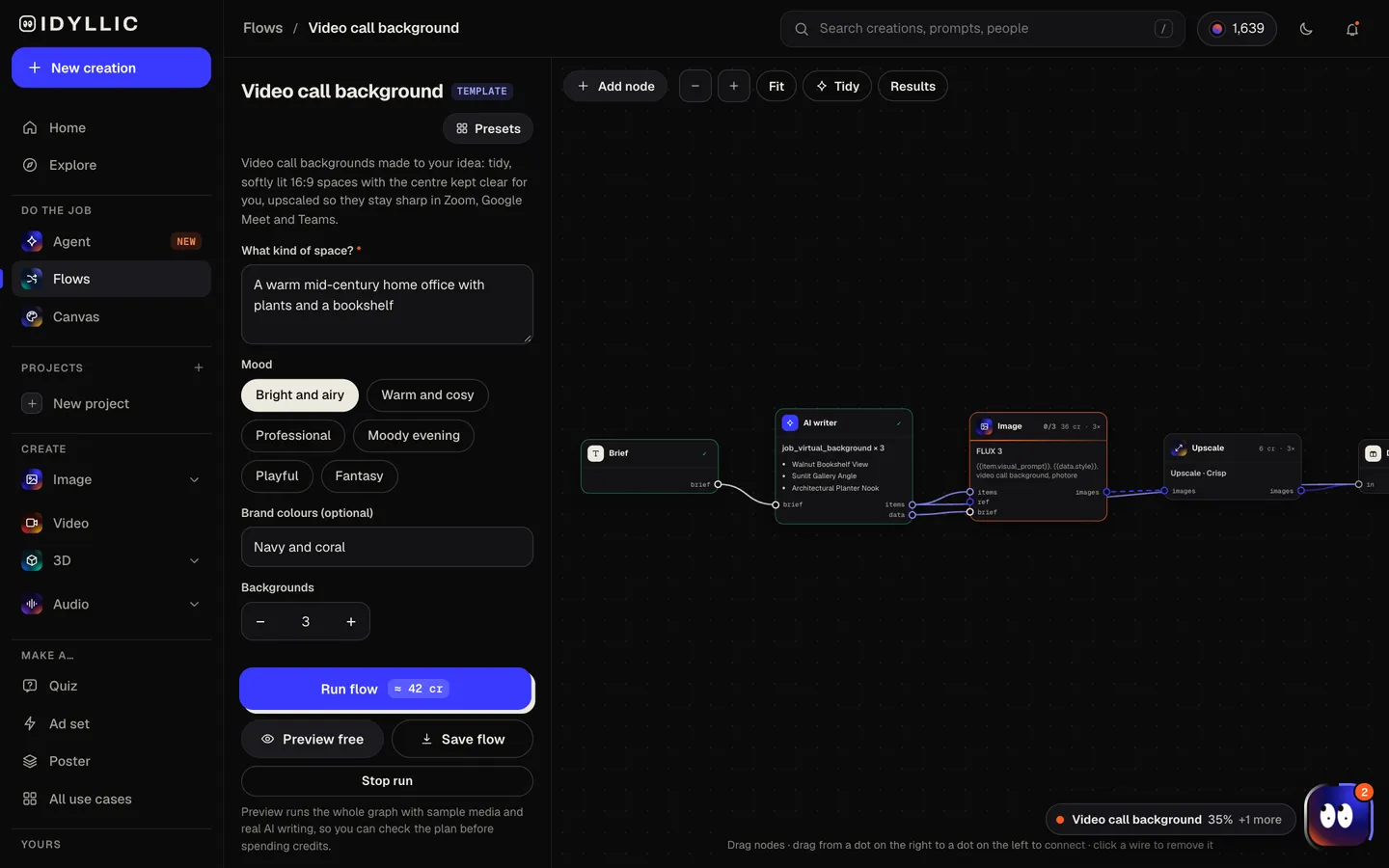
Watch the rooms get built
The AI writer plans a different layout or angle for each background and gives it a name. FLUX 3 renders each room straight on from seated eye level with a calm center, then each one is upscaled 2×. Preview the plan free.
- 03
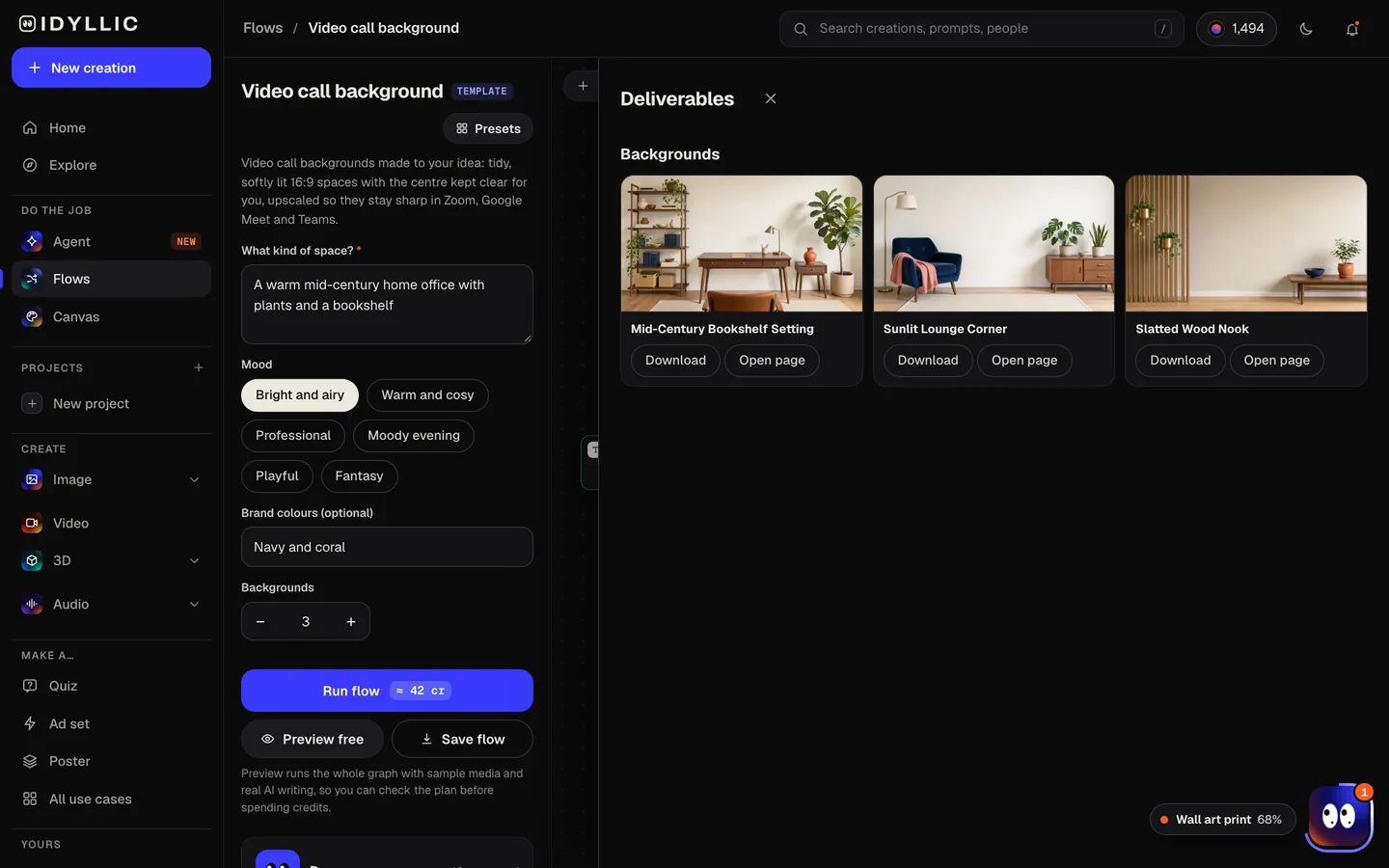
Compare the rooms
Every background appears side by side at 16:9, so you can see which one leaves the most room for you and which suits your lighting.
- 04
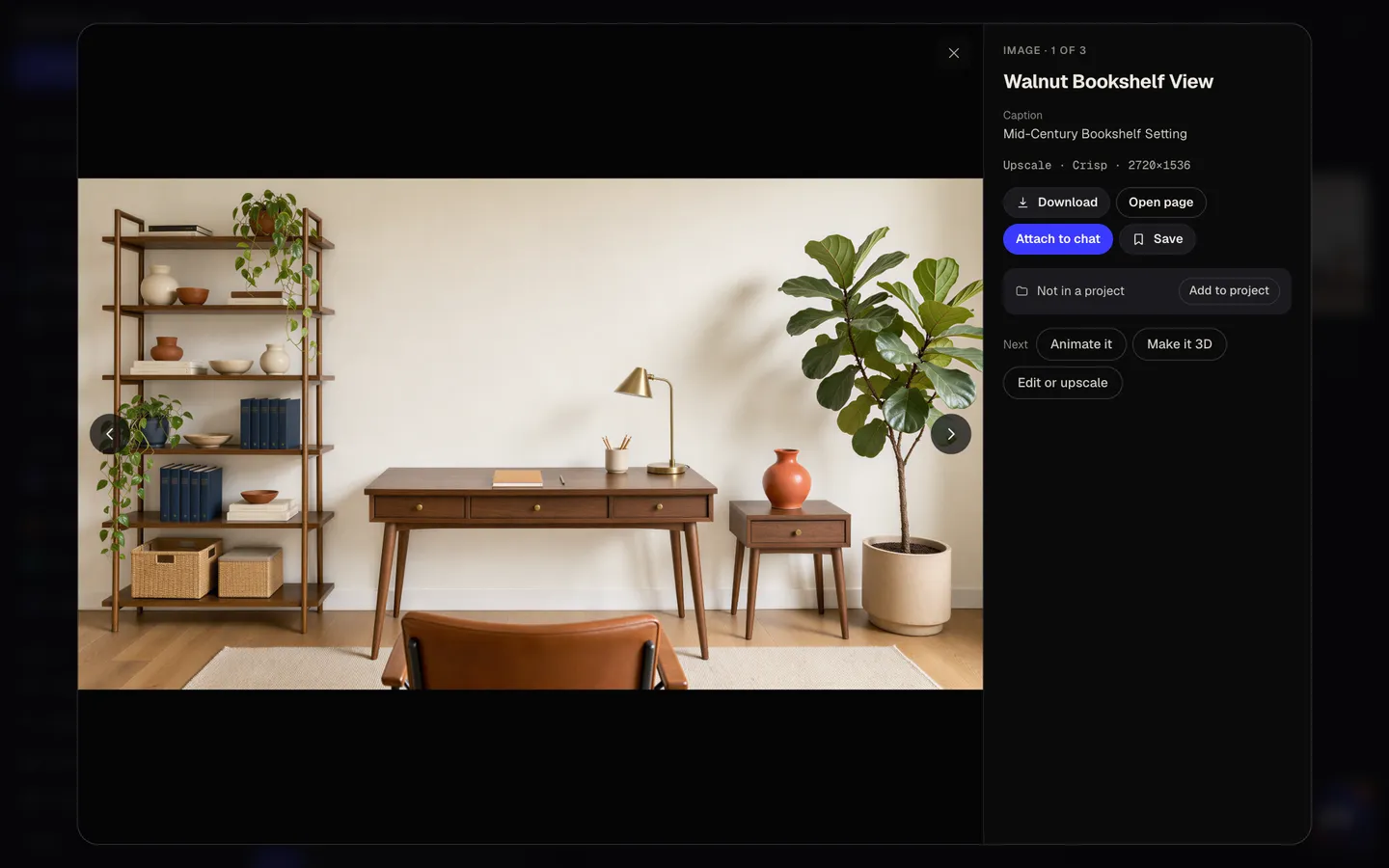
Download and set it
Open one full size, download it and upload it as your background in Zoom, Teams or Meet. Or keep going: select an area in Canvas and change it, or erase a detail.
Why it beats
a template
A clear space for you
The middle of every background is calm, a plain wall or softly blurred shelves, so your head and shoulders do not merge with a busy bookcase.
Eye level, straight on
Rooms are framed from where a seated person's camera sits, so the perspective matches your webcam instead of looking down from the ceiling.
Upscaled for sharp calls
Every background is upscaled 2× after it is made, so it is larger than the 1920×1080 that Zoom, Teams and Meet work best with and stays sharp in full screen.
On brand when you need it
Add brand colors and they show up as accents: a sofa, a print on the wall, a vase. Subtle enough for a client call.
No people, no screens, no text
Backgrounds come without people, monitors or words, so nothing competes with you or reads backwards in your mirrored self view.
Six moods
Bright and airy for morning standups, Professional for clients, Moody evening for late calls, Fantasy for game night.
What makes a good video call background
- Keep the area behind your head plain. Busy detail there makes the edge around you flicker.
- Wear a color that contrasts with the background so the cut-out edge stays clean.
- Match the light. A bright room behind a dim face looks pasted on, so face a window or a lamp.
- Pick a room that fits the call: a tidy office for clients, something warmer for the team.
- Keep logos and text off the center, where your head covers them.
- Check it in your app's preview before the call. Every app crops a little differently.
Virtual background size for Zoom, Teams and Meet
| Zoom | 1920×1080 px, 16:9 | Minimum 1280×720; 24-bit PNG or JPG, up to 15 MB |
|---|---|---|
| Microsoft Teams | 1920×1080 px or larger, 16:9 | JPG, PNG or BMP; company backgrounds (Teams Premium) up to 3840×2160 |
| Google Meet | 1920×1080 px, 16:9 | Landscape; backgrounds an admin adds are JPEG, up to 1920×1080 |
| Idyllic background | 16:9, upscaled 2× | Larger than 1920×1080; scale it down if an app asks for less |
All three apps work best with a 16:9 image at 1920×1080. Zoom suggests matching your camera's shape too: on a 4:3 camera, the sides of a 16:9 background are cropped.
Steal a brief
Each one opens the flow with the brief filled in. Change anything before you run it.
A bright Scandinavian studio with white oak shelves and a fiddle-leaf fig
A professional glass-walled meeting room with navy and coral accents
A cozy library nook with a fireplace and a leather armchair, moody evening
A sunlit Japandi living room with linen curtains and a low wooden bench
A playful game room with a pinball machine, beanbags and colored neon light
A wizard's study with floating candles and stacks of spellbooks, fantasy
A minimal concrete loft with one large plant and soft window light
A coastal home office with the sea visible through tall windows
A record shop corner with crates of vinyl and warm lamp light
Questions
Is the AI virtual background generator free?
You can preview the whole flow free: real AI writing with sample images, so you can check the plan. Running it for real is on Plus ($10.50 a month, billed yearly) and uses 42 credits for three backgrounds. The free plan also includes 3 free images a day in the image studio.
What size should a Zoom virtual background be?
1920×1080 px at 16:9. Zoom asks for at least 1280×720 and accepts 24-bit PNG or JPG files up to 15 MB. Idyllic backgrounds are 16:9 and upscaled 2×, larger than 1920×1080.
What size is a Microsoft Teams background?
16:9, at least 1920×1080 px. Teams accepts JPG, PNG and BMP files. It zooms and crops backgrounds depending on your camera and layout, so a little of each side may be trimmed.
How do I add a custom background in Google Meet?
Before or during a call, open the backgrounds and effects panel and upload your image. Use a landscape 16:9 image; 1920×1080 px is a safe size.
Why does the edge around me flicker?
Usually the background is busy right behind your head, or your clothes match its colors. A calm center, which the flow leaves on purpose, and good light on your face help the app separate you from the room.
Can I put my company's colors in the background?
Yes. Add brand colors in the brief and they appear as accents in the room, like a sofa, a print or a vase, subtle enough for client calls.
Can I use one background in every app?
Yes. The same 16:9 image works in Zoom, Teams and Meet. If an app or an admin asks for a smaller file, scale it to 1920×1080.
Make something else
Everything you can make


Your turn.
Preview the whole flow free. No credit card.