Ready-made flow · A polished profile banner that works around your photo
AI LinkedIn Banner Maker
Idyllic's AI LinkedIn banner maker turns your name and what you do into polished profile banners at 1584×396, the size LinkedIn recommends. Each is a different concept over a clean, professional image, with your name, a one-line description of your work and your website set on the right, clear of your profile photo. Every word and layer stays editable in Canvas.
- Size
- 1584×396 PNG, 4:1
- You get
- 3 banners + the artwork without text
- Image model
- Seedream 5
- Cost
- 27 credits for 3, on Plus and up
- Looks
- Modern, Corporate, Minimal, Bold, Tech, Creative
Real output · no retouching
One brief.
3 results.
- Your name or company
- Daniel Okafor
- What do you do?
- Fractional CFO for B2B SaaS startups, Series A to C · danielokafor.com
- Look
- Modern
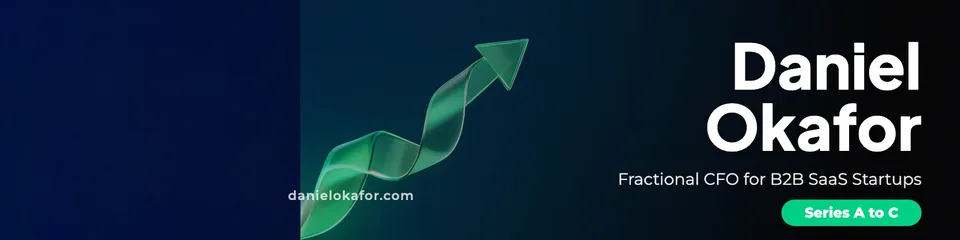
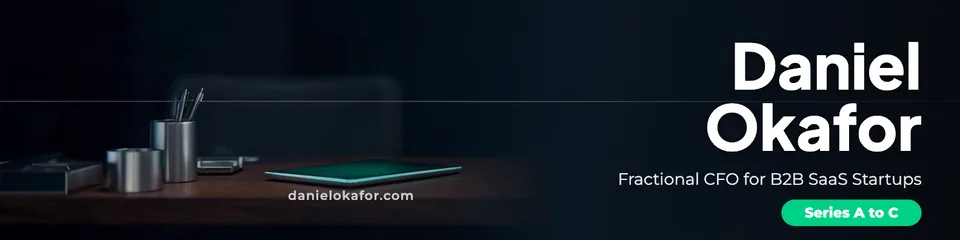
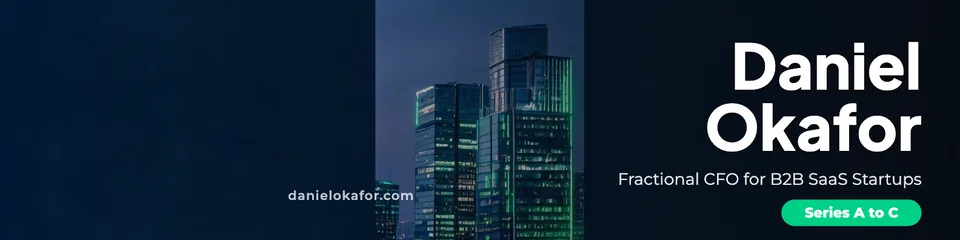
How to make it
Four steps, about a minute of your time. These are real screens from the run above.
- 01
Say what you do
Enter your name or company, describe what you do in one line (add your website or email at the end), pick a look (Modern, Corporate, Minimal, Bold, Tech or Creative) and choose how many banners to make, up to four.
Open the flow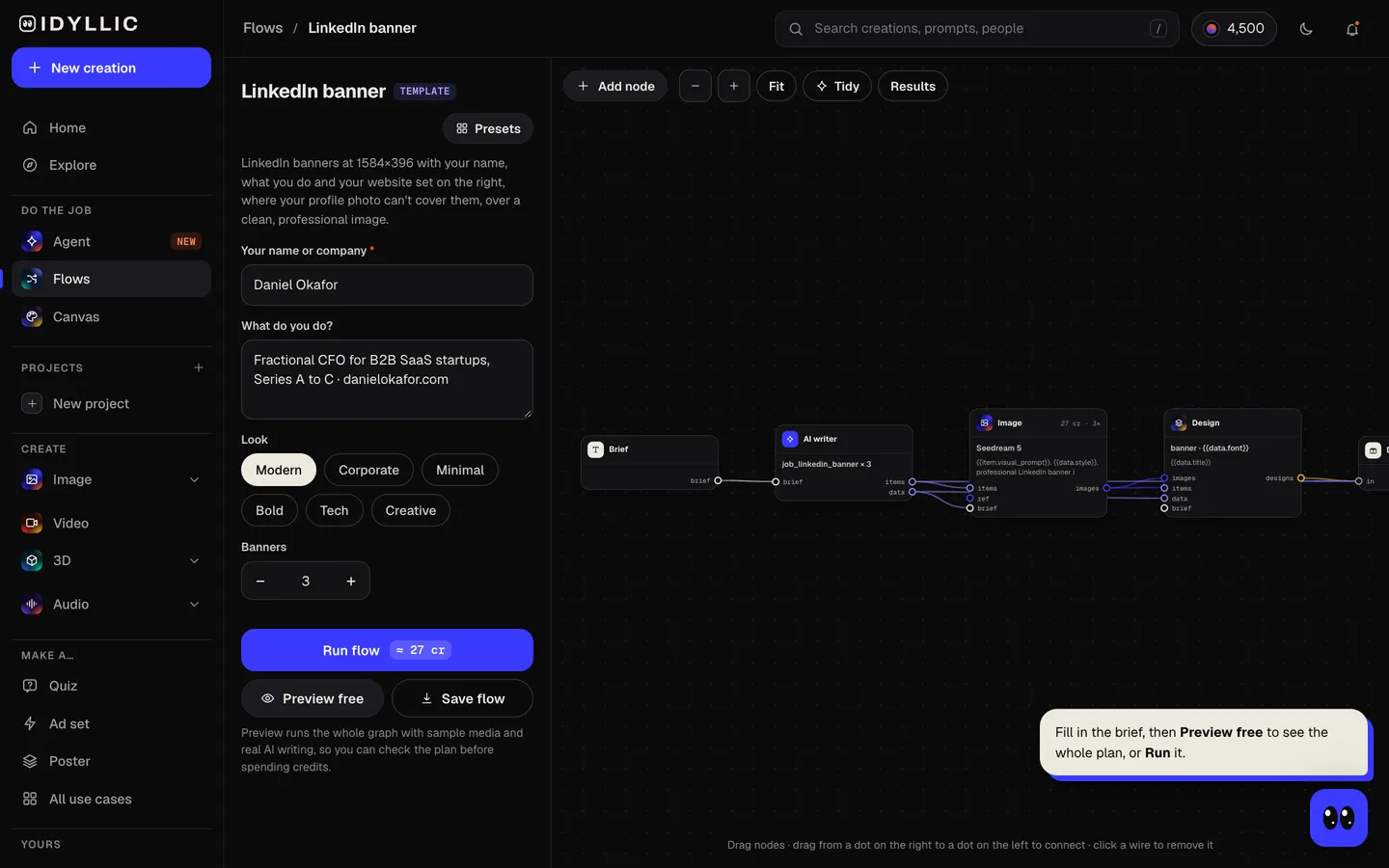
- 02
Let the flow design it
The AI writer plans a different concept for each banner (a workspace, a skyline, an object from your field, an abstract pattern in a brand colour) and writes a description of your work under ten words in a professional tone. Seedream 5 makes each image, then Idyllic sets the type on the right half. Preview the whole flow free first.
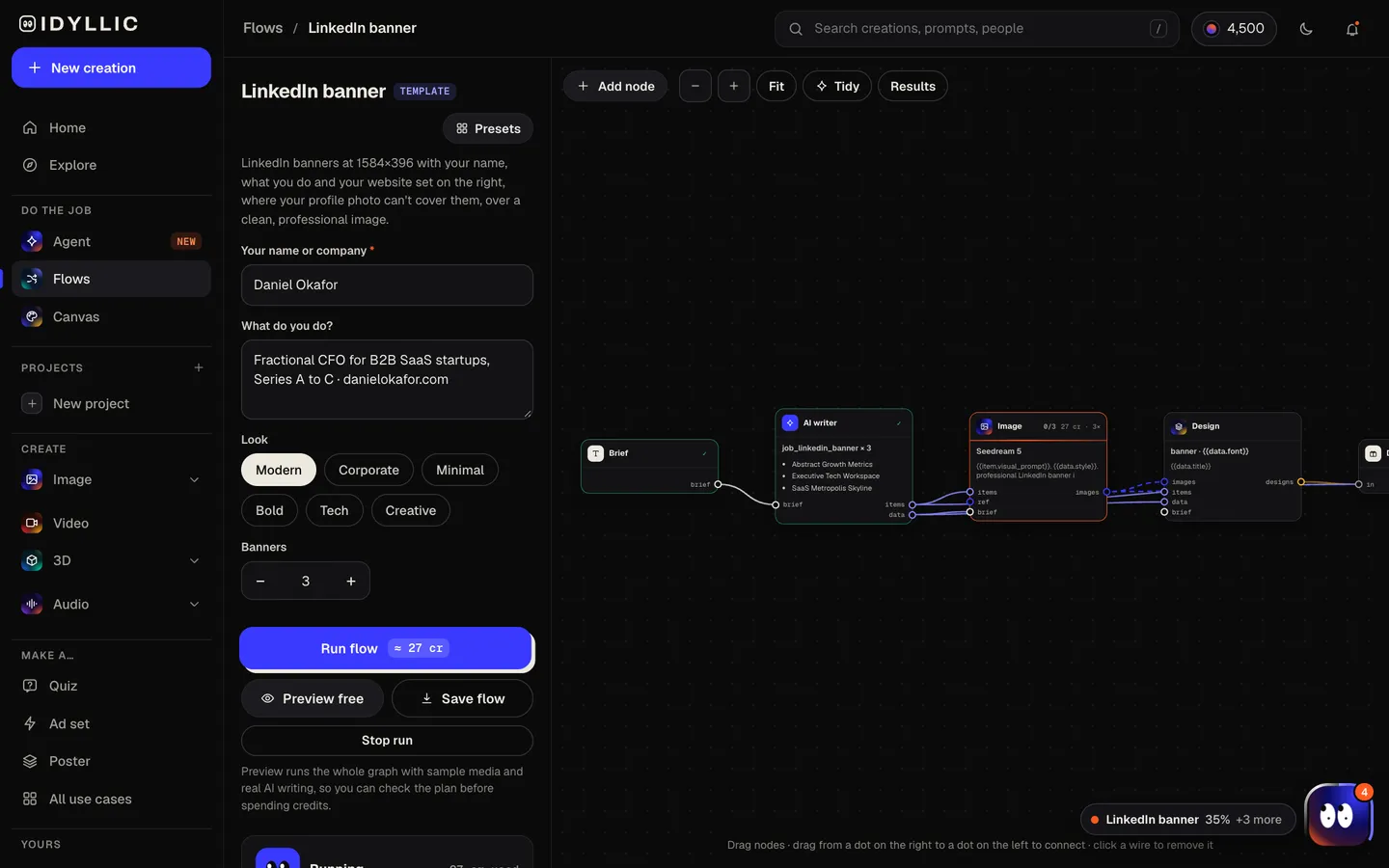
- 03
Compare the banners
Every banner appears side by side, next to the artwork without text, so you can pick the one that fits how you want to come across.
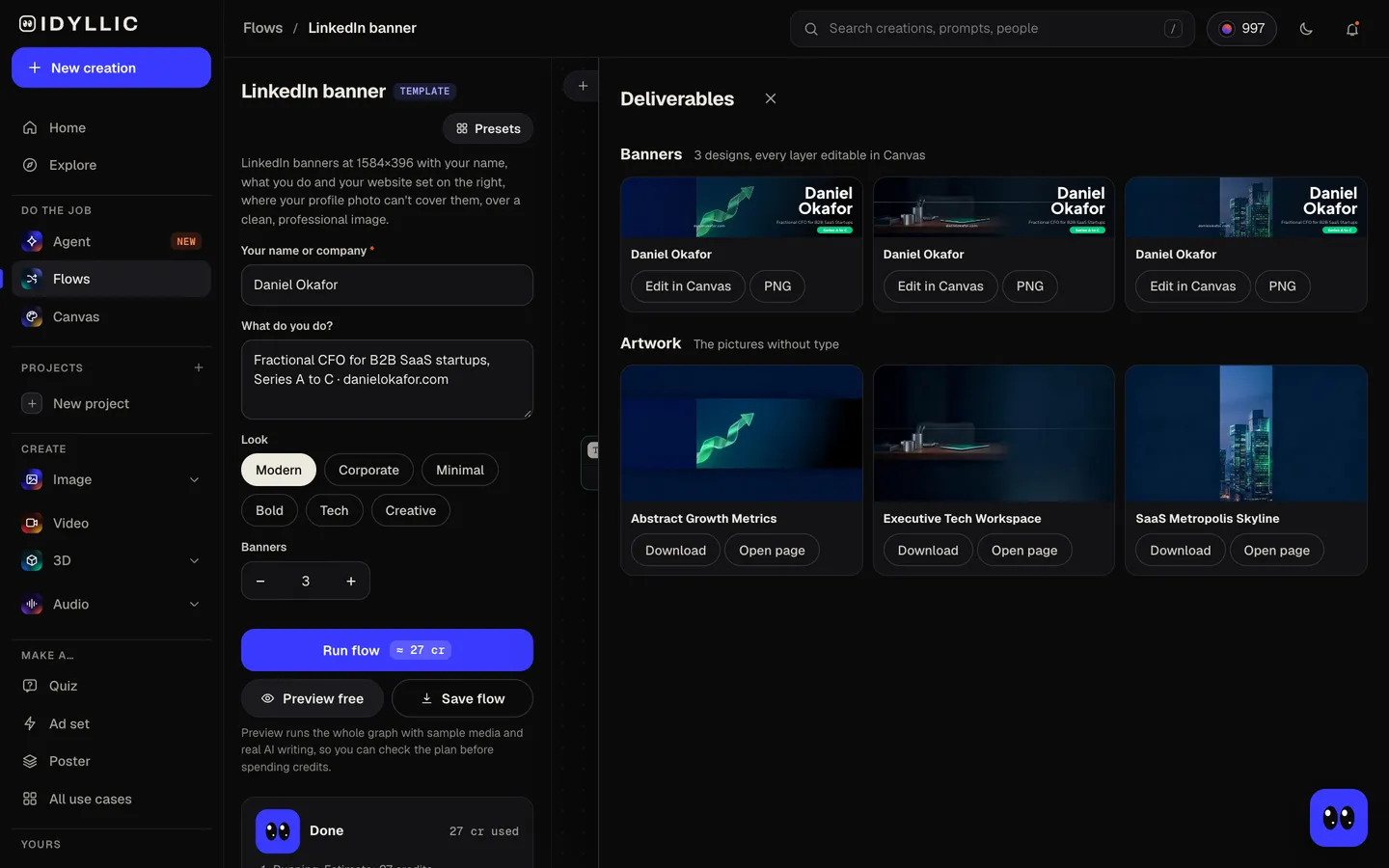
- 04
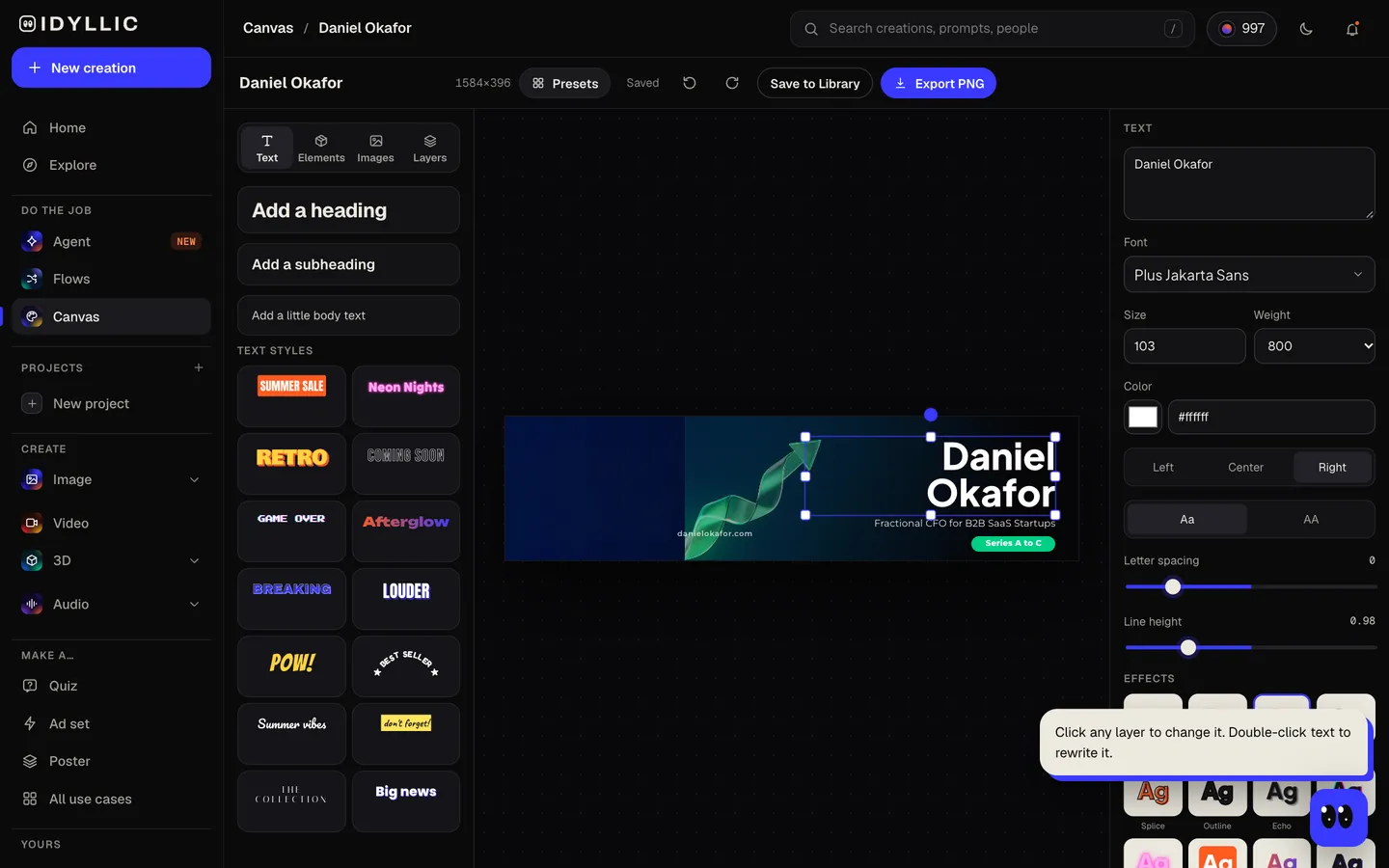
Edit in Canvas and download
Open a banner in Canvas and change any word, font or colour, or move any layer. Then download the 1584×396 PNG and upload it as the background photo on your LinkedIn profile.
Why it beats
a template
Works around your photo
On LinkedIn your profile photo sits over the left of the banner. The image keeps that side simple, and your name and role sit on the right, where nothing covers them.
Built for a very wide strip
At 4:1 a LinkedIn banner is a thin band, so every detail is kept inside a narrow central area and nothing important touches the edges.
Professional by default
The copy is written in a confident, professional tone and the images stay clean: workspaces, skylines, objects from your field, quiet patterns in a brand colour.
Your name and URL, spelled right
Your name, role and website are real type set exactly as you enter them, not lettering drawn by the image model.
For people and companies
Use your own name for a personal profile, or a company name for a founder or team banner. A short pill like “Now hiring” or “Speaker · Advisor” appears when your brief supports it.
Every layer editable
Change your title when you change roles, try any of 144 fonts or switch to your brand colours, without making the image again.
What makes a good LinkedIn banner
- Say what you do and for whom. “Fractional CFO for SaaS startups” beats “Finance professional”.
- Keep text on the right. Your profile photo covers part of the left.
- Use one quiet image. The banner frames your photo; it shouldn't compete with it.
- Add your website or email so people know where to go next.
- Stick to your brand colours, or one calm accent colour.
- Check it on a computer and in the app after uploading. LinkedIn crops it differently on each.
LinkedIn banner size and specs
| Profile background photo | 1584×396 px | 4:1, LinkedIn's recommended size |
|---|---|---|
| File | PNG or JPG, up to 8 MB | GIFs aren't supported |
| Profile photo | At least 400×400 px | Shown as a circle over the left of the banner |
| Idyllic export | 1584×396 px PNG | Standard export; Large export is 3168×792 |
Upload the Standard export at LinkedIn's recommended size. LinkedIn trims the banner differently on computers and phones, so Idyllic keeps the text in a central band on the right half.
Steal a brief
Each one opens the flow with the brief filled in. Change anything before you run it.
Daniel Okafor, fractional CFO for B2B SaaS startups from Series A to C, danielokafor.com
Amara Lewis, executive coach for first-time engineering managers, book a call at amaralewis.com
Northwind Analytics, data engineering for mid-size retailers, now hiring senior engineers, in a tech look
Jonah Reyes, registered nurse and healthcare educator who speaks on patient safety
Mei Tanaka, brand designer for climate startups, portfolio at meitanaka.design, in a creative look
Carlos Vega, commercial real estate broker in Austin for office and retail leasing, carlosvega.com
Hannah Brooks, fintech product manager writing about payments and growth, in a minimal look
Brightline Legal, employment law for startups and small businesses, brightline.law, corporate look
Leo Martin, senior software engineer open to staff roles in AI infrastructure
Questions
What size is a LinkedIn banner?
LinkedIn recommends 1584×396 pixels (4:1) for a personal profile background photo, as a PNG or JPG up to 8 MB. Idyllic exports banners at exactly 1584×396.
Is the AI LinkedIn banner maker free?
You can preview the whole flow free: the AI writer plans your real concepts and copy, shown with sample images. Making the final banners is on Plus and up (from $10.50/mo, billed yearly) and costs 27 credits for three. The free plan also includes 3 free images a day in the image studio.
Where should text go on a LinkedIn banner?
On the right. Your profile photo covers part of the left side, and LinkedIn trims the banner on some screens, so keep text in a central band on the right half. Idyllic sets your name and role there automatically.
What should a LinkedIn banner say?
Your name or company, what you do and for whom, and where to find you, such as a website or email. Add a short status like “Now hiring” or “Open to advisory roles” if it matters right now.
Should my photo be in the banner?
No. Your profile photo already sits over the banner, so a second one crowds it. The banner works best as a calm backdrop that says what you do.
Will the AI spell my name correctly?
Yes. Your name, role and website are set as real type exactly as you enter them, not drawn by the image model, and you can edit them in Canvas.
Can I write the brief in another language?
Yes. Prompts work in any language. If you want a line in a different language from the one it comes out in, change it in Canvas.
Can I use the banner for my business?
Yes. Paid plans include a commercial license, so the banner can promote your company, services or hiring. Paid plans also include private mode.
Make something else
Everything you can make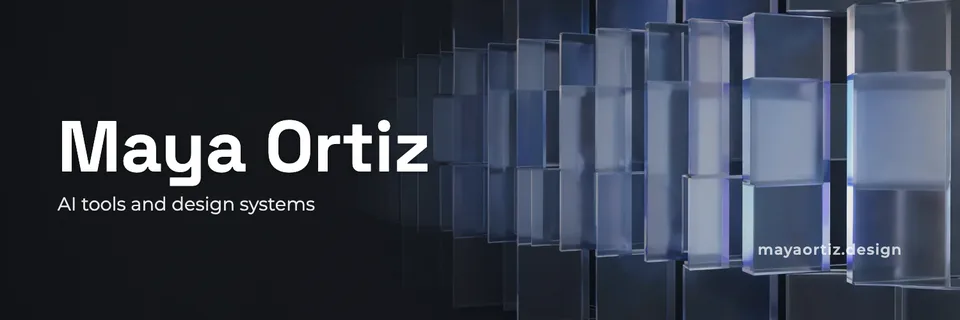

Your turn.
Preview the whole flow free. No credit card.