Ready-made flow · A 1500×500 header with your name set in real type
AI Twitter Header Maker
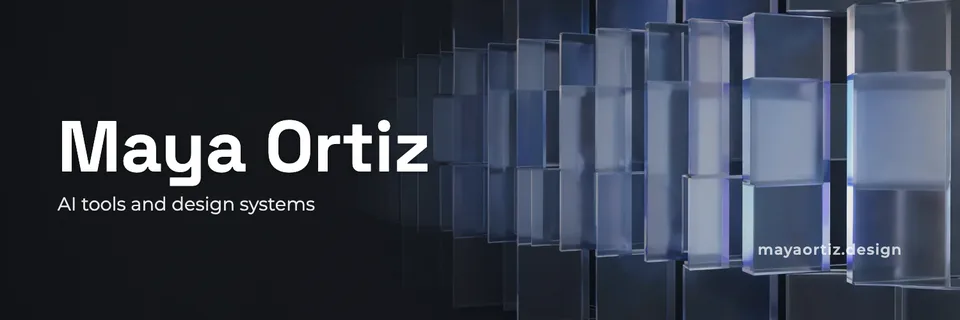
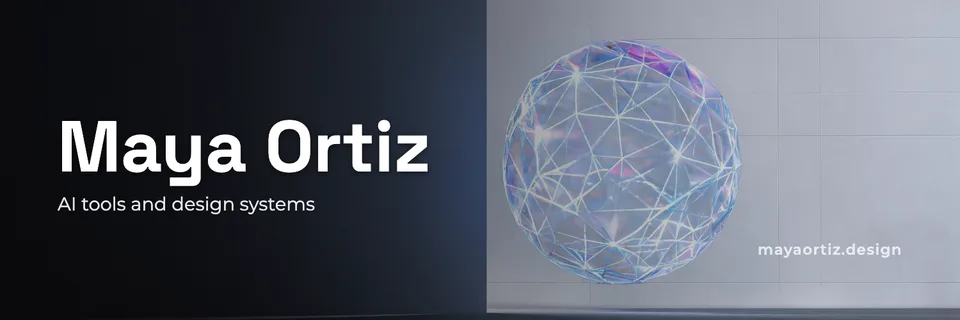
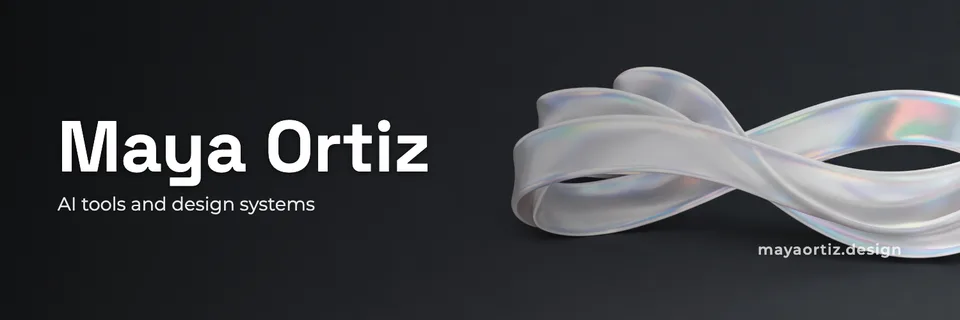
Idyllic's AI Twitter header maker turns your name and a line about what you do into finished X headers at 1500×500. Each one is a different concept: a wide image about your work, with your name, a one-line pitch and your link set in clean type, kept clear of the corner your profile photo covers. Every word and layer stays editable in Canvas.
- Size
- 1500×500 PNG, 3:1
- You get
- 3 headers + the artwork without text
- Image model
- Seedream 5
- Cost
- 27 credits for 3, on Plus and up
- Looks
- Bold, Clean, Cinematic, Illustrated, Abstract, Dark, Retro, Anime
Real output · no retouching
One brief.
3 results.
- Your name or brand
- Maya Ortiz
- What do you do or post about?
- Product designer writing about AI tools and design systems · mayaortiz.design
- Look
- Clean
How to make it
Four steps, about a minute of your time. These are real screens from the run above.
- 01
Say who you are
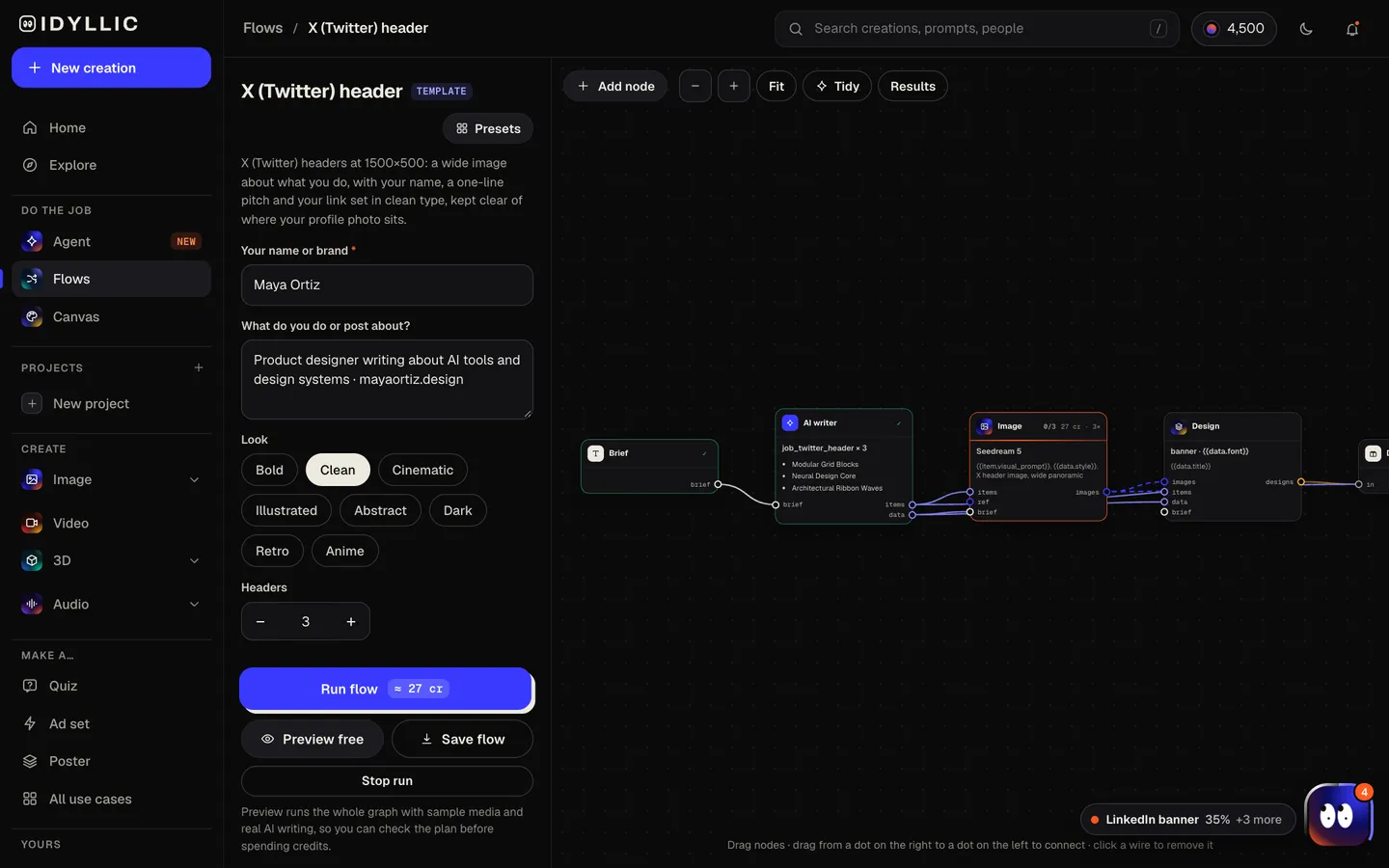
Enter your name or brand, say what you do or post about (add your website or @handle on the same line), pick a look from Bold to Anime and choose how many headers to make, up to four.
Open the flow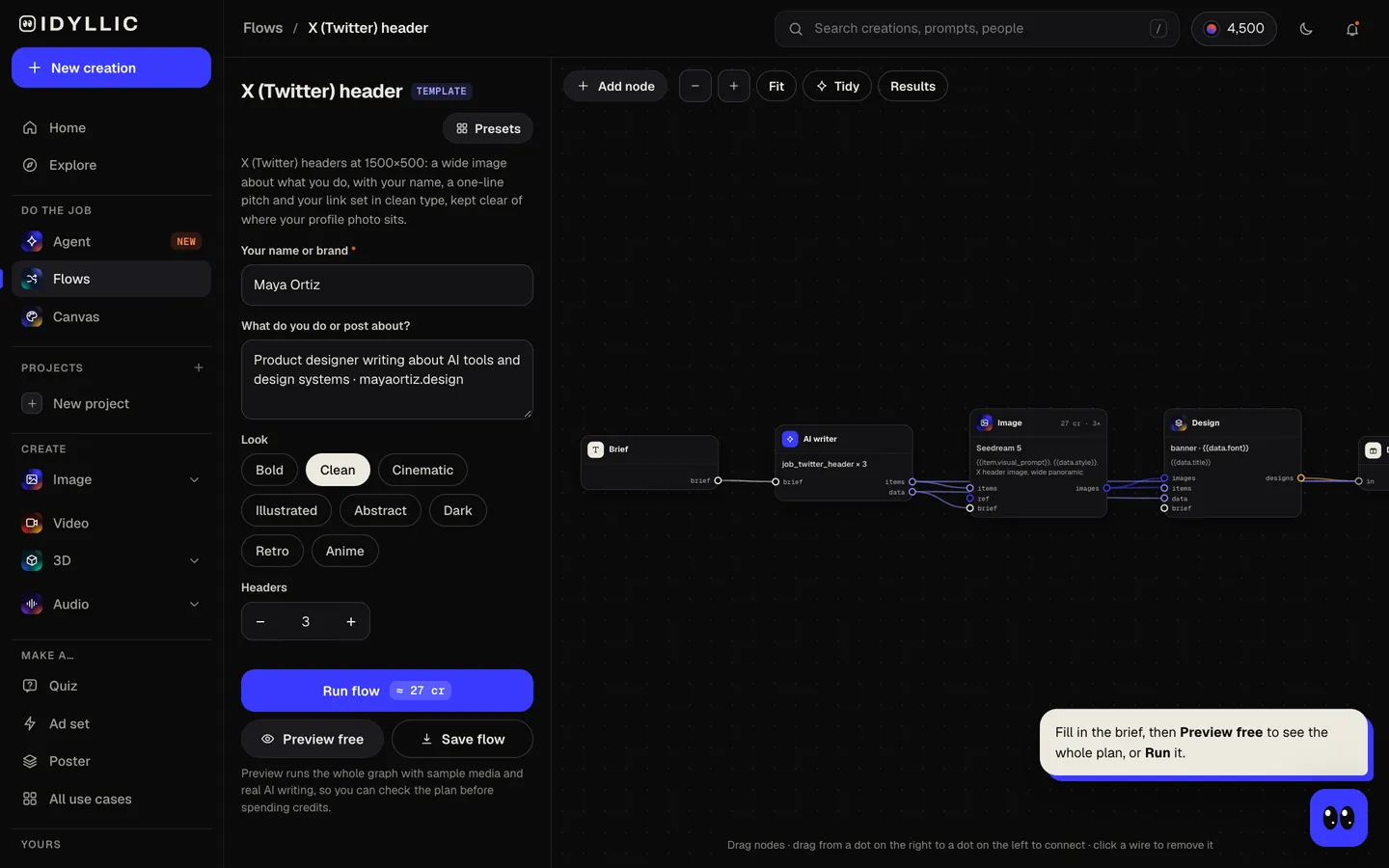
- 02
Let the flow design it
The AI writer plans a different concept for each header (a scene, a hero object, an abstract pattern, an illustration) and writes a pitch under eight words, plus a short pill like “Open for projects” if your brief mentions one. Seedream 5 makes each wide image, then Idyllic sets the type away from your profile photo. Preview the whole flow free first.
- 03
Compare the headers
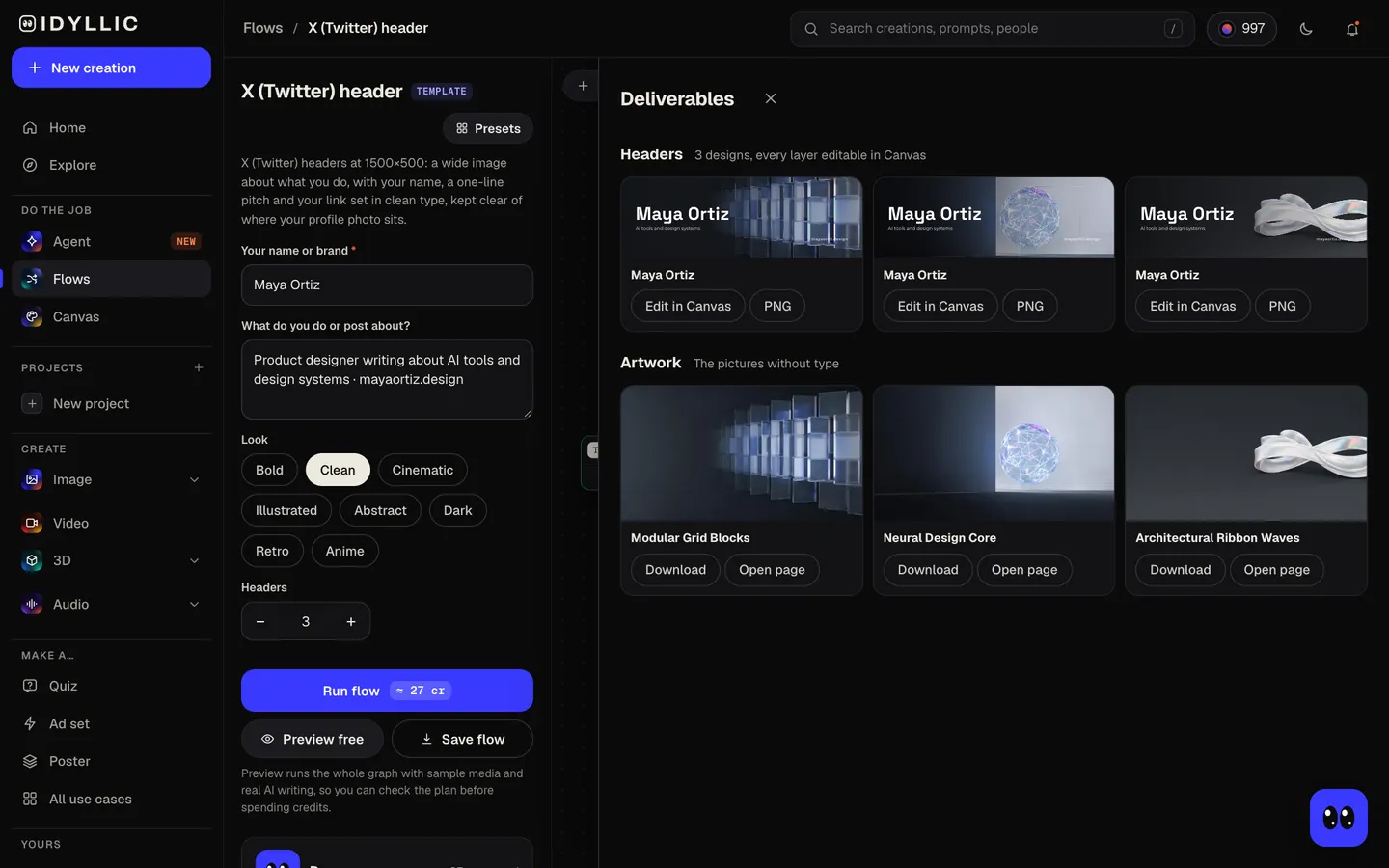
Every header appears side by side, next to the artwork without text, so you can pick the one that says what you do fastest.
- 04
Edit in Canvas and download
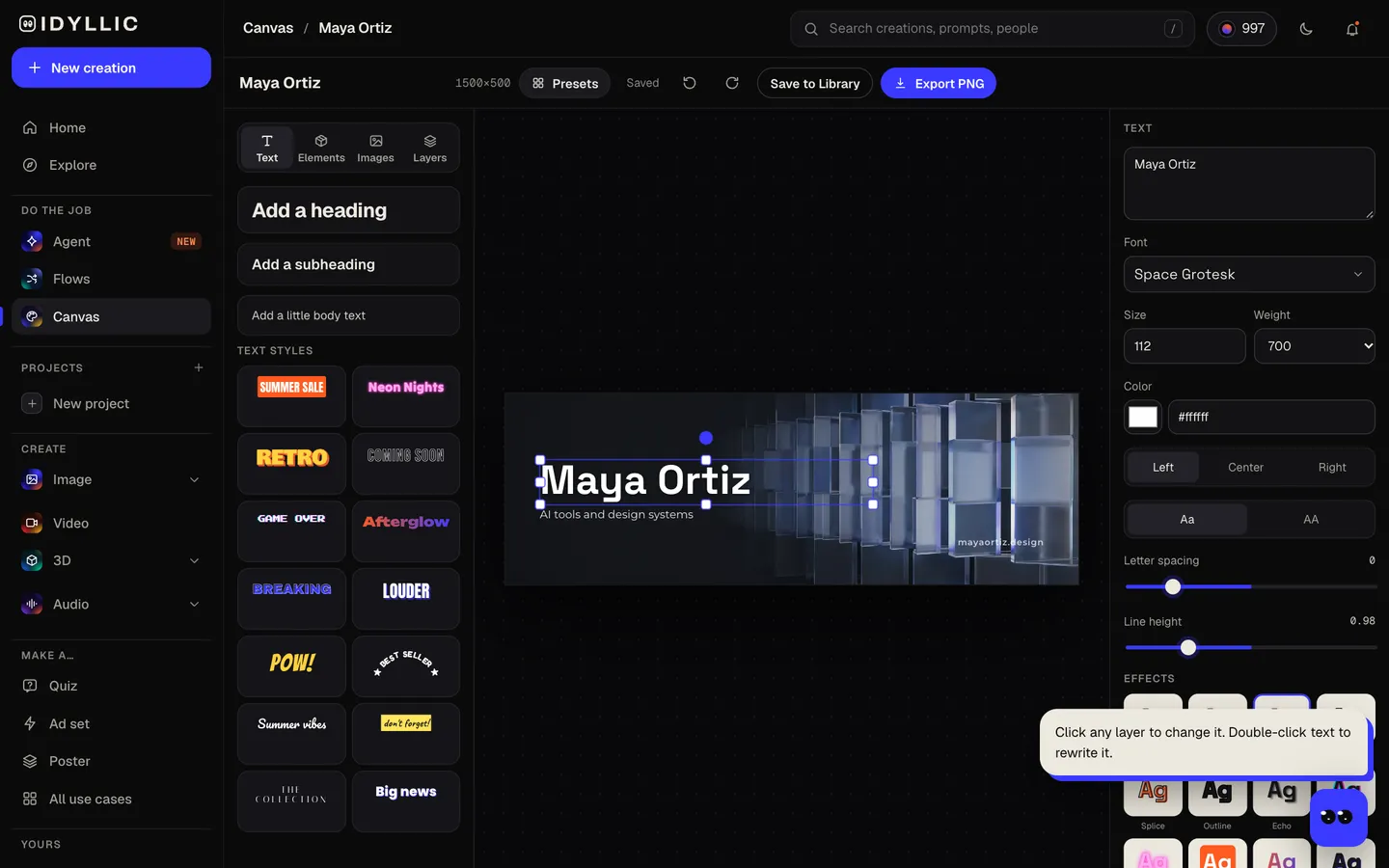
Open a header in Canvas and change any word, font, effect or colour, or move any layer. Then download the 1500×500 PNG and upload it from Edit profile on X.
Why it beats
a template
Sized for X
Every header is 1500×500, the 3:1 size X recommends, so it uploads without awkward cropping or stretched pixels.
Clear of your profile photo
Your profile photo sits over the bottom-left of the header. The image keeps that corner calm and the type stays out of it.
Says what you do
Your name, a one-line pitch and your link turn the header into a small billboard for your work, not just a nice picture.
Your name, spelled right
Names, handles and URLs are real type set exactly as you enter them, never letters drawn by the image model.
Different concepts, not small variations
Each header is a separate idea, a scene, an object or a pattern, so you choose a direction instead of a shade of the same picture.
Change it when you change
New role, new launch, new newsletter: edit the pitch or the pill in Canvas and download again, without making the image again.
What makes a good X header
- Say what you do in under eight words. People skim a profile fast.
- Keep the bottom-left calm. Your profile photo covers it.
- Keep text in the middle band. X crops headers differently on phones and wide screens.
- Add one link or handle, not three.
- Pick colours that go with your profile photo so the profile reads as one piece.
- Swap in a launch header when you ship something, then switch back.
X (Twitter) header size and specs
| Header | 1500×500 px | 3:1, X's recommended size |
|---|---|---|
| Profile photo | 400×400 px | Shown as a circle over the bottom-left of the header |
| File type | JPG, PNG or GIF | Animated GIFs aren't supported for headers |
| Idyllic export | 1500×500 px PNG | Standard export; Large export is 3000×1000 |
X fits the header to each screen, so phones, tablets and wide monitors can trim the edges. Idyllic keeps your name and pitch in the middle band and out of the profile photo's corner, so they show everywhere.
Steal a brief
Each one opens the flow with the brief filled in. Change anything before you run it.
Nora Feld, climate tech investor writing a weekly newsletter on grid storage, noraweekly.com
Hex & Co, a two-person studio building developer tools, now hiring a founding engineer
Jules Park, illustrator drawing cozy fantasy maps and book covers, commissions open, in an illustrated look
The Long Game, a Sunday newsletter on investing for patient people, longgame.email
Ravi Menon, data scientist posting daily Python tips and tiny charts, in a dark look
Kit Lawson, sports photographer covering college football, available for bookings
Elena Cruz, startup lawyer explaining term sheets in plain English, elenacruz.law
Bao Tran, home cook posting 15-minute Vietnamese recipes, cookbook out this spring
Orbit Labs, an open-source agent framework for developers, new release every month, in a retro look
Questions
What size is a Twitter header?
X recommends 1500×500 pixels, a 3:1 shape, as a JPG, PNG or GIF. Idyllic exports headers at exactly 1500×500. Upload the Standard export, since it is the size X asks for.
Is the AI Twitter header maker free?
You can preview the whole flow free: the AI writer plans your real concepts and pitch, shown with sample images. Making the final headers is on Plus and up (from $10.50/mo, billed yearly) and costs 27 credits for three. The free plan also includes 3 free images a day in the image studio.
Why is my X header cropped?
X fits the header to each screen, so phones, tablets and wide monitors trim it differently, and your profile photo covers the bottom-left. Keep text in the middle band and away from that corner. Idyllic designs every header that way.
What should I put on my Twitter header?
Your name, a few words on what you do or post about, and one link or handle. A status or offer like “Open for projects” or “New course out” can go in a small pill.
Can I use the same design on LinkedIn?
LinkedIn banners are a different shape (1584×396) and your photo sits elsewhere, so use the LinkedIn banner flow for a layout built for it. Or open the header in Canvas and switch the artboard to LinkedIn banner; every layer scales with it.
Will the AI spell my name correctly?
Yes. Your name, handle and link are set as real type exactly as you enter them, not drawn by the image model, and you can edit them in Canvas.
Can I write the brief in another language?
Yes. Prompts work in any language, and your name is set exactly as you type it. Change any line in Canvas if you want it in a different language.
Can I use the header for my business account?
Yes. Paid plans include a commercial license, so the header can promote your company, product or services. Paid plans also include private mode.
Make something else
Everything you can make

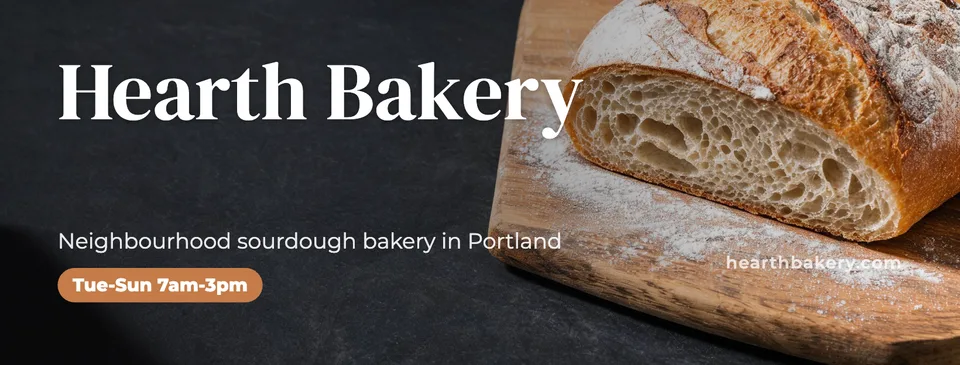


Your turn.
Preview the whole flow free. No credit card.