Ready-made flow · Channel art that looks right on TV, desktop and phone
AI YouTube Banner Maker
Idyllic's AI YouTube banner maker turns your channel name and a line about the channel into finished channel art at 2560×1440. Each banner is a different concept, with your name, a short tagline, your upload schedule and your handle set inside the centre strip that phones, desktops and TVs all show. Every word, font and layer stays editable in Canvas.
- Size
- 2560×1440 PNG, 16:9
- You get
- 3 banners + the artwork without text
- Image model
- Seedream 5
- Cost
- 27 credits for 3, on Plus and up
- Looks
- Bold, Clean, Cinematic, Illustrated, Abstract, Dark, Retro, Anime
Real output · no retouching
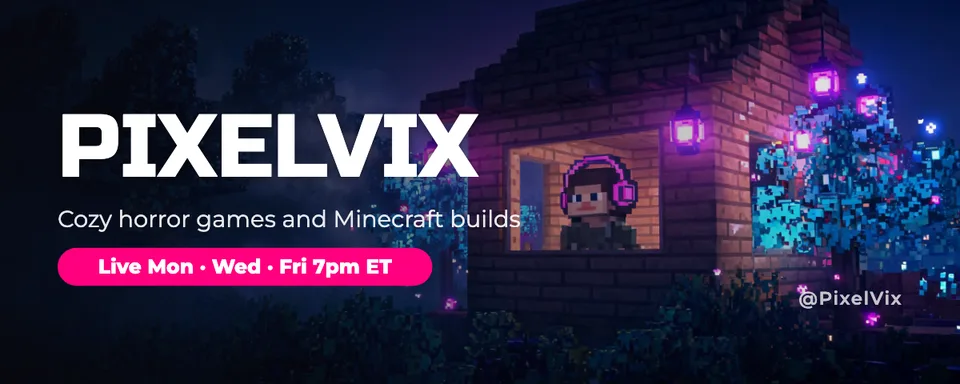
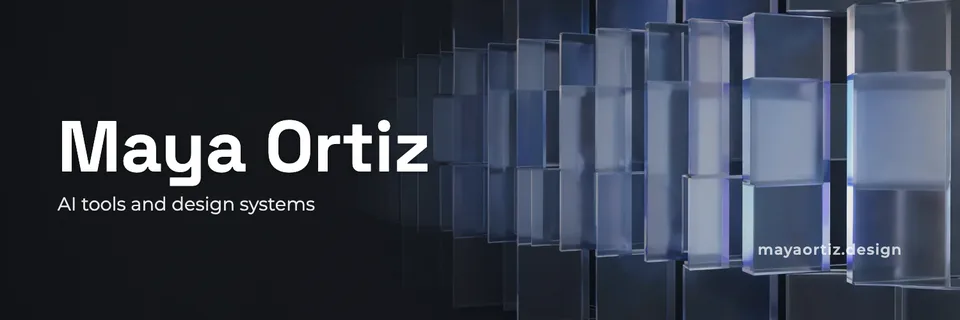
One brief.
3 results.
- Channel name
- Priya Bakes
- What is the channel about?
- Easy weeknight baking and big-batch desserts for busy families
- Upload schedule and handle (optional)
- New videos every Friday · @priyabakes
- Look
- Bold


How to make it
Four steps, about a minute of your time. These are real screens from the run above.
- 01
Name the channel
Enter the channel name, say what the channel is about, add your upload schedule and @handle if you want them on the banner, pick a look (Bold, Clean, Cinematic, Illustrated, Abstract, Dark, Retro or Anime) and choose how many banners to make, up to four.
Open the flow
- 02
Let the flow design it
The AI writer plans a different concept for each banner (a scene from your niche, a hero object, an illustrated world, a pattern in your colours) and writes a tagline under eight words. Seedream 5 makes each wide image with the detail kept in the middle band, then Idyllic sets your name, tagline, schedule and handle inside YouTube's safe area. Preview the whole flow free first.

- 03
Compare the banners
Every banner appears side by side, next to the artwork without text. Look at the middle strip of each: that is all a phone shows, so the one that still reads there is the one to pick.

- 04
Edit in Canvas and download
Open a banner in Canvas and change any word, font, effect or colour, move any layer, or select part of the image and change it. Then download the Standard 2560×1440 PNG, the size YouTube recommends, and upload it in YouTube Studio.

Why it beats
a template
Built around the safe area
TVs show the whole banner, but phones show only the centre 1546×423. Your name and every line of text are set inside that strip, so nothing gets cut off on any device.
A finished banner, not a background
You get the image, the type and the layout together: channel name, tagline, an upload schedule pill and your handle. No template hunting and no guide overlay to line things up by hand.
Your channel name, spelled right
The name is real type set exactly as you enter it, not lettering drawn by the image model, so it never comes out garbled.
Art that fills a TV
Seedream 5 paints the full 16:9 frame with calm sky, gradient or texture above and below the subject, so the banner looks complete on a TV and clean when a phone crops it.
Easy to keep current
Change the tagline when your niche shifts or update the schedule, try any of 144 fonts, or add an outline, glow or 3D effect without making the image again.
Ready for a monetized channel
Paid plans include a commercial license and private mode, so the banner can carry your brand, your sponsors and your merch links.
What makes a YouTube banner work
- Put everything that matters in the centre 1546×423. Phones show nothing else.
- Say what the channel is about in a few words. Visitors decide whether to subscribe fast.
- Add your upload schedule. It tells people when to come back.
- Use one subject and plenty of calm space. A busy banner fights your channel name.
- Match the colours of your thumbnails and channel logo so the channel reads as one brand.
- Check it on your phone after uploading, then on a computer.
YouTube banner size and specs
| Recommended size | 2560×1440 px | 16:9, YouTube's recommendation, especially for TV |
|---|---|---|
| Minimum upload | 2048×1152 px | 16:9 |
| Safe area for text and logos | 1546×423 px, centred | At 2560×1440; 1235×338 px at the minimum size |
| File size | 6 MB or smaller | No added shadows, borders or frames |
| Idyllic export | 2560×1440 px PNG | Standard export, text already inside the safe area |
TVs show the whole banner, desktops a wide strip through the middle and phones little more than the safe area. Upload the Standard export: the Large export (5120×2880) is more than YouTube needs and can go over the 6 MB limit.
Steal a brief
Each one opens the flow with the brief filled in. Change anything before you run it.
Byte Sized, 10-minute coding tutorials for complete beginners, new lessons every Tuesday, @bytesized
Night Owl Gaming, cozy indie games and late-night co-op sessions, in an anime look
The Frugal Fork, family dinners under $10 a plate, new recipes every Monday and Thursday
Lift With Lena, strength training for women over 40, new workouts every Wednesday, @liftwithlena
Deep Field, space and astronomy explained for curious non-scientists, in a cinematic look
Two Wheels North, a cycling travel vlog from Vancouver to Alaska, new episodes every Saturday
Pixel Garage, retro console repairs and restorations, uploads every other Friday, @pixelgarage
Money Before Thirty, personal finance and investing basics for people in their twenties, clean look
Small Space Studio, apartment makeovers for renters on a budget, new videos every Thursday
Questions
What size is a YouTube banner?
YouTube recommends 2560×1440 pixels at 16:9, with a minimum upload of 2048×1152 and a file of 6 MB or smaller. Keep text and logos inside the centred safe area: 1546×423 at the recommended size. Idyllic exports banners at 2560×1440 with the text already inside it.
Is the AI YouTube banner maker free?
You can preview the whole flow free: the AI writer plans your real concepts and taglines, shown with sample images. Making the final banners is on Plus and up (from $10.50/mo, billed yearly) and costs 27 credits for three. The free plan also includes 3 free images a day in the image studio.
Why does my YouTube banner get cut off on mobile?
Phones show only the middle of the banner, about 1546×423 of a 2560×1440 image, while TVs show all of it. Anything outside that centre strip disappears on a phone. Idyllic sets every line of text inside the safe area and keeps the image's detail in the middle band.
What should a YouTube banner include?
Your channel name, a few words on what the channel is about, and your upload schedule if you have one. A handle or website is optional. Keep it to those and let one strong image carry the mood.
Will the AI spell my channel name correctly?
Yes. The channel name is set as real type exactly as you enter it, not drawn by the image model, and you can edit it in Canvas.
Can I update the banner later?
Yes. Open it in Canvas any time to change the schedule, swap the tagline or try new fonts and colours, then download a new PNG. The image stays, so you don't have to make it again.
Can I make a matching thumbnail and channel logo?
Yes. Idyllic has ready-made flows for YouTube thumbnails and YouTube channel logos. Use the same look and colours in each brief and the whole channel reads as one brand.
Can I use the banner on a monetized channel?
Yes. Paid plans include a commercial license, so the banner can promote sponsors, merch and your business. Paid plans also include private mode.
Make something else
Everything you can make

Your turn.
Preview the whole flow free. No credit card.