Ready-made flow · A round channel icon with your name drawn in
YouTube Logo Generator
Idyllic's YouTube logo generator turns your channel name into four channel logo concepts: a round emblem, a mascot badge, a monogram and a bold wordmark, each with your name drawn into the mark. Every concept is a flat, simple icon on a clean background, built to read when YouTube shrinks it to a 98-pixel circle. Original marks only, no platform logos.
- You get
- 4 logo concepts as square PNGs
- Directions
- Emblem, mascot, monogram, wordmark
- Image model
- Ideogram 4.5, built for lettering
- Cost
- 60 credits for 4, on Plus and up
- Shown on YouTube
- As a 98×98 px circle
Real output · no retouching
One brief.
4 results.
- Channel name
- Priya Bakes
- What is the channel about? (optional)
- Easy weeknight baking and big-batch desserts
- Style
- Emblem badge
How to make it
Four steps, about a minute of your time. These are real screens from the run above.
- 01
Name the channel
Type the channel name exactly as it should read, add a line on what the channel is about, pick a style (Emblem badge, Mascot, Monogram, Minimal icon, Gaming or Retro) and choose how many concepts to make, up to six.
Open the flow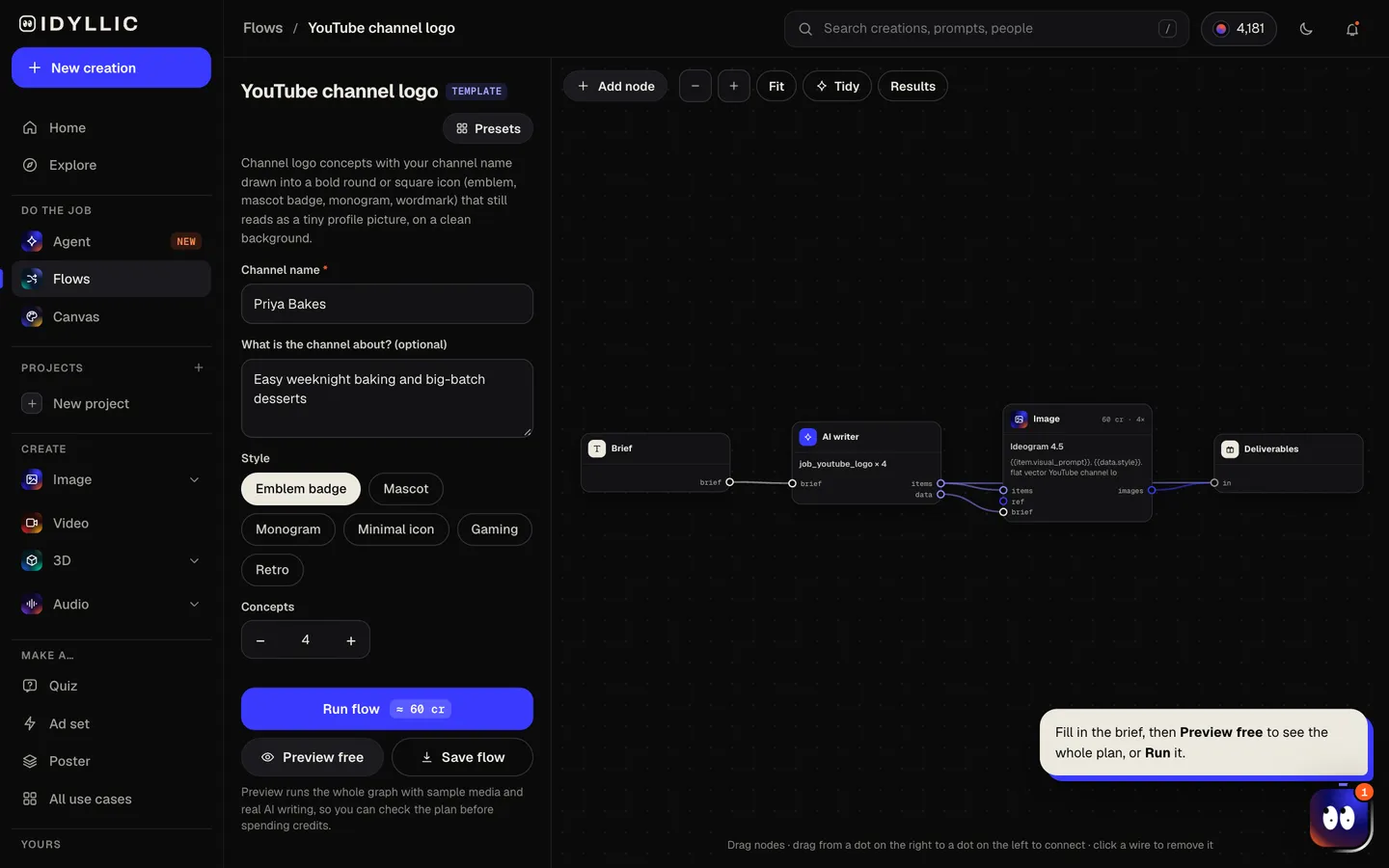
- 02
Let the flow sketch
The AI writer plans each concept in a different direction (round emblem, mascot badge, monogram, bold wordmark in a circle) and writes the idea behind it. Ideogram 4.5 then draws every icon with your channel name in the lettering, centred on plain white. Preview the whole plan free first.
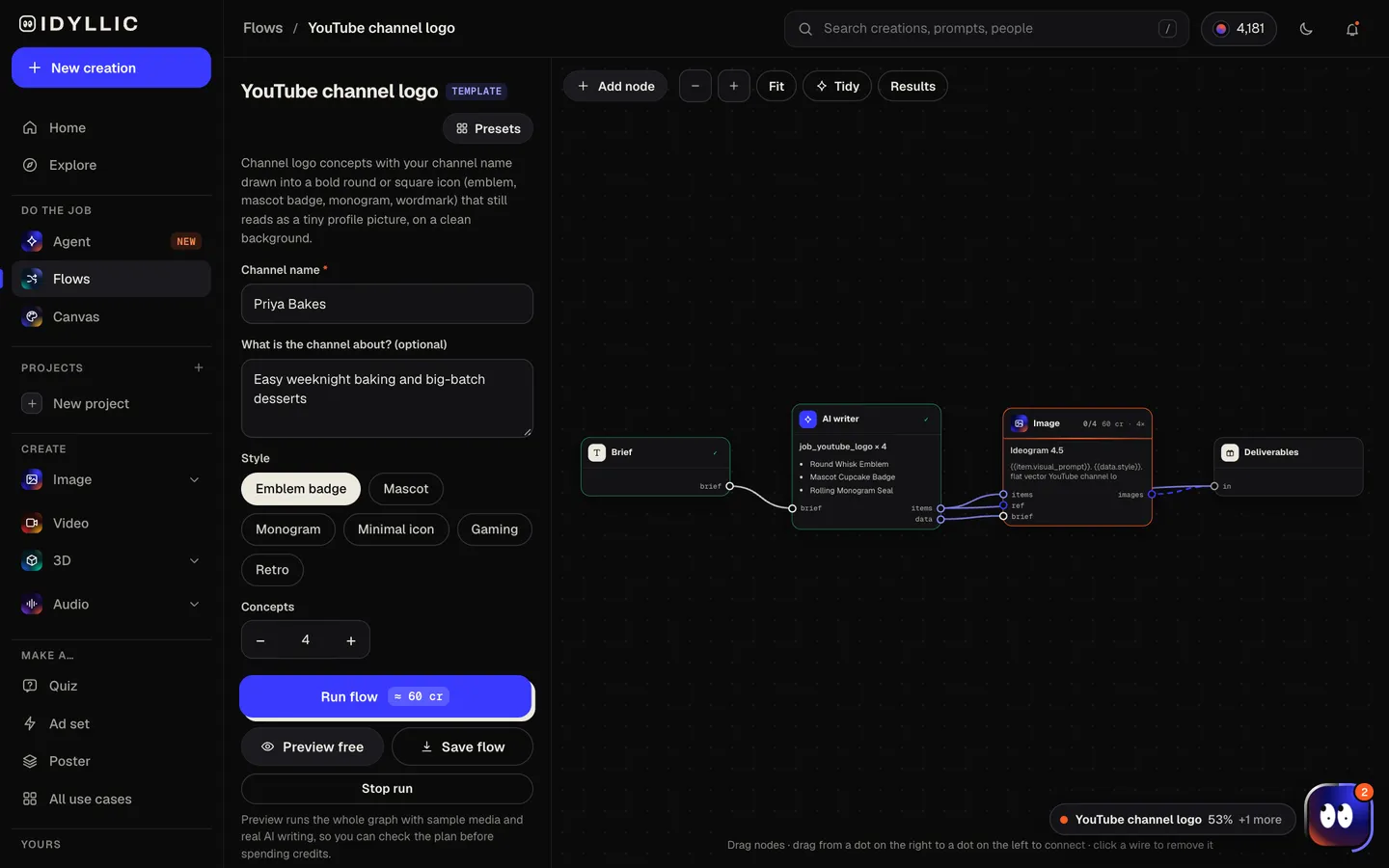
- 03
Compare the concepts
Every concept appears side by side with one sentence on the thinking behind it. Judge them small: the one you can still read as a tiny circle is the one to pick.
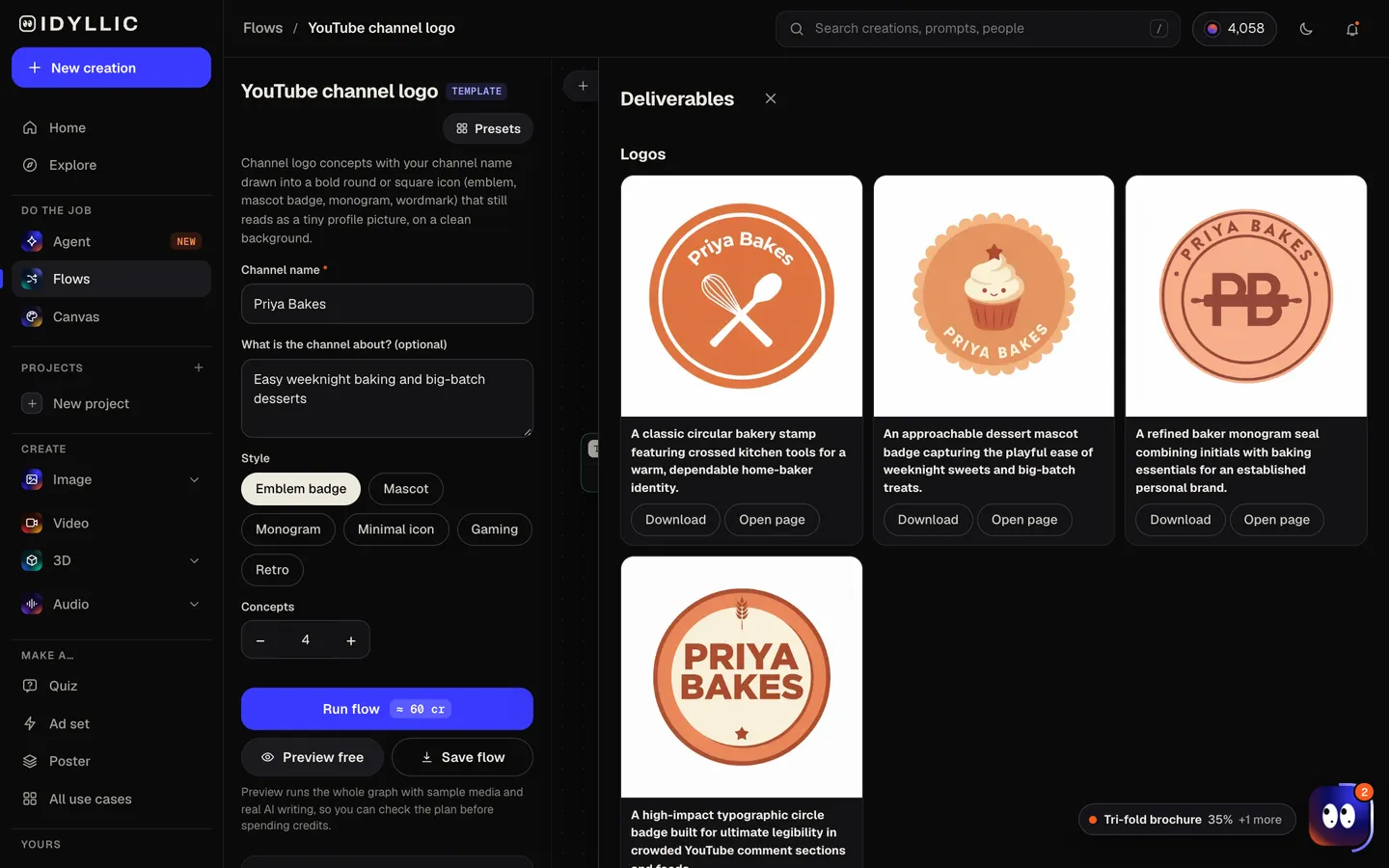
- 04
Download or keep going
Open your favourite full size and download the PNG. Or keep going: remove the background, upscale it, put it on a design like your channel banner, animate it, or make it 3D.
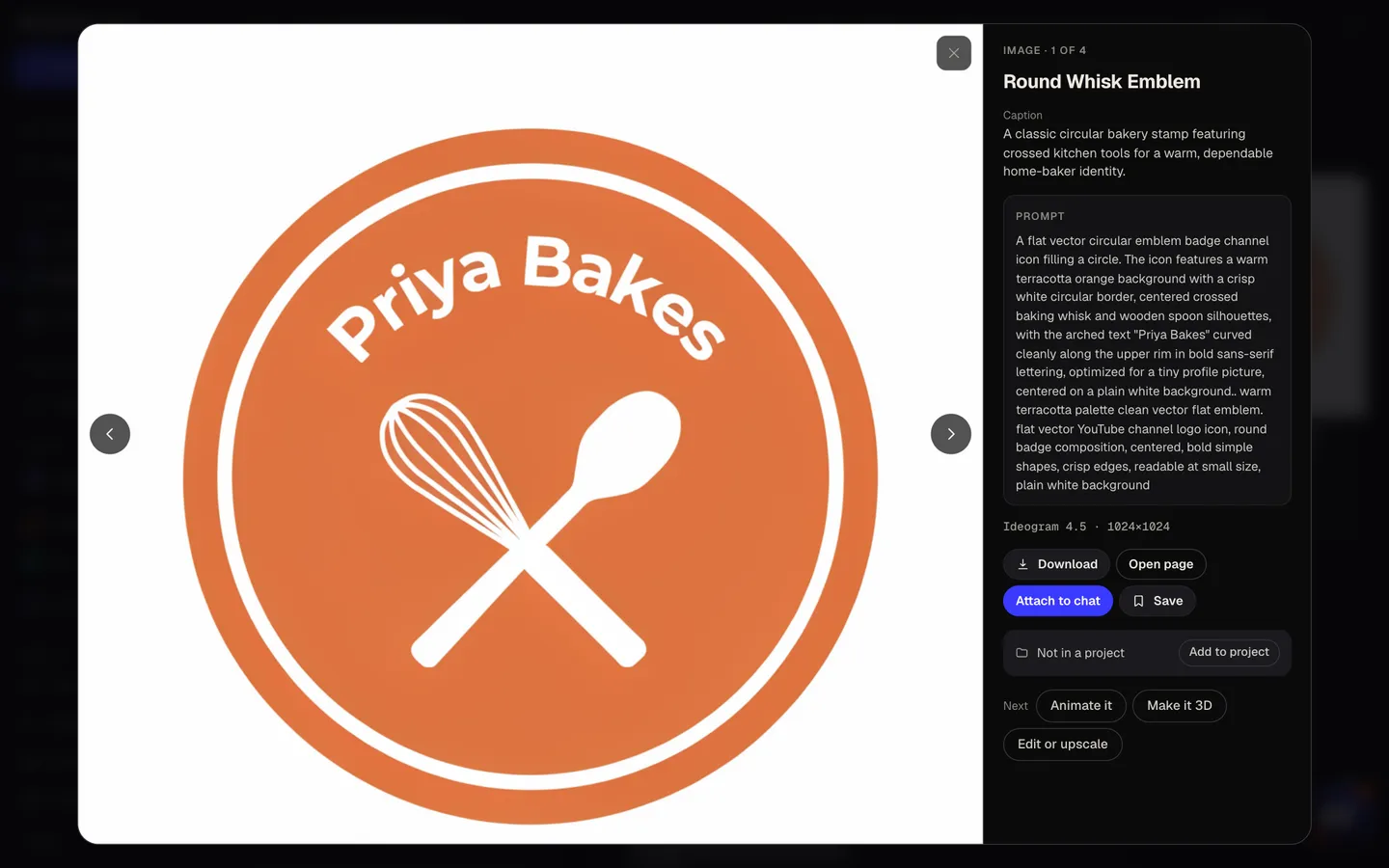
Why it beats
a template
Reads as a tiny circle
YouTube shows your profile picture as a 98×98 circle next to every video and comment. Each concept is a bold, simple mark that fills a circle, so it holds up at that size.
Your channel name, drawn in
Ideogram 4.5 is built for lettering, so the name comes out as part of the mark, not stuck on top. Check the spelling before you pick; if one is off, choose another concept or run it again.
Four directions, not four copies
A round emblem, a mascot badge, a monogram and a bold wordmark, each with a sentence on the idea behind it, so you compare real options.
Original, not borrowed
The marks are original: no YouTube play button, no platform branding, no logos you don't own. That keeps them safe to use and recognisably yours.
Ready for every place it goes
Remove the background for a transparent version, upscale it for merch, or use it as your video watermark and on your banner.
Matches the rest of the channel
Run the YouTube banner and thumbnail flows with the same colours and the channel looks like one brand from icon to video.
What makes a YouTube channel logo work
- Design for 98 pixels. If it doesn't read at that size, simplify it.
- Fill the circle. YouTube crops your profile picture round, so keep the mark centred and away from the corners.
- Use one or two colours with strong contrast.
- Long channel name? Try a monogram and save the full name for your banner.
- Keep it original: no YouTube play button and no other brand's logo.
- Use the same colours as your banner and thumbnails so viewers connect them.
YouTube profile picture and logo specs
| Profile picture | Renders at 98×98 px | Shown as a circle; upload a larger square image |
|---|---|---|
| File | JPG, GIF, BMP or PNG | No animated GIFs; 15 MB or smaller |
| Video watermark | At least 150×150 px | Square image under 1 MB |
| Channel banner | 2560×1440 px | A different job; use the YouTube banner flow |
| Idyllic concept | Square PNG, 1:1 | Flat mark centred on plain white |
Upload the square PNG as your profile picture and YouTube crops it to a circle. For a watermark, remove the background first and check the file is under 1 MB.
Steal a brief
Each one opens the flow with the brief filled in. Change anything before you run it.
NovaPlays, a gaming channel, bold NP initials in red, black and white, gaming style
Mic Check Weekly, a music industry podcast channel, with a microphone symbol, minimal icon style
Priya Bakes, easy weeknight baking and big-batch desserts, emblem badge style
Wild Ridge Outdoors, camping and survival skills, a mountain and pine badge, retro style
Captain Crumbs, chaotic co-op gaming, a cookie pirate mascot, mascot style
The Daily Ledger, personal finance news in 10 minutes, a DL monogram in navy and gold
Pocket Physics, science experiments you can do at home, a smiling atom, mascot style
Glow Theory, skincare reviews and routines, a soft pink abstract play shape, minimal icon style
Rust & Revive, restoring old tools and machines, a gear and wrench emblem, retro style
Questions
Is the YouTube logo generator free to use?
You can preview the whole flow free: the AI writer plans your real concepts, shown with sample images. Making the final logos is on Plus and up (from $10.50/mo, billed yearly) and costs 60 credits for four. The free plan also includes 3 free images a day in the image studio.
What size should a YouTube profile picture be?
YouTube renders your profile picture at 98×98 pixels and shows it as a circle. Upload a square JPG, PNG, GIF or BMP (no animated GIFs) of 15 MB or less. Idyllic's square PNG is well above the display size, so YouTube can scale it down cleanly.
Do I need to be good at writing prompts?
No. Type the channel name, a line about the channel and pick a style. The AI writer turns that into a detailed prompt for each concept, covering the mark, the shape and the lettering.
Can I use the logo commercially?
Yes. Paid plans include a commercial license, so the logo can go on your channel, merch and sponsorship decks. Paid plans also include private mode.
Which AI models does it use?
Ideogram 4.5, chosen for clean lettering. In the image studio you can also use FLUX, Seedream, Nano Banana, GPT Image, Qwen Image and Recraft, or describe a different logo job to the Agent and it builds the flow for you.
Can I get a transparent background?
Yes. Open the concept you like and remove the background, then download the transparent PNG for watermarks, merch and overlays.
Will my channel name be spelled correctly?
Usually. Ideogram 4.5 is built for lettering, but the name is drawn as part of the image, so check it. If a concept has a typo, pick another or run the flow again.
Can I use the YouTube play button in my logo?
Keep it out. YouTube's logo and play button are its trademarks, and an original mark is more recognisable as yours anyway.
Make something else
Everything you can make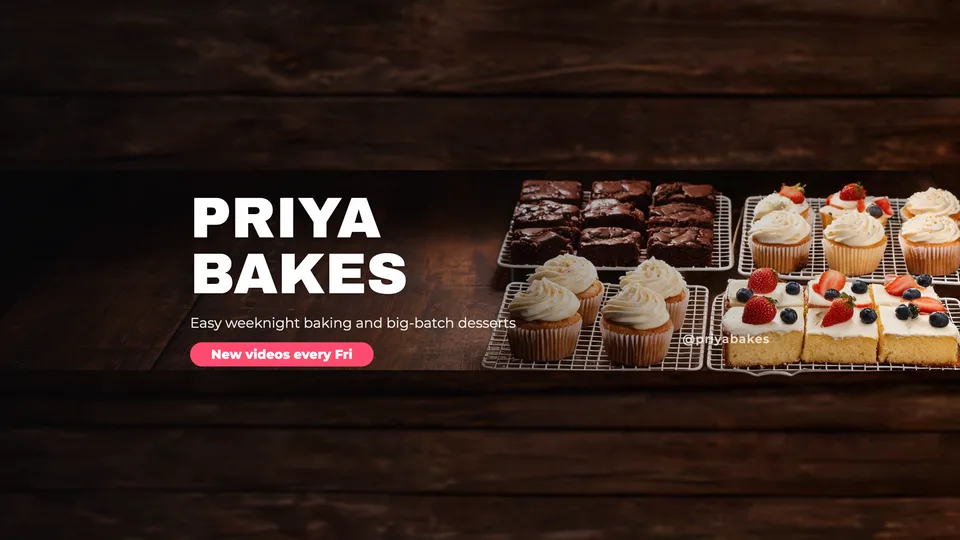
Your turn.
Preview the whole flow free. No credit card.