Ready-made flow · An emote set of your character that reads at 28 px
AI Twitch Emote Maker
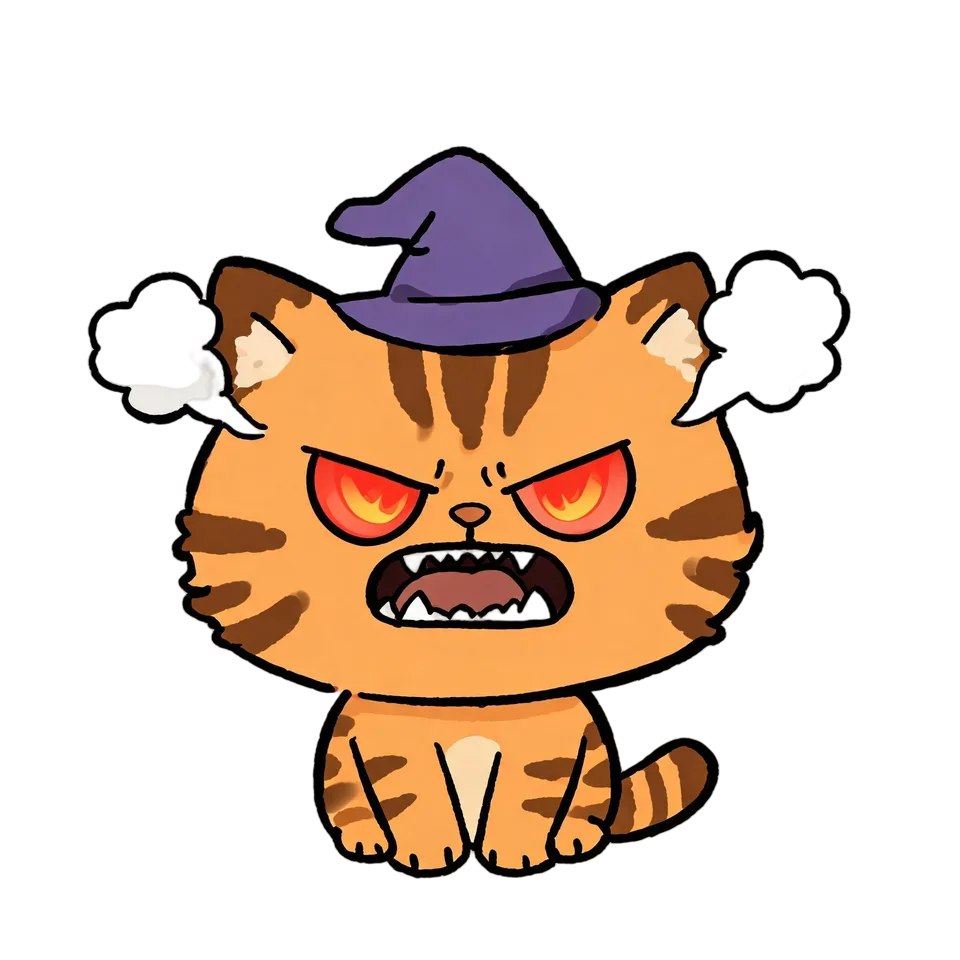
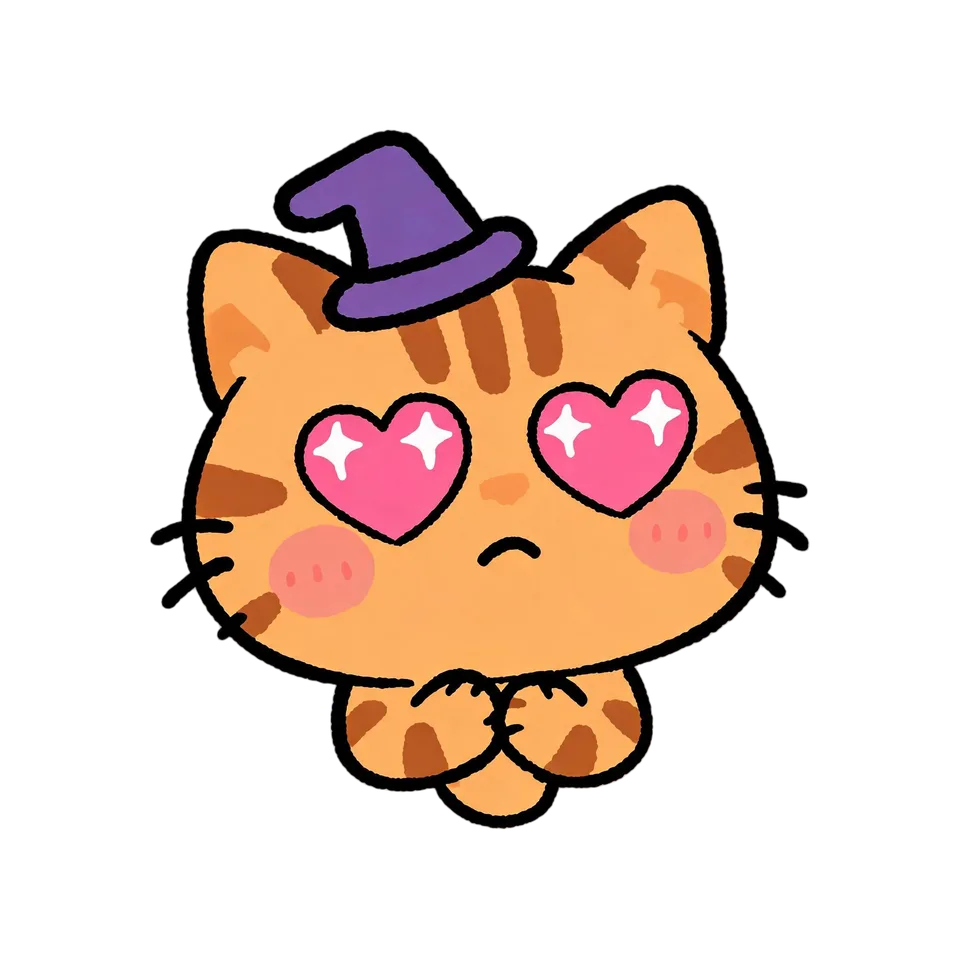
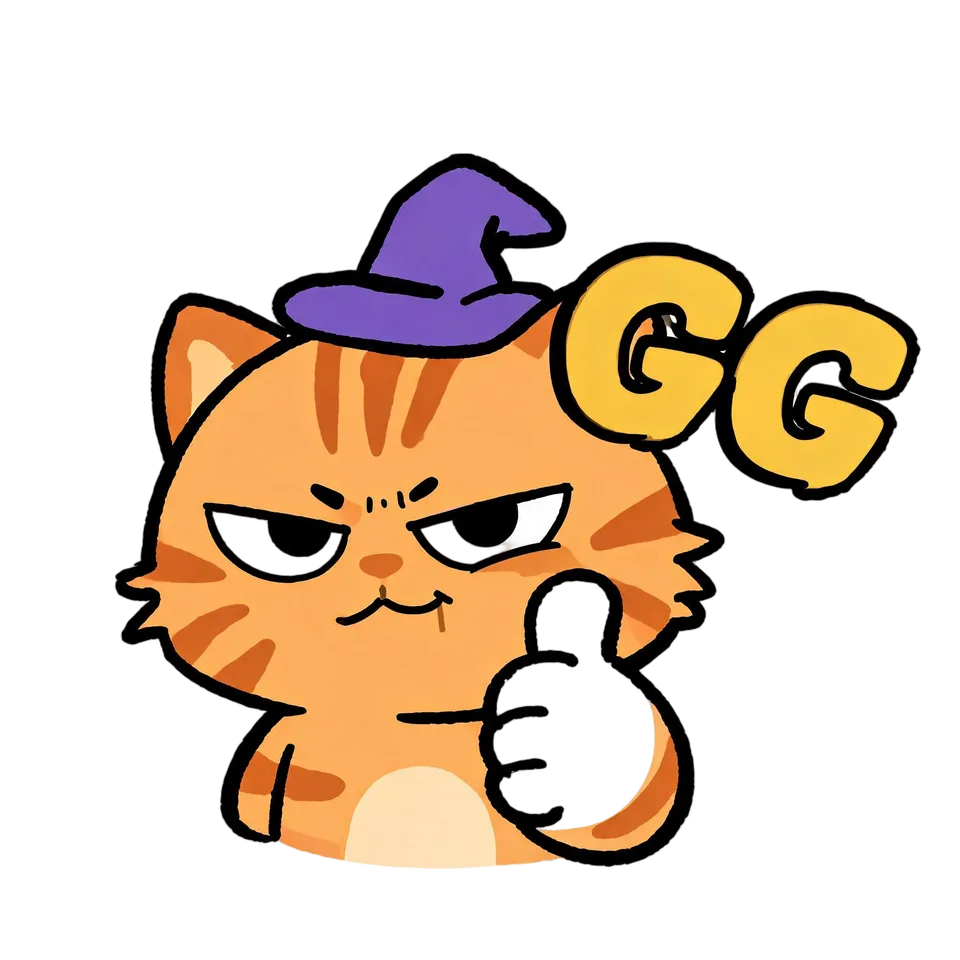
Idyllic's AI Twitch emote maker turns one character into a full emote set: hype, laugh, love, sad, GG and more, the same character every time. Each emote is drawn with thick outlines, flat colours and a big expression so it still reads at 28 pixels in chat, then cut out on a transparent background, ready to resize and upload to Twitch or Discord.
- Size
- 2048×2048 transparent PNG
- You get
- 6 emotes, each with a code name
- Image model
- Seedream 5
- Cost
- 60 credits for 6, on Plus and up
- Your face or mascot
- Optional, kept in every emote
Real output · no retouching
One brief.
4 results.
- Who is the emote character?
- A grumpy orange cat in a tiny purple wizard hat
- Style
- Chibi

How to make it
Four steps, about a minute of your time. These are real screens from the run above.
- 01
Describe the character
Describe who the emotes star, like “a grumpy orange cat in a tiny purple wizard hat”, add a photo of your face or mascot if you want it kept, pick a style (Chibi, Kawaii, Cartoon, Anime, Pixel art or 3D toy) and choose how many emotes, up to eight.
Open the flow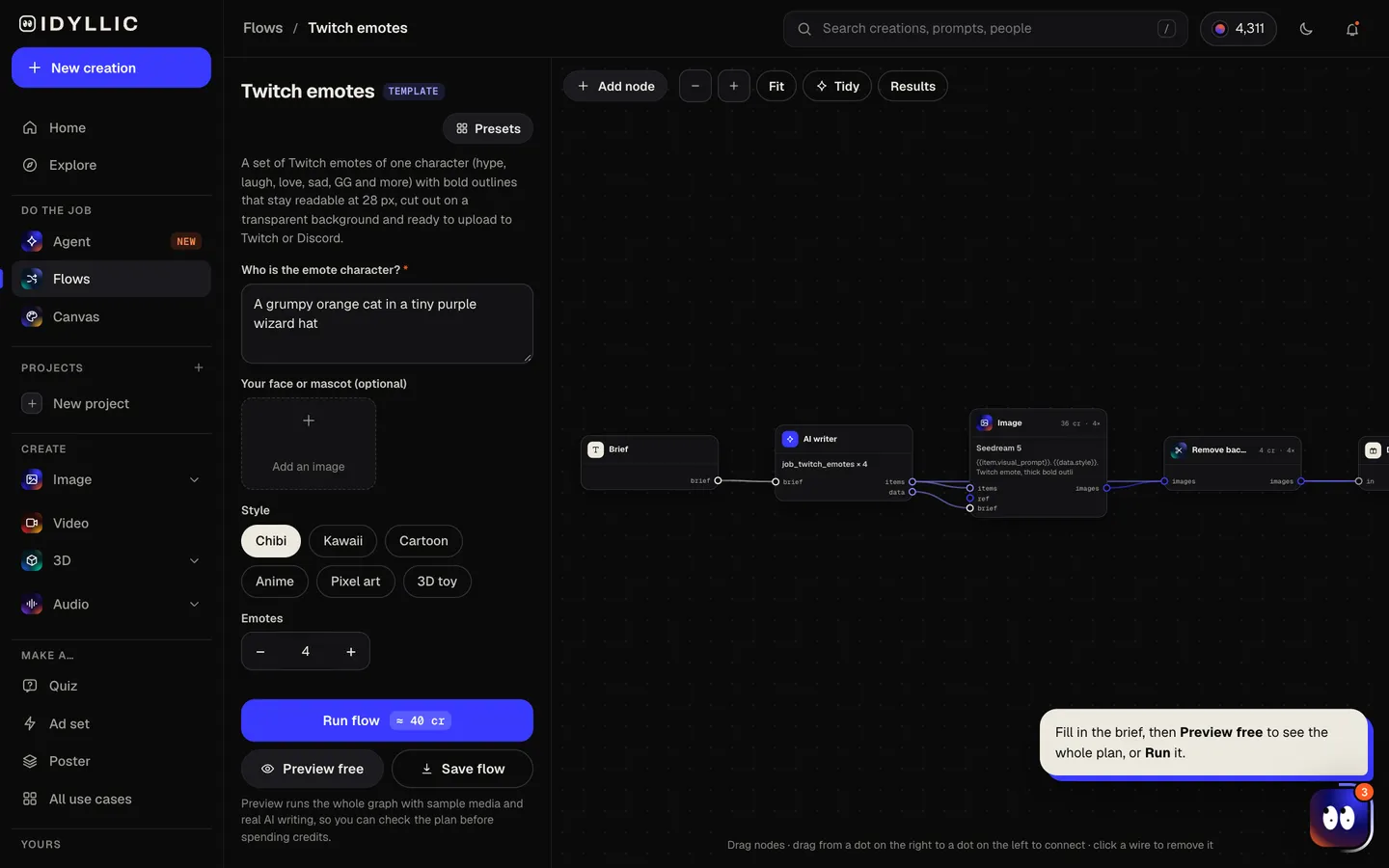
- 02
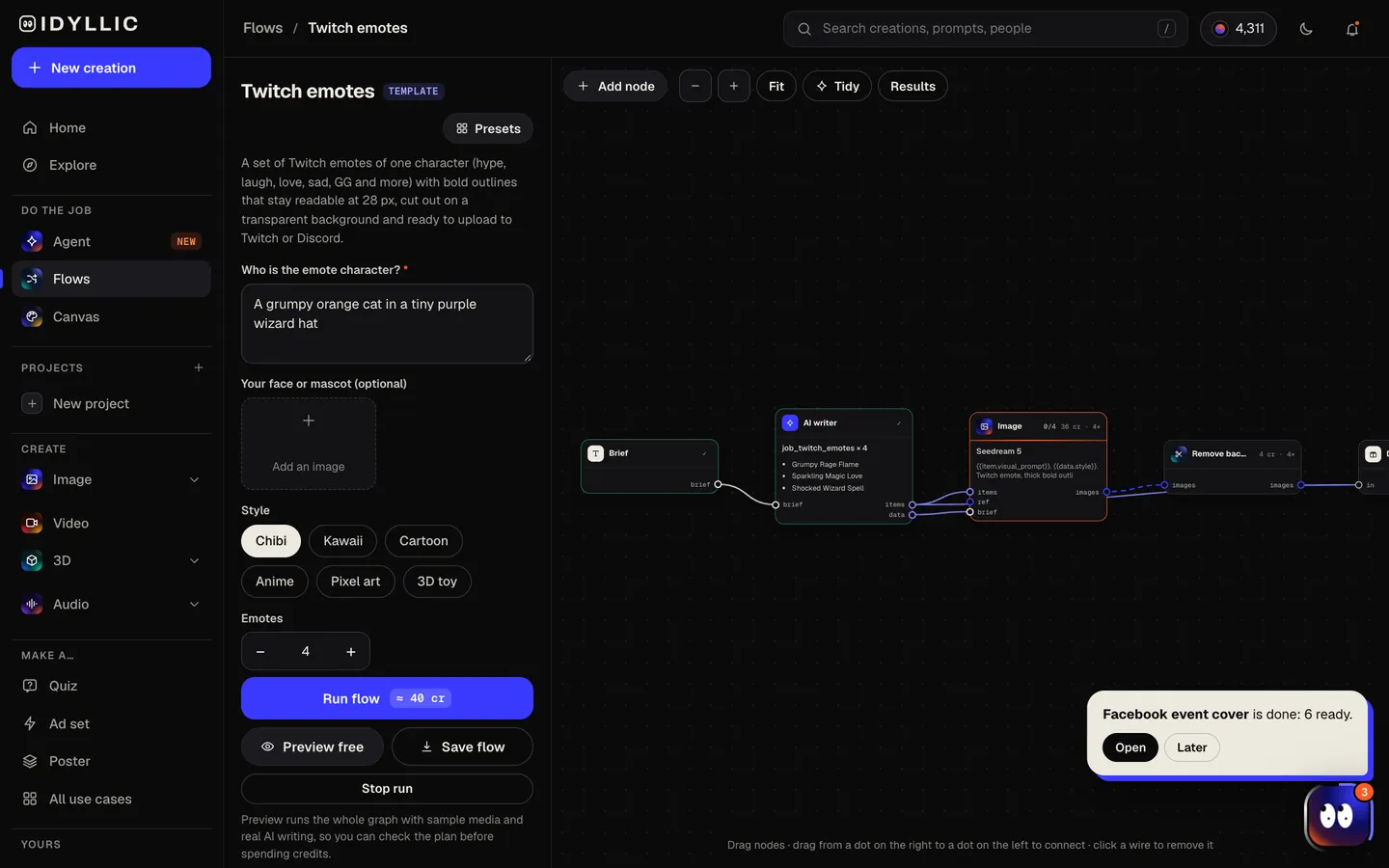
Let the flow draw the set
The AI writer plans a different emotion or reaction for each emote (hype, laugh, love, sad, rage, GG, wave, shocked) and names its code, like Hype or GG. Seedream 5 draws the same character every time with thick outlines and flat colours, then Idyllic cuts each one out on a transparent background. Preview the plan free first.
- 03
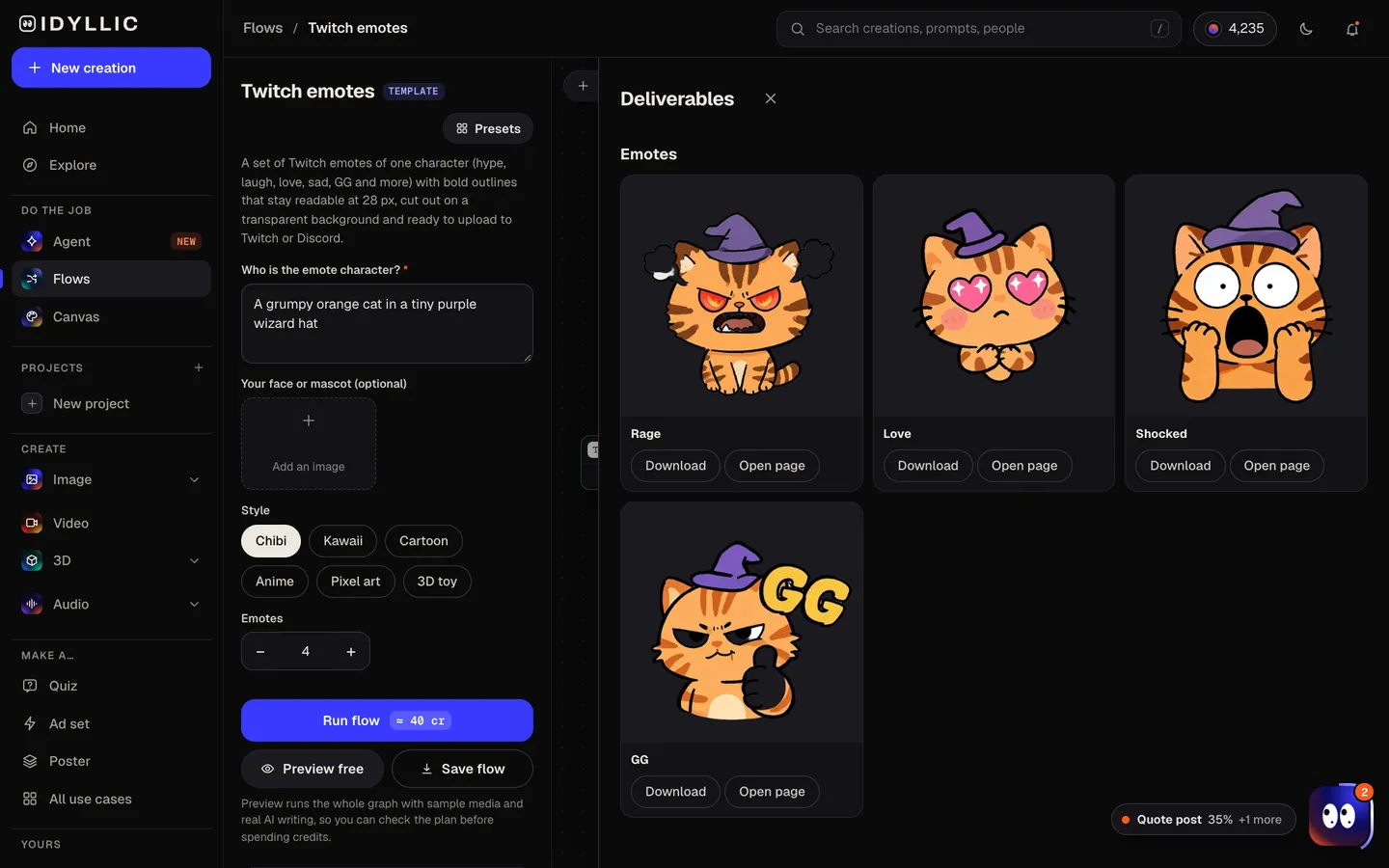
See the whole set
Every emote appears side by side, cut out and named. Judge them small: the ones that still read as a tiny square in chat are the keepers.
- 04
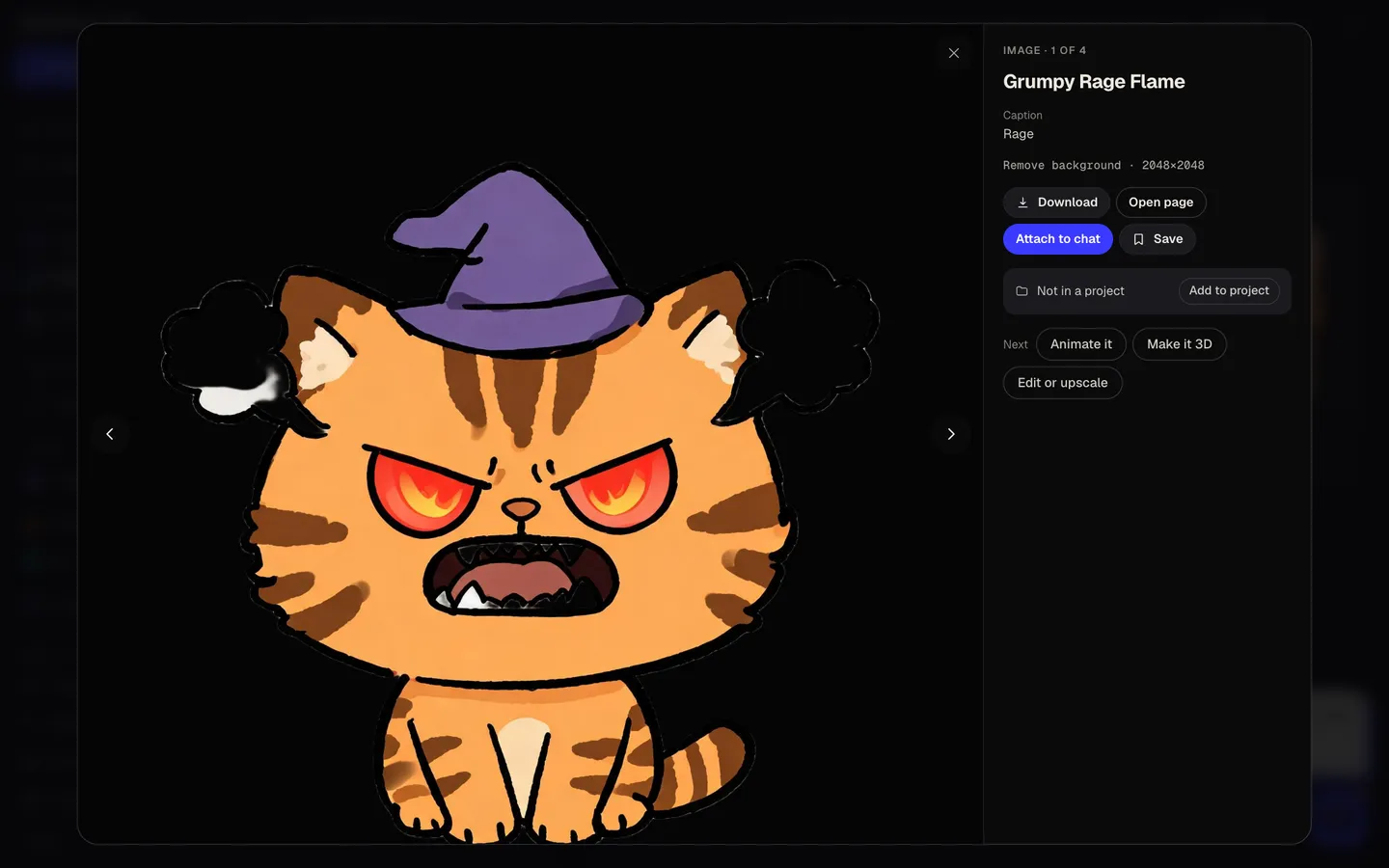
Download or keep going
Open an emote full size and download the transparent PNG, then resize it for Twitch or Discord. Or keep going: upscale it, put it on a design, animate it, or make it 3D.
Why it beats
a template
Reads at 28 pixels
Thick dark outlines, flat colours, a big head and an exaggerated expression: every emote is drawn to survive Twitch's smallest size in a fast-moving chat.
One character, every emotion
The AI writer repeats the full character description for every emote, so the face, colours and outfit stay the same from Hype to Sad.
Cut out for you
Twitch wants a fully transparent background. The background is removed automatically, with no masking or stray pixels to clean up.
Your face or mascot, kept
Add a photo of yourself or your mascot and every emote keeps the likeness, turned into the style you pick.
Named and ready to upload
Each emote comes with a code suffix like Hype, Lul, Love or GG. Add your channel prefix and it is ready to name on Twitch.
Works on Discord too
Resize the same PNGs and they work as custom emoji in your Discord server, so chat looks the same everywhere.
What makes a Twitch emote work
- One emotion per emote, pushed further than feels natural. Subtle disappears at 28 px.
- Big head, small body. The face carries the emotion.
- Thick dark outlines and flat colours. Fine detail turns to mush when it's tiny.
- Skip words, except short ones like GG. Text is unreadable at chat size.
- Start with the reactions chat uses most: hype, laugh, love, sad, GG.
- Check every emote at 28×28 before you upload it.
Twitch emote size and upload rules
| Twitch emote sizes | 112×112, 56×56, 28×28 px | Upload all three, or one image and let Twitch resize it |
|---|---|---|
| Auto-resize upload | 112×112 to 4096×4096 px | One square PNG; Twitch makes the smaller sizes |
| Twitch file rules | PNG, under 1 MB | Square, with a fully transparent background |
| Discord emoji | Under 256 KB | PNG, JPG, GIF or WebP |
| Idyllic emote | 2048×2048 px PNG | Transparent; resize down before you upload |
Custom emote slots come with Twitch Affiliate and Partner status. A full-size PNG can be over 1 MB, so resize each emote to 112×112 for Twitch, or 128×128 for Discord, before you upload.
Steal a brief
Each one opens the flow with the brief filled in. Change anything before you run it.
A grumpy orange cat in a tiny purple wizard hat, chibi style
A cheerful slime with a little gold crown and rosy cheeks, kawaii style
Our channel mascot, a small blue robot with one antenna and a heart-shaped screen, cartoon style
A fox knight in silver armour with a sword that's too big for him, anime style
A stubborn green frog in a backwards cap, pixel art
A tiny ghost in a hoodie holding a game controller, 3D toy style
A chibi streamer with pink headphones, a messy bun and freckles
A sleepy capybara holding a giant coffee mug, kawaii style
A dramatic penguin in a cape who takes every loss personally, cartoon style
Questions
What size are Twitch emotes?
Twitch uses three sizes: 112×112, 56×56 and 28×28 pixels. Upload all three, or one square PNG between 112×112 and 4096×4096 and let Twitch make the smaller sizes. Files must be PNG, under 1 MB, with a fully transparent background.
Is the AI Twitch emote maker free?
You can preview the whole flow free: the AI writer plans your real set of emotions and names, shown with sample images. Making the final emotes is on Plus and up (from $10.50/mo, billed yearly) and costs 60 credits for six. The free plan also includes 3 free images a day in the image studio.
Do the emotes have a transparent background?
Yes. Each emote is cut out automatically and downloads as a transparent PNG, which is what Twitch requires.
Can I make emotes of myself?
Yes. Add a photo in the “your face or mascot” field and every emote keeps your likeness in the style you pick. A sharp, well-lit, front-facing photo works best.
Will every emote look like the same character?
Yes. The AI writer repeats the full character description in every emote's prompt, and a reference photo keeps the likeness even tighter. Describe colours and outfit in detail for the most consistent set.
Can I use the emotes on Discord?
Yes. Resize each PNG to 128×128 so it stays under Discord's 256 KB limit for custom emoji, then add it in your server settings under Emoji. Servers can add up to 50 custom emoji by default.
Who can upload custom emotes on Twitch?
Custom emote slots come with Twitch Affiliate and Partner status. Until then, you can use the same set as Discord emoji or on your socials.
Can I sell or use the emotes commercially?
Yes. Paid plans include a commercial license. Keep the character original: characters you don't own, like ones from games or shows, can get your emotes removed.
Make something else
Everything you can make


Your turn.
Preview the whole flow free. No credit card.