Ready-made flow · A server banner that sets the vibe before anyone joins
AI Discord Banner Maker
Idyllic's AI Discord banner maker turns your server name and a line about the community into server banners at 960×540, Discord's 16:9 banner size. Each is an original scene that sets the vibe before anyone joins, with the server name, a one-line pitch and your invite link set in editable type. A Large export gives you 1920×1080.
- Size
- 960×540 PNG, 16:9 (Large: 1920×1080)
- You get
- 3 banners + the artwork without text
- Image model
- Seedream 5
- Cost
- 27 credits for 3, on Plus and up
- Looks
- Neon, Anime, Fantasy, Cozy, Cyberpunk, Pixel art, Minimal
Real output · no retouching
One brief.
3 results.
- Server name
- The Midnight Guild
- What is the server about?
- A chill community for indie game devs: weekly game jams, feedback threads and voice co-working
- Look
- Neon


How to make it
Four steps, about a minute of your time. These are real screens from the run above.
- 01
Name the server
Enter the server name, say what the community is about (add your invite link if you want it shown), pick a look from Neon to Pixel art and choose how many banners to make, up to four.
Open the flow
- 02
Let the flow design it
The AI writer plans a different scene or world for each banner and writes a pitch under seven words, plus a short pill like “Weekly game jams” if your brief supports it. Seedream 5 makes each scene with original characters and places, then Idyllic sets the server name and pitch. Preview the whole flow free first.

- 03
Compare the banners
Every banner appears side by side, next to the artwork without text, so you can pick the world that feels most like your community.

- 04
Edit in Canvas and download
Open a banner in Canvas to change any word, font or effect, or move any layer. Then download it, Standard at 960×540 or Large at 1920×1080, and upload it in your server settings.

Why it beats
a template
Sets the vibe before anyone joins
A banner tells people what kind of place your server is: a cozy book club, a competitive squad, a late-night art room. Each concept builds a scene around that.
Original art only
Every scene uses original characters and places, never characters from games or shows you don't own, so the banner is safe to use and yours.
Both of Discord's sizes
The Standard export is 960×540 and the Large export is 1920×1080, the two sizes Discord lists for server banners.
Your server name, spelled right
The name and pitch are real type set exactly as you enter them, not lettering drawn by the image model.
Different worlds to choose from
Each banner is a separate idea, so you compare real alternatives, from a neon city to a quiet library.
Matches your emotes and streams
Use the same look in the Twitch emotes and Twitch banner flows so your server, chat and stream feel like one brand.
What makes a good Discord server banner
- Make the vibe obvious. Members should know what kind of place this is at a glance.
- Keep the server name short and big.
- Use a simple scene. Discord shows the banner small at the top of the channel list.
- Use the same colours as your server icon and roles.
- Refresh it for events, seasons and milestones.
- Check it on your phone after uploading.
Discord server banner size and specs
| Server banner | At least 960×540 px | 16:9; Discord also accepts 1920×1080 and resizes it |
|---|---|---|
| Static banner | Boost Level 2 | The server needs Level 2 to show a banner |
| Animated banner | Boost Level 3 | A GIF, also 16:9 |
| Idyllic export | 960×540 px PNG | Standard export; Large export is 1920×1080 |
Server banners are a boost perk: a server needs Boost Level 2 for a static banner and Level 3 for an animated one. Idyllic makes static banners.
Steal a brief
Each one opens the flow with the brief filled in. Change anything before you run it.
The Midnight Guild, a chill community for indie game devs with weekly game jams and voice co-working
Rogue Squad, a competitive shooter community with nightly scrims and coaching, in a cyberpunk look
Pixel Pals, a pixel art server with daily prompts and monthly contests, in a pixel art look
Moonlit Grove, a cozy server for cottagecore crafts, plant care and slow living
Study Hall, a 24/7 focus server for students with silent voice rooms and pomodoro timers, minimal look
Dragonfall, a high-fantasy roleplay server with weekly story arcs, in a fantasy look
Synthwave Lounge, a music server for retro electronic producers with feedback threads, in a neon look
Anime Night Club, weekly watch parties and fan art channels, in an anime look
Tiny Kitchen, a home cooking server with weekly cook-alongs and recipe swaps, in a cozy look
Questions
What size is a Discord server banner?
Discord asks for an image of at least 960×540 pixels in a 16:9 shape, and also accepts 1920×1080, which it resizes. Idyllic exports banners at 960×540, or 1920×1080 with the Large export.
Is the AI Discord banner maker free?
You can preview the whole flow free: the AI writer plans your real scenes and copy, shown with sample images. Making the final banners is on Plus and up (from $10.50/mo, billed yearly) and costs 27 credits for three. The free plan also includes 3 free images a day in the image studio.
Do I need boosts for a server banner?
Yes. Server banners unlock at Boost Level 2, and animated banners at Level 3. Without boosts you can still use the design on your server's website, socials or invite posts.
What should a Discord banner show?
The server name, a few words on what the community is about, and a scene that sets the mood. An invite link is optional and useful when the banner gets shared outside Discord.
Can I use characters from my favourite game or anime?
Idyllic draws original characters and places only. Characters from games and shows belong to their owners, so an original scene is the safer choice, and it's more recognisably your server.
Will the AI spell my server name correctly?
Yes. The server name is set as real type exactly as you enter it, not drawn by the image model, and you can edit it in Canvas.
Can I make matching emoji for my server?
Yes. The Twitch emotes flow makes a set of one character, cut out on a transparent background. Resize the PNGs to 128×128 and they work as Discord emoji.
Make something else
Everything you can make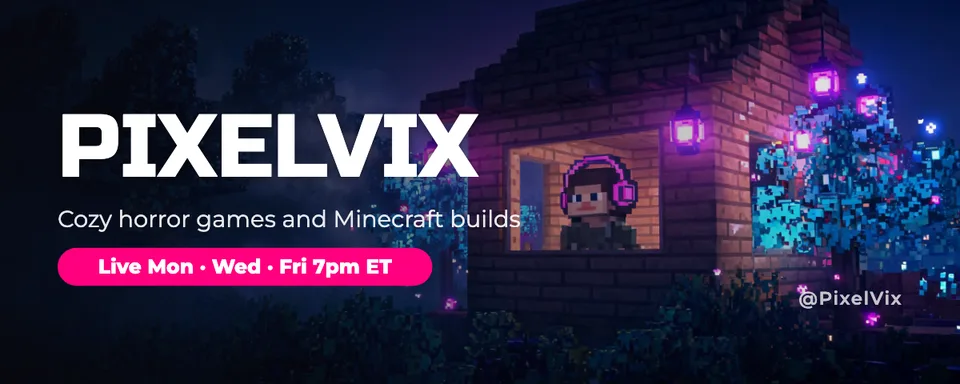

Your turn.
Preview the whole flow free. No credit card.