Ready-made flow · Study cards with a term, a definition and a picture
AI Flashcard Maker
Idyllic's AI flashcard maker turns a topic, or your own list of terms, into a deck of illustrated study cards. Each 5×3 in card has the term in big type, a one-sentence definition written for your level and a picture that shows what it means. Print them or study on screen. The AI writes the definitions, so check them against your notes.
- Size
- 5×3 in, 1500×900 px, up to 3000×1800
- You get
- 4 to 12 cards, 8 by default
- Levels
- Elementary to college and adult learners
- Image model
- Seedream 5
- Cost
- 72 credits for 8 cards, on Plus
Real output · no retouching
One brief.
4 results.
- What are you studying?
- The parts of an animal cell
- Terms, one per line (optional)
- Nucleus Mitochondria Ribosome Cell membrane
- Level
- Middle school
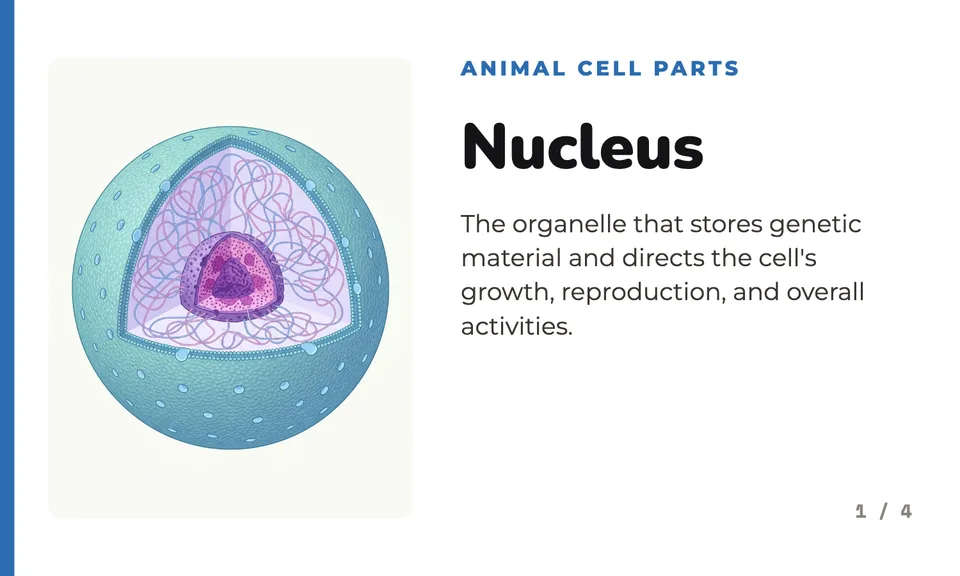
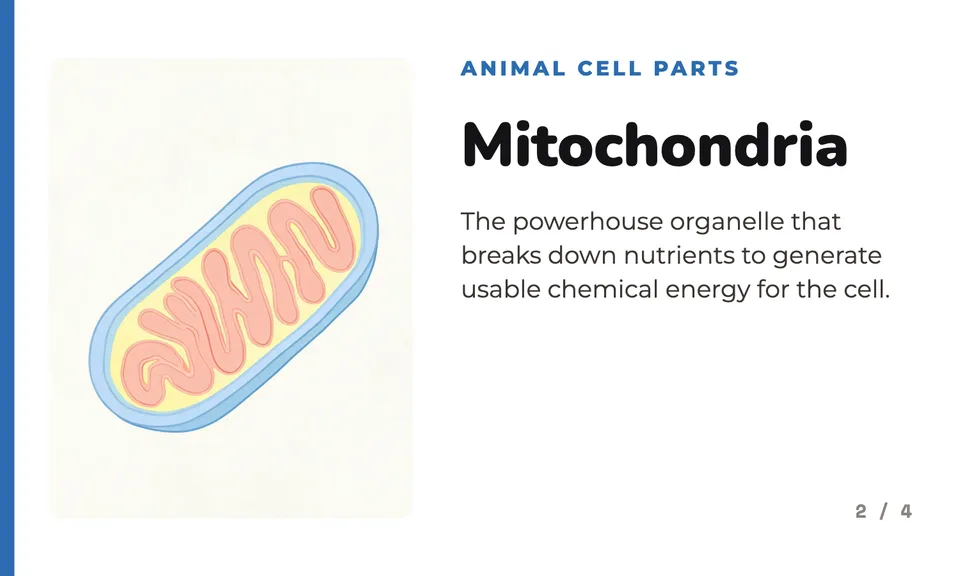
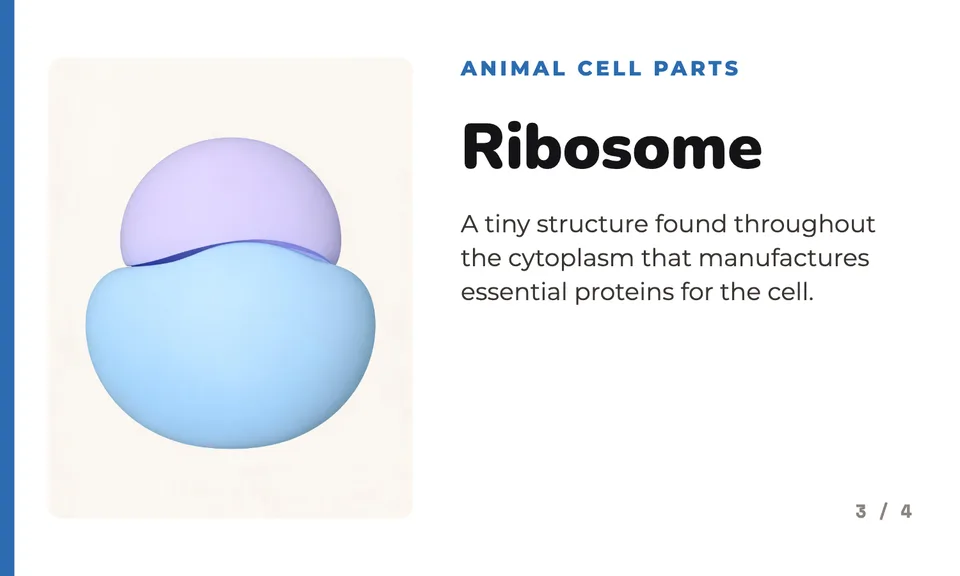
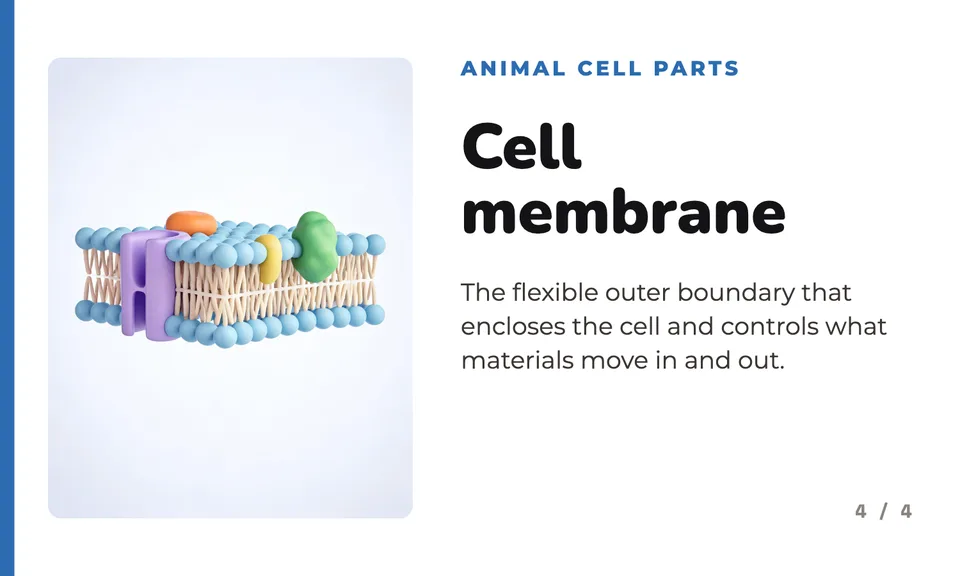
How to make it
Four steps, about a minute of your time. These are real screens from the run above.
- 01
Say what you are studying
Write the topic in 'What are you studying?', like 'The parts of an animal cell'. Paste your own terms one per line if you have a list, then pick a level (Elementary, Middle school, High school, College or Adult learner) and the number of cards, from 4 to 12.
Open the flow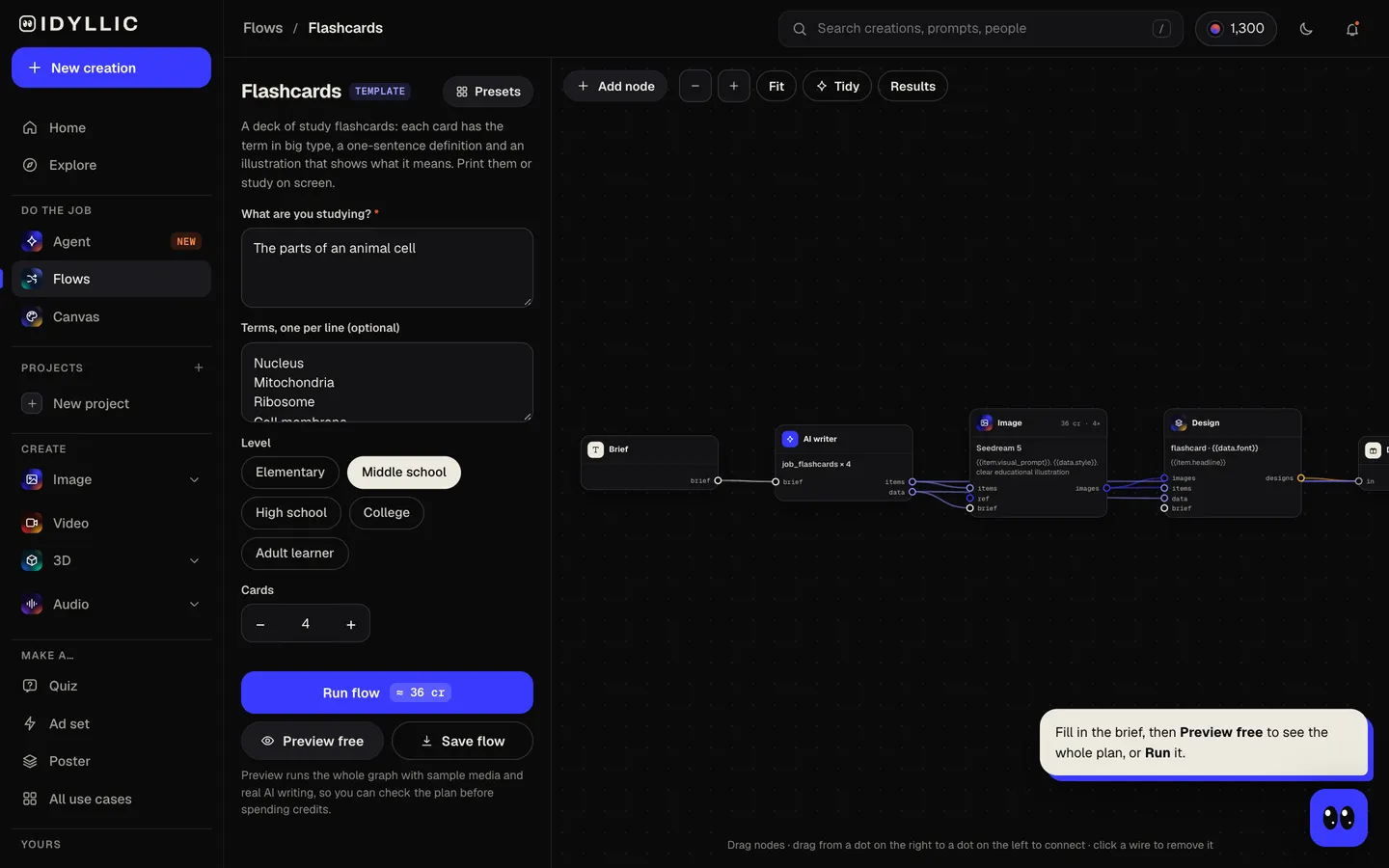
- 02
Watch the deck get made
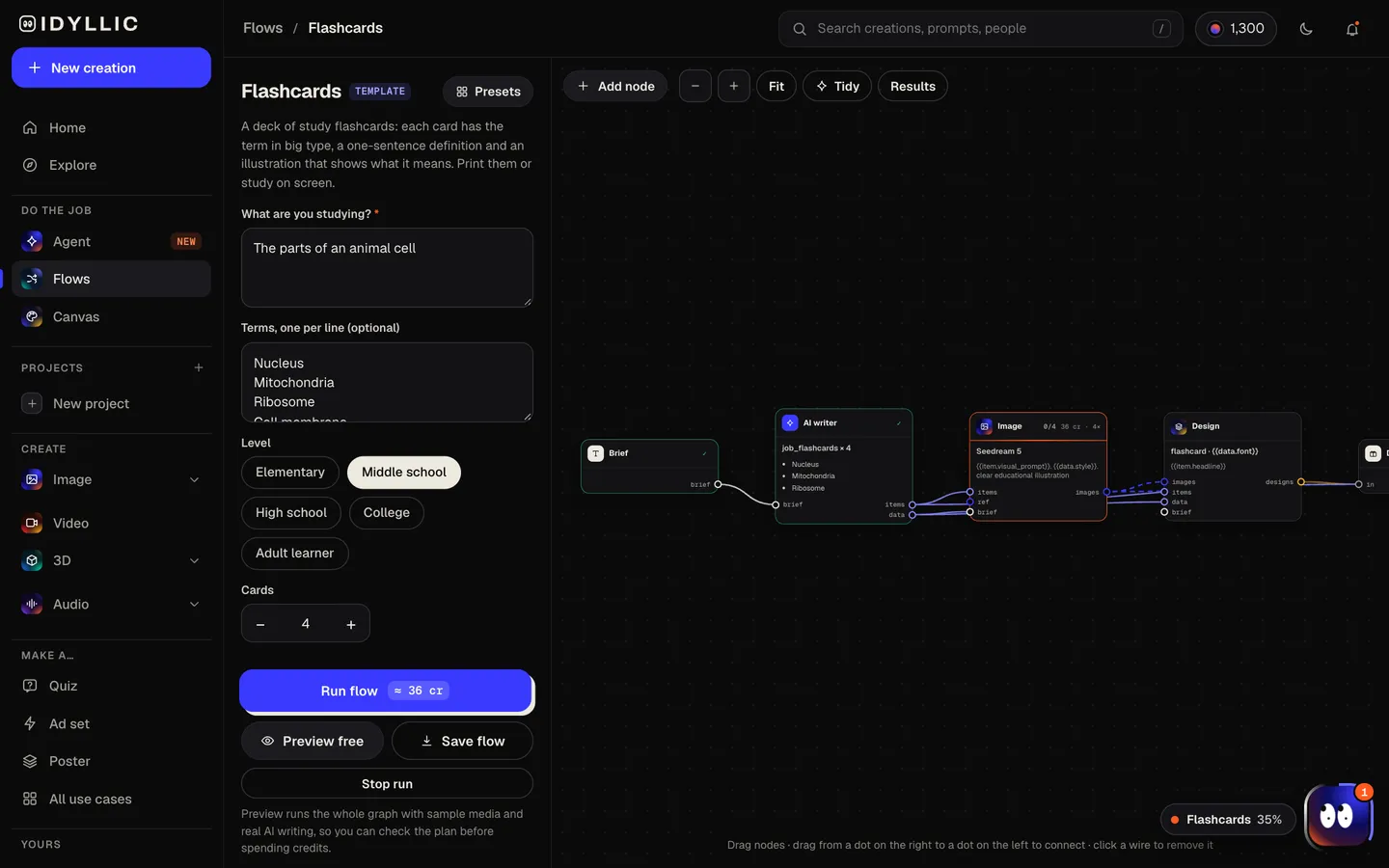
The AI writer, briefed as a careful teacher, uses your terms in order (or picks the key terms for the topic), writes a one-sentence definition for each at your level and names the deck. Seedream 5 draws a clear picture for every term, then Idyllic sets each card. Preview the plan free first.
- 03
Flip through the deck
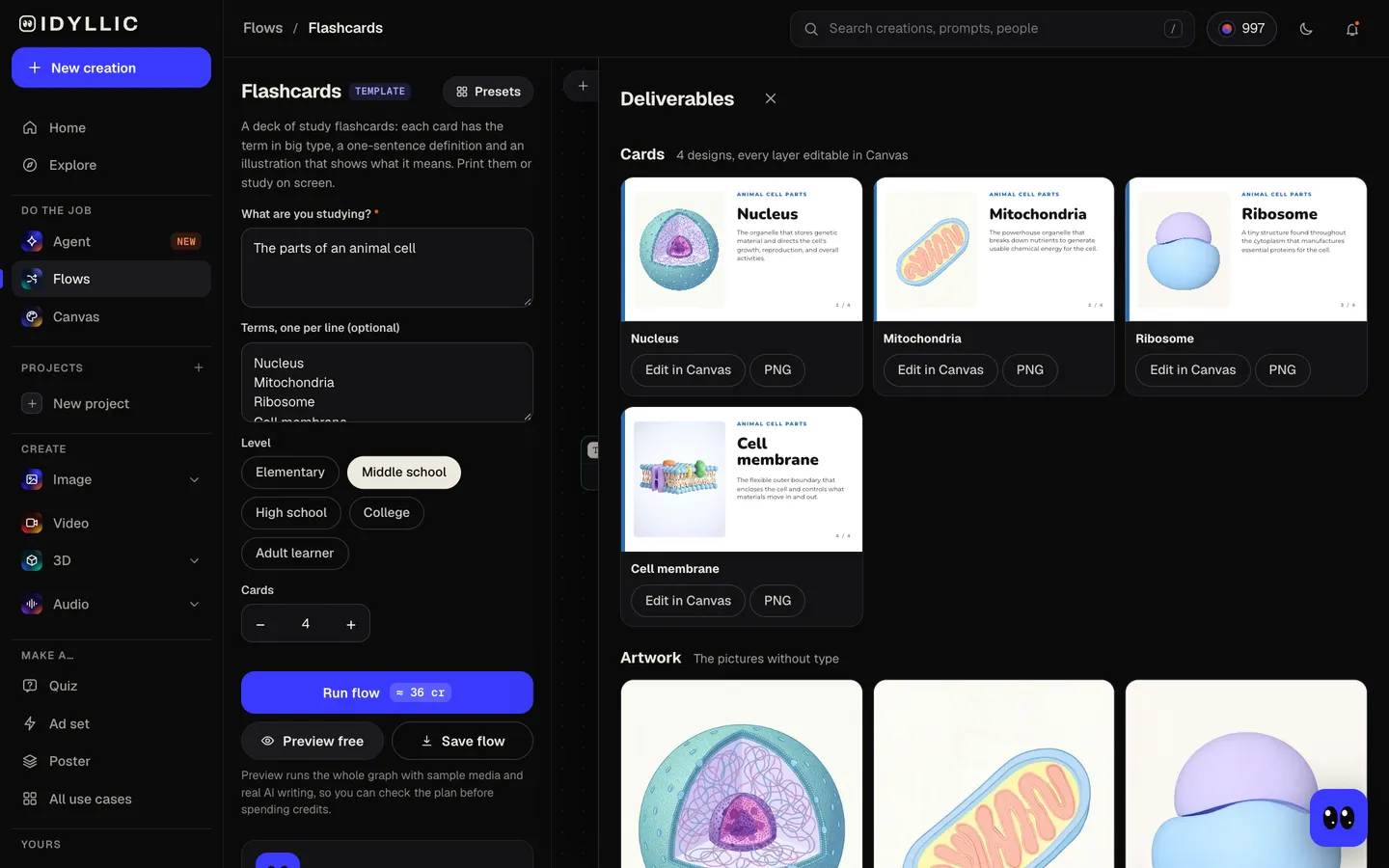
Every card appears side by side, numbered, next to the pictures on their own. Read each definition against your notes or textbook.
- 04
Edit and download
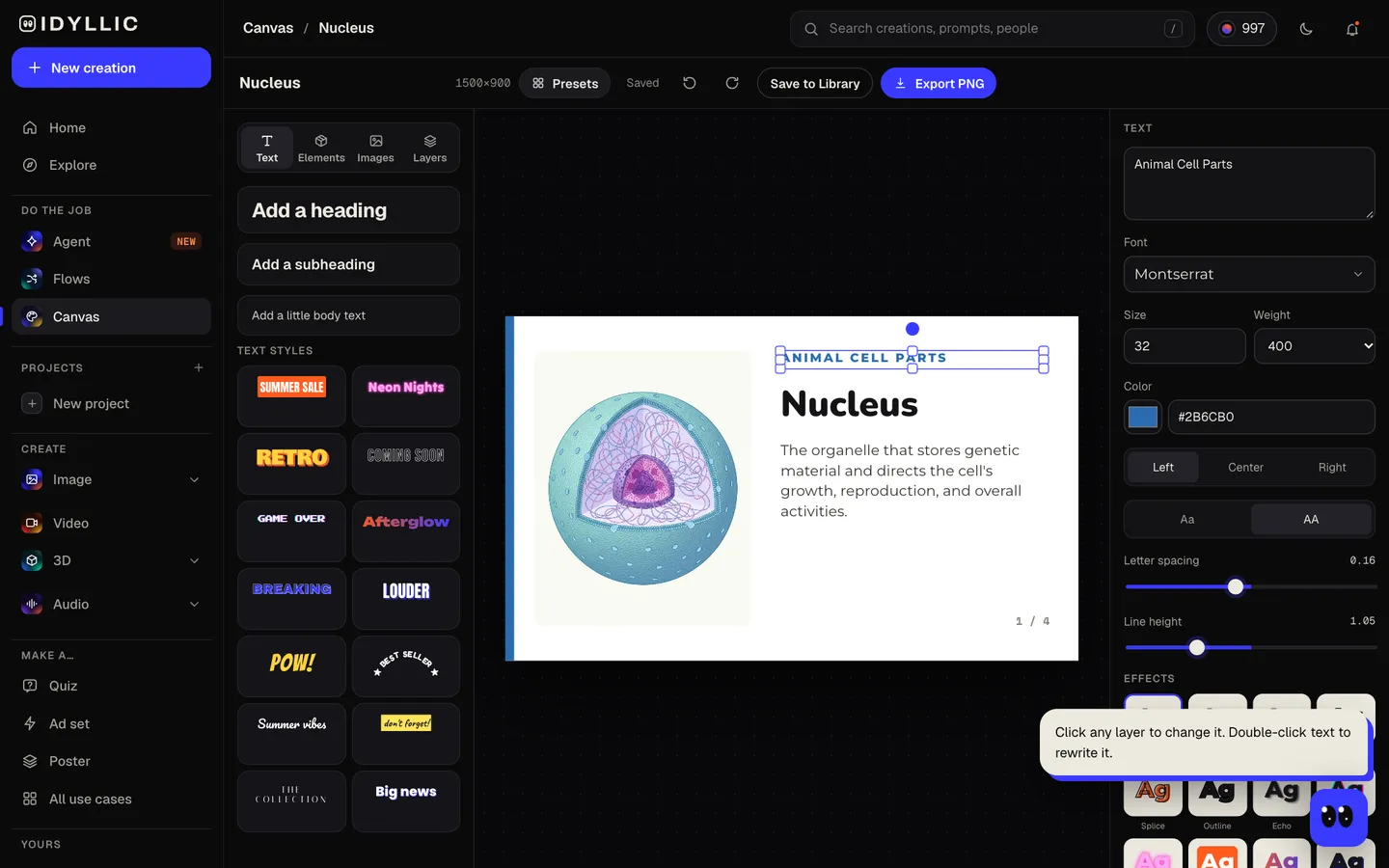
Open a card in Canvas to reword a definition, change a font or color, or select part of the picture and describe a fix. Then download the PNGs to print or keep on your phone.
Why it beats
a template
A picture for every term
Each card has an illustration of what the term means: the object, the process or a typical example. A picture gives your memory a second way in.
Definitions at your level
One sentence, under 22 words, written for elementary school through college. Mitochondria reads differently for a sixth grader than for a biology major.
Your terms, or the important ones
Paste the list from your syllabus and the cards follow it word for word, in order. Leave it empty and the AI picks the key terms for the topic, never repeating one.
A real deck
Every card carries the deck name and a counter (3 / 8) next to the term in big type, so a printed stack stays in order.
Edit any card
Every word is real type in Canvas. Fix a definition, simplify a word for a younger class or change the font, then download again.
How to study with flashcards
- One term per card, one idea per definition.
- Say the answer out loud before you look. Cover the definition with your hand to quiz yourself.
- Shuffle the deck so you learn the terms, not the order.
- Put the cards you miss in their own pile and go through that pile more often.
- Short sessions spread over several days beat one long cram the night before.
- Check every definition against your textbook or notes before you study from it.
Flashcard sizes and print specs
| Idyllic flashcard | 1500×900 px, or 3000×1800 Large | 5:3 landscape, PNG; 5×3 in at 300 ppi |
|---|---|---|
| 3×5 in index card | 5×3 in, landscape | The design fits exactly |
| 4×6 in index card | 6×4 in, landscape | Prints at 6×3.6 in with a thin band at the top and bottom; use the Large export |
| On screen | Phone, tablet or laptop | Turn the phone sideways and the card fills the screen |
Four 5×3 in cards fit on one landscape Letter or A4 sheet. Print on card stock at 100% and cut them out.
Steal a brief
Each one opens the flow with the brief filled in. Change anything before you run it.
The parts of an animal cell: nucleus, mitochondria, ribosome and cell membrane, for middle school
The eight planets of the solar system, for elementary school
Spanish food words: manzana, pan, queso, leche and huevo, for adult learners
Key terms from the American Revolution for a high school history test
The three types of rock: igneous, sedimentary and metamorphic, middle school
Common cognitive biases for an intro psychology course, college level
Parts of speech: noun, verb, adjective, adverb and pronoun, for elementary school
Photography basics: aperture, shutter speed, ISO and white balance, for adult learners
The major bones of the human skeleton for a college anatomy class
Questions
Can AI make flashcards?
Yes. Give Idyllic a topic or a list of terms and it writes a one-sentence definition for each, draws a picture that shows what it means and lays out a numbered deck you can print or study on screen.
Are the definitions accurate?
The AI writer is told to use only well-established facts and to keep each definition to one sentence at your level. It can still get things wrong, so check each card against your textbook, notes or teacher before you study, and fix any line in Canvas.
Is the flashcard maker free?
You can preview the whole flow free, with real AI writing and sample images, so you can read the definitions first. Running it for real is on Plus ($10.50 a month, billed yearly) and uses 72 credits for 8 cards. The free plan also includes 3 free images a day in the image studio.
What size are flashcards?
The classic size is a 3×5 in index card, with 4×6 in for more room. Idyllic cards are 1500×900 px, exactly 5×3 in at 300 ppi, with a Large export at 3000×1800 px.
Can I use my own list of terms?
Yes. Paste them one per line in the terms box and the cards use them exactly as written, in order. Set the number of cards to match, up to 12 per run.
Are the cards double-sided?
Each card shows the term, definition and picture on one side, which works well on screen. To quiz yourself, cover the definition. For a classic front and back, delete the definition in Canvas and download that copy as the front.
Who is it for?
Students revising for a test, teachers making a class set, and adult learners picking up a language or a new skill. Pick the level from Elementary to Adult learner and the wording follows.
Make something else
Everything you can make

Your turn.
Preview the whole flow free. No credit card.