Ready-made flow · Printable worksheets with questions for any grade
AI Worksheet Generator
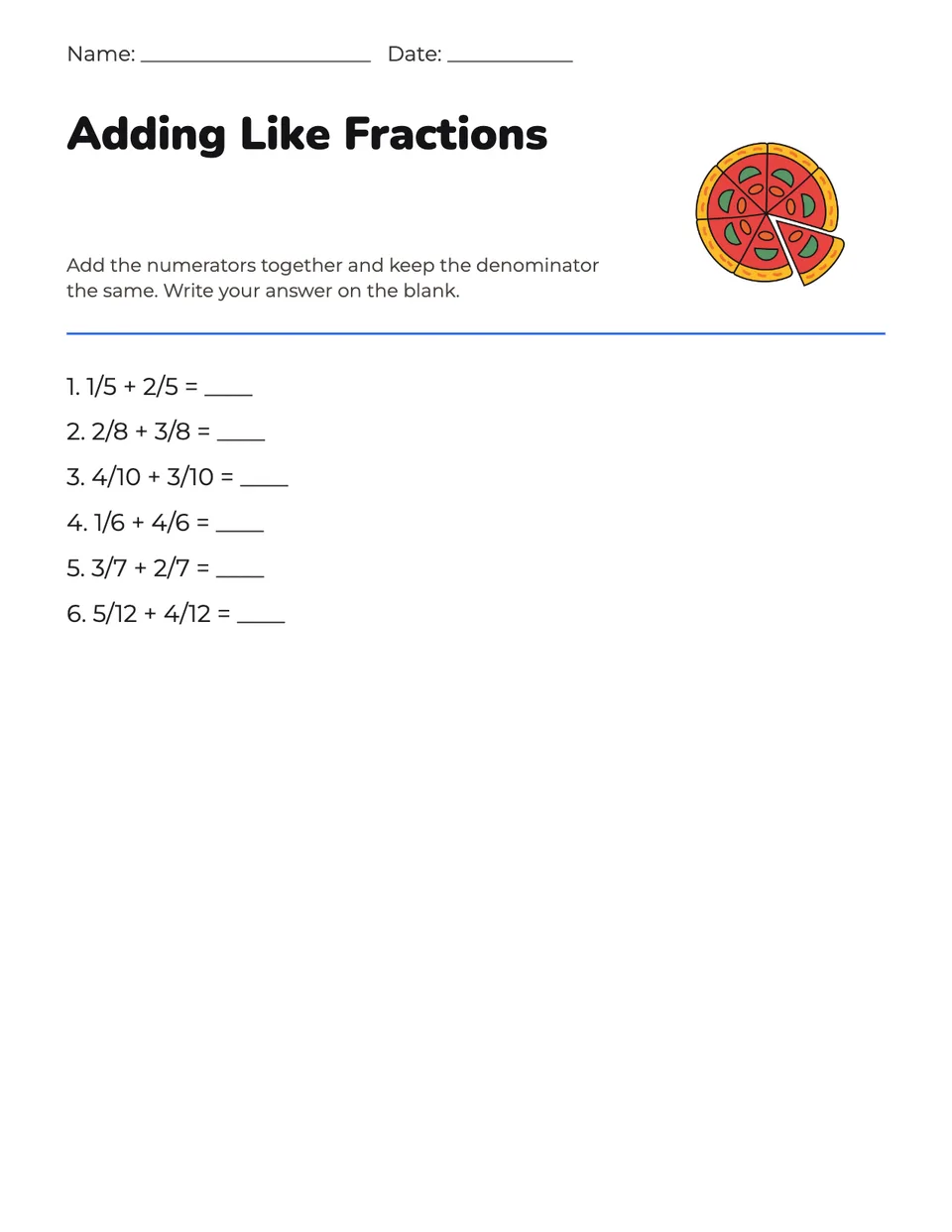
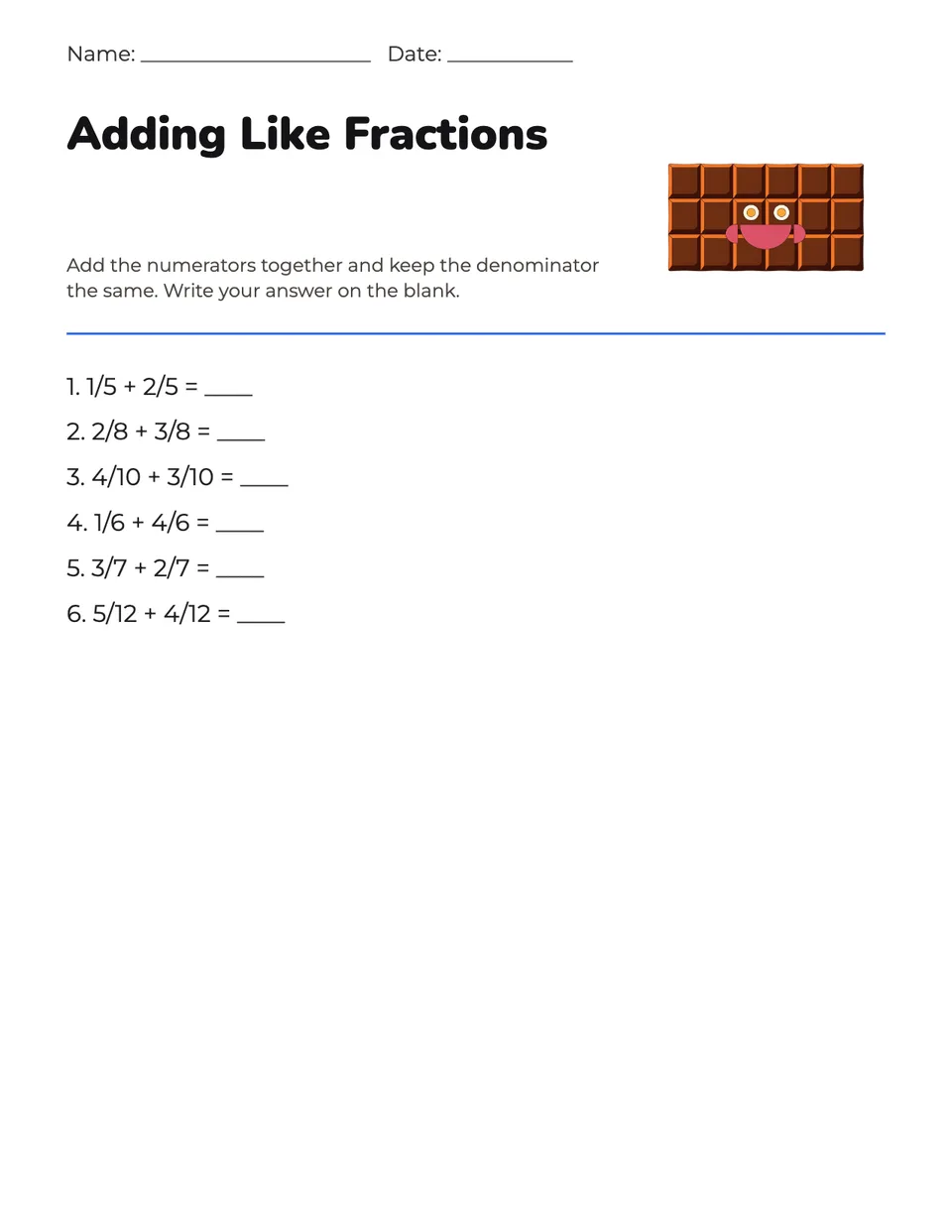
Idyllic's AI worksheet generator writes and designs a printable worksheet from one line: the topic and the grade. You get a letter-size page with a name and date line, a title, short instructions, 5 to 8 numbered questions with answer blanks and a friendly picture of the topic, plus an answer key. The AI writes the questions, so read them before class and edit any line in Canvas.
- Size
- US Letter, up to 2550×3300 px
- You get
- 2 versions + an answer key
- Grades
- Kindergarten to high school
- Questions
- Mixed, fill in the blank, short answer, math, true or false, vocabulary
- Cost
- 18 credits for 2 versions, on Plus
Real output · no retouching
One brief.
2 results.
- Topic
- Adding fractions with the same denominator
- Grade level
- Grade 3-4
- Question type
- Mixed
How to make it
Four steps, about a minute of your time. These are real screens from the run above.
- 01
Say what to practice
Write the topic, like 'Adding fractions with the same denominator'. Pick the grade level (Kindergarten up to High school), a question type (Mixed, Fill in the blank, Short answer, Math practice, True or false or Vocabulary) and how many versions you want.
Open the flow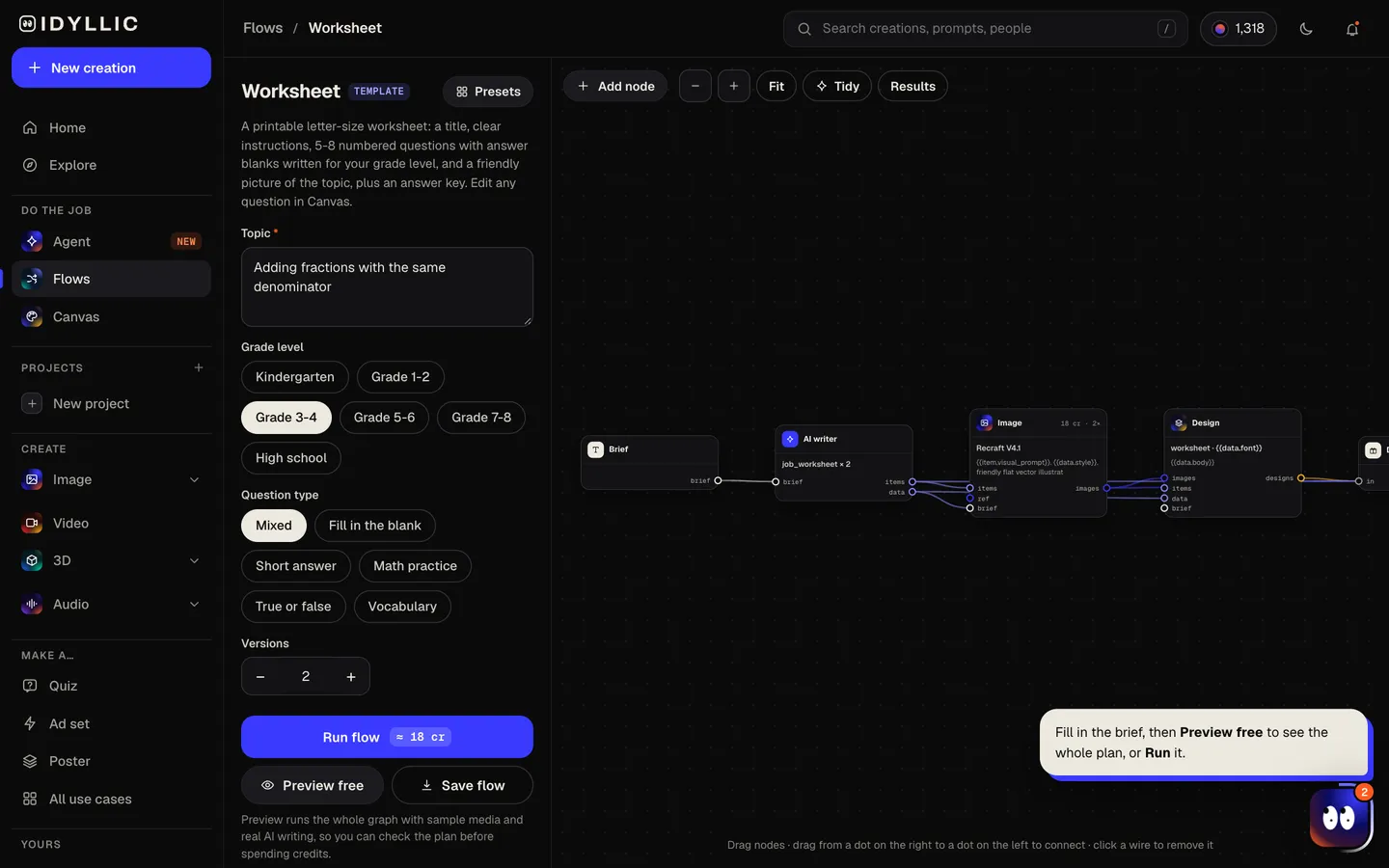
- 02
Watch it get written
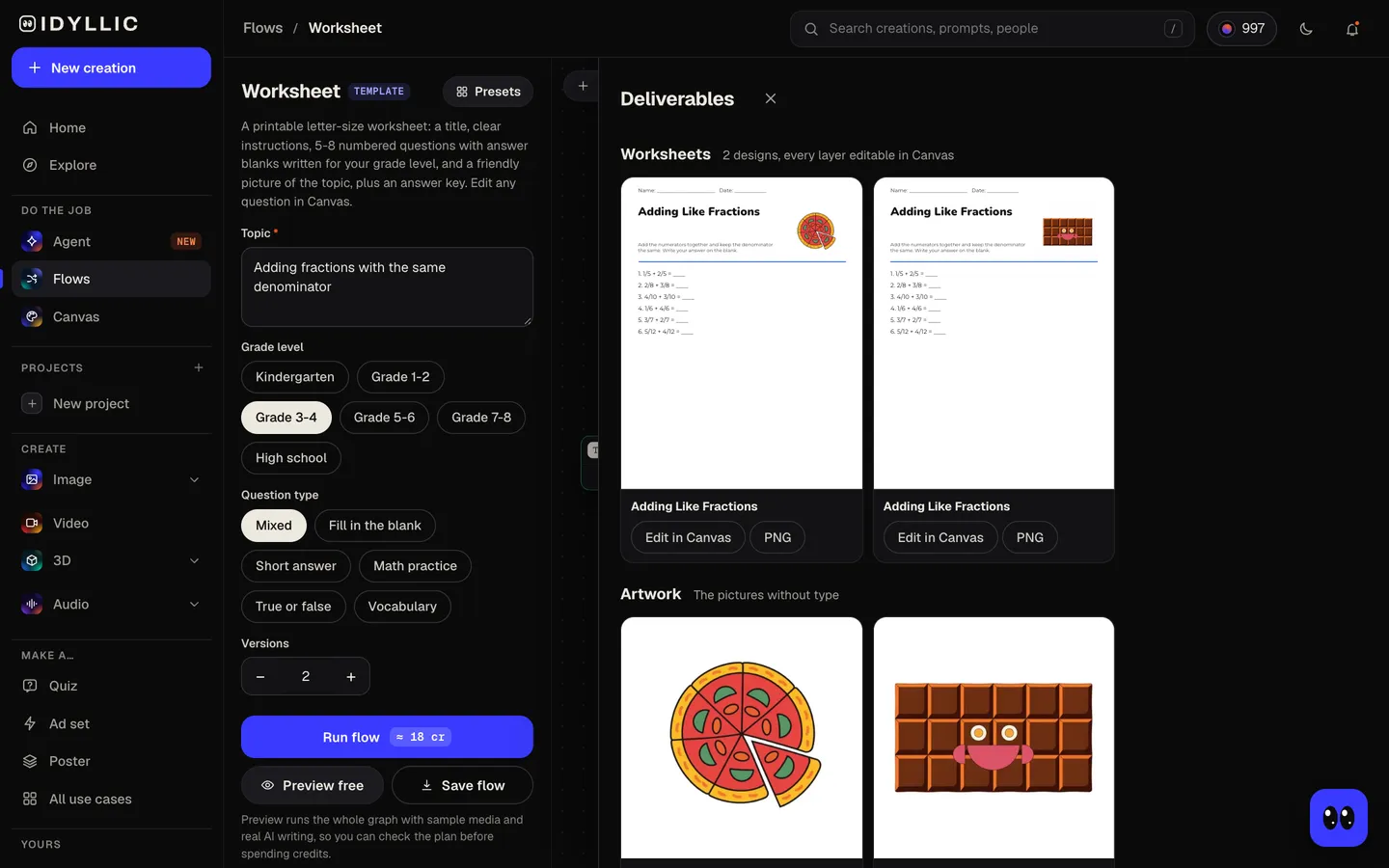
The AI writer, briefed as an experienced classroom teacher, writes a short title, instructions in words the grade can read, 5 to 8 numbered questions with answer blanks and an answer key. Recraft V4.1 draws a friendly picture of the topic for each version, then Idyllic lays out the page. Preview the plan free first.
- 03
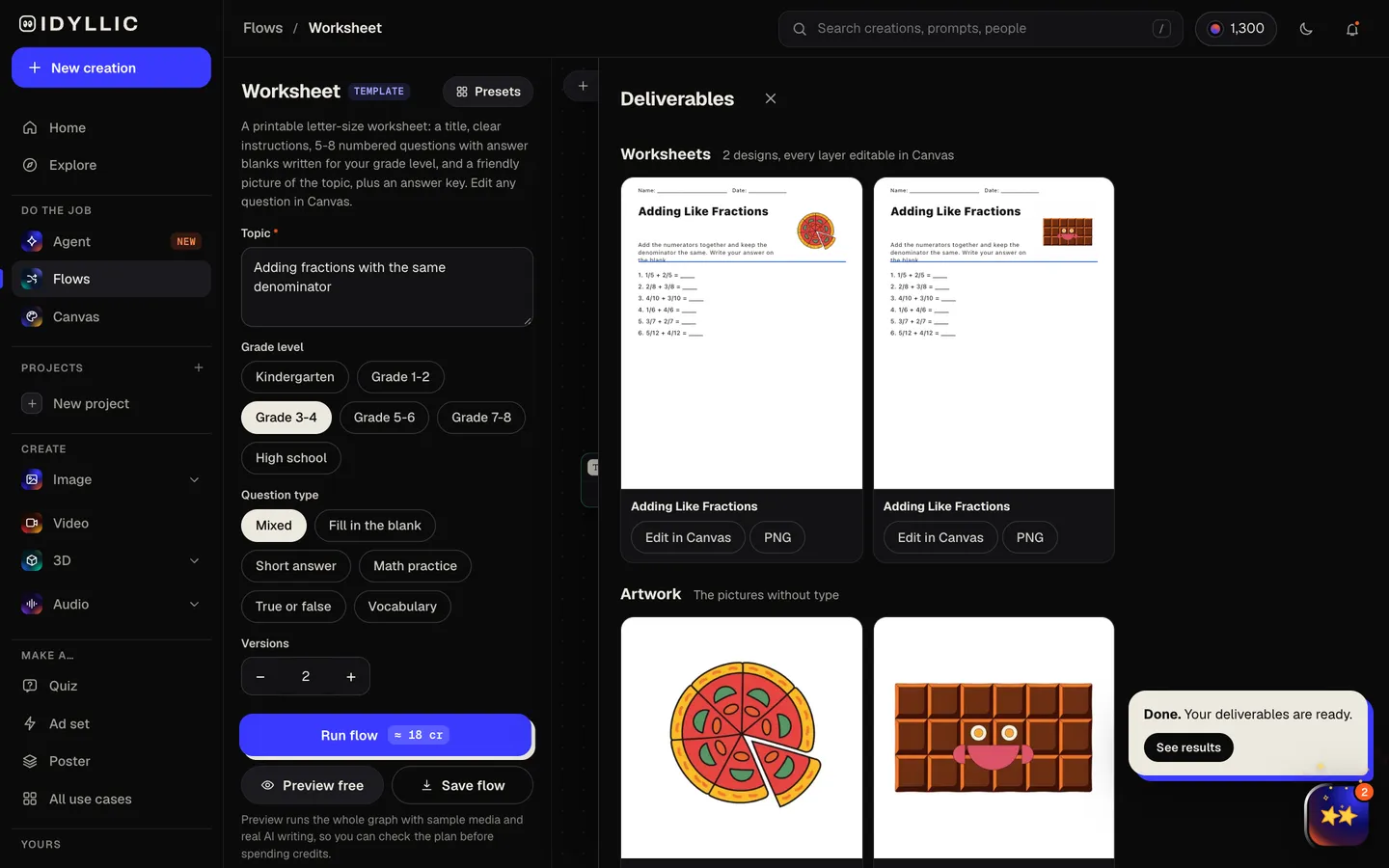
Check the versions
The versions appear side by side, the same questions with a different picture and color scheme, next to the pictures on their own. The answer key comes with them.
- 04
Edit and print
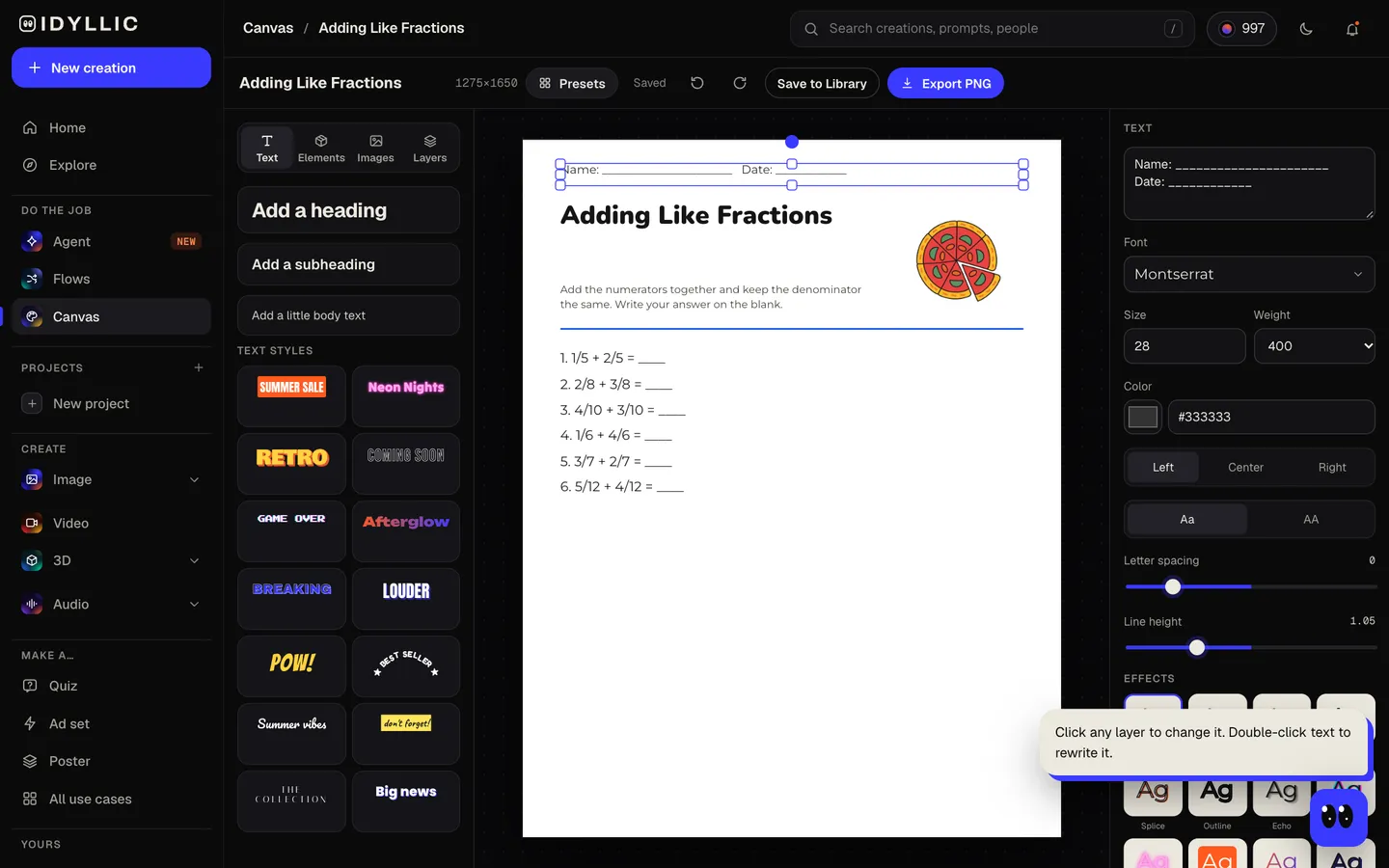
Open one in Canvas and change any question, number or word, or swap the font. Check every answer against the key, then download a PNG: Large (2550×3300 px) prints sharp on Letter at 300 ppi.
Why it beats
a template
Questions written for the grade
The questions, instructions and vocabulary are pitched at the grade you pick, from Kindergarten to high school, with no trick questions.
A real worksheet layout
A name and date line, the title, instructions, a rule, then numbered questions with answer blanks and room to write. It prints like the worksheets you already use.
An answer key with every worksheet
The AI writer checks its answers against the questions and gives you a numbered key, so marking is quick. Still check it yourself: the AI drafts, you know your class.
Six question types
Mixed, fill in the blank, short answer, math practice, true or false and vocabulary. Pick one per worksheet to keep the page focused.
A picture that fits the topic
Recraft V4.1 draws one friendly, simple illustration for the corner of the page: pizza slices for fractions, a smiling planet for the solar system.
Edit every line
Every word is real type in Canvas. Change a question, make the numbers harder, add your class name or pick a font that suits early readers.
What makes a good worksheet
- One skill per page: fractions with like denominators, not all of fractions.
- Start easy and build. The first question should be one every student can answer.
- Keep the instructions to one or two short sentences.
- Leave room to write, especially for younger students.
- Read every question and check the answer key before you print.
- For a retake, change the numbers in Canvas and download a second copy.
Worksheet size and print specs
| Idyllic worksheet | 1275×1650 px, or 2550×3300 Large | US Letter portrait, PNG; Large is 300 ppi |
|---|---|---|
| US Letter | 8.5×11 in | The standard classroom paper size in the US and Canada |
| A4 | 210×297 mm | Print at fit to page: about 97%, with extra space at the top and bottom |
| Margins | About 0.6 in at the sides | Clear of the edge most home printers leave unprinted |
Print one test copy at 100% (or fit to page on A4) and photocopy from that. The Large export keeps small type crisp.
Steal a brief
Each one opens the flow with the brief filled in. Change anything before you run it.
Adding fractions with the same denominator, Grade 3-4, math practice
Animal habitats: desert, ocean, forest and arctic, Grade 1-2, fill in the blank
The parts of a volcano and how it erupts, Grade 5-6, short answer
Counting and number order up to 20, Kindergarten, math practice
The water cycle: evaporation, condensation and precipitation, Grade 3-4, true or false
Photosynthesis, Grade 7-8, mixed questions
Solving one-step equations, Grade 7-8, math practice
The causes of the American Revolution, high school, short answer
Spanish greetings and classroom words, Grade 5-6, vocabulary
Questions
Can AI create printable worksheets?
Yes. Give Idyllic a topic and a grade and it writes the instructions, questions and answer key, draws a picture of the topic and lays it all out on a letter-size page, ready to print.
Are the questions and answers correct?
The AI writer is told to use well-established facts, avoid trick questions and check the key against the questions, and it is usually right. It can still make mistakes, so read every question and answer before the sheet goes out, and fix anything in Canvas.
Is the worksheet generator free?
You can preview the whole flow free, with real AI writing and sample images, so you can read the questions first. Running it for real is on Plus ($10.50 a month, billed yearly) and uses 18 credits for 2 versions. The free plan also includes 3 free images a day in the image studio.
What should I include in a worksheet prompt?
The topic, as specific as you can make it ('adding fractions with the same denominator', not 'fractions'), plus the grade level and question type. If you want certain words or numbers used, add them to the topic.
What grade levels does it cover?
Kindergarten, Grades 1-2, 3-4, 5-6 and 7-8, and high school. The reading level of the instructions and questions follows the grade you pick.
What size is a worksheet?
US Letter, 8.5×11 in, in the US and Canada, and A4 in most other countries. Idyllic designs at Letter, 1275×1650 px, with a Large export at 2550×3300 px (300 ppi). On A4, print at fit to page.
Can I make coloring worksheets?
This flow makes question worksheets. For pages to color, use the coloring page maker, which draws bold black outlines on white, ready to print on Letter or A4.
Can I edit the questions?
Yes. Every question is real type in Canvas: reword one, change the numbers, add a question or delete one before you download.
Make something else
Everything you can make
Your turn.
Preview the whole flow free. No credit card.