Ready-made flow · The outside of a tri-fold, cover to contact panel
AI Tri-Fold Brochure Maker
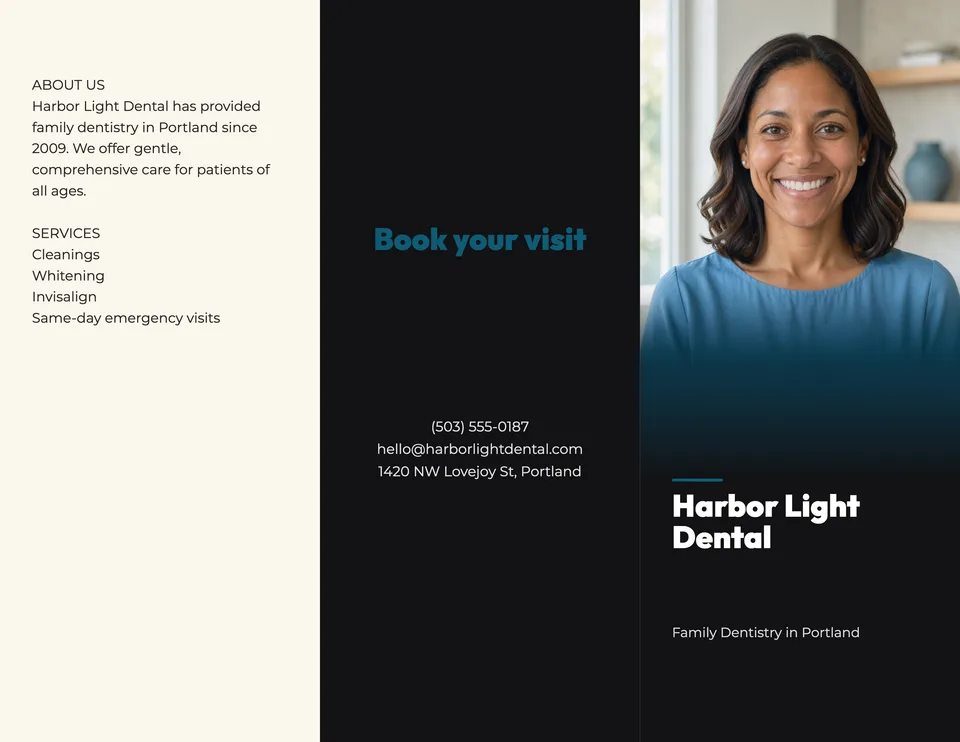
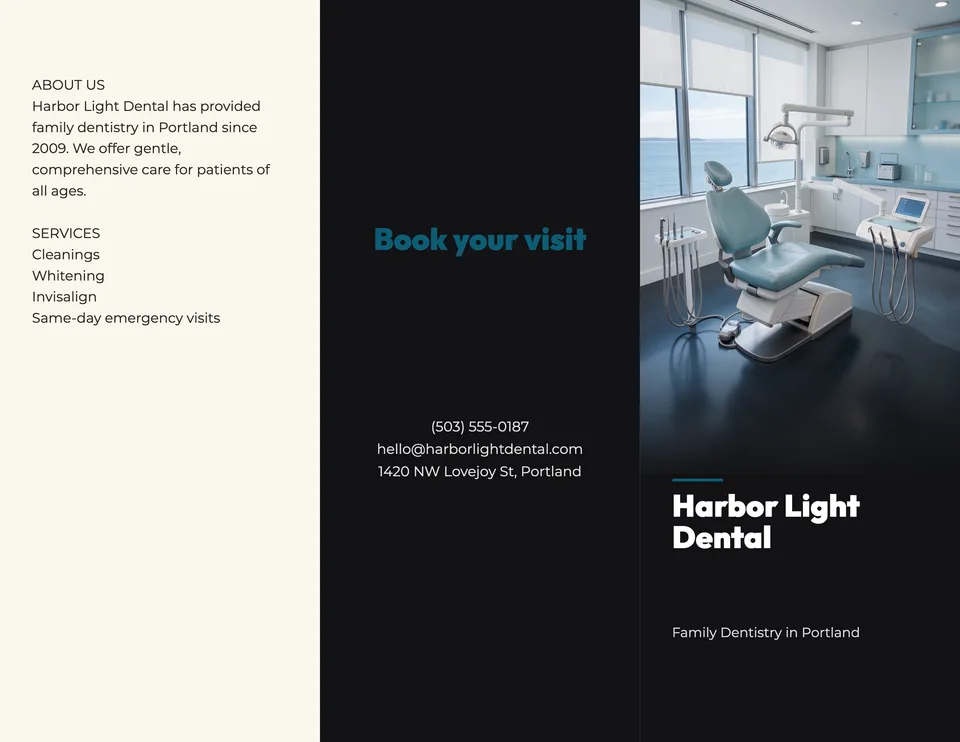
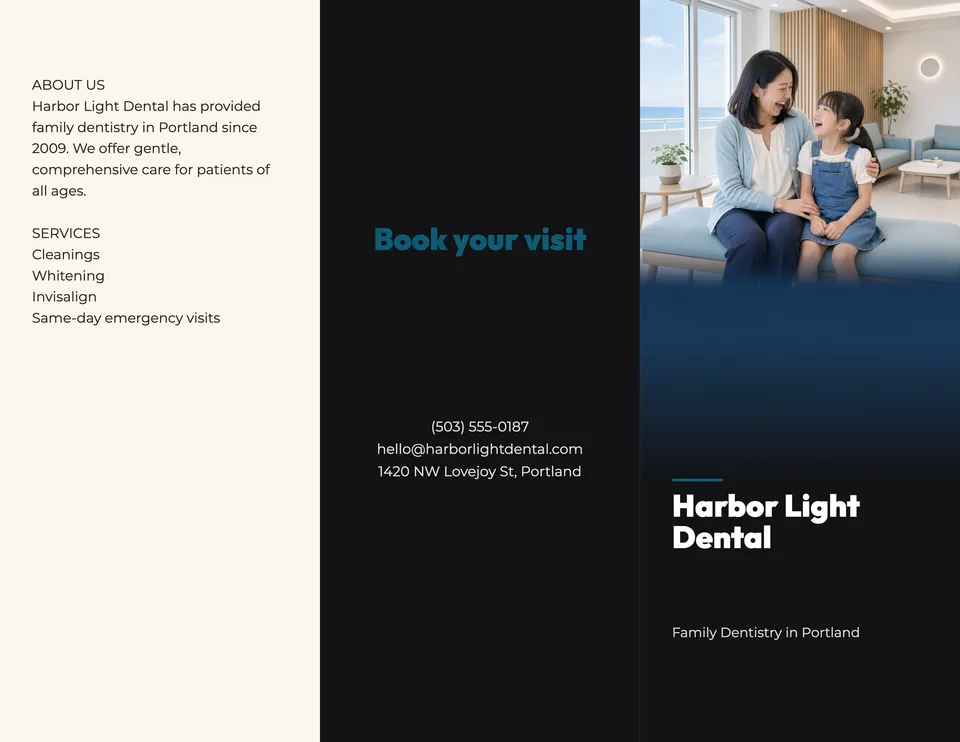
Idyllic's tri-fold brochure maker designs the outside of a letter-size (11×8.5 in) brochure from a few lines about your business: a cover with a custom photo, your name and tagline; a back panel with a call to action and your contact details; and a flap with what you do and your services. Every word stays editable in Canvas.
- Size
- Letter tri-fold, 11×8.5 in, 3300×2550 px
- You get
- 3 outside spreads + the cover photos
- Panels
- Cover, back panel, inside flap
- Image model
- FLUX 3
- Cost
- 36 credits for 3 designs, on Plus
Real output · no retouching
One brief.
3 results.
- Business name
- Harbor Light Dental
- What you do and what you offer
- Family dentistry in Portland since 2009. Cleanings, whitening, Invisalign and same-day emergency visits.
- Contact details (optional)
- (503) 555-0187 · hello@harborlightdental.com · 1420 NW Lovejoy St, Portland
- Look
- Clean
How to make it
Four steps, about a minute of your time. These are real screens from the run above.
- 01
Describe the business
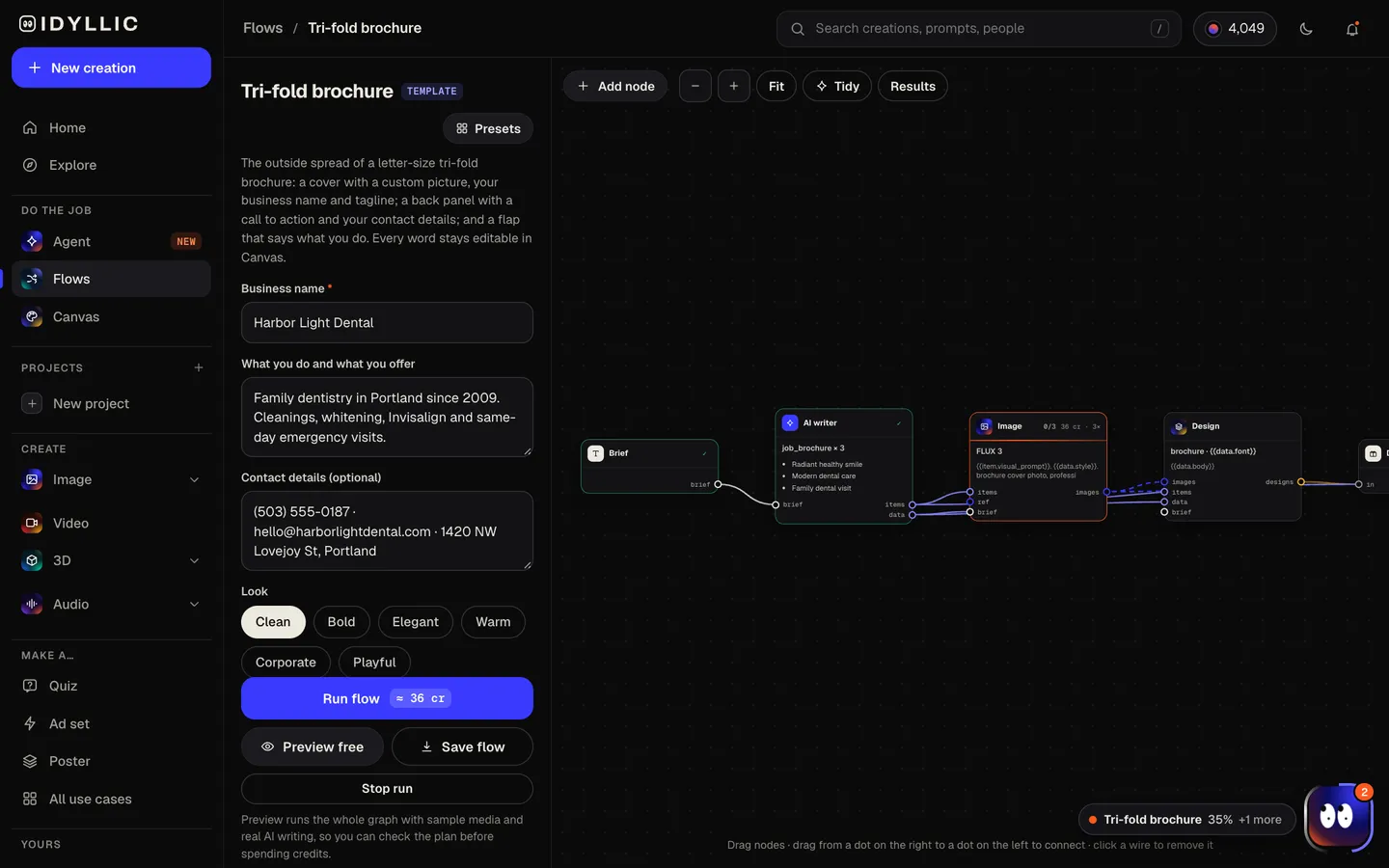
Fill in 'Business name', 'What you do and what you offer' (a couple of sentences and your services) and, if you want them printed, your contact details. Pick a look (Clean, Bold, Elegant, Warm, Corporate or Playful) and up to four designs.
Open the flow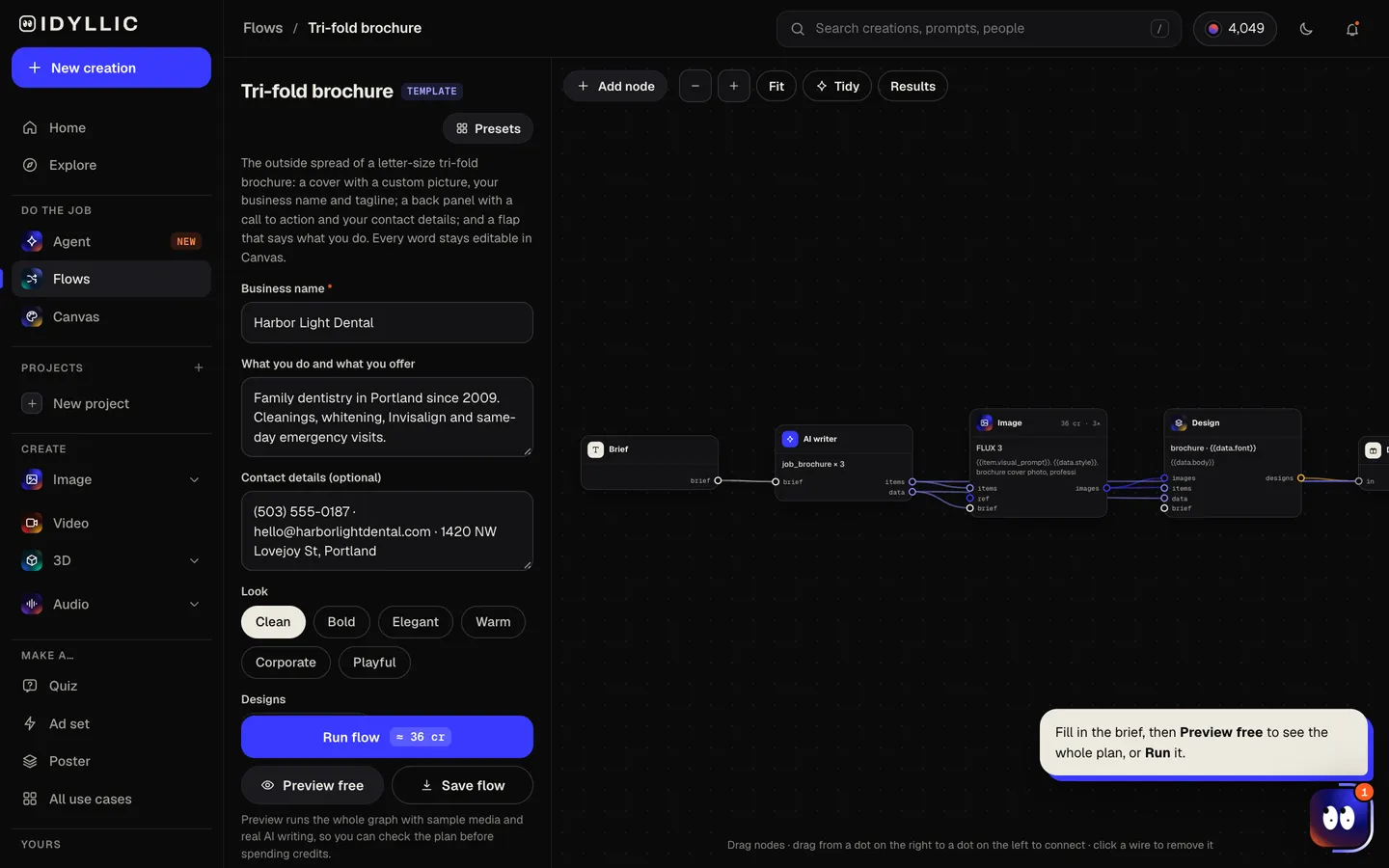
- 02
Watch it get designed
The AI writer drafts a cover tagline, a short call to action for the back panel, and an About and Services flap, using only facts from your brief. FLUX 3 makes a different cover photo for each design, then Idyllic sets all three panels in type. Preview the plan free first.
- 03
Compare the covers
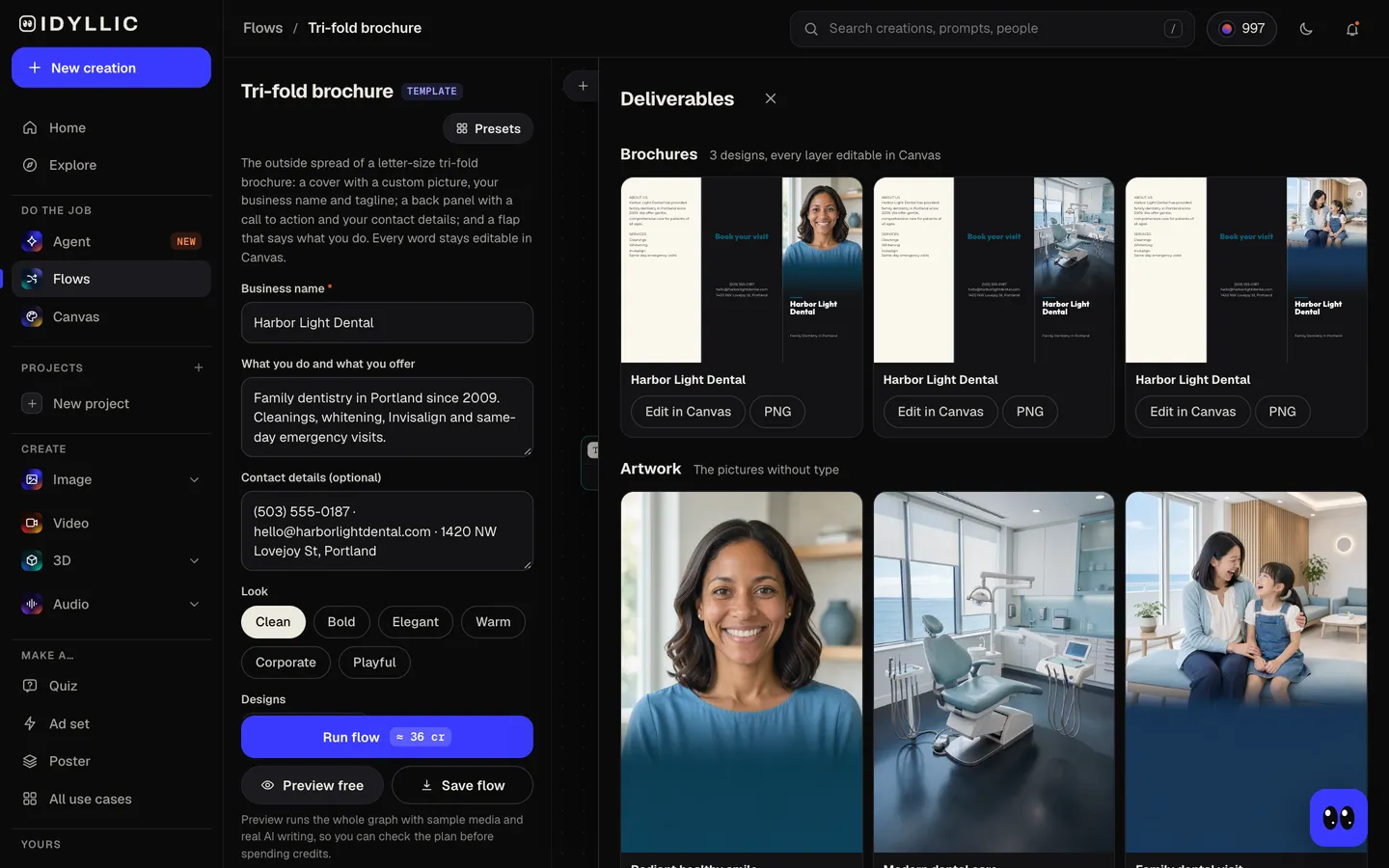
Each finished outside spread appears side by side, next to its cover photo on its own, so you can pick the picture that sells the business best.
- 04
Edit and download
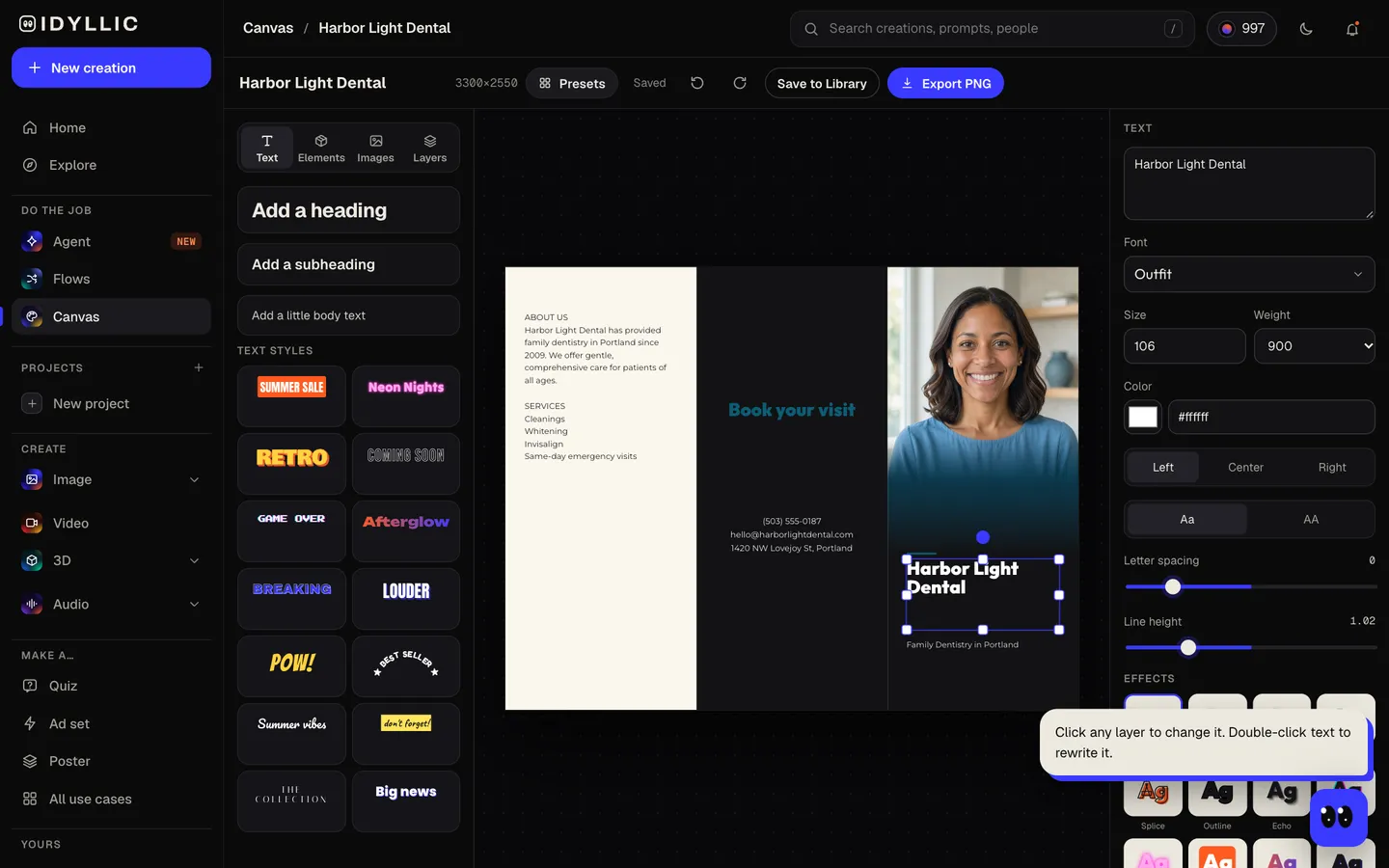
Open one in Canvas to change any word, font or color, or place your own photo on the cover. Export a PNG: Standard is 3300×2550 px (300 ppi at 11×8.5 in), Large doubles it.
Why it beats
a template
Three panels, already in place
The cover sits on the right, the back panel with your call to action and contact details in the middle, and the About and Services flap on the left. That is where each one lands once the sheet is folded.
Copy built from your facts
The AI writer turns your notes into a tagline under nine words, a short About paragraph and a services list. It adds no prices, years or claims you did not give.
A cover photo that fits the business
FLUX 3 makes a photo of what you do or how your customers feel, with a calm, dark lower third so your business name reads cleanly over it.
Print size from the start
The spread is 3300×2550 px, letter size at 300 ppi, with fold guides between the panels. The Large export doubles it to 6600×5100 px.
Edit every layer
Canvas has 144 fonts, text effects and shapes. Add your logo or a real photo of your team, change the accent color, or select part of the picture and describe what should change.
What makes a brochure people keep
- Put one promise on the cover: the name, a short tagline and one strong picture.
- Use the back panel for the next step: a call to action, then phone, website and address.
- List services as short lines, not paragraphs. People scan brochures.
- Keep text at least 1/4 in from each fold so nothing disappears into the crease.
- Delete the two fold guide layers in Canvas before you export for print.
- Print one copy and fold it before you order, to check every panel lands where it should.
Tri-fold brochure size and panels
| Letter tri-fold, flat | 11×8.5 in | 3300×2550 px at 300 ppi, the Idyllic Standard export; Large is 6600×5100 |
|---|---|---|
| Folded | About 3.67×8.5 in | Fits a brochure rack or a #10 envelope |
| Outer panels (cover and back) | 3.6875 in wide each | The usual print layout for a letter tri-fold |
| Inside flap | 3.625 in wide | About 1/16 in narrower so it tucks in; Idyllic's panels are equal thirds, so keep text clear of the folds |
| With bleed | 11.25×8.75 in | 1/8 in on each side at many printers; ask how yours handles a file without bleed |
The flow designs the outside of the sheet. For the inside spread, start a blank Canvas design at the Tri-fold brochure size, or ask the Agent to build one.
Steal a brief
Each one opens the flow with the brief filled in. Change anything before you run it.
Willow Day Spa, massages, facials and couples packages in Santa Fe, (505) 555-0123, willowdayspa.com
Northpoint Realty, buyer and seller agents for first-time home buyers in Raleigh, (919) 555-0148
Riverbend Animal Clinic, vaccines, dental care and surgery for cats and dogs, open Saturdays
Hope Harvest Food Bank, our mission, how to volunteer and how to donate, hopeharvest.org
Summit Physical Therapy, sports injury rehab and post-surgery recovery, most insurance accepted
Brightway Tutoring, SAT prep and math tutoring for grades 6-12, first session free, (617) 555-0131
Cedar Grove Senior Living, assisted living with meals, activities and 24-hour care in Boise
Sunmeadow Solar, home solar panels and battery backup, free roof assessment, sunmeadowsolar.com
Maple Street Montessori, a preschool for ages 3-6 with a garden classroom, tours on Fridays
Questions
What is a tri-fold brochure?
A sheet, usually letter size (11×8.5 in), folded twice into three panels on each side. Folded, it is about 3.67×8.5 in: the cover on the front, a back panel, and a flap that shows when the cover is opened.
Is the tri-fold brochure maker free?
You can preview the whole flow free: real AI copy with sample images, so you can check the plan. Running it for real is on Plus ($10.50 a month, billed yearly) and uses 36 credits for three designs. The free plan also includes 3 free images a day in the image studio.
Does it design the inside of the brochure too?
The flow designs the outside: cover, back panel and the flap. For the inside spread, start a blank Canvas design at the Tri-fold brochure size and add your text, or describe it to the Agent, which builds a flow for it.
Why use a tri-fold brochure?
One sheet holds a cover, your story, your services and how to reach you. It fits a rack or an envelope and is cheap to print, which is why clinics, salons, agents, nonprofits and tour operators keep using them.
Can I print my brochures?
Yes. The Standard export is 300 ppi at 11×8.5 in, what most print shops ask for. Delete the fold guides first, ask your shop about bleed and paper, and fold one test copy before you order.
Will the AI make up services or prices?
No. The flap uses only what you put in the brief, and contact details print exactly as typed. If you give no contact details, that panel stays empty for you to fill in Canvas.
Do I need design experience to use this tool?
No. You describe the business and the photo, type and layout are done for you. To change something, click it in Canvas and type.
Can I use my own photos?
Yes. Upload a photo of your team, shop or product in Canvas and place it on the cover, or select part of the generated photo and describe what should change.
Make something else
Everything you can make




Your turn.
Preview the whole flow free. No credit card.