Fire Pixel Art Creator | Explore Collections
Fire Pixel Art Creator by Idyllic turns a short description into HD images in seconds. Pick a style, generate several options, then change any detail just by saying so. Free to start, no credit card.

- Price
- Free to start · 3 images a day
- Output
- HD images, upscale to 8K
- Models
- FLUX, Imagen 4, GPT Image, Seedream
- Commercial use
- Included on paid plans
- Prompt language
- Any language
Examples


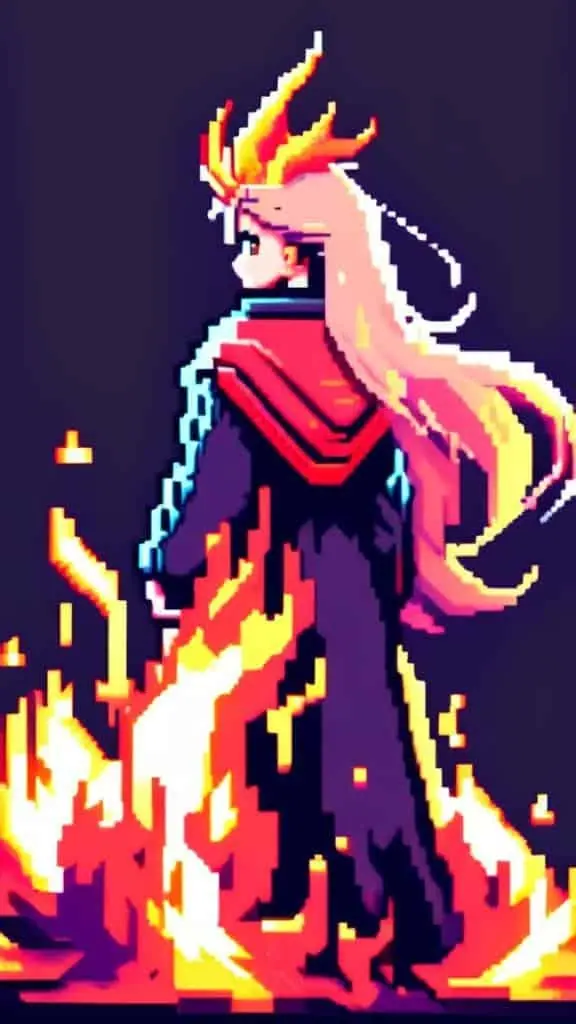
How it works
Three steps from idea to finished image.
- 1
Describe it
Type what you want in plain words, or start from one of the prompt ideas below. Magic Prompt can expand a few words into a detailed prompt.
- 2
Pick a style and format
Choose a model, style and aspect ratio. Idyllic generates several options in seconds.
- 3
Refine and download
Say what to change and only that changes. Upscale your favorite and download it in HD.
Create Captivating Pixel Art Fire With Incredible Ease
Our intuitive app offers a unique approach to pixel art by combining innovative image generation techniques with user-guided refinement. You can generate exquisite pixel art fire in just a few steps. Start with a text description such as ‘Pixel fire with vibrant orange and red tones’. The app efficiently interprets your words into pixel artwork, allowing endless creativity and precision.
Quality Choices to Suit Your Requirements
Whether you’re working on a quick project or a detailed piece, choose from multiple image resolutions and Generation Speed options. Opt for high-resolution output for detailed designs or faster lower-resolution images for quick drafts or inspirational ideas.
Preview, Refine and Remix Your Creations
Our iterative creation process sits at the heart of good design, allowing for continuous improvement. Refine your pixel art fire designs through iterative text edits or by blending or ‘Remixing’ up to nine images together. Seek inspiration from other artwork or your previous creations to generate a new masterpiece.
Frequently asked questions
How Do I Start Creating Pixel Art Fire?
Creating stunning pixel art fire with Idyllic is a breeze! Our intuitive interface allows you to kickstart the process by simply entering a text description of your desired output. Whether you envision a “vintage pixelated firewall,” a “retro 8-bit campfire,” or a “fiery pixel art explosion,” our AI-powered generator will bring your ideas to life. Once you’ve provided your initial description, sit back and let the magic happen as our advanced algorithms generate a primary version of your pixel art fire. This initial creation serves as a starting point, allowing you to further refine and customize the design to perfection. With Idyllic, the creative process is truly collaborative. You can provide additional textual instructions, such as adjusting the color palette, modifying the intensity or size of the flames, or incorporating specific elements like embers or smoke. Our AI will then update the pixel art fire accordingly, ensuring that every detail aligns with your vision.
Can I Choose Resolution for My Pixel Art?
Absolutely! At Idyllic, we understand that resolution plays a crucial role in the overall aesthetic and intended use of your pixel art fire creations. That’s why we offer multiple resolution options to choose from, empowering you to create pixel art that meets your specific needs. For a truly authentic and nostalgic experience, you can opt for lower resolutions, which often result in a charming, retro-inspired look reminiscent of classic video games or early digital art. These lower resolutions can add a unique charm and personality to your pixel art fire designs, evoking a sense of nostalgia and retro appeal. On the other hand, if you require high-resolution pixel art for professional projects or larger digital displays, our generator can accommodate those needs as well. Higher resolutions allow for intricate details, smooth lines, and vibrant colors, ensuring that your pixel art fire looks sharp and crisp, even when scaled up or displayed on high-definition screens. Regardless of your resolution preference, Idyllic’s user-friendly interface makes it easy to select the desired option and preview your pixel art fire creation before finalizing it. This level of control ensures that your pixel art perfectly aligns with your creative vision and intended use.
Is it free to use?
Yes. You can create 3 images a day for free with no credit card. Paid plans add more images, video, every model, private mode and a commercial license.
Do I need to be good at writing prompts?
No. Describe what you want the way you would say it. Magic Prompt turns a few words into a detailed prompt, and you can fix anything afterwards by describing the change.
Related tools
See all Pixel art



More in Pixel art
Popular on Idyllic
Also available in

Your turn.
Free to start. No credit card.