Ready-made flow · Issue #1 covers with a masthead and caption box
Make Comic Book Covers with AI
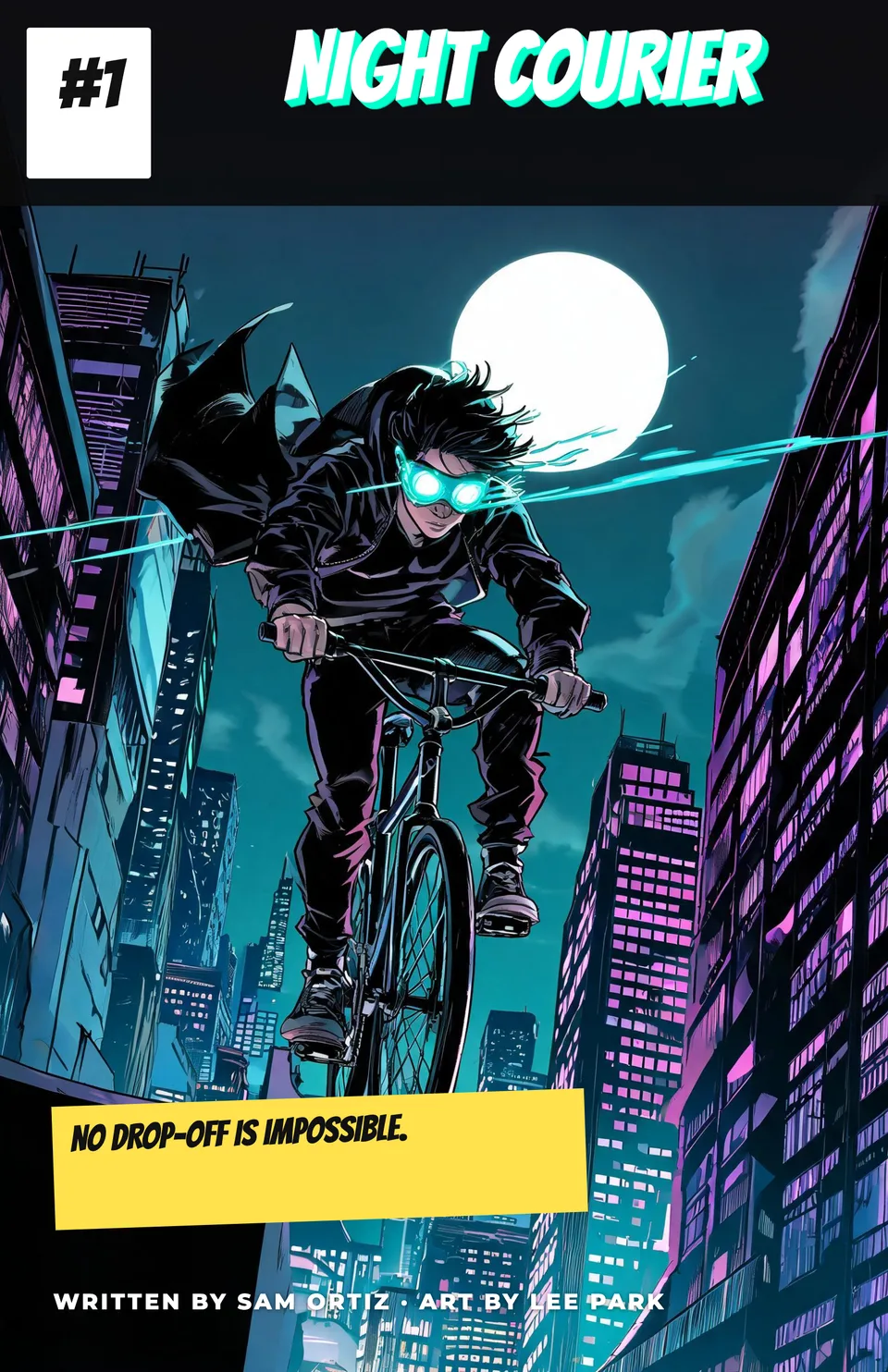
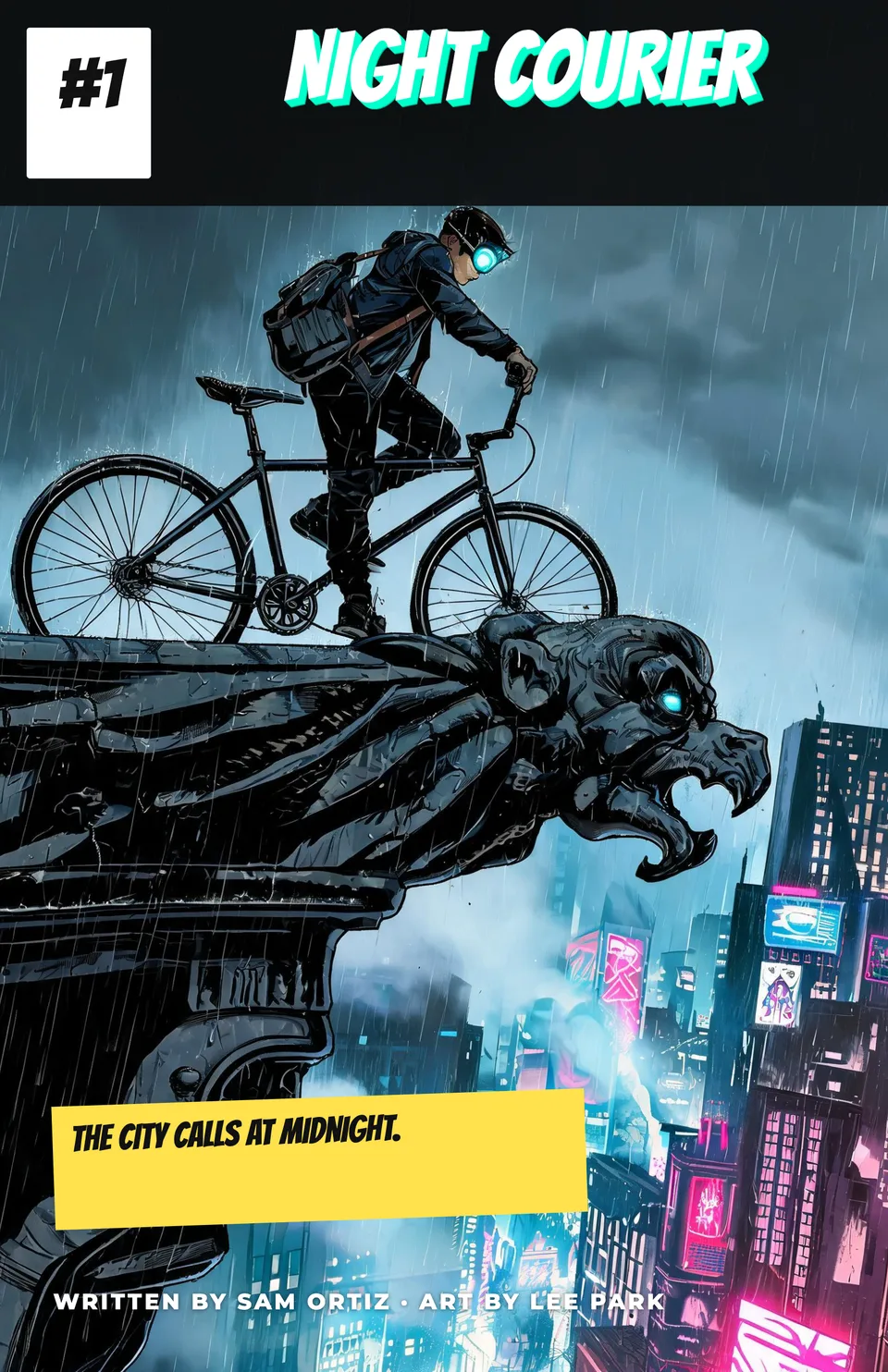
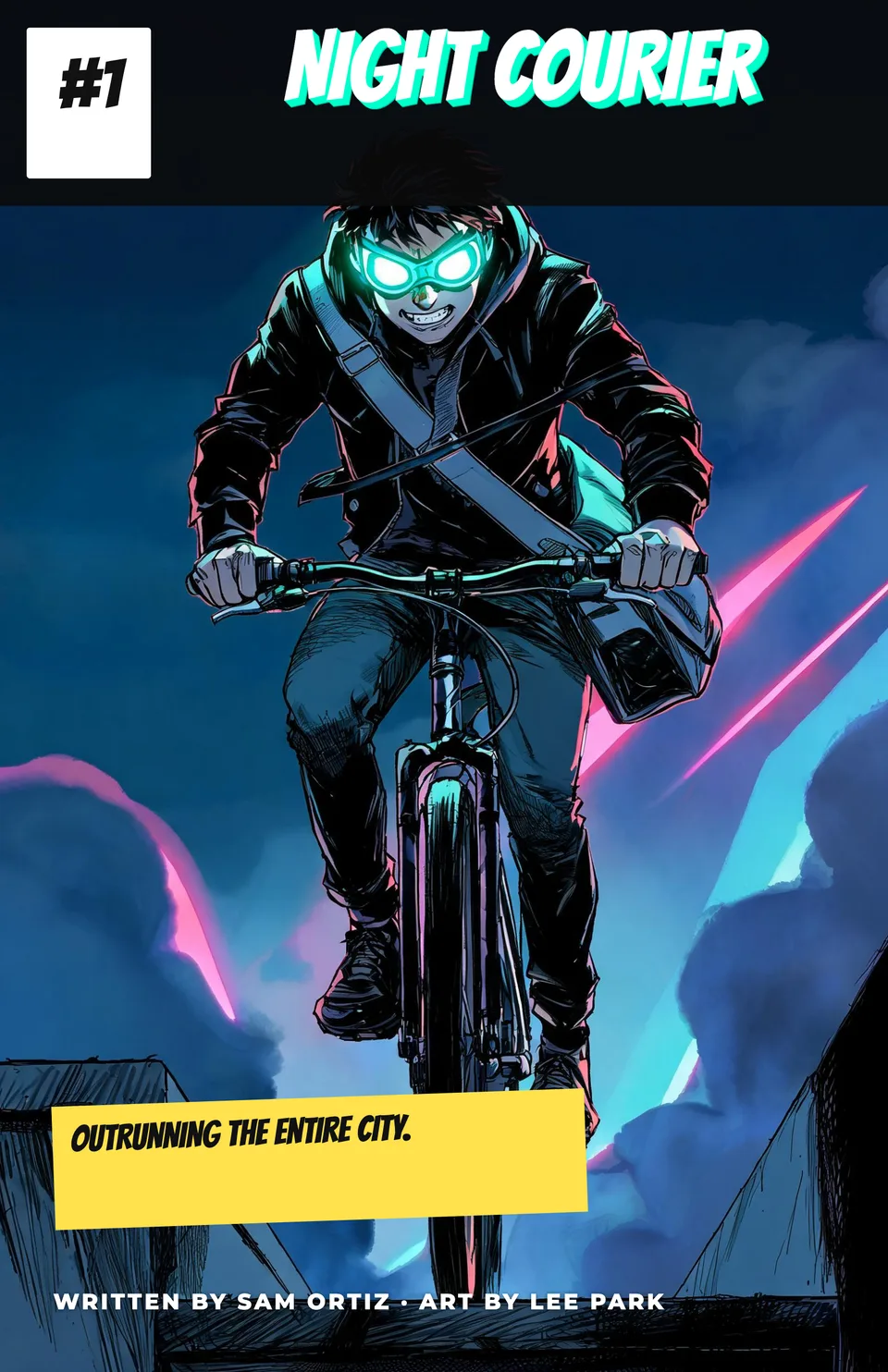
Idyllic's AI comic book cover maker turns a series title and a hero into finished comic book covers: dynamic full-bleed art, the title in a masthead band, an issue box, a caption box and your creator credits, all set in editable type. Covers come at 1650×2550 px, the shape of a standard 6.625×10.25 in US comic.
- Size
- 1650×2550 px, the 6.625×10.25 in shape
- You get
- 3 covers (up to 4) + the art without type
- Image model
- Seedream 5
- Cost
- 27 credits for 3 covers, on Plus
- Styles
- Modern superhero, Golden age, Manga, Noir, Sci-fi, Horror
Real output · no retouching
One brief.
3 results.
- Series title
- Night Courier
- Who or what is on the cover?
- A teenage bike messenger with glowing goggles racing across rooftops
- Creator credits (optional)
- Written by Sam Ortiz · Art by Lee Park
- Style
- Modern superhero
How to make it
Four steps, about a minute of your time. These are real screens from the run above.
- 01
Name the series
Type the series title, describe who or what is on the cover, add creator credits if you want them (Written by Sam Ortiz · Art by Lee Park), pick a style and choose up to four covers.
Open the flow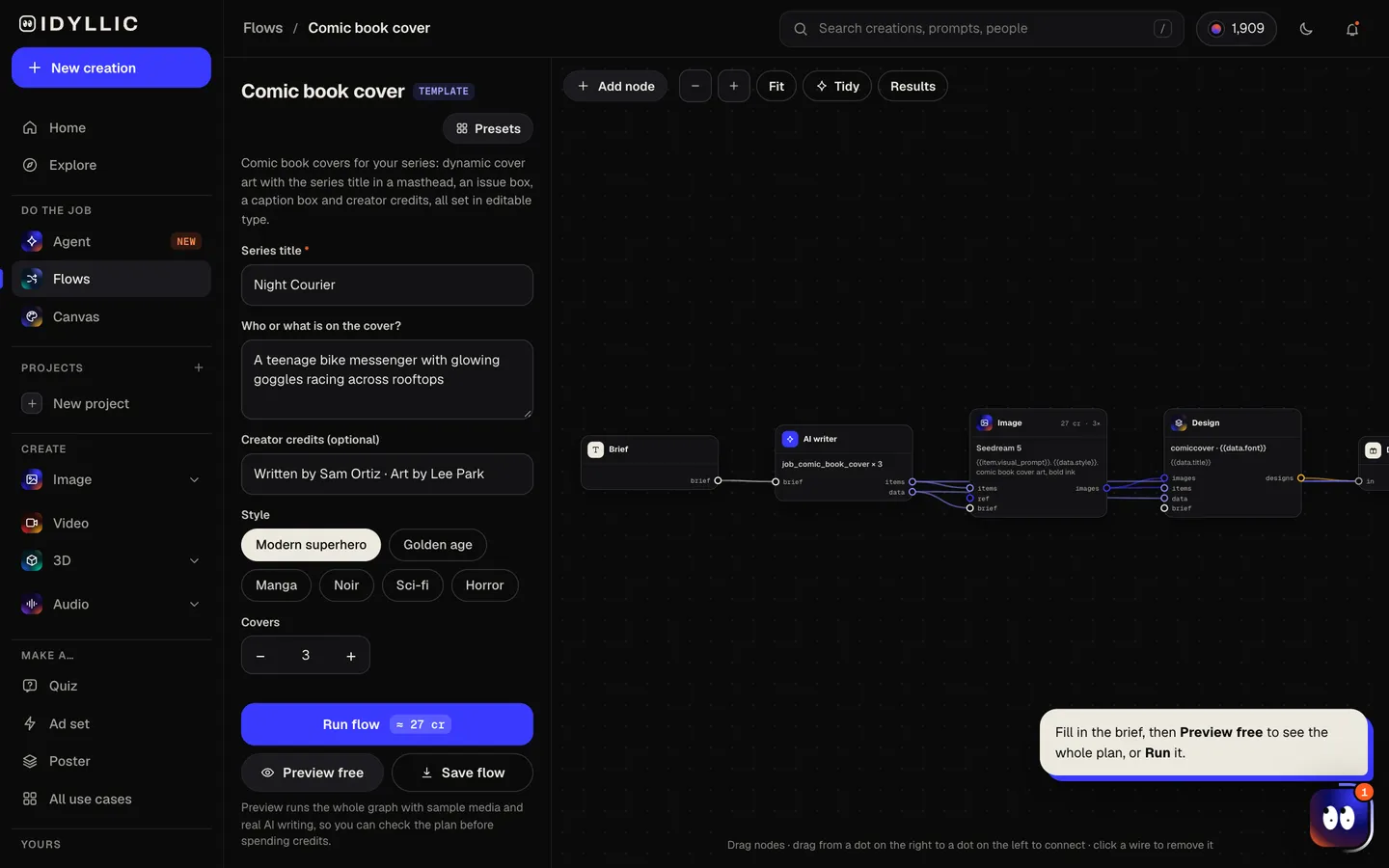
- 02
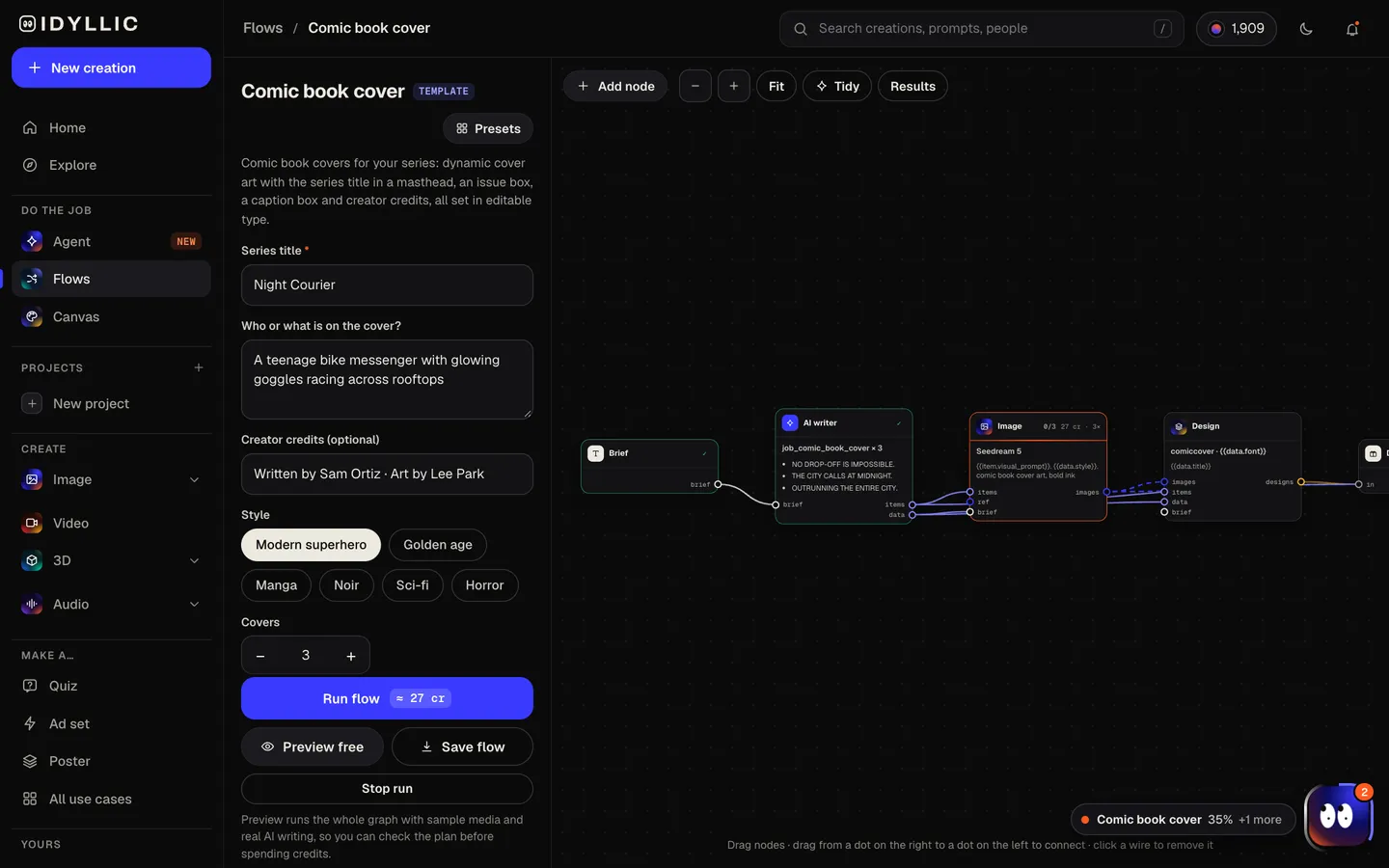
Watch the covers get drawn
The AI writer plans a different dramatic moment for each cover and writes a punchy caption line. Seedream 5 paints full-bleed art that keeps the top clear for the masthead, then Idyllic sets the title with a 3D effect, the issue number, the caption and the credits. Preview the plan free.
- 03
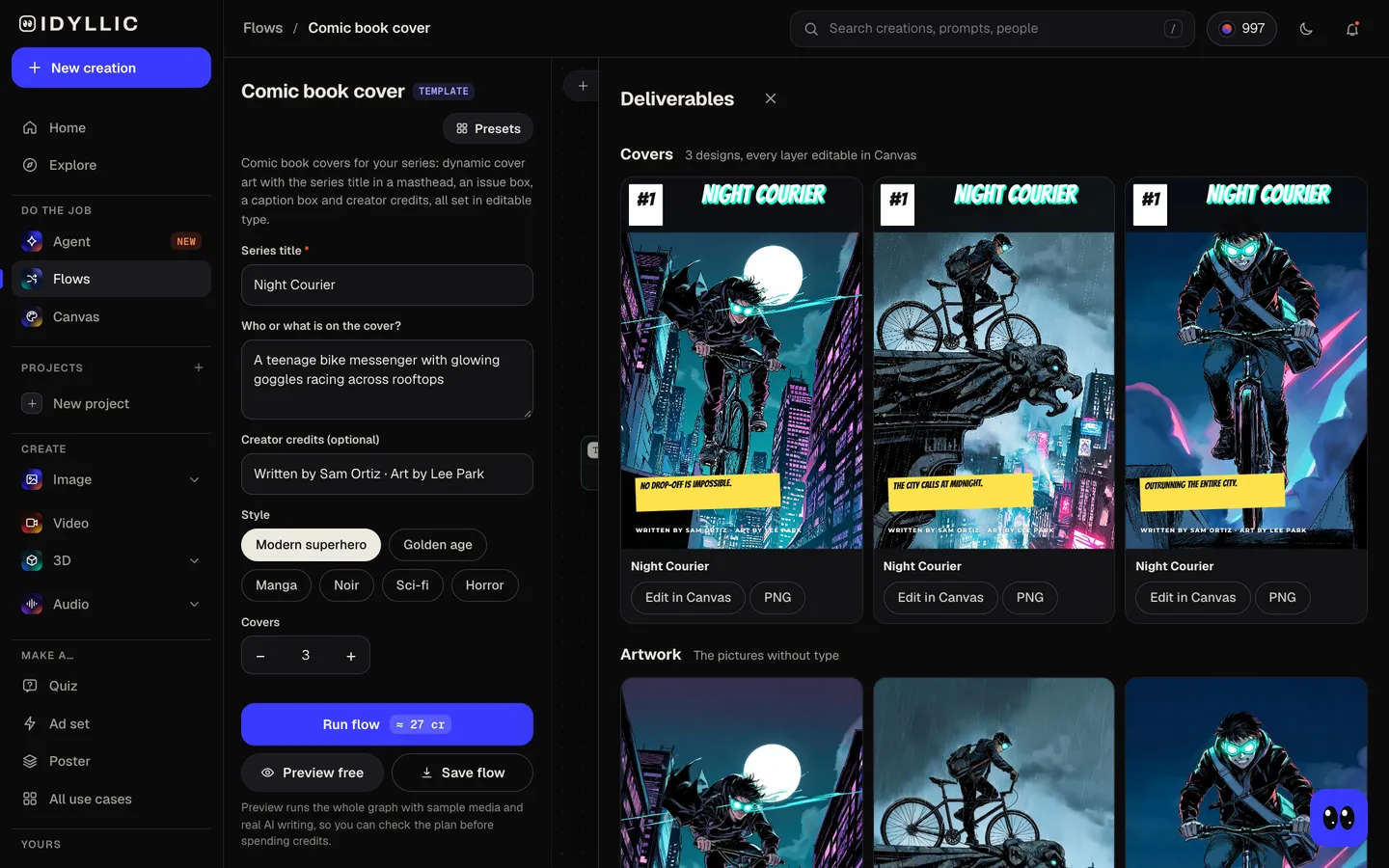
Pick the cover
The finished covers sit side by side with the art without type, so you can choose the strongest moment and keep the others as variant covers.
- 04
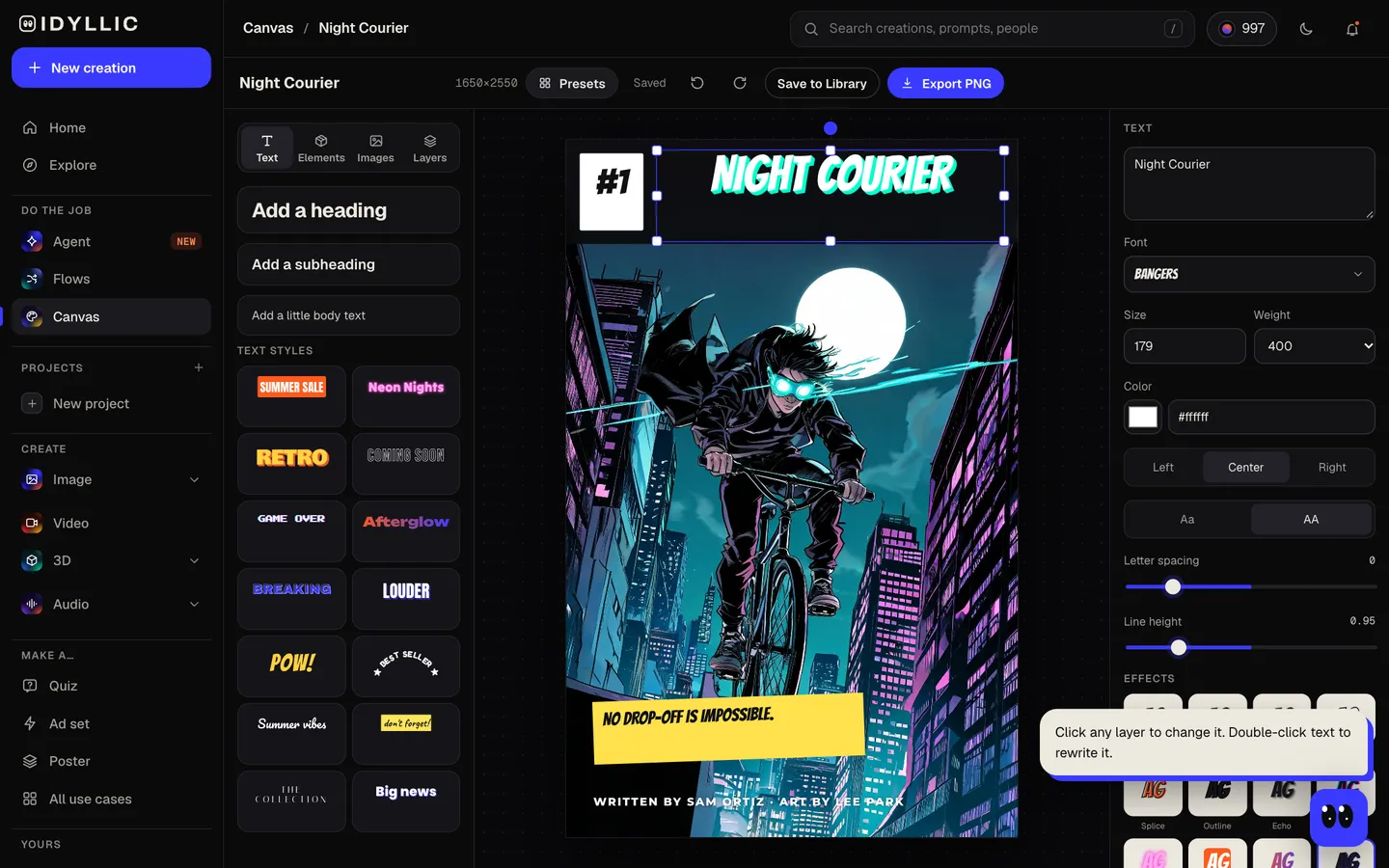
Edit and download
Open a cover in Canvas to change the issue number, rewrite the caption, restyle the masthead or recolor the band. Download a PNG, or the Large export at 3300×5100 px for print.
Why it beats
a template
A cover, not just a splash image
Masthead band, issue box, caption box and credits come laid out the way comic covers are, with the art composed around them.
Drama in every concept
Each cover is a different moment or pose, from a rooftop leap to a standoff in the rain, drawn with bold inks and saturated color.
Six cover styles
Modern superhero, Golden age, Manga, Noir, Sci-fi and Horror each change the art and the mood of the lettering.
The real comic shape
Covers are 1650×2550 px, the proportions of a 6.625×10.25 in US comic, so the art drops into a printer's template with almost no cropping.
Variant covers in one run
Three takes on the same issue make natural A and B covers, or the start of a cover gallery for your series.
Ready to publish
Paid plans include a commercial license for comics you sell, and private mode keeps an unannounced series out of view.
What makes a comic book cover work
- Show one moment with stakes: a choice, a threat or a reveal, not a pin-up.
- Keep the hero's silhouette readable from across a shop or as a small thumbnail online.
- Keep the top of the art calm so the masthead reads cleanly.
- Keep the caption under eight words. Longer lines get skipped.
- Use the same masthead font and color on every issue so readers spot the series.
- For print, keep the credits and issue number at least 0.25 in inside the trim.
Comic book cover size and print specs
| Idyllic cover | 1650×2550 px | PNG, the shape of a standard US comic |
|---|---|---|
| Large export | 3300×5100 px | About 500 ppi at 6.625×10.25 in |
| US comic trim | 6.625×10.25 in | The standard single-issue size |
| Print file with bleed | 6.875×10.5 in | 0.125 in on each side, about 2063×3150 px at 300 ppi |
| Safe area | 0.25 in inside the trim | Keep the title, issue number and credits inside it |
Printers vary slightly, so download your printer's cover template first. Scale the Large export to fill the bleed size; a sliver trims off the top and bottom, so check that the issue box and credits still sit inside the safe area.
Steal a brief
Each one opens the flow with the brief filled in. Change anything before you run it.
Night Courier #1, a teenage bike messenger with glowing goggles racing across neon rooftops
The Hollow Nine, a horror comic about a lighthouse keeper who hears voices in the fog
Starbound Rangers #3, a sci-fi crew holding the line on a crashing space station
Iron Petal, a manga series about a gardener who pilots a giant flower-shaped mech
Rain City Blues, a noir comic about a detective with a mechanical arm, written by Ana Cruz
Atomic Lark #1, a golden age heroine catching a falling zeppelin over a 1940s skyline
Thornwood, a fantasy comic about a girl who can talk to the forest, art by Lee Park
Mega Pup #1, a superhero corgi in a red cape, a birthday comic for a nine-year-old
Ghost Shift, a horror one-shot about night nurses in a hospital that is on no map
Questions
What makes a good comic book cover?
One dramatic moment with a clear hero, a masthead you can read from across the room, and a reason to open the book: a threat, a mystery or a reveal. Bold color and a strong silhouette help it stand out on a shelf or a phone screen.
Is it free to make comic book covers?
You can preview the whole flow free: real AI writing with sample images, so you can check the plan. Running it for real is on Plus ($10.50 a month, billed yearly) and uses 27 credits for three covers. The free plan also includes 3 free images a day in the image studio.
What size is a comic book cover?
The standard US comic trim is 6.625×10.25 in, and printers usually ask for 0.125 in of bleed on each side, making the file 6.875×10.5 in. Idyllic designs in the same shape at 1650×2550 px, and the Large export is 3300×5100 px, about 500 ppi at trim size.
Can I make covers in different art styles?
Yes. Pick Modern superhero, Golden age, Manga, Noir, Sci-fi or Horror, or describe a look in the cover field. Run the same issue in two styles to compare.
Can I add the issue number and creator credits?
Yes. Mention the issue number in your brief (it defaults to #1) and type the credits in the credits field. Both are set as real text, the credits in capitals along the bottom, and you can edit them any time in Canvas.
Can I use my own characters?
Yes. Describe them in the cover field: look, costume, colors and powers. Keep them original; existing superheroes and franchise characters belong to their publishers.
Can I print and sell my comic?
Paid plans include a commercial license. Use your printer's cover template, add the 0.125 in bleed and order a proof copy first.
Can it make the inside pages too?
This flow makes covers. For short stories told in panels, the comic strip flow lays out 3 to 6 panels with captions and speech bubbles on one page.
Make something else
Everything you can make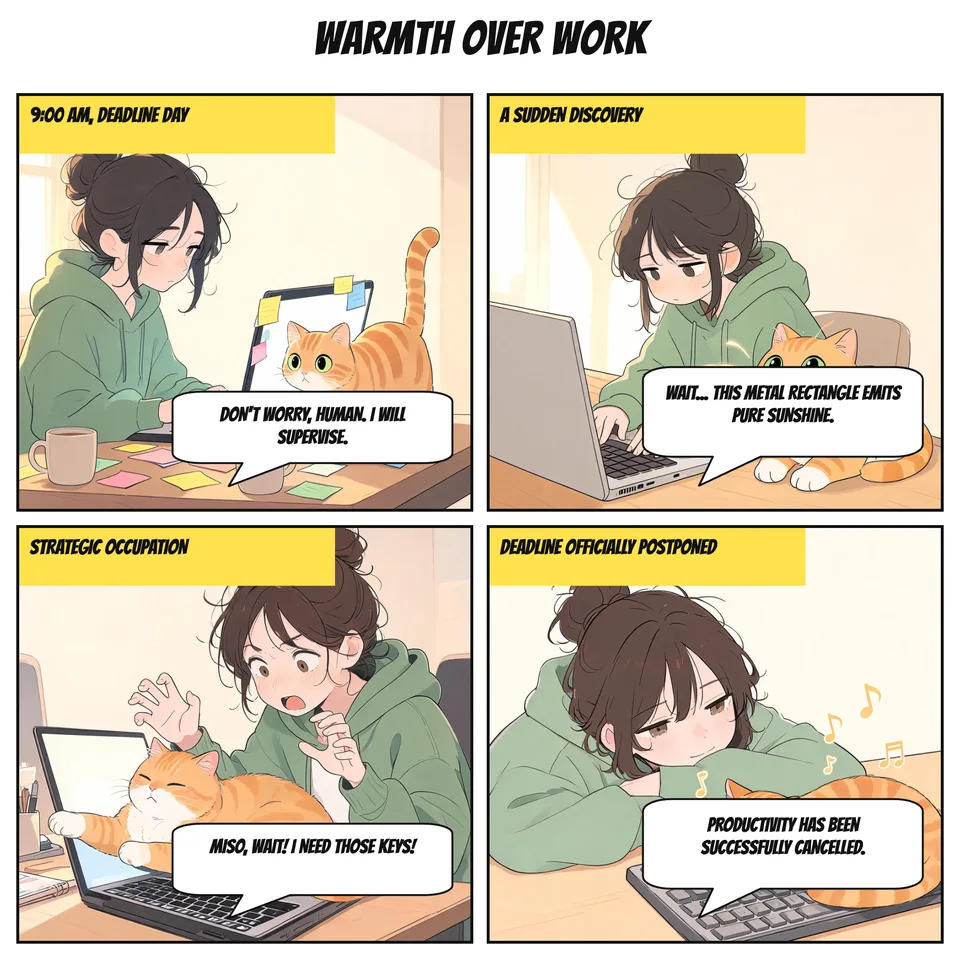

Your turn.
Preview the whole flow free. No credit card.