Ready-made flow · Hand-drawn parchment maps of your world
AI Fantasy Map Generator
Idyllic's AI fantasy map generator turns a description of your world into hand-drawn maps: coastlines, mountains drawn as little peaks, forests, rivers, roads and towns as classic symbols, and a compass rose on aged parchment. Maps come without labels, so nothing is misspelled; add your own place names in Canvas. Use them for novels, campaigns and worldbuilding.
- Size
- 2560×1440 px, 16:9 landscape
- You get
- 3 maps (up to 4), each with a name
- Image model
- Seedream 5
- Cost
- 27 credits for 3 maps, on Plus
- Styles
- Parchment ink, Painted watercolor, Old sea chart, Dark fantasy, Full colour atlas, Sketchbook pencil
Real output · no retouching
One brief.
3 results.
- Describe your world
- A crescent-shaped island kingdom with a volcano in the north, a great forest and a river delta city
- Map of
- Continent
- Style
- Parchment ink
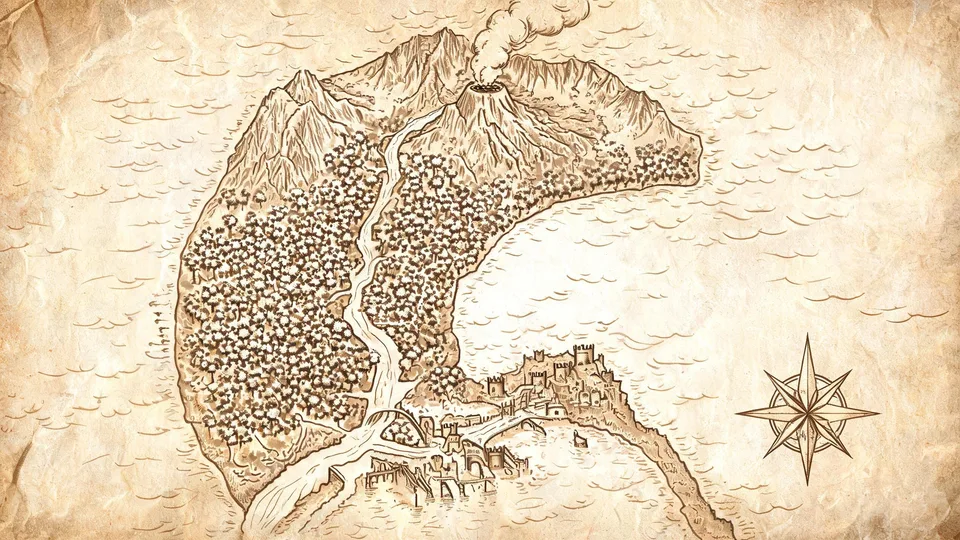
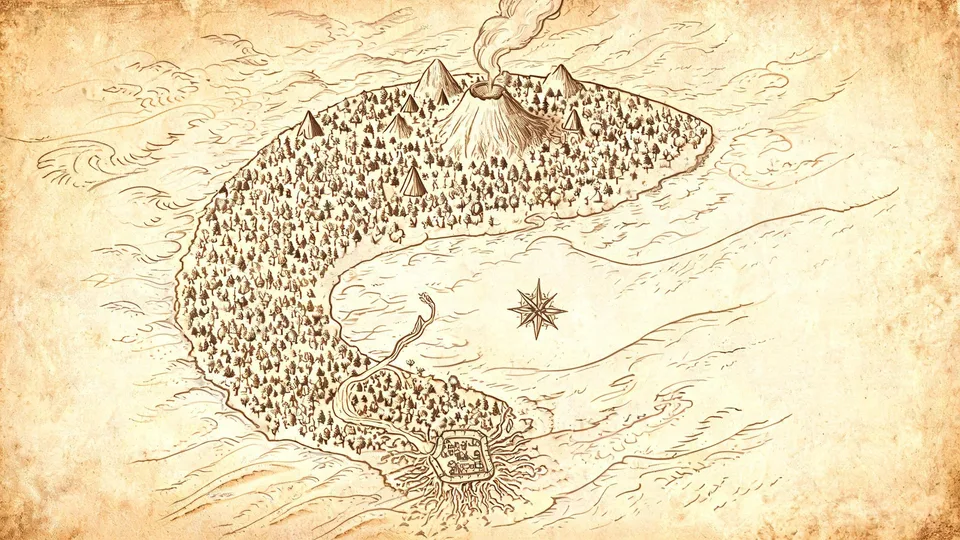
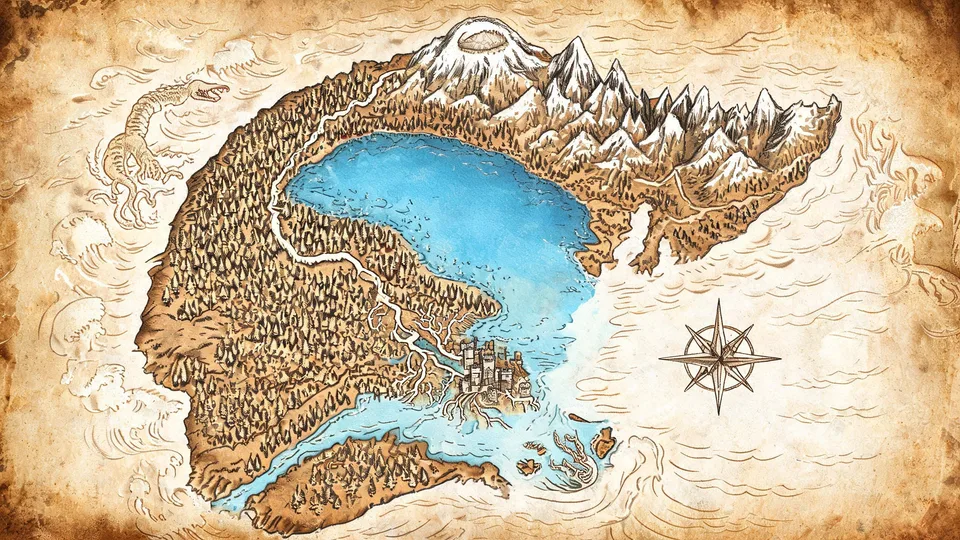
How to make it
Four steps, about a minute of your time. These are real screens from the run above.
- 01
Describe your world
Write what the land looks like (a crescent-shaped island kingdom with a volcano in the north, a great forest and a river delta city), choose what the map is of (Continent, Island, Kingdom, Archipelago, City or Region), pick a style and set up to four maps.
Open the flow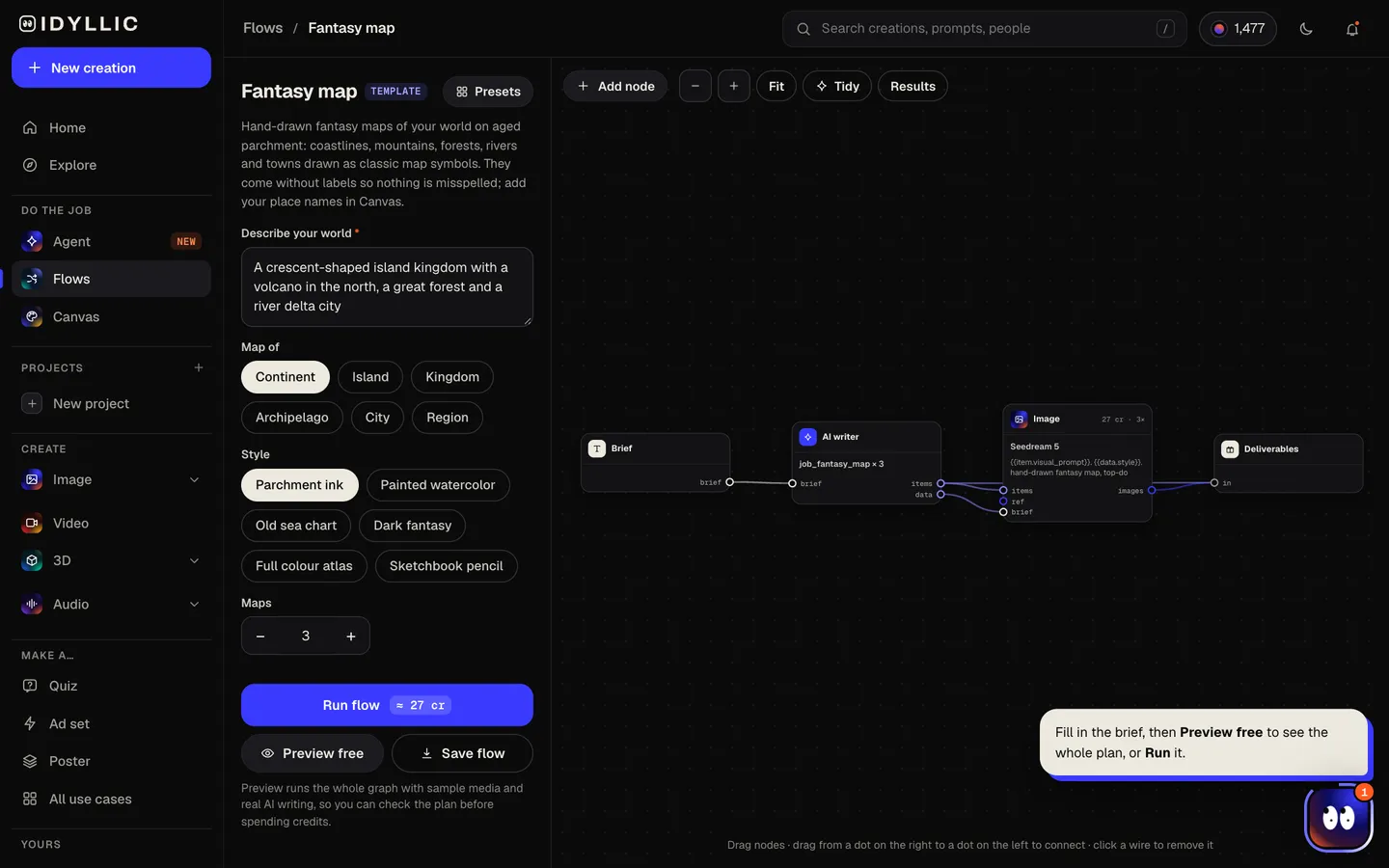
- 02
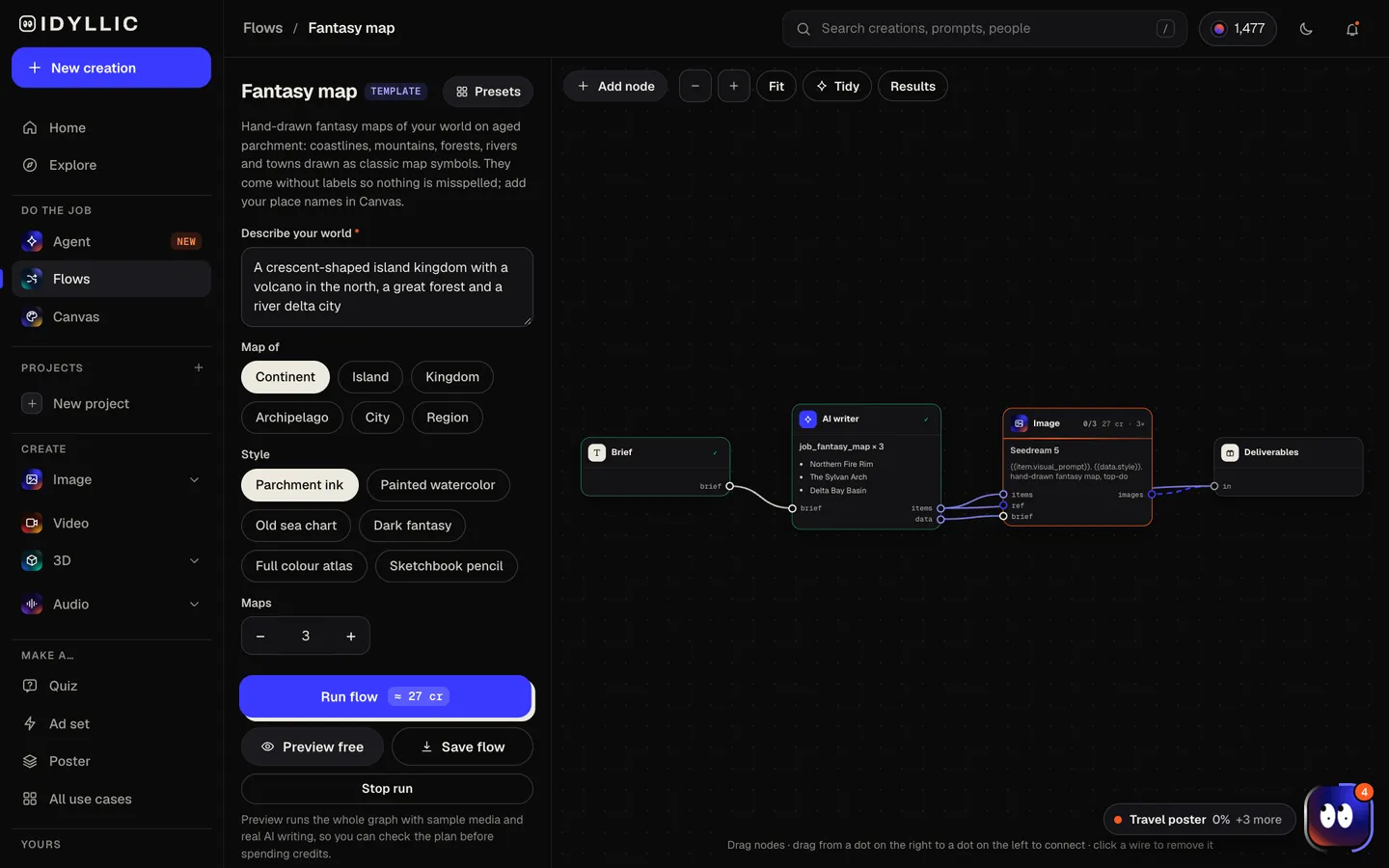
Watch the cartographer work
The AI writer plans a different take on your coastline, terrain and layout for each map and gives each one a name. Seedream 5 draws it from above with mountains, forests, rivers, roads, castles and a compass rose, leaving open space beside each feature for labels. Preview the plan free.
- 03
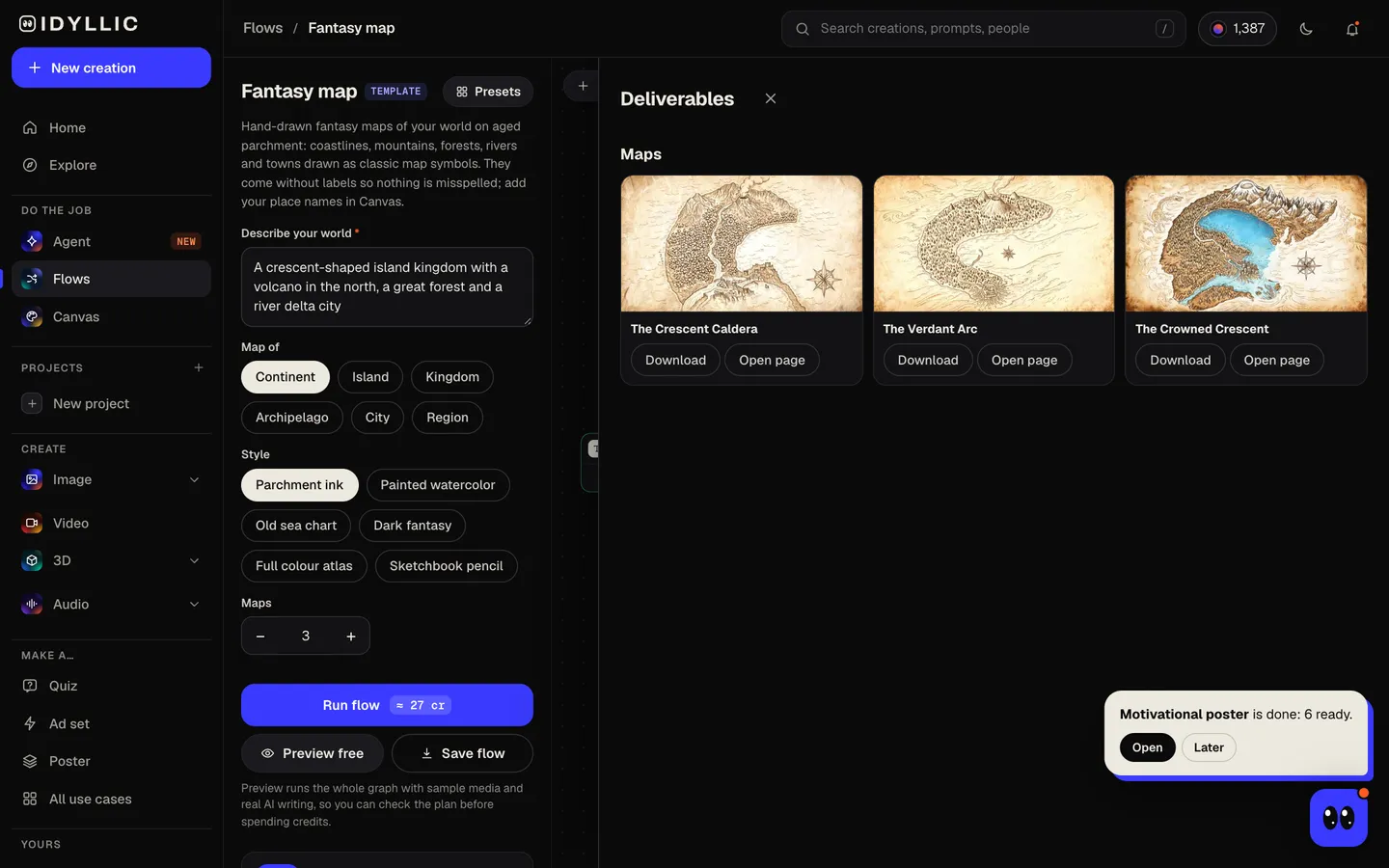
Compare the maps
The maps sit side by side, each with its name, so you can pick the coastline and layout that fit your story.
- 04
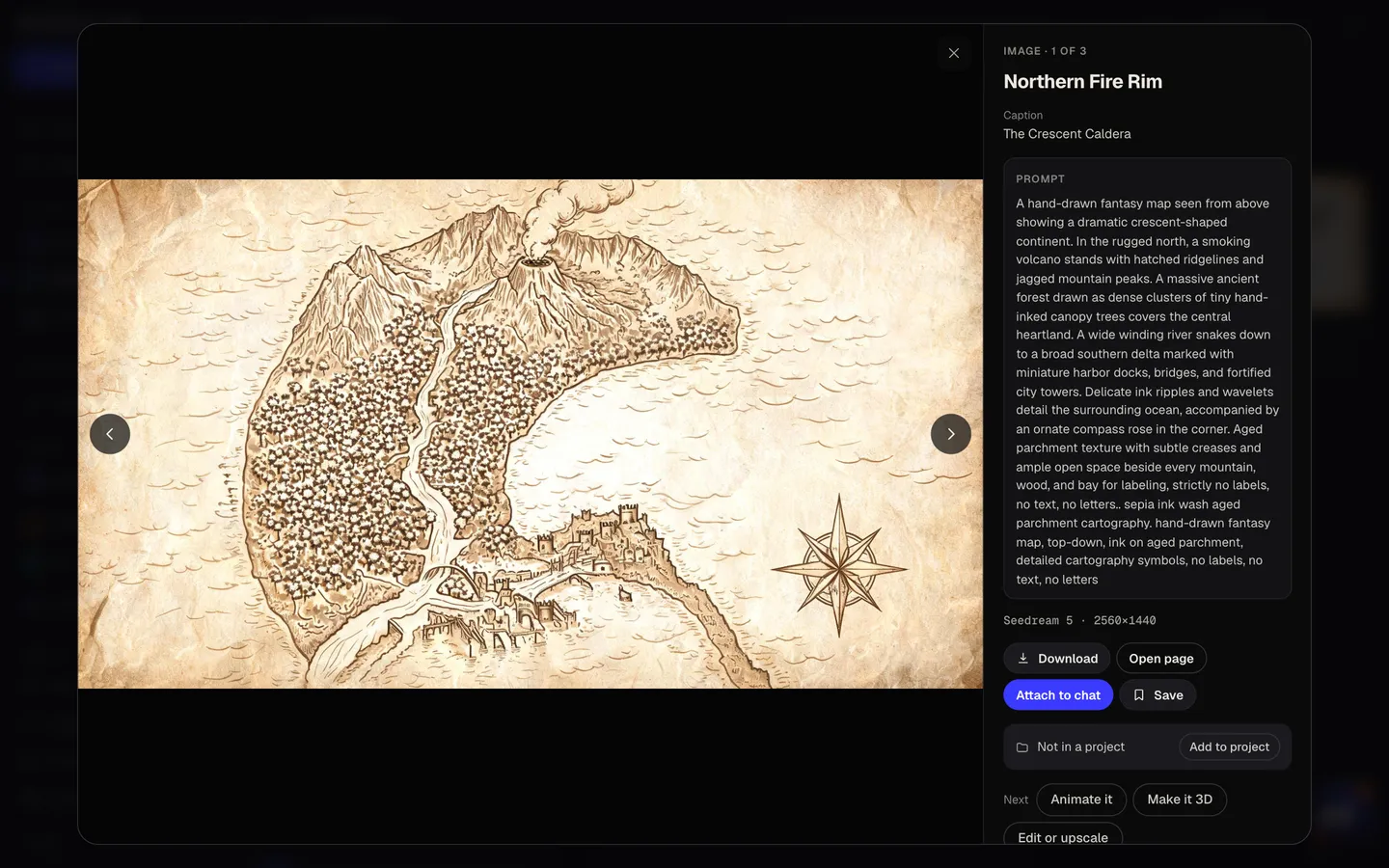
Label it and download
Open a map full size and download it, or put it on a design in Canvas and add your place names in Cinzel or EB Garamond, curved along a river or a coast.
Why it beats
a template
Drawn like a real fantasy map
Mountains as little peaks, forests as tiny trees, towns and castles as symbols, waves in the sea and a compass rose, in the tradition of the maps inside fantasy novels.
No misspelled place names
Image models garble lettering, so the maps come clean, with open space beside each feature. Add your names in Canvas, spelled exactly as they are in your manuscript.
Six cartographic styles
Parchment ink, Painted watercolor, Old sea chart, Dark fantasy, Full colour atlas and Sketchbook pencil.
From a city to a continent
Map a single walled city, a region, a kingdom, an island, an archipelago or a whole continent.
Three takes on your world
Each map is a different coastline and layout, which helps when the world in your head is still taking shape.
For books and game tables
Paid plans include a commercial license, so a map can go in a published novel, a game supplement or a campaign handout.
What makes a fantasy map believable
- Rivers run downhill from mountains to the sea, and they join on the way rather than split.
- Put cities where people would settle: on rivers, coasts and crossroads.
- Leave some blank space. Unexplored edges make a world feel bigger.
- Mountains shape the weather: forests on the wet side, steppe or desert on the dry side.
- Use one lettering style for the whole map, bigger for kingdoms than for towns.
- Describe the overall shape first (a crescent, a broken ring, two continents), then the features.
Fantasy map size and print specs
| Idyllic map | 2560×1440 px | 16:9 landscape PNG, no labels |
|---|---|---|
| Screens and slides | 1920×1080 or 2560×1440 px | Same 16:9 shape; use it as it is |
| Print at 300 ppi | About 8.5×4.8 in | Upscale in Canvas before printing larger |
| Two-page spread in a 6×9 in book | 12×9 in, 4:3 | Crop the sides and keep labels out of the center fold |
| Landscape poster, 18×12 or 36×24 in | 3:2 | Taller than 16:9; expand the top and bottom in Canvas or crop the sides |
Maps are made at 2K. For print, upscale the map in Canvas first, and for a 3:2 poster, expand the sea at the top and bottom so nothing important is cropped.
Steal a brief
Each one opens the flow with the brief filled in. Change anything before you run it.
A frozen continent split by a great glacier, with walled cities in the south, dark fantasy style
An archipelago of twelve small islands linked by sea routes, drawn as an old sea chart
A walled desert city built around an oasis, with a palace, a bazaar and three gates
A river kingdom between two mountain ranges, with farmland, castles and a great lake, painted watercolor
A swampy southern region with stilt villages, a sunken temple and a winding river, sketchbook pencil
Two rival continents across a narrow sea, with a chain of volcanic islands between them, full colour atlas
A forest realm with a giant tree at its heart and roads spiraling out to hidden towns, parchment ink
A starter region for a tabletop campaign: a village, a haunted forest, a ruined tower and a mountain pass
A port city on a crescent bay, with a lighthouse, a harbor district and a castle on the cliffs
Questions
Is the AI fantasy map generator free?
You can preview the whole flow free: real AI writing with sample images, so you can check the plan. Running it for real is on Plus ($10.50 a month, billed yearly) and uses 27 credits for three maps. The free plan also includes 3 free images a day in the image studio.
Why don't the maps have place names?
Image models still garble lettering, and a misspelled kingdom ruins a map. So the maps come with open space beside each feature: put the map on a design in Canvas and type your names, spelled exactly as in your story.
How do I add place names?
Open a map in Canvas, add text for each place, pick a font like Cinzel, EB Garamond or Marcellus, and use curved text to follow rivers and coastlines. Make kingdom names bigger than towns.
Can I use the maps in my novel or game?
Yes. Paid plans include a commercial license, so you can print a map in a book, a game supplement or a campaign handout.
What size are the maps?
16:9 landscape at 2560×1440 px, the shape of a screen. At 300 ppi that prints at about 8.5×4.8 in; for anything larger, upscale it in Canvas first.
Can I map a city instead of a continent?
Yes. Under Map of, choose City, Region, Kingdom, Island, Archipelago or Continent, and describe the districts, walls, rivers and landmarks you want.
Can I change part of a map?
Yes. In Canvas, select an area and describe the change, like adding a lake or making a coast rockier. The rest of the map stays as it was.
Which style suits my story?
Parchment ink for classic high fantasy, Old sea chart for seafaring tales, Dark fantasy for grim worlds, Painted watercolor or Full colour atlas for a brighter world, and Sketchbook pencil for an explorer's field notes.
Make something else
Everything you can make

Your turn.
Preview the whole flow free. No credit card.