Ready-made flow · Announce your grad with their photo and party details
Graduation Announcement Maker
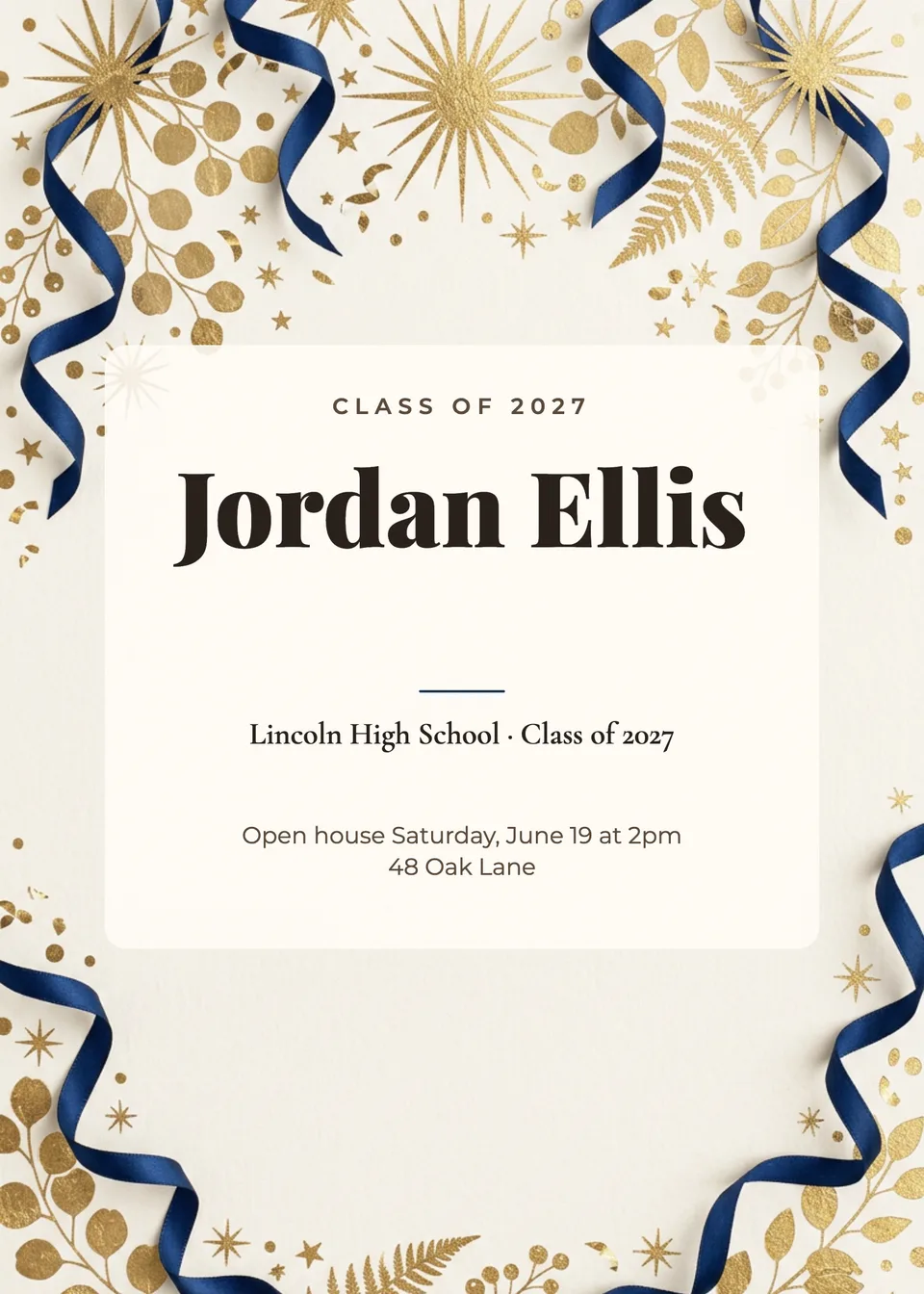
Idyllic's graduation announcement maker designs three announcements from the graduate's name and a line about the school and the party. Add their photo and Nano Banana 2 shows them, recognizable, smiling in a cap and gown; leave it out for tossed caps, confetti and laurels. Idyllic sets the name, school, class year and party details in editable type on a 5×7 card.
- Size
- 5×7 in, 1500×2100 px (300 ppi)
- You get
- 3 announcements + the artwork
- Photo
- Optional: your grad in cap and gown
- Image model
- Nano Banana 2
- Credits
- 60 for 3 designs, Plus and up
Real output · no retouching
One brief.
3 results.
- Graduate's name
- Jordan Ellis
- School, class and party details
- Lincoln High School, Class of 2027 · Open house Saturday, June 19 at 2pm · 48 Oak Lane
- Look
- Classic


How to make it
Four steps, about a minute of your time. These are real screens from the run above.
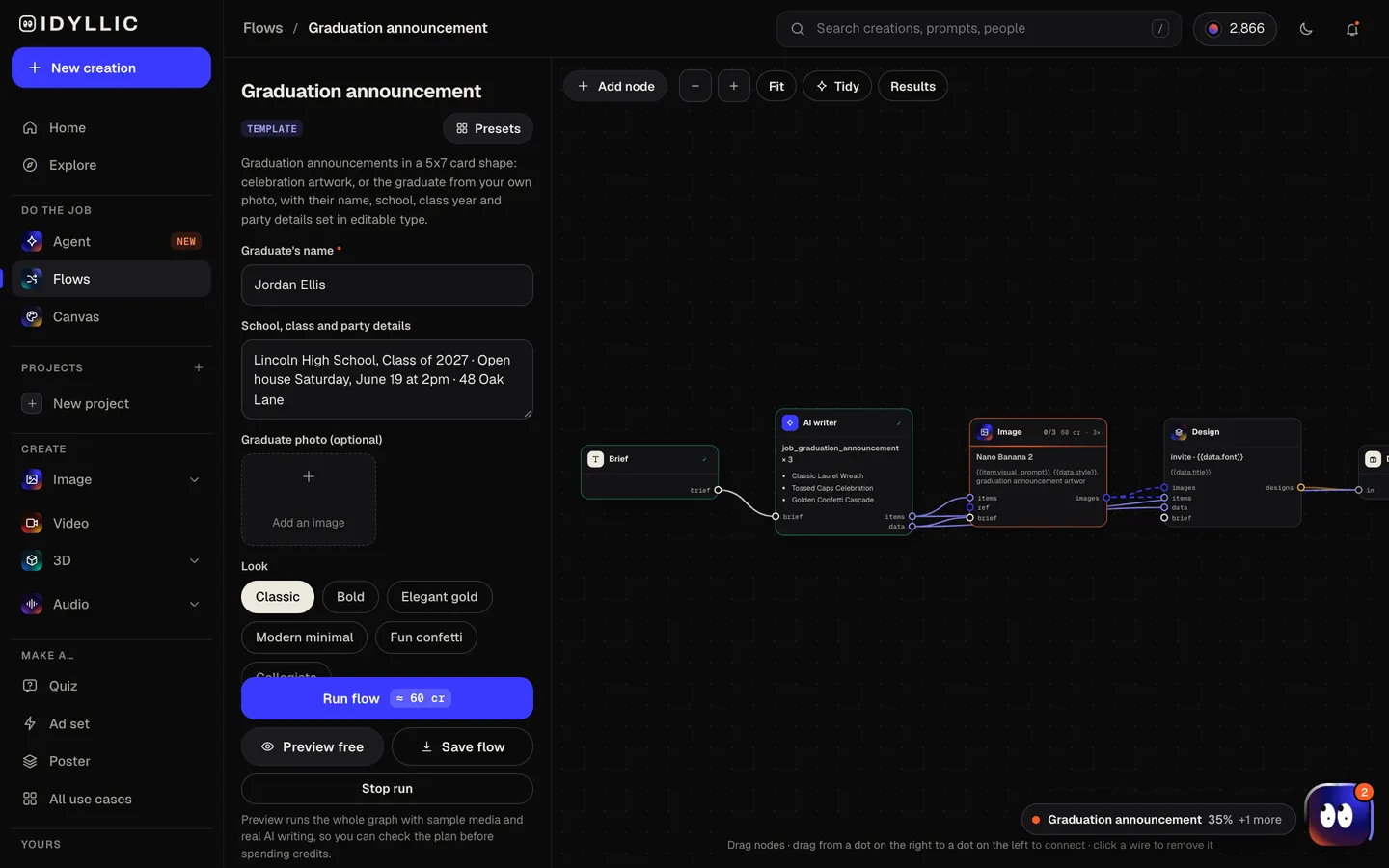
- 01
Tell it about the grad
Type the graduate's name (“Jordan Ellis”), then the school, class and party details, add a photo of them if you like, and pick a look: Classic, Bold, Elegant gold, Modern minimal, Fun confetti or Collegiate.
Open the flow
- 02
It plans and paints
The AI writer plans a different scene for each design and writes an opening like “CLASS OF 2027”, using a year only if you give one. With a photo, Nano Banana 2 shows the graduate in a cap and gown with confetti or campus around them; without one, it paints tossed caps, confetti and laurels. Idyllic sets the type on a cream card. Preview the flow free first.
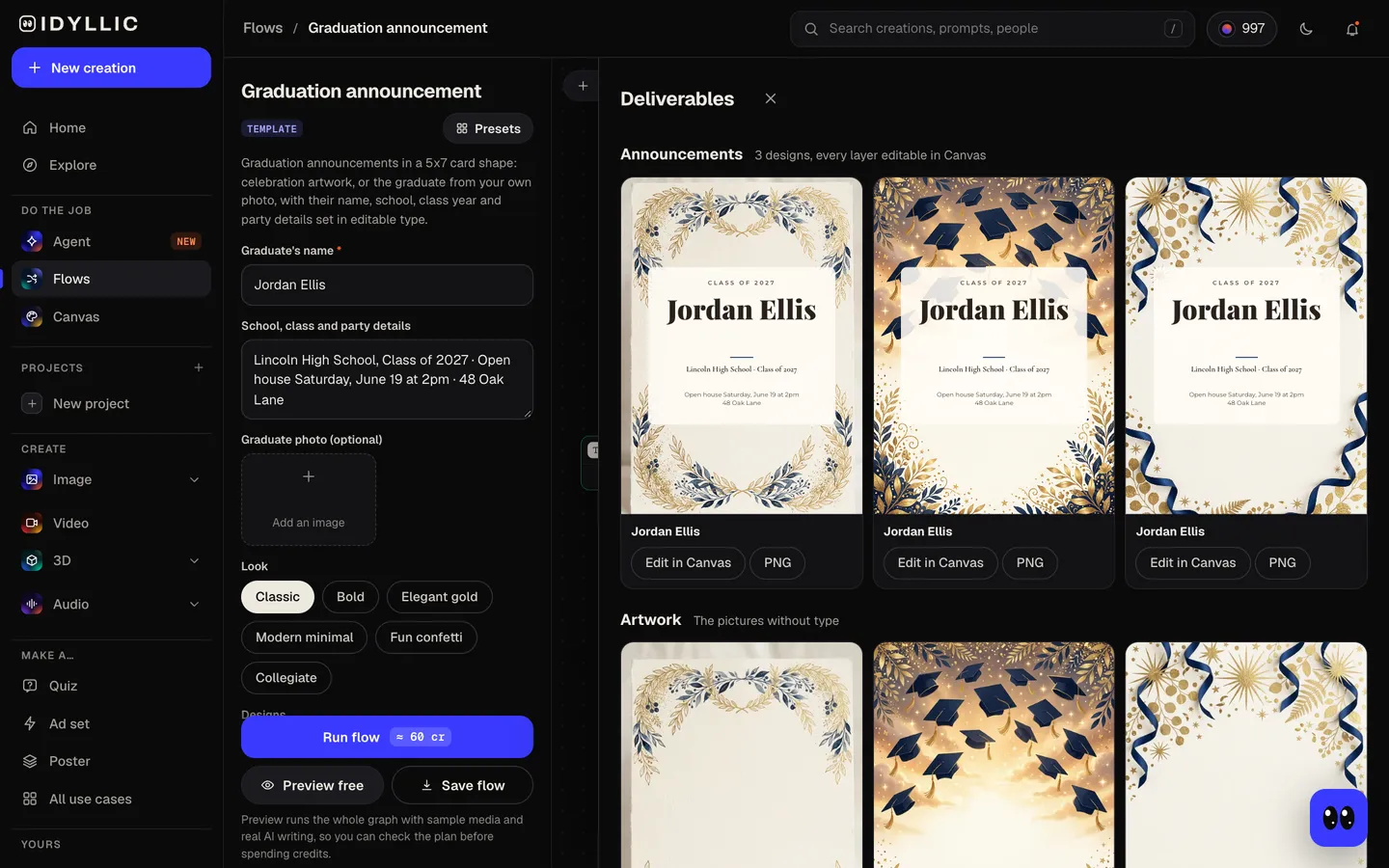
- 03
Compare three designs
The three announcements sit side by side, with the artwork on its own too, so you can pick the one that feels most like them.
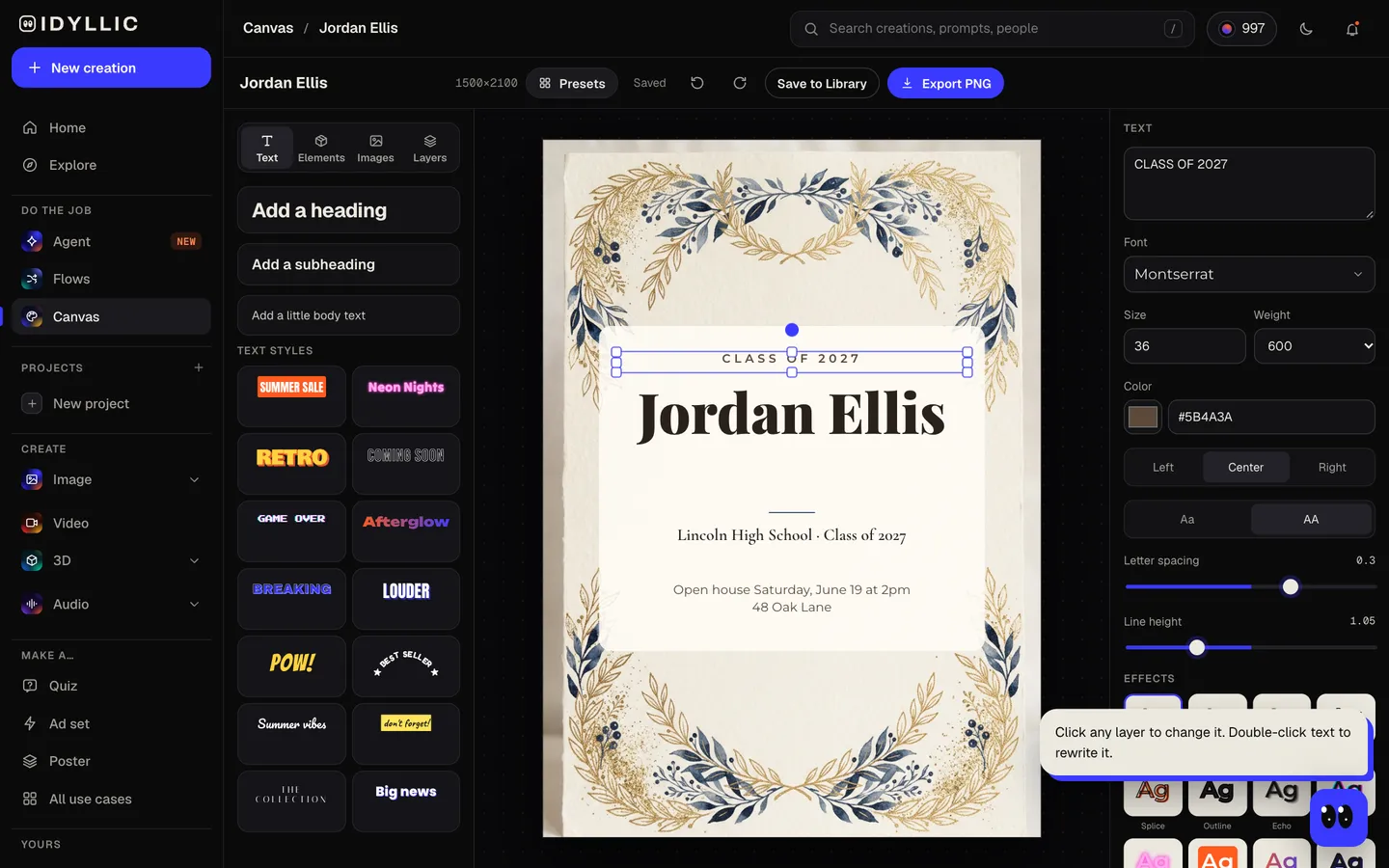
- 04
Edit and download
Open one in Canvas and change any word, font, effect or color, add a degree, honors or a party line, then download a 1500×2100 PNG to print or send.
Why it beats
a template
Your grad, in cap and gown
Add a clear photo, a senior portrait or a good phone snap, and the graduate appears in a cap and gown, face recognizable, with the celebration around them.
Or celebration art
Leave the photo out and the artwork is tossed caps, confetti, laurels and stars, with no people in it.
News and party in one card
Put the open house or party details in the brief and they're set on the card, so one design shares the news and invites people.
Every word stays editable
Fix the school name, add “Summa cum laude”, swap the font for any of 144, set type to the exact school colors. Nothing is baked into the picture.
Six looks
Classic, Bold, Elegant gold, Modern minimal, Fun confetti and Collegiate, from a kindergarten send-off to a PhD.
Print or send
1500×2100 px is a 5×7 card at 300 ppi and fits an A7 envelope. The same PNG goes out by text, email or social.
What to put on a graduation announcement
- The graduate's full name, the way the school prints it.
- The school, and the degree, major or class year.
- The ceremony date, if you're announcing it.
- Party details if you're inviting people: date, time, address and how to RSVP.
- A photo. Senior portraits are the classic choice; a candid works too.
- Common guidance: send a party invitation two to three weeks ahead, and an announcement from about two weeks before the ceremony to a few weeks after.
Graduation announcement size and specs
| Announcement (flow size) | 5×7 in, 1500×2100 px | 300 ppi at print size, portrait |
|---|---|---|
| Large export | 3000×4200 px | 600 ppi at 5×7, for print shops that ask for more |
| Envelope | A7, 5¼×7¼ in | The standard envelope for a 5×7 card |
| Their photo | Clear and well lit | Face visible; the cap, gown and scene are made new |
| Text and social | Same PNG | Portrait, reads well on a phone |
Print on 5×7 card stock at 100% scale and keep text about ⅛ in (3 mm) inside the edge, since print shops trim close.
Steal a brief
Each one opens the flow with the brief filled in. Change anything before you run it.
Jordan Ellis, Lincoln High School Class of 2027, open house Saturday, June 19 at 2pm at 48 Oak Lane
Maya Chen graduates from Westbrook University with a BS in Biology, May 2027, elegant gold
Leo Martins, kindergarten graduation at Sunnyvale Elementary, June 10, 2027, fun confetti
Dr. Sam Okafor, PhD in Chemistry from Northgate University, celebration dinner Friday, May 21 at 7pm
Ava Brooks, Riverside High Class of 2027, grad party Saturday, June 26 at 4pm in the backyard, collegiate
Theo Parker, BSN from Lakeview College of Nursing, pinning ceremony May 14, 2027, classic
Priya Patel, MBA, Eastfield Business School Class of 2027, modern minimal
Jackson Reed, Hillcrest High School Class of 2027, bold navy and gold, open house June 12 at 1pm
Questions
What is the difference between a graduation announcement and an invitation?
An announcement shares the news; an invitation asks people to come to the ceremony or a party. This flow does both: leave out the party details for an announcement, or add them for an invitation.
How much does it cost to make graduation announcements?
You can preview the whole flow free, with real AI writing and sample images. Running it for real is on Plus ($10.50/mo, billed yearly) and up, and uses 60 credits for 3 designs. The free plan also includes 3 free images a day in the image studio.
When should I send graduation announcements?
Common guidance is to send a party invitation two to three weeks ahead so people can RSVP, and an announcement anywhere from about two weeks before the ceremony to a few weeks after.
What size are graduation announcements?
5×7 inches is the most common. Idyllic designs at 1500×2100 px, a 5×7 card at 300 ppi, which fits an A7 envelope. The Large export is 3000×4200 px.
Can I use the graduate's photo?
Yes. Add a clear photo where their face is visible, and each design shows them, recognizable, smiling in a cap and gown with the celebration around them.
Does it work for college, kindergarten or a PhD?
Yes. Put the school and degree in the brief, like “Westbrook University, BS in Biology” or “Kindergarten, Sunnyvale Elementary”, and pick a look. The class year only appears if you give one.
Can I use our school colors?
Yes. Mention them in the brief, like “navy and gold”, and the artwork follows. In Canvas you can set any text or shape to the exact color.
Make something else
Everything you can make


Your turn.
Preview the whole flow free. No credit card.