Ready-made flow · Event covers with the name, date and entry set clearly
AI Facebook Event Cover Maker
Idyllic's AI Facebook event cover maker turns your event name and details into finished event covers at 1920×1005. Each is different key art for the occasion, with the event name, the date and time, and a pill like “Free entry” or “Tickets $15” set in bold type. It never invents a price. Every word and layer stays editable in Canvas.
- Size
- 1920×1005 PNG
- You get
- 3 covers + the artwork without text
- Image model
- Seedream 5
- Cost
- 27 credits for 3, on Plus and up
- Looks
- Bold, Elegant, Neon, Playful, Minimal, Retro
Real output · no retouching
One brief.
3 results.
- Event name
- Sunset Rooftop Jazz Night
- Date, place and details
- Friday, Aug 22 · 7-10pm · The Grand Rooftop, Oakland · Free entry
- Look
- Bold


How to make it
Four steps, about a minute of your time. These are real screens from the run above.
- 01
Name the event
Enter the event name, then the date, time, place and entry in one line, like “Friday, Aug 22 · 7-10pm · The Grand Rooftop, Oakland · Free entry”. Pick a look (Bold, Elegant, Neon, Playful, Minimal or Retro) and choose how many covers to make.
Open the flow
- 02
Let the flow design it
The AI writer plans different key art for each cover (the atmosphere, a hero object, the crowd, an illustrated scene), shortens the date line and writes a 1-3 word entry pill from your details, or “RSVP now” if you gave no price. Seedream 5 makes each image, then Idyllic sets the type. Preview the whole flow free first.

- 03
Compare the covers
Every cover appears side by side, next to the artwork without text, so you can pick the one that sells the mood of the night.

- 04
Edit in Canvas and download
Open a cover in Canvas to fix the time, change the venue line or swap a font, then download the 1920×1005 PNG and add it when you create or edit the event.

Why it beats
a template
The details people check, set clearly
The event name, date and entry are big, real type over calm space in the art, so they read in a feed, on a phone and on the event page.
Never an invented price
The entry pill uses only what you wrote. If there is no price in your brief, it says “RSVP now” instead of guessing.
Key art with a mood
Neon for a club night, Elegant for a gala, Playful for a kids' party, Retro for a market: the image and the fonts follow the look you pick.
Sized for Facebook events
Every cover is 1920×1005, the widely used 1.91:1 event cover size, with the type kept inside a central safe band.
Easy to update
Venue changed or the date moved? Edit the line in Canvas and download again, without making the art again.
Match the whole campaign
Run the same brief through the event poster, flyer and Instagram story flows so every post about the event looks like it belongs together.
What makes an event cover people RSVP to
- Lead with the event name, then the date. Those are the two things people check.
- Say what it costs. “Free entry” or a price answers the first question.
- Pick art that shows the mood: the lights, the crowd, the food, the music.
- Keep text in the middle. Facebook shows event covers at different sizes in feeds, search and on the event page.
- Use one or two fonts, big enough to read on a phone.
- When details change, refresh the cover and post an update.
Facebook event cover size and specs
| Event cover | 1920×1005 px | About 1.91:1, the size Idyllic exports |
|---|---|---|
| Smaller version | 1200×628 px | Same 1.91:1 shape, a common minimum |
| File type | PNG | Keeps text crisp after Facebook compresses the image |
| Page cover photo | 1640×624 px | A different shape; use the Facebook cover flow |
1920×1005 is the widely used event cover size. Facebook shows the cover smaller in feeds and search than on the event page, so Idyllic keeps the event name and date inside a central band.
Steal a brief
Each one opens the flow with the brief filled in. Change anything before you run it.
Sunset Rooftop Jazz Night, Friday Aug 22, 7-10pm at The Grand Rooftop, Oakland, free entry
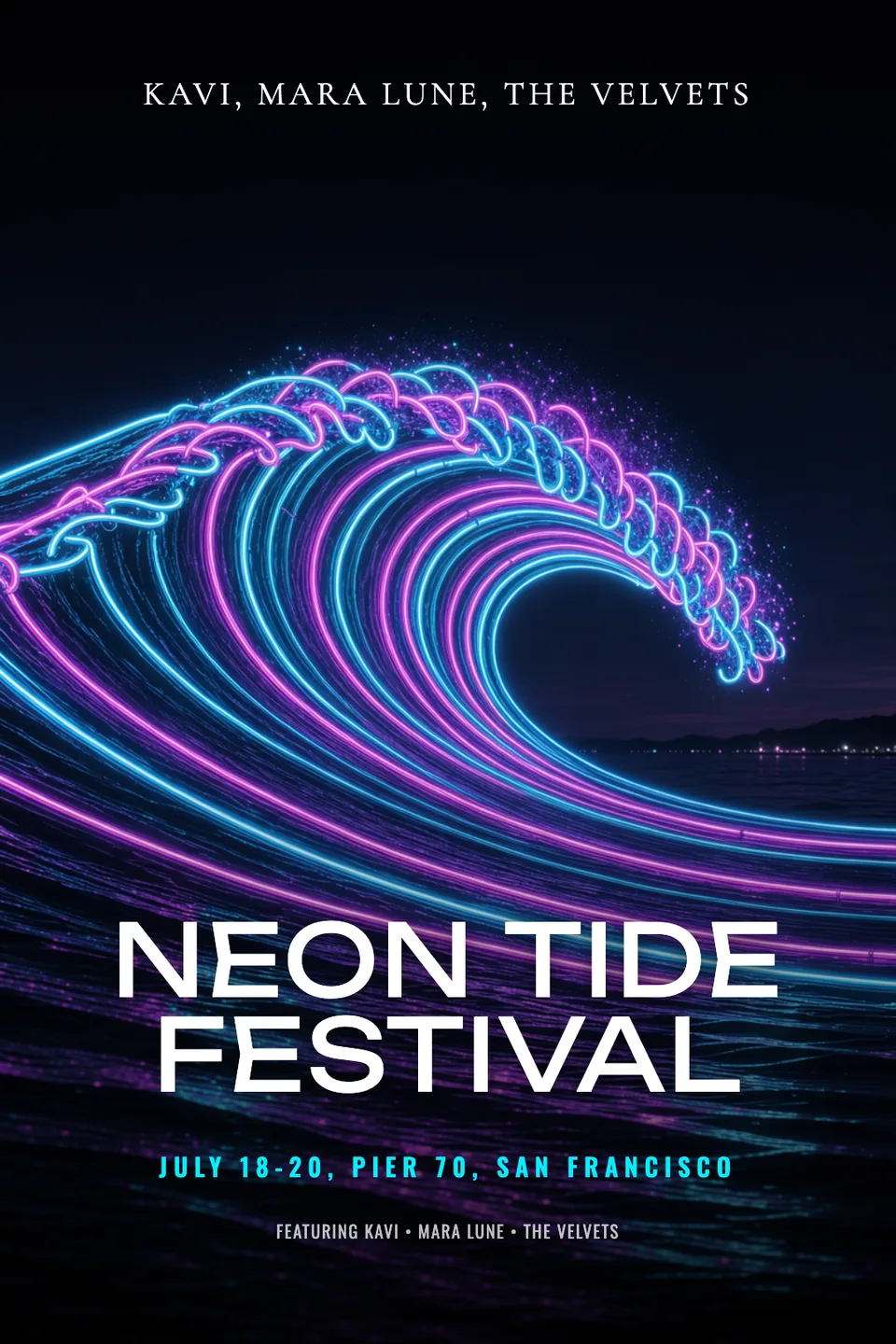
Neon Tide Festival, July 18-20 at Pier 70, San Francisco, three nights of electronic music, tickets $45
Lakeside 5K Fun Run for the animal shelter, Sunday May 4 at 8am, Lake Merritt, $25 entry
Eastside Vintage Flea, every Saturday in June, 10am-4pm, 80 vendors, free entry, in a retro look
Comedy Under the Stars, outdoor stand-up on Thursday Sept 12 at 8pm, Hollow Oak Brewery, tickets $15
Spring Plant Swap at the Eastside Library, April 12, 1-4pm, bring a cutting and take one home
Ava and Leo's Engagement Party, Saturday June 7 at 6pm at the Lantern Room, in an elegant look
Startup Pitch Night, Wednesday Nov 5 at 6:30pm at Foundry Hall, Austin, RSVP required
Halloween Kids' Costume Parade, Oct 31 at 4pm on Main Street, free for everyone, in a playful look
Questions
What size is a Facebook event cover photo?
1920×1005 pixels, a 1.91:1 shape, is the widely used size for Facebook event covers, and it is what Idyllic exports. Keep the event name and date away from the edges, because Facebook shows the cover at different sizes in feeds, search and on the event page.
Is the AI Facebook event cover maker free?
You can preview the whole flow free: the AI writer plans your real key art and copy, shown with sample images. Making the final covers is on Plus and up (from $10.50/mo, billed yearly) and costs 27 credits for three. The free plan also includes 3 free images a day in the image studio.
What should an event cover include?
The event name, the date and time, and what it costs to get in. The venue is useful if it's a draw. Everything else, from the lineup to the dress code, belongs in the event description.
Will the AI make up a ticket price?
No. The entry pill uses the price or entry terms from your brief exactly. If you don't give one, it says “RSVP now”.
Can I use the cover on Instagram too?
Yes. Open it in Canvas and switch the artboard to Square or Story; every layer scales with it. For a layout built for those shapes, run the event poster or Instagram story flow with the same brief.
Can I change the date after making the cover?
Yes. The date, time and venue are real type, so open the cover in Canvas, change the line and download a new PNG.
Can I write the brief in another language?
Yes. Prompts work in any language, and the event name is set exactly as you type it.
Can I use it for a paid event or a client?
Yes. Paid plans include a commercial license, so you can use the covers for ticketed events, venues and client work. Paid plans also include private mode.
Make something else
Everything you can make
Your turn.
Preview the whole flow free. No credit card.