Ready-made flow · Your real product in a vertical video with music
AI Product Video Generator
Idyllic's AI product video generator turns one photo of your product into a finished vertical video. The AI writer plans a hero shot, the product in use and a close detail. Nano Banana 2 places your product in each scene, Veo 3.1 animates it, and an original ElevenLabs soundtrack runs underneath. You get one 9:16 video for Reels, TikTok, Shorts and product pages, plus a caption.
- Format
- 9:16 vertical MP4
- Starts from
- One photo of your product
- You get
- 1 cut video + the scene frames + a caption
- Cost
- 208 credits for 3 shots, on Pro
- Time
- Several minutes
Real output · no retouching
One brief.
3 results.
- What is it?
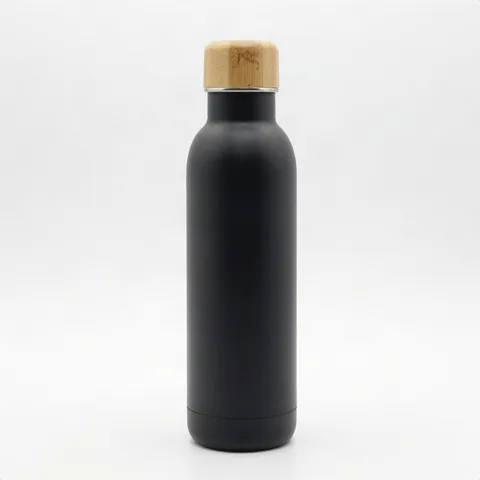
- A matte black insulated water bottle
- Look
- Clean studio
- Product photo
- Photo added


How to make it
Four steps, about a minute of your time. These are real screens from the run above.
- 01
Upload the product
Add a clear photo of the product, say what it is ('a matte black insulated water bottle'), pick a look (Clean studio, Lifestyle, Luxury, Energetic, Outdoors or Cozy) and choose two to four shots.
Open the flow
- 02
Let the flow direct it
The AI writer plans the video like a product director: a hero shot to open, the product in use, a close detail to end, plus a music brief and a caption. Nano Banana 2 places your product, unchanged, in each scene, Veo 3.1 animates it with one smooth camera move, and ElevenLabs composes the score. Preview the plan free; the real run takes several minutes.

- 03
Watch the cut
The shots are cut into one vertical video with the music mixed underneath. The first frame of every scene sits alongside it, with the caption.

- 04
Download and post
Download the MP4 for Reels, TikTok, Shorts or your product page, and post it with the caption. The scene frames double as product photos for your store and ads.

Why it beats
a template
Your product, not a lookalike
Every scene starts from your photo. Nano Banana 2 is asked to keep the product exactly as it is, and the camera moves around it rather than changing it.
Hero, in use, detail
The shots a product video needs: a hero shot that stops the scroll, the product in use, and a close detail that shows the quality.
Original music, made for it
ElevenLabs composes a soundtrack that fits the product, mixed under the cut. No stock track to hunt for.
Six looks
Clean studio, lifestyle, luxury, energetic, outdoors or cozy, carried through every scene.
One video, every vertical feed
Reels, TikTok and Shorts all use 9:16, and Shopify product pages accept vertical video too.
Product photos as a bonus
The first frame of every shot is a photoreal still of your product in a new scene, ready for a listing, an ad or a post.
What makes a product video sell
- Start with a clean photo: the product alone, evenly lit, in focus, nothing covering it.
- Open on the product. The first second should show exactly what you sell.
- Show it in use. A hand, a desk, a trail: context sells better than a product spinning in a void.
- Make it work with the sound off. The pictures should explain the product without the music.
- Add price or an offer as text in the app you post to, away from the bottom and right edges where buttons sit.
- Post the same cut to Reels, TikTok and Shorts. All three use 9:16.
Product video sizes and specs
| TikTok video | 1080×1920 px | 9:16 vertical, the standard full-HD size |
|---|---|---|
| Instagram Reels | 9:16 | Meta recommends 1440×2560 for Reels ads |
| YouTube Shorts | 9:16 | Vertical, up to 3 minutes |
| Shopify product media | 9:16 accepted | MP4, MOV or WEBM, up to 10 minutes and 1 GB |
| Idyllic product video | 9:16 MP4 | About 6 seconds per shot, 2 to 4 shots |
Each shot runs about six seconds, so the default three shots make a video of roughly 18 seconds. Choose two shots for about 12 seconds or four for about 24.
Steal a brief
Each one opens the flow with the brief filled in. Change anything before you run it.
A matte black insulated water bottle, filmed in bright outdoor scenes on a mountain hike
A vitamin C face serum in a frosted glass dropper bottle, clean studio look
Handmade ceramic coffee mugs in speckled glaze, cozy kitchen mornings
Wireless earbuds in a white charging case, energetic gym and city scenes
A cognac leather crossbody bag, lifestyle shots on a sunny city street
An amber glass soy candle with a gold lid, luxury look in a candlelit bathroom
Trail running shoes in neon orange, energetic shots on a forest trail
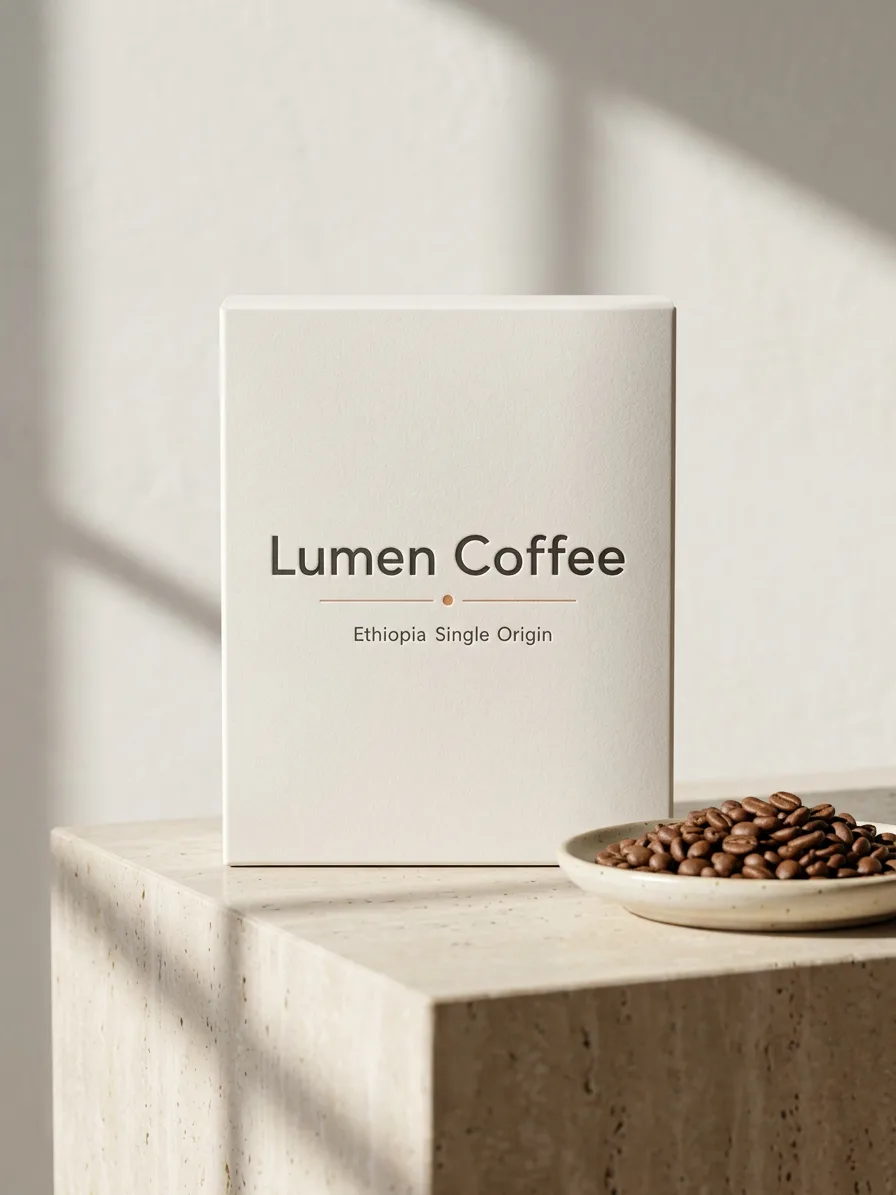
A bag of single-origin coffee beans with a kraft label, cozy café scenes
A gold pendant necklace with a small pearl, luxury close-ups on velvet
Questions
Is the AI product video generator free?
Previewing the flow is free: you see the AI writer's real plan for your scenes, music and caption, with sample images. Making the video needs Pro ($17.50/mo, billed yearly) and costs 208 credits for three shots. The free plan also includes 3 free images a day in the image studio.
Will it change my product?
The flow is built to keep it: each first frame places your product from the photo, unchanged, in a new scene, and the motion is a camera move around it. Check small print, logos and fine details in every frame, since AI can still soften them.
What kind of photo should I upload?
One clear photo of the product on its own, evenly lit and in focus, with nothing covering it. A plain background works best, with labels and logos facing the camera.
How long is the video?
Each shot runs about six seconds. Two shots make about 12 seconds, the default three about 18, and four about 24.
What size is a product video for Reels and TikTok?
9:16 vertical, and 1080×1920 px is the standard full-HD size. Idyllic makes every product video in 9:16, so the same file works on Reels, TikTok, Shorts and Shopify product pages.
Does it have music or a voiceover?
ElevenLabs composes an original soundtrack for each video, mixed under the cut. This flow has no voiceover or dialogue.
Can I add text, a price or my logo?
The video comes without burned-in text, so it stays clean. Add text, prices and your logo in the app you post to or in your video editor, and paste the caption Idyllic writes.
Can I use it in ads and on my store?
Yes. Paid plans include a commercial license. Shopify accepts MP4 product videos up to 10 minutes and 1 GB, and the 9:16 cut also works as a vertical ad.
Make something else
Everything you can make
Your turn.
Preview the whole flow free. No credit card.