Image to Video AI
Idyllic's image to video AI animates a still image, either a photo you upload or a picture you created in Idyllic. Describe what should move and how the camera behaves, choose Veo 3, Kling or Seedance, and get a clip in 16:9, 9:16 or 1:1. Image to video is included on Pro (40 videos a month) and Max (150 a month).
- Price
- Free to start · 3 images a day
- Output
- HD images, upscale to 8K
- Models
- FLUX, Imagen 4, GPT Image, Seedream
- Commercial use
- Included on paid plans
- Prompt language
- Any language
How it works
Three steps from idea to finished image.
- 1
Add your image
Upload a photo or pick an image you made in Idyllic. Fix anything first with Edit with words, because the video builds on this frame.
- 2
Describe the motion
Say what moves and how: 'she turns to the camera and smiles, hair moving in the wind, slow push-in'. One or two actions per clip works best.
- 3
Generate and refine
Pick a model and an aspect ratio, then generate. If the motion isn't right, adjust the prompt and run it again. Download the take you like.
What to animate
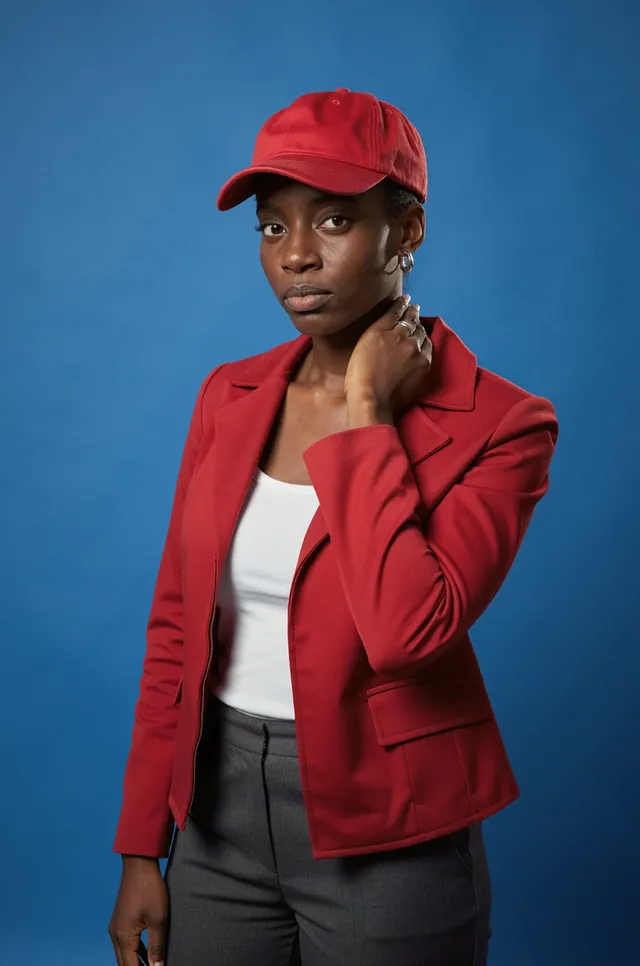
- Portraits: a slow smile, a head turn, hair and fabric moving in the wind.
- Product photos: a slow orbit, light sweeping across a bottle, steam rising from a cup.
- Landscapes: drifting clouds, moving water, a gentle drone-style push forward.
- Illustrations and anime art: bring a character or a scene to life in its own style.
- Old photos: subtle motion like a blink, a smile or a glance.
- Posters and covers: add movement for Reels, Stories and ads.
Writing the motion prompt
Your image already sets the look, so the prompt only needs to describe motion: the subject's action, the camera and the pace.
- Subject: 'turns her head and laughs', 'the cat blinks and yawns'.
- Camera: 'slow push-in', 'orbit to the left', 'static shot'.
- Environment: 'leaves falling', 'rain on the window', 'neon signs flicker'.
- Pace: 'slow motion', 'gentle and calm', 'fast whip pan'.
Image to video or text to video
Text to video invents the whole scene from words. Animating an image keeps your exact composition, character, product and color grade, which makes it the better choice for brand work, recurring characters and photos that already look right.
Tips for a better result
- Start from a sharp, well-lit image with a clear subject.
- Match the format: use Canvas extend to turn a horizontal photo into a 9:16 frame before animating.
- Ask for subtle motion when faces matter; small movements stay closer to the original likeness.
- Leave room to move: a subject cropped at the edge of the frame has nowhere to go.
- Keep a character across clips: create the stills with Characters, then animate each one.
Prompt ideas
Copy a prompt, or open it in Idyllic and make it yours.
she turns toward the camera and smiles, hair moving in a light breeze, slow push-in, natural light
slow 360-degree orbit around the perfume bottle, light sweeping across the glass, soft reflections
clouds drift across the sky, ripples spread across the lake, gentle drone push forward, golden hour
the cat blinks slowly and yawns, tail swishing, static camera, cozy window light
anime style, cherry blossom petals fall, the character's coat flutters, camera slowly tilts up to the sky
steam rises from the coffee cup, morning light shifts across the table, slow motion, close-up
rain begins to fall on the neon street, reflections ripple in the puddles, slow tracking shot to the right
the couple in the old photo glance at each other and smile, subtle motion, warm film grain
the sneaker turns slowly on its pedestal, studio light, 9:16 vertical, clean grey background
Frequently asked questions
Can I animate a photo for free?
Not on the free plan. Image to video is included on Pro ($17.50/month billed yearly, 40 videos a month) and Max ($33.25/month billed yearly, 150 videos a month). The free plan gives you 3 images a day with no credit card, so you can create the image you'll animate later.
How do I turn a photo into a video?
Upload the photo, describe the motion and camera move in a sentence or two, choose a model and an aspect ratio, and generate. Refine the prompt and run it again if the movement isn't right.
Which models can animate images?
You can choose Veo 3, Kling or Seedance. Try the same image and motion prompt on two models and keep the take you prefer.
How long does it take?
Usually under a few minutes, and it varies by model.
Will the person in my photo still look the same?
The video starts from your photo, so the likeness holds best with small, natural movements. Big actions and fast camera moves give the model more to invent, which can drift from the original.
What kind of image works best?
A sharp, well-lit image with a clear subject and some space around it. If the photo is the wrong shape, extend it with Canvas to 16:9, 9:16 or 1:1 first.
Can I bring old family photos to life?
Yes. Upload a scan and keep the motion subtle, like 'they smile and blink, slight head movement'. Gentle prompts give the most natural result.
Can I use the videos commercially?
Yes. Pro and Max include a commercial license and private mode, which keeps your clips out of the public gallery. Only animate photos you own or have permission to use.
Related tools
See all Video, 3D and editing


More in Video, 3D and editing

Your turn.
Free to start. No credit card.