AI Background Changer
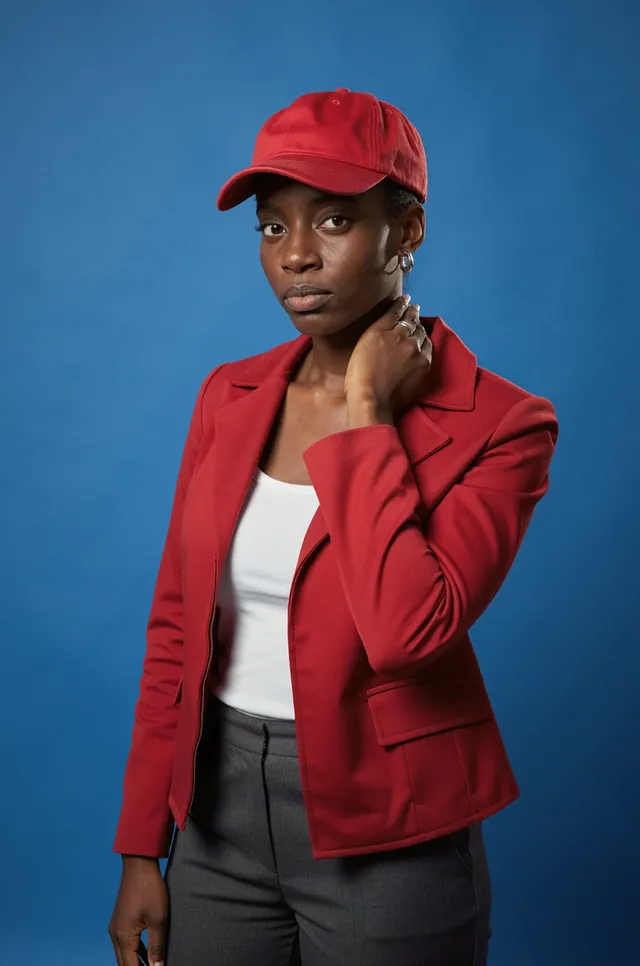
Idyllic's AI background changer replaces the background of any photo and keeps your subject as it is. Upload a product shot, portrait or pet photo, then describe the new scene, like 'white marble countertop in soft morning light', or use Canvas replace background. Ask for matching light and a soft shadow, and the result reads as one photo.

- Price
- Free to start · 3 images a day
- Output
- HD images, upscale to 8K
- Models
- FLUX, Imagen 4, GPT Image, Seedream
- Commercial use
- Included on paid plans
- Prompt language
- Any language
How it works
Three steps from idea to finished image.
- 1
Upload your photo
Add a product shot, portrait, pet photo or any image you made in Idyllic. A clear, well-lit subject gives the cleanest edges.
- 2
Describe the new background
Write the scene: 'a sunlit linen tablecloth with eucalyptus', 'a plain white studio', 'a rainy Tokyo street at night'. Or use Canvas replace background.
- 3
Refine and download
Follow up with 'softer shadow' or 'blur the background more'. The conversation is remembered, so each tweak builds on the last.
Backgrounds for product photos
Shoot the product once on any surface, then place it anywhere.
- Pure white: a clean studio backdrop with a soft contact shadow for marketplace listings.
- Lifestyle: kitchen counter, bathroom shelf, desk setup.
- Seasonal: autumn leaves, a holiday table, a summer beach.
- Brand color: solid or gradient backdrops in your palette.
- Surfaces: marble, travertine, linen, concrete, wood.
Portraits and profile pictures
- Headshots: neutral grey studio, a bright office, soft bokeh.
- Travel: a Paris street, a Santorini terrace, a mountain lookout.
- Creative: neon city at night, an anime sky, a bold color backdrop.
- Pets: a sunny park, a cozy living room, a beach at golden hour.
Make the new background look real
- Match the light: say where it comes from, like 'soft window light from the left'.
- Ask for a contact shadow so products sit on the surface instead of floating.
- Match the depth of field: a blurred background suits portraits, a sharp one suits flat lays.
- Keep the perspective: a product shot from above needs a background seen from above.
- Mention reflections for glossy surfaces like glass, chrome or polished stone.
Canvas tools for backgrounds
- Replace background: keep the subject and swap everything behind it.
- Extend: widen or lengthen the frame to 16:9, 9:16 or 1:1, and the background continues.
- Erase: remove a stray object or person behind your subject.
- Fill: add a prop, like a plant or a coffee cup, next to a product.
Prompt ideas
Copy a prompt, or open it in Idyllic and make it yours.
replace the background with a white marble countertop, soft morning window light, gentle shadow under the bottle
pure white studio background with a soft contact shadow, keep the product exactly the same
put the sneaker on a wet city street at night, neon reflections, low angle
change the background to a bright modern office with soft bokeh, keep his face and suit the same
place the dog on a sunny beach at golden hour, waves behind, matching warm light
swap the background for a pastel pink gradient, clean brand-style product shot
replace the background with a Paris cafe terrace, late afternoon light, shallow depth of field
put the candle on a rustic wooden table with autumn leaves and a knitted blanket, warm cozy light
anime-style sky background with towering summer clouds, keep the person exactly as they are
Frequently asked questions
Is the AI background changer free?
You can start free with 3 images a day and no credit card. Paid plans from $10.50/month billed yearly add private mode and a commercial license for product and client work.
How do I change the background of a photo?
Upload the photo and describe the new background, or use Canvas replace background. Then refine with follow-ups like 'warmer light' or 'more blur'.
Will my subject change?
No. Only the background changes and the subject stays as it is. If a detail matters, add 'keep the product exactly the same' to the prompt.
Can I make a white background for product photos?
Yes. Ask for a 'pure white background with a soft contact shadow' for marketplace-style listings, or light grey for a softer look.
Can I change the background of a photo of me?
Yes. Upload a portrait and describe the scene, like 'neutral grey studio for a headshot' or 'a street in Lisbon at sunset'. Free creations appear in the public gallery, so use a paid plan's private mode for personal photos.
Does it work on images I generated?
Yes. It works on any image, whether you generated it in Idyllic or uploaded it.
How do I make the new background look realistic?
Match the light, the angle and the depth of field. Say where the light comes from, keep the same viewpoint as the photo, and ask for a contact shadow under products.
Can I resize the background for Reels or a banner?
Yes. Use Canvas extend to widen or lengthen the frame to 16:9, 9:16 or 1:1, and the background fills the new space.
Related tools
See all Video, 3D and editing
More in Video, 3D and editing

Your turn.
Free to start. No credit card.